Easy to Read Bible
- 690
- 4.8
- Installs
- 10.00K
- Price
- Free

Screenshots

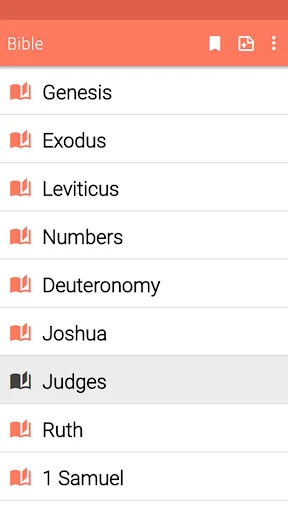

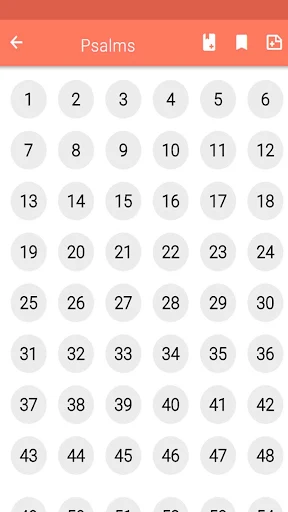
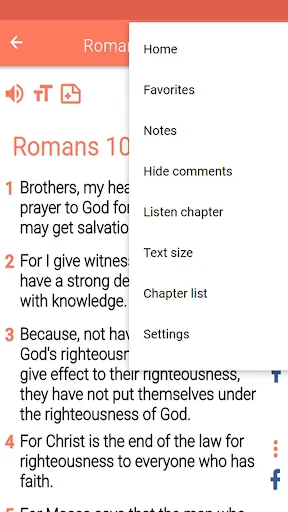


Analysis by Reviewed APKs
Easy to Read Bible is an Android Bible app built around an English translation with everyday vocabulary, plus audio and tools for keeping track of passages. I can see it working well for someone who wants a straightforward reading or listening companion without relying on a connection. Its useful reading aids make it more flexible than a plain text edition, though ads and in-app purchases are worth keeping in mind.
A Bible for spare moments
When I imagine using Easy to Read Bible during an ordinary day, the appeal is having the text ready for a small window of time: a quiet few minutes at home, a lunch break, or a ride when I would rather listen than scroll. The app can work offline, so reading does not have to depend on a signal. Its everyday-language approach also aims to make the text easier to follow.
I would start with a passage, adjust the text size until it felt comfortable, and leave a bookmark or note if I wanted to return to a thought later. On a bus or during a walk, audio offers another way to spend that same stretch of time. The app remembers the last verse read, which helps make a brief session feel connected to the next one.
A focused reading companion
Compared with a printed Bible, this app adds practical phone-friendly tools: keyword search, adjustable text, audio controls, highlights, notes, favorites, and sharing. Offline access is especially handy when I do not want a reading session tied to mobile data. It is a focused option for people who want the Bible text and a few ways to revisit it, rather than a general-purpose reading app.
It is not presented as a study encyclopedia or a social community, and I would not choose it expecting guided reading plans or expert commentary. The description centers on an easier-to-read English Bible and personal reading tools. That makes it a better fit for straightforward reading and listening than for someone whose main goal is comparing extensive study resources or managing a structured course.
Small habits that help
A few simple habits could make the app easier to return to. I would use a bookmark when I stop, mark a favorite verse that I want to find again, and add a short note when a passage raises a question. Keyword search can help when I remember a phrase but not where it appears. These tools are most useful when I use them consistently instead of treating them as separate features.
The notification setting offers another low-effort routine: verses can be scheduled daily, on Sunday, or not at all. I would keep that choice modest and pair it with a moment I already have, such as morning coffee or a quiet evening. If reading is more comfortable after dark, night mode and text-size adjustment can help tailor the screen without changing the basic reading flow.
More From Our News Desk

Zoom Meetings, Google Meet, or Teams: Which Is Easiest to Join?

How I Build a Free Streaming Lineup With Tubi

Why Crunchyroll Is the Default Anime App for So Many Fans

YouTube TV: A Practical Guide to Cutting Cable

Rummikub and the Small Comfort of Phone Games

TeamViewer Remote Control or AnyDesk for Helping Family?
Who may enjoy it
I would recommend Easy to Read Bible to readers who want an accessible English version on their phone, particularly those who appreciate the option to listen as well as read. Its offline operation, bookmarks, notes, search, and adjustable display suit casual reading and personal reflection. It should also appeal to someone who wants a simple way to share a verse or keep a short list of passages close at hand.
It may be less suitable for readers looking for extensive study references, a reading-plan system, or a different language, since those are not among the described features. Someone who dislikes ads may also want to consider that the app contains them. The everyday-language translation is a particular approach, so readers who prefer another translation should check the store details and decide whether this edition matches their needs.
Easy to Read Bible is published by Holy BIBLE and is in the Books & Reference category on Google Play. It has more than 10,000 installs and a 4.8-star rating from 690 ratings. The app is free to download, contains ads, and offers in-app purchases. Those purchases are priced at $0.99 per item.
Google Play gives the app an Everyone content rating. Its version is listed as varying by device, and the release date is June 15, 2015. A minimum Android version and a last update date are not included in the available facts, so I have left those details out rather than guess.
A closer look at everyday reading
Opening the app
My first impression is that the app has a clear purpose: make an English Bible easier to read and use on a phone. The description emphasizes everyday vocabulary rather than a complicated collection of study tools. That focus should make sense to someone who wants to get to a passage and begin reading, instead of spending a long time choosing how to organize a library.
Getting started can be as simple as opening the text and picking a place to read. The useful setup choices are practical ones: text size, night mode, and audio controls for volume, speed, and tone. I would adjust those early, then leave them alone unless a different setting suits the moment better. The app’s last-read memory is designed to make returning easier.
Reading day to day
The everyday experience seems built around keeping a passage accessible. I can read on screen, listen to audio, or search by keyword when I have a phrase in mind. Because the app works offline, that routine can continue without a network connection. It is a useful combination for someone whose reading happens in short, unpredictable stretches rather than at a desk.
I also like that the app offers several ways to save a passage without making one method do everything. A bookmark can mark a place to resume, a favorite can collect a verse, and a note can preserve a personal thought. Highlighting adds a visual cue. Used lightly, these options could make it easier to find something again without turning a quick reading session into administration.
Useful extras
Audio is one of the more distinctive additions for a reading app of this kind. The ability to adjust volume, speed, and tone gives listeners some control over the experience, whether they are listening at home or fitting it into a commute. I would treat it as an alternative way to engage with the text, not as a replacement for the quiet, attentive reading some passages invite.
Sharing also has a few routes: verses or passages can be sent by email or SMS, shared on social networks, or turned into images for social media. Those options make a passage easier to pass along when that is part of a user’s routine. Verse notifications are configurable too, with daily, Sunday, or no notification as the described choices.
A routine that sticks
For a practical routine, I would choose one recurring moment and keep the goal small: read a passage with breakfast, or listen for a few minutes on the way home. A notification can serve as a reminder if I want one, but it can also be turned off. The key is that the app supports both reading and listening, so the habit does not have to look identical every day.
At the end of a session, I would save only what I expect to revisit. A bookmark helps me resume, while a favorite or note is better for something I want to collect or reflect on. Searching later can bridge the gap when I remember a word but not the book or verse. That light system seems more sustainable than trying to record every thought.
Keep expectations grounded
The app’s strengths are specific, and so are its limits. Its description is about an easy-language English Bible with reading and listening features; it does not describe extensive commentary, multiple translations, or guided reading plans. Readers who depend on those resources may want a different tool or an additional reference. The focus is convenience and personal access, not a full study platform.
Ads are part of the experience, and in-app purchases are available, so the free download does not mean every interaction is necessarily free of interruptions or purchase options. The app does say its features are free and offline, but store facts also show ads and paid items. I would check the current Google Play details before installing if those conditions are important to me.
Easy to Read Bible has a practical mix of accessible wording, offline reading, audio, and simple ways to save or share passages. I like that it can fit a short reading break as easily as a listening session, without requiring a connection. The strongest case for it is convenience rather than a deep collection of study resources.
I would recommend giving it a try if you want an everyday-language Bible on Android and value flexible reading tools. If you need a particular translation, advanced study material, or an ad-free experience, check the store details and compare options first. For casual reading and listening, its straightforward set of features is appealing.
Easy to Read Bible Frequently Asked Questions
What is Easy to Read Bible used for?
Easy to Read Bible is for reading or listening to an English Bible presented in everyday language. It includes audio, keyword search, text-size adjustment, night mode, bookmarks, highlights, favorites, and notes. It can also share verses or passages and create verse images. The app works offline, making it possible to access the text without a network connection.
Which devices can run Easy to Read Bible?
Easy to Read Bible is an Android app available through Google Play. The available information does not specify a minimum Android version, so compatibility may vary by device and current requirements. I would check the app’s Google Play page on the phone or tablet you plan to use before installing it.
Does Easy to Read Bible cost money?
The app is free to download and contains ads. It also offers in-app purchases priced at $0.99 per item. Its description says the features are free and work offline, but purchase and ad details can change, so check the current Google Play page for the latest terms before deciding.
Does Easy to Read Bible work offline?
Yes. The app description says it works offline, so reading does not require a network connection. It also provides audio Bible playback and lets users adjust volume, speed, and tone. If offline audio is especially important to you, check the current store information and app behavior on your device.
Who is Easy to Read Bible best for?
It may suit readers who want an English Bible in accessible language, along with audio and straightforward tools for saving passages. Readers seeking a different translation, extensive study resources, or an experience without ads may want to compare alternatives. Whether it fits a particular phone depends on the current Android requirements shown in Google Play.
Pros
- Offline reading and audio make it useful when a reliable connection is not available.
- Audio controls, text sizing, and night mode offer practical ways to tailor use.
- Bookmarks, notes, favorites, and search help make passages easier to revisit.
- Verse sharing and configurable notifications support simple personal routines.
Cons
- Ads are present, and in-app purchases are available despite the free download.
- Its described focus is narrower than a study app with extensive reference material.
- The minimum Android requirement is worth checking for a particular device.
- Category
- Books & Reference











