Credit Acceptance Mobile
- 3.76K
- 4.4
- Installs
- 500.00K
- Price
- Free

Screenshots
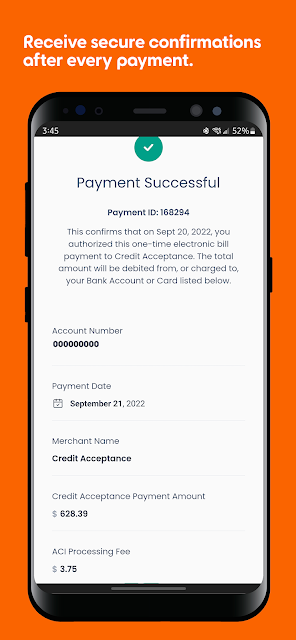
Analysis by Reviewed APKs
Credit Acceptance Mobile is a focused account app for people making car payments through Credit Acceptance. I like that it puts the current amount due, upcoming payment information, and payment scheduling in one place, rather than trying to be a general money manager. If you already use the Customer Portal and want to handle routine account tasks from your phone, it looks like a practical companion.
Checking In Before Payment Day
On a busy weekday, the useful question is often simple: what is due, and what is coming next? That is where I would start in Credit Acceptance Mobile. The app lets me check the current amount due and upcoming payment information without making payment day a bigger project. It suits the quick check I might do between errands before deciding whether to schedule a payment.
If I am ready to pay, I can schedule a one-time payment. If I would rather plan ahead, recurring payments are an option too. I like having both choices because my routine is not always the same from month to month. The important distinction is that this is an account task, not a place to browse broad financial advice or track every expense.
A Companion, Not a Budget App
I would put Credit Acceptance Mobile beside the Customer Portal rather than beside a general budgeting app. It gives me a mobile way to sign in to my portal account and handle the payment details tied to it. That narrower focus makes sense when I have a specific car payment to manage and do not want to sort through unrelated accounts.
It is also not a credit-score tracker or a full view of my financial life. I would not open it to categorize groceries or compare spending across cards. For those jobs, I would use a different tool. Here, the value is more direct: checking what is due, arranging a payment, and keeping an eye on account reminders.
Building a Calmer Payment Routine
I get more out of an account app when I make a small habit of checking it before payment day, not just when a reminder catches me off guard. Credit Acceptance Mobile supports that approach with upcoming payment information and push notifications or text alerts for account reminders and updates. I would use those together rather than rely on memory alone.
Saving a debit card or bank account for future use could also make repeat payments less of a chore. I would still pause to review the amount due and my plans before scheduling anything. That is the routine I prefer with money apps: let the app keep the relevant details close, while I make the final decision deliberately.
More From Our News Desk

Zoom Meetings, Google Meet, or Teams: Which Is Easiest to Join?

How I Build a Free Streaming Lineup With Tubi

Why Crunchyroll Is the Default Anime App for So Many Fans

YouTube TV: A Practical Guide to Cutting Cable

Rummikub and the Small Comfort of Phone Games

TeamViewer Remote Control or AnyDesk for Helping Family?
Who Will Find It Useful
I would recommend Credit Acceptance Mobile to someone who already has a Credit Acceptance Customer Portal account and wants to manage car payments on an Android phone. It is especially relevant if checking upcoming payment information, scheduling payments, and receiving reminders are regular tasks for you. Fingerprint or face ID sign-in may also appeal if you prefer that to entering credentials each time.
I would be less inclined to recommend it to someone looking for a standalone budget, credit monitoring, or shopping app. Its tools are tied to managing a Credit Acceptance account, so there is little reason to install it for an unrelated car loan. If you prefer to handle account tasks through the Customer Portal instead, the mobile app may be optional rather than essential.
Credit Acceptance Mobile is a finance app from Credit Acceptance. On Google Play, it has over 500,000 installs and a 4.4-star rating from 3,758 ratings. Those figures give a sense of its reach, though I would weigh the app by whether its specific account tools fit my routine. Its Google Play content rating is Everyone.
The app is free, with no in-app purchases or ads. It was released on January 17, 2023, and the current version in the supplied details is 1.77.6. Its last update was July 14, 2026. For me, the more important practical consideration is having a Customer Portal account to use its sign-in and account-management features.
Living With Credit Acceptance Mobile
Starting With the Portal
When I first considered where this app would fit, the Customer Portal connection was the starting point. Credit Acceptance Mobile is built around signing in to that account, rather than creating a separate place to manage every financial product I own. That gave me a clear expectation: open it when I need to check or act on my Credit Acceptance car payment.
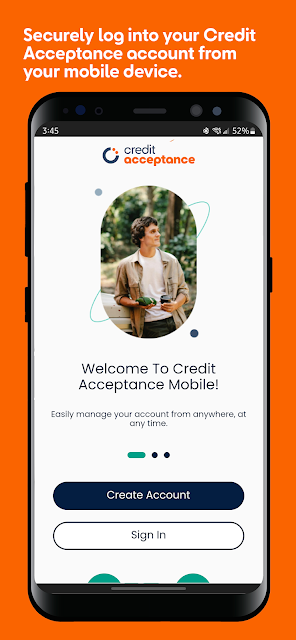
The app supports fingerprint or face ID sign-in for the Customer Portal account. I appreciate the option in an app I might open briefly and often, particularly when I am checking a date rather than sitting down for a longer session. It is a convenience feature, though I would still treat my phone and account access with the usual care.
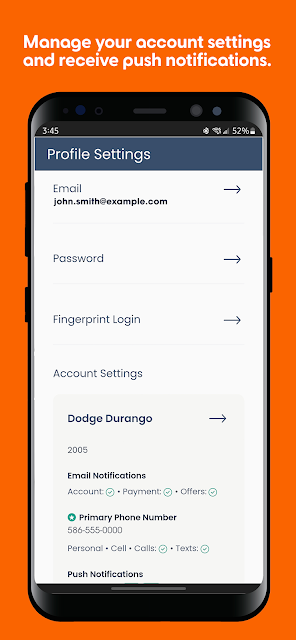
I would set up account reminders early if I planned to use the app regularly. Push notifications and text alerts both cover reminders and updates, so I could choose what fits my habits. I tend to notice a text more reliably during a workday, while a push notification is useful when I am already handling things on my phone.
The Payment-Day Basics
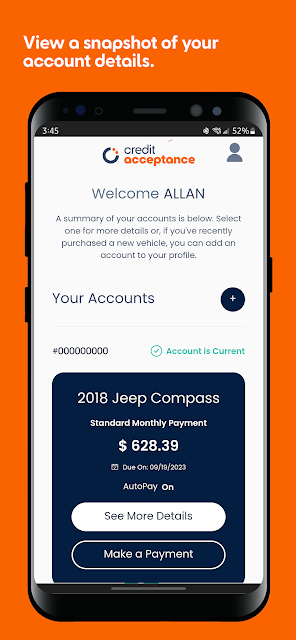
The daily value here is not a long list of tools. It is being able to see the current amount due and upcoming payment information when I need them. I can imagine opening the app while planning the week, checking those details, and then deciding whether to schedule a payment. That sequence feels more useful than treating reminders as the whole experience.
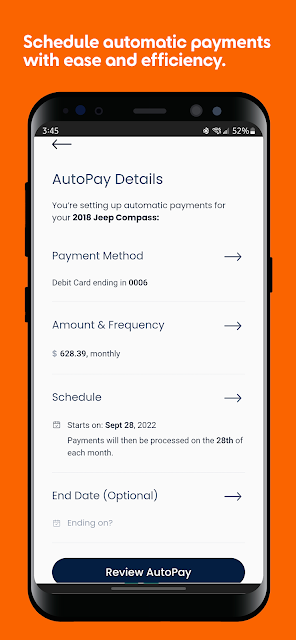
One-time and recurring payment scheduling serve different habits. I would choose a one-time payment when I want to decide on each payment separately. Recurring payments make more sense when I want a standing arrangement. I am glad both are available, because an app that forces one approach would be a poor match for the way people actually manage monthly bills.
The option to save debit card and bank account information for future use matters most after the first payment. Re-entering details can make a routine task feel longer than it needs to. I would use a saved method for convenience, but I would still check the amount due and upcoming information before scheduling a payment.
Useful Details Beyond Paying
One feature I did not expect to value as much is access to contact information for ancillary products purchased with the vehicle. It is not the reason I would open the app most days, but it could save some searching when I need to find the right contact. I like seeing that practical account detail alongside the payment tools.
The alert choices are another useful touch. Push notifications and text alerts can bring account reminders and updates into the channels I already check. I would not treat an alert as a substitute for reading my account details, though. For me, its job is to prompt a timely look at what is coming up.
A Monthly Check-In Habit
My ideal routine with Credit Acceptance Mobile would be brief. Before a payment is due, I would open the app, look at the current amount due and upcoming payment information, and decide whether a one-time payment suits that month. If I had already arranged recurring payments, I would still use the account details as a check-in.
That same habit could help keep reminders in perspective. A push notification or text alert would tell me it is time to look, not make the decision for me. When I have a quiet minute, I can review the relevant information on my phone and handle the payment task without turning it into an evening of paperwork.
Where the Focus Narrows
The biggest limitation is also what keeps the app straightforward: it is for a particular account relationship. I would not expect it to pull together accounts from other lenders or act as a general finance dashboard. If my goal were to understand all my spending or follow my credit score, I would need a different app for that job.
I would also keep expectations modest around the ancillary-product information. The app offers contact details for products purchased with the vehicle; that is helpful, but it is not the same as managing every aspect of those products inside the app. For routine car-payment questions, though, the amount due, upcoming details, and scheduling tools are the stronger reasons to use it.
Credit Acceptance Mobile makes the most sense as a convenient extension of an existing Customer Portal account. I like its attention to the tasks that can interrupt an ordinary week: checking what is due, planning a payment, and setting reminders. The option to save payment information gives those repeat visits a practical purpose.
I would try it if I were managing a Credit Acceptance car payment and wanted those tasks on my Android phone. I would skip it if I needed a broader personal finance tool. Its appeal is that narrow, useful role: helping me stay on top of this account without asking it to manage the rest of my money.
Credit Acceptance Mobile Frequently Asked Questions
What is Credit Acceptance Mobile used for?
Credit Acceptance Mobile is for managing a Credit Acceptance account and car payments from a phone. You can check the current amount due and upcoming payment information, schedule one-time or recurring payments, and set up account reminders through push notifications or text alerts. It also provides contact information for ancillary products purchased with your vehicle.
What devices can use Credit Acceptance Mobile?
Credit Acceptance Mobile is available on Google Play for Android devices. It is designed for handling Customer Portal account tasks from a mobile device, including checking payment information and scheduling payments. Device-specific compatibility can vary, so I would check the app’s Google Play page on the phone I plan to use before installing it.
What Android version does Credit Acceptance Mobile require?
The minimum Android version for Credit Acceptance Mobile may vary, so the safest approach is to check its Google Play page on your device. That will tell you whether the app is compatible with your phone. You will also need access to a Customer Portal account to use the account sign-in and payment-management features described here.
Does Credit Acceptance Mobile cost anything to download?
Credit Acceptance Mobile is free to download, and it does not offer in-app purchases or contain ads. Its main purpose is to let you manage account information and schedule car payments, rather than sell extra app features. If cost details are important to you, it is sensible to review the current Google Play page before downloading.
Is Credit Acceptance Mobile right for me?
Credit Acceptance Mobile is a good fit if you have a Credit Acceptance Customer Portal account and want to check upcoming payment information, arrange payments, or receive account reminders on your phone. If you need a general budget planner or credit-score tracker, its account-specific tools will not fill that role. I would choose it for convenience with this particular account.
Pros
- Shows the current amount due and upcoming payment information together.
- Supports both one-time and recurring payment scheduling.
- Offers fingerprint or face ID sign-in for Customer Portal accounts.
- Provides push notifications and text alerts for account reminders.
Cons
- Its narrow account focus will not replace a general budgeting app.
- Ancillary-product information is limited to contact details.
- Category
- Finance
- Version
- 1.77.6











