Community Trust Bank
- 1.55K
- 4.5
- Installs
- 50.00K
- Price
- Free

Screenshots
Analysis by Reviewed APKs
Community Trust Bank is a mobile banking app for customers who already use the bank’s online banking service and want to handle a few routine tasks from an Android phone. I like its straightforward focus: checking balances, reviewing transactions, moving money between accounts, paying bills, and finding a nearby branch or ATM. It is most useful as a companion to an existing banking relationship, not a general-purpose money manager.
A quick banking check-in
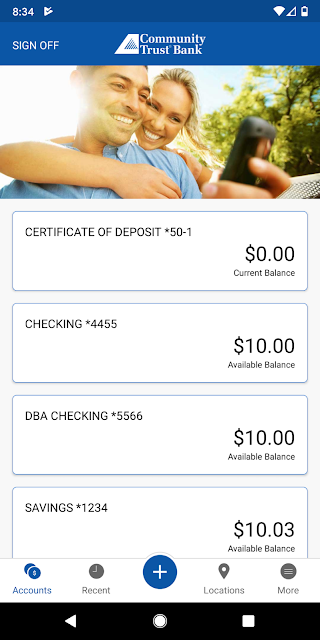
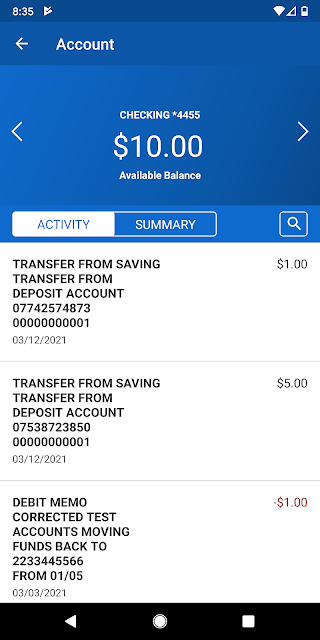
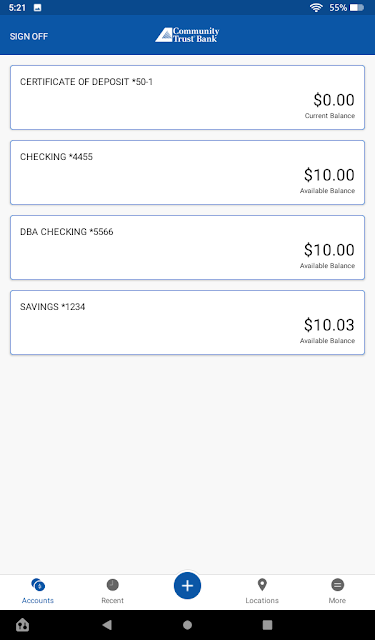
Picture a familiar moment: I’m away from my desk and want to check whether a recent purchase has appeared in my account. CTBI Mobile is built for that sort of quick check. I can look at the latest balance, then search recent transactions by date, amount, or check number instead of waiting until I’m back at a computer. That makes the app feel suited to small, practical banking errands rather than a long planning session.
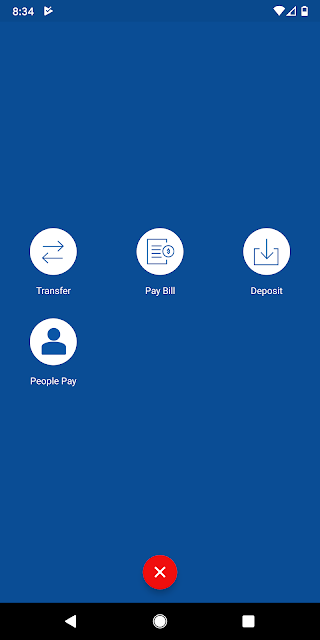
The same on-the-go approach applies when I need to move cash between my own accounts or take care of a bill. Those are the app’s central jobs, and they’re useful ones to have within reach during a busy day. If I need to visit in person, Find Near Me can use my location to show nearby branches or ATMs along with addresses and phone numbers. It is a compact set of tools for common customer needs.
A bank companion, not a planner
Compared with a general budgeting app or a broad financial dashboard, Community Trust Bank is more narrowly focused: it connects customers to account information and banking tasks at their own institution. That focus can be an advantage if my main goal is to check a balance, find a transaction, transfer between accounts, pay a bill, or locate a bank branch. The app’s purpose is clear, and it does not need to be a catch-all finance toolkit to be useful.
I wouldn’t choose it as a replacement for a budgeting system, investment service, or a way to manage accounts across multiple banks. The described features center on Community Trust Bank accounts and basic banking actions. It also depends on an existing online banking relationship, so it is not a standalone route into the bank’s services for someone who is not already a customer. For those customers, it complements regular banking rather than changing how they manage every part of their finances.
Small habits that help
I’d get the most everyday value by making the app part of a short routine: check the latest balance when I need a quick snapshot, then search recent transactions when a particular payment or check is the question. The search options give the check-in a little more precision than simply glancing at a number. This is a practical habit for staying familiar with account activity, without turning every phone visit into a lengthy review.
Transfers and bill payments are also worth treating as purposeful tasks rather than buttons to tap in a hurry. I’d take a moment to review what I’m doing before completing either one, especially when handling money between accounts or paying a bill. For an in-person errand, using Find Near Me before setting out can help me get an address and phone number for a nearby branch or ATM. These small workflows match the app’s focused feature set.
More From Our News Desk

Zoom Meetings, Google Meet, or Teams: Which Is Easiest to Join?

How I Build a Free Streaming Lineup With Tubi

Why Crunchyroll Is the Default Anime App for So Many Fans

YouTube TV: A Practical Guide to Cutting Cable

Rummikub and the Small Comfort of Phone Games

TeamViewer Remote Control or AnyDesk for Helping Family?
Who will find it useful
I’d recommend Community Trust Bank to existing online banking customers who want a convenient way to check balances, search recent transactions, transfer cash between their accounts, and pay bills from an Android device. It should also suit customers who occasionally need to locate a branch or ATM while away from home. Its appeal is less about having a large number of financial tools and more about making familiar bank tasks accessible when a computer is not handy.
It may be a poor fit for someone looking for a detailed budget, a multi-bank overview, or financial features beyond the ones described. And if you do not use Community Trust Bank’s online banking service, the app is not presented as a way to get started without that relationship. I’d also keep the straightforward nature of the app in mind: people who prefer handling every banking task in person may not get much value from a mobile companion.
Community Trust Bank is published by Community Trust Bank, Inc. On Google Play, it has more than 50,000 installs and a 4.5-star rating from about 1,500 ratings. The app is free to download, and the provided store facts report no in-app purchases. Google Play gives it an Everyone content rating. It is an Android banking app for customers who use Community Trust Bank online banking.
The app’s listed version is 5.0.45. It was released on October 14, 2011, and its recorded last update is July 6, 2026. Ads are reported in the store facts. No minimum Android version is included in the supplied details, so anyone checking compatibility should consult the Google Play entry for their device. The app’s described features include account balances and transaction searches, transfers, bill payments, and nearby branch or ATM information.
Everyday Banking, Kept Close
A practical first impression
The first useful distinction is between a quick mobile check and a more involved banking session. CTBI Mobile’s listed functions are the kinds of things I might want while away from home: current balances, recent activity, transfers between my accounts, and bill payment. The location feature adds a helpful option when banking requires a physical stop. Together, these make the app easy to understand as a companion for ordinary account needs.
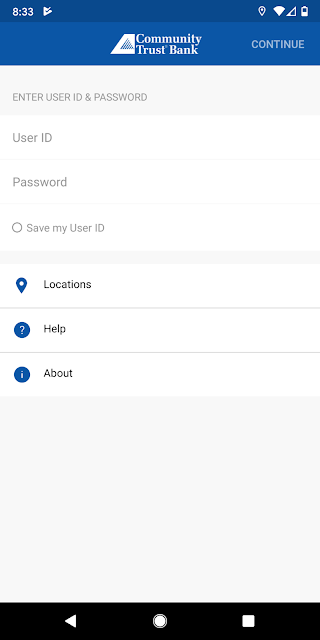
I’d treat setup as something to do when I have a moment, rather than waiting until I’m already standing in line or trying to pay a bill at the last minute. The app is available to Community Trust Bank online banking customers, which is an important part of its audience. Once that condition is met, the feature list gives a clear idea of the tasks I can turn to it for.
Day-to-day account checks
The day-to-day experience revolves around information I might need briefly and at an inconvenient time. Checking the latest account balance is the simplest example. If I want more detail, recent transactions can be searched by date, amount, or check number. That extra search flexibility is useful when I remember roughly what I’m looking for but don’t want to scan every transaction one by one.
I can also use the app to transfer cash between my accounts or pay bills. Those features make it more than a read-only balance checker, while still keeping the overall job focused on routine banking. I’d think of it as a handy way to reach common account tasks when away from a computer, not as a reason to rush through a payment or transfer without checking the details.
Useful features, plainly focused
The transaction search is one of the more practical details in the feature set. Searching recent activity by date, amount, or check number gives me several ways to narrow down what I’m trying to find. That can be more convenient than relying on memory when I’m trying to match an account entry to something I did earlier. It is a small feature, but one that fits naturally into a quick account check.
Find Near Me is another distinct convenience. It can discover my location and provide addresses and phone numbers for nearby Community Trust Bank branches or ATMs. I like that this serves a different need from managing account activity: sometimes the next useful banking step is finding a physical location. Alongside transfers and bill payments, it gives the app a practical mix of mobile tasks and help with an in-person errand.
The appeal here is not an unusually broad catalogue of extras. It is the combination of account access, basic transactions, and location information in one bank-specific app. That makes the feature set straightforward to remember and easy to match to everyday situations.
A simple weekly routine
A realistic routine might start with a quick balance check when I’m reviewing the week’s errands or planning a bill payment. If a transaction catches my eye, I can search recent activity using the date, amount, or check number. Keeping those actions together makes the app useful for short check-ins, rather than something I only remember when I urgently need to find a branch.
If I need to pay a bill, I can use the app’s bill-payment feature; if I need to move cash between my accounts, transfers are available too. I’d give myself enough time to confirm the task before finishing it. That is a sensible habit with any banking app, and it helps keep a convenient mobile workflow from becoming a rushed one.
For a trip across town, I’d use Find Near Me to look up a nearby branch or ATM and note its address or phone number. This is especially handy when I am already out and want to check where a physical banking stop might fit. The app’s value comes from using the right small tool at the right moment.
Keep its limits in view
The main limitation is also the app’s defining focus: it is for Community Trust Bank online banking customers, and the listed tools are tied to that relationship. Someone who wants an overview of accounts at several banks, a detailed budget, or investment features should look for a different kind of service. Nothing in the described feature set suggests that this app is meant to cover those broader needs.
It is also a focused set of tasks, not a reason to assume every banking interaction can be completed on a phone. The described functions cover balances, transaction searches, transfers between accounts, bill payments, and branch or ATM locating. If a need falls outside that list, I would not count on the app to handle it without checking what the bank offers elsewhere.
Finally, the minimum Android version is worth checking in Google Play before installing, since device compatibility can depend on the current store information. The store facts also indicate that the app contains ads. Neither point changes its core purpose, but both are practical considerations when deciding whether it belongs on a personal phone.
Community Trust Bank does a clear, useful job for the customers it is designed to serve. Balance checks, searchable recent transactions, transfers, bill payments, and nearby branch or ATM information cover several everyday reasons to reach for a banking app. I appreciate that the focus stays on those practical tasks rather than promising to manage every part of someone’s finances.
I’d recommend it to Community Trust Bank online banking customers who want those core services close at hand on Android. I would not pick it as a budgeting tool or a way to manage unrelated banks. If that distinction matches your needs, CTBI Mobile looks like a convenient companion for routine banking and the occasional trip to a branch or ATM.
Community Trust Bank Frequently Asked Questions
What is the Community Trust Bank app used for?
Community Trust Bank’s CTBI Mobile app is for the bank’s online banking customers. It lets users check account balances, search recent transactions by date, amount, or check number, transfer cash between their accounts, and pay bills. It can also help locate nearby Community Trust Bank branches and ATMs by providing addresses and phone numbers.
What devices can run Community Trust Bank?
The provided app information describes CTBI Mobile for Android. Its minimum Android version is not included in the supplied details, and compatibility can depend on the device and current app release. Check the Community Trust Bank Google Play entry to see whether your particular Android device meets the current requirements.
What Android version does Community Trust Bank require?
The minimum Android version is not specified in the available app facts. Requirements can vary as the app is updated, so it is worth checking the current Google Play information from the Android device where you plan to install Community Trust Bank. The listed app version is 5.0.45.
Does Community Trust Bank cost money?
The app is free to download on Google Play, and the supplied store facts report no in-app purchases. The same facts indicate that it contains ads. Store details can change over time, so check the current Google Play entry for the latest information before downloading Community Trust Bank.
Who should use the Community Trust Bank app?
It is intended for Community Trust Bank online banking customers who want mobile access to balances, recent transactions, transfers between their accounts, bill payments, and nearby location information. It may not suit someone seeking budgeting tools, investment features, or a single app for accounts at multiple banks, since those uses are not part of its described feature set.
Pros
- Covers useful routine tasks, including balances, transaction searches, transfers, and bill payments.
- Search recent transactions by date, amount, or check number.
- Find nearby branches and ATMs with addresses and phone numbers.
- A focused companion for existing Community Trust Bank online banking customers.
Cons
- Designed for Community Trust Bank online banking customers rather than general finance use.
- The described features do not include budgeting or multi-bank account management.
- Contains ads, according to the provided Google Play facts.
- Category
- Finance
- Version
- 5.0.45











