Chirp Audiobooks
- 25.61K
- 4.6
- Installs
- 500.00K
- Price
- Free

Screenshots



Analysis by Reviewed APKs
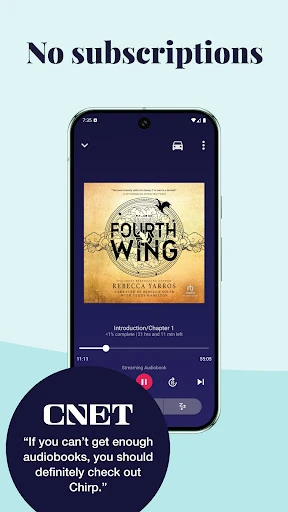
Chirp Audiobooks is a listening app for people who would rather buy individual audiobooks than pay for a monthly subscription. I found its appeal easy to understand: you can browse limited-time deals, purchase books through Chirp’s website, then listen in the Android app. It suits bargain hunters and flexible listeners especially well, though its buying-and-listening setup differs from an all-in-one audiobook shop.
A book for the commute
Imagine spotting a discounted mystery in a Chirp email during breakfast, buying it from the website, then downloading it before heading out. On the train, you can listen in the app, move between chapters, and bookmark your place when your stop arrives. That simple chain is the app’s central job: it gives you access to Chirp audiobooks you have purchased and makes them practical to hear on an Android device.
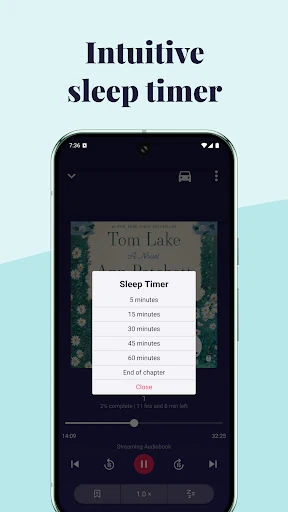
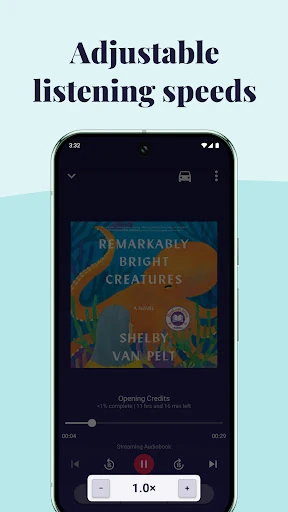
When I think about a realistic listening day, the offline option matters as much as the deal. I can download a book before leaving home rather than depend on a steady connection throughout the trip. A sleep timer also makes the app useful at bedtime, while adjustable playback speeds let me choose a pace that suits the moment. These are small conveniences, but together they make listening easier to fit around ordinary routines.
A different way to buy books
Chirp is built around buying audiobooks individually, not paying for a subscription to listen to a rotating catalog. Its daily deals and personalized email alerts are aimed at people who enjoy finding a particular title at a lower price. The description says deals can start at $1 and that there are hundreds of free audiobooks, but the app itself is where you access and listen to books purchased through the Chirp website.
That makes Chirp a different fit from a service centered on a monthly listening plan or a large subscription catalog. It is also not a general-purpose audio player: its role is to play Chirp purchases, with streaming or downloads in the app. I would look elsewhere if I wanted one subscription to cover a broad catalog, or if I expected to browse and buy every title entirely inside the listening app.
Make deals work for you
The easiest habit is to tell Chirp what kinds of books you enjoy and pay attention to its deal emails. That gives the daily offers a better chance of matching your interests, rather than turning every discount into an impulse purchase. Since deals are limited-time, it can help to treat the email as a quick browse, then choose only titles you actually expect to hear.
Once a book is yours, a little preparation makes listening smoother. I would download it before a commute or other stretch without reliable internet, use bookmarks when pausing mid-session, and set the sleep timer for evening listening. Chapter navigation is handy when returning to a particular point, while the customizable speed gives you a way to adjust the pace without changing the title itself.
More From Our News Desk

Zoom Meetings, Google Meet, or Teams: Which Is Easiest to Join?

How I Build a Free Streaming Lineup With Tubi

Why Crunchyroll Is the Default Anime App for So Many Fans

YouTube TV: A Practical Guide to Cutting Cable

Rummikub and the Small Comfort of Phone Games

TeamViewer Remote Control or AnyDesk for Helping Family?
Who will enjoy Chirp
I’d recommend Chirp to listeners who prefer owning individual audiobooks and are happy to wait for a good deal. Its daily offers, free titles, and email recommendations make it appealing to anyone who likes browsing across genres such as mysteries, memoirs, romance, classics, and science fiction. The app’s practical listening tools also suit people who fit books into commutes, walks, chores, or a quiet bedtime routine.
It may be less suitable if you want a monthly subscription, a single fee for access to a changing catalog, or an app that handles the whole purchase process in one place. Chirp separates discovery and buying on its website from listening in the Android app. That is a straightforward arrangement once understood, but it may feel less convenient to someone accustomed to selecting and purchasing audio directly in their player.
Chirp Audiobooks is developed by Pubmark and is listed in Books & Reference. Google Play shows over 500,000 installs and a 4.6-star rating from about 25,600 ratings. The app is free to install, and the provided store facts show no in-app purchases or ads. Audiobooks are purchased through the Chirp website; the description says deals can start at $1, alongside free audiobooks.
The app has an Everyone content rating. Its current version is 5.23.1, with a release date of June 8, 2018, and a last update dated October 26, 2026. The supplied facts do not give a minimum Android version, so anyone checking device compatibility should refer to the Google Play entry for current requirements.
A closer look at listening with Chirp
Getting started
My first impression is that Chirp is best understood as the listening side of a broader audiobook deal service. The description lays out a simple path: sign up for free, share the types of books you like, discover offers, and use the app for books purchased from the website. Knowing that division upfront helps avoid the expectation that the Android app is also the full storefront.
After choosing a title, the practical setup is familiar: access it in the app, then stream or download it. I like that downloading is part of the stated feature set, since it gives listeners a way to prepare before heading somewhere with a weak connection. The exact Android version requirement can vary by device and should be checked on Google Play.
Listening day to day
The core experience is about getting back to the story without fuss. Chapter navigation and bookmarks help when a listening session is interrupted, which happens often on a commute or while handling chores. Rather than having to remember a timestamp, I can use the app’s stated tools to return to the right place and keep moving through a book.
Streaming works when a connection is available, while downloads support offline listening. That choice is useful for routines that shift between home, transit, and travel. I also appreciate that playback speed is customizable; some days I want a slower pace, while other listening sessions are easier to fit into a tight window at a quicker setting.
Useful listening tools
The sleep timer is a particularly everyday feature. I can start a book at night without needing to worry about it playing indefinitely if I drift off. Bookmarks solve a different problem: pausing because life interrupts, then finding the place again later. Neither feature changes what Chirp sells, but both make its audiobooks easier to use in real listening situations.
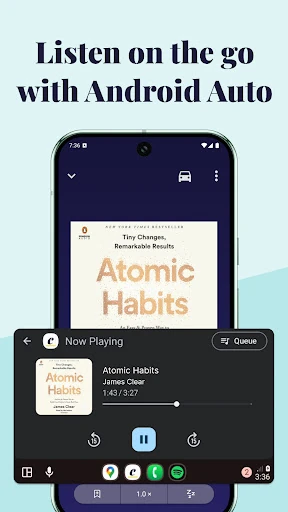
Android Auto support is another notable option for listeners who want to hear books on the road. Alongside chapter navigation and adjustable speeds, it gives the app more flexibility than a basic play-and-pause experience. The description also calls out a broad mix of genres, so the deal-focused approach is not limited to one kind of reader.
A simple weekly routine
A practical routine could start with a quick look at Chirp’s personalized emails when they arrive. I would scan for genres and authors I already enjoy, then consider whether a discounted title is something I will genuinely listen to. Because the service emphasizes limited-time deals, a short, deliberate check is more useful than treating every offer as a must-buy.
After buying a book on the website, I would open the app and download it before a commute or trip. During the week, bookmarks can keep my place across interrupted sessions, and chapter navigation can help me resume. At night, I can set a sleep timer. This routine makes the service’s deal discovery and listening tools work together without adding much ceremony.
Limits to keep in mind
The main trade-off is the split between purchasing and listening. Chirp’s description directs users to buy audiobooks on its website, then access and download those purchases in the Android app. That is not difficult to grasp, but it is worth knowing before installing if you expect to browse, pay, and listen in one place.
The no-subscription model can also mean that building a listening library depends on choosing individual titles, rather than having a monthly catalog included in a fee. Deal prices and availability are tied to the offers Chirp presents, so a specific book may not be discounted when you want it. The app’s usefulness ultimately depends on finding books that fit both your interests and your buying habits.
Chirp Audiobooks makes the most sense as a deal-led way to build a personal audiobook collection without a monthly commitment. Its Android app covers the listening essentials I would want: downloads, streaming, bookmarks, chapter controls, speed adjustment, a sleep timer, and Android Auto support.
I’d try it if I enjoy owning selected audiobooks and am willing to shop through Chirp’s website before listening. If I want a subscription catalog or an all-in-one in-app buying experience, I would compare other options first. For patient bargain hunters, Chirp offers a clear, practical alternative.
Chirp Frequently Asked Questions
What is Chirp Audiobooks used for?
Chirp Audiobooks is used to access, stream, and download audiobooks purchased through the Chirp website. The app supports offline listening, chapter navigation, bookmarks, adjustable playback speeds, a sleep timer, and Android Auto. Chirp also promotes daily audiobook deals, personalized email alerts, and free titles, making it a fit for listeners who like choosing individual books.
Which devices can run Chirp Audiobooks?
The supplied app information describes Chirp Audiobooks for Android devices, where you can listen to purchases made through its website. It also mentions Android Auto for listening on the road. Device compatibility can depend on the Android version and hardware, so check the Google Play entry for the current requirements before installing.
What Android version does Chirp Audiobooks need?
The minimum Android version may vary with the current release and device. The store information is the best place to check the requirement that applies to your phone or tablet. Chirp Audiobooks is an Android app, and the supplied version information identifies its current version as 5.23.1.
Does Chirp Audiobooks cost money?
The app is free to install, with no in-app purchases or ads shown in the supplied store facts. Audiobooks are bought through the Chirp website rather than through the listening app. The description says deals can start at $1 and mentions free audiobooks; individual offers and prices can vary, so check Chirp’s store for current details.
Is Chirp Audiobooks right for every listener?
Chirp is a good match for people who prefer buying individual audiobooks, watching for discounts, and listening without a subscription. It may be less appealing if you want a monthly fee to cover a changing catalog or expect to purchase titles inside the player itself. Your experience will depend on whether Chirp’s available deals suit your interests.
Pros
- No monthly subscription is needed to listen to audiobooks purchased through Chirp.
- Downloads, bookmarks, and chapter navigation support everyday listening routines.
- A sleep timer and customizable playback speeds add useful control.
- Daily deals and personalized emails help surface discounted and free titles.
Cons
- Audiobooks are purchased on the Chirp website rather than in the listening app.
- The deal-focused model may not suit listeners who want a subscription catalog.
- The Android version requirement should be checked for your device before installing.
- Category
- Books & Reference
- Version
- 5.23.1











