CFE Contigo
- 671.59K
- 4.8
- Installs
- 10.00M
- Price
- Free
Screenshots
Analysis by Reviewed APKs
CFE Contigo is a service-management app for people who need to keep up with electricity bills, receipts, and service issues. I found its appeal in the practical jobs it brings together: checking a balance, paying a bill, and reporting an outage without making a separate trip to a service center. It suits customers who want those tasks on their phone, though it is focused on CFE services rather than general household budgeting.
A bill-day routine
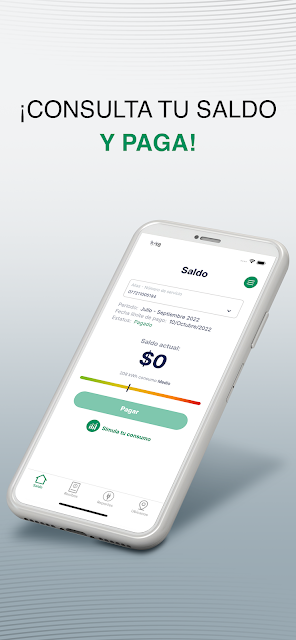
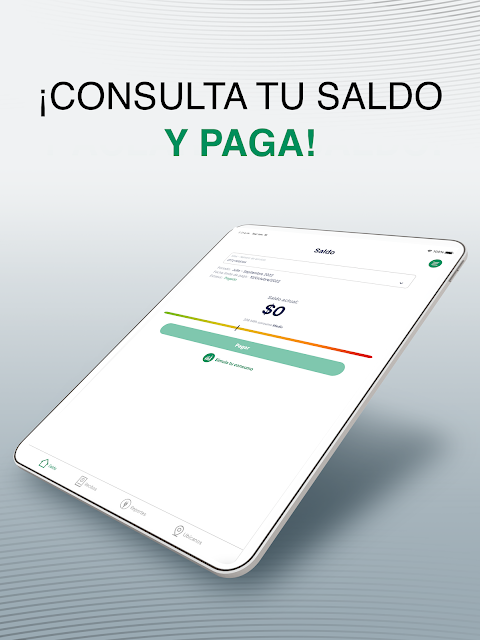
When I first imagined using CFE Contigo, the most useful moment was an ordinary bill day: I want to check what I owe, pay, and keep a receipt somewhere I can find it later. The app is built around those tasks. It lets users check their balance, download their latest receipt, and pay with a credit or debit card, so the basic routine can happen in one place.
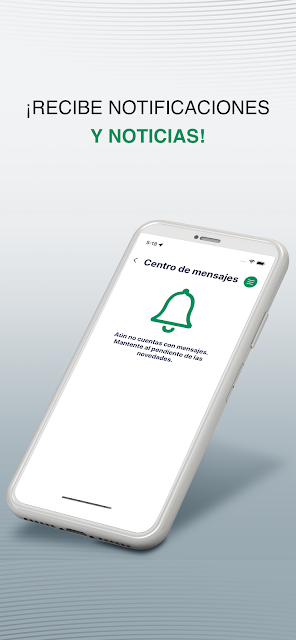
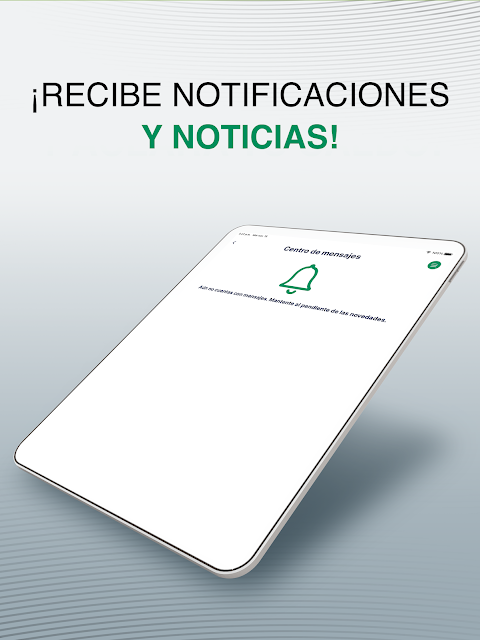
The payment options extend beyond a one-off card payment. CFE Contigo can request a recurring charge, and it also supports paying with BBVA points. I’d treat those as choices to consider when setting up a payment routine, rather than assuming one method suits everyone. The app can also send payment reminders, which may help when a busy week makes it easy to lose track of a due date.
A utility app, not a budget planner
Compared with a bank app or a general budgeting tool, CFE Contigo has a much narrower job: it brings together tasks related to your electricity service. That focus is useful when I want a recent receipt or need to deal with a power supply failure, without digging through unrelated account features. It can also simulate subsequent consumption, giving users a way to estimate what may come next.
That focus is also a boundary. CFE Contigo is not described as a complete household-finance app, and its consumption simulation should not be mistaken for a broad energy-management system. Its listed tools center on paying, checking service information, finding customer service centers, and reporting supply failures. If I needed to manage several utilities or track all my spending, I’d still need other tools alongside it.
Small habits that help
A little setup can make the app more useful between bills. If I want reminders, I need to allow push messages; if I want directions to nearby Customer Service Centers, I need to turn on location. Those permissions have specific purposes, so I’d enable only the ones that match how I plan to use the app rather than accepting every prompt automatically.
I’d also make a habit of downloading the latest receipt after paying, then checking the balance again when the next bill approaches. The app’s simulated consumption tool can fit into that check-in as a rough planning aid, while payment reminders can serve as a nudge. These are small routines, not complicated workflows, and they make the app more useful without turning bill management into a daily chore.
More From Our News Desk

Zoom Meetings, Google Meet, or Teams: Which Is Easiest to Join?

How I Build a Free Streaming Lineup With Tubi

Why Crunchyroll Is the Default Anime App for So Many Fans

YouTube TV: A Practical Guide to Cutting Cable

Rummikub and the Small Comfort of Phone Games

TeamViewer Remote Control or AnyDesk for Helping Family?
Who may find it useful
I’d recommend CFE Contigo to people who manage a CFE electricity service and prefer to handle routine account tasks from a phone. It brings bill payment, balance checks, receipt downloads, reminders, and outage reporting into one utility-focused app. Someone who often needs to find a customer service center may also appreciate the nearby-location feature, especially when they are away from home.
It may be less appealing to someone who wants one app for every household bill or prefers to handle utility matters in person. Some conveniences depend on granting permissions: reminders use push messages, and nearby center addresses need location access. I’d also keep expectations grounded: the consumption simulator is described as simulated, so it is a planning feature, not a replacement for checking the actual service balance and receipt.
CFE Contigo is developed by CFE SSB and is available on Google Play for Android. It is free to download, has no in-app purchases, and contains no ads. Google Play gives it an Everyone content rating. The supplied app details identify version 8.0.0, with a release date of March 11, 2022, and a last update date of November 1, 2026.
On Google Play, CFE Contigo has more than 10 million installs and a 4.8-star rating from around 672,000 ratings. The minimum Android version is not included in the supplied app details, so check the Google Play page on your device for compatibility. Its practical feature set is aimed at electricity-service tasks, including payments, receipts, reminders, and outage reports.
A closer look at everyday service tasks
Getting started
My first impression is that CFE Contigo is meant to solve specific chores, not keep me entertained between them. Its feature list is centered on service information and payment, which makes the purpose easy to understand. I’d start by opening it when I have a bill to check or a receipt to retrieve, then decide whether reminders or location access would be useful for my routine.
The permissions are tied to particular conveniences rather than being the whole point of the app. Location is needed to get the precise address of the nearest Customer Service Centers, while push messages are needed for payment reminders. I like that these purposes are clear enough to weigh against my needs. Someone who does not want either feature can still focus on the app’s other listed service tasks.
The day-to-day basics
The everyday core is straightforward: check the balance, pay for the service, and keep the latest receipt available. Card payments are supported, and the app also offers payment through BBVA points. That puts a few ways to deal with a bill in the same utility app, rather than making the receipt and payment details separate tasks in my mental checklist.
Recurring charges and reminders can help make payment less dependent on remembering a date. I’d use reminders as prompts, then open the app to check the bill details and complete whatever action is needed. The app also lets users download the latest receipt, a useful step after a payment when I want a record to hand or simply prefer to keep service documents organized.
Useful extras
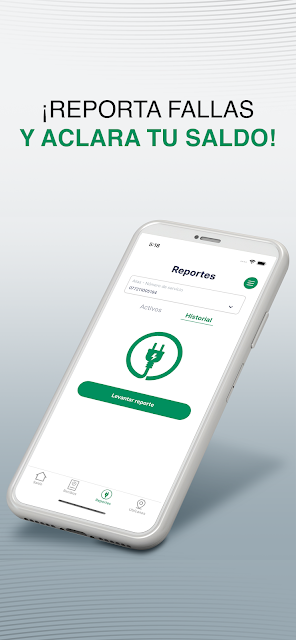
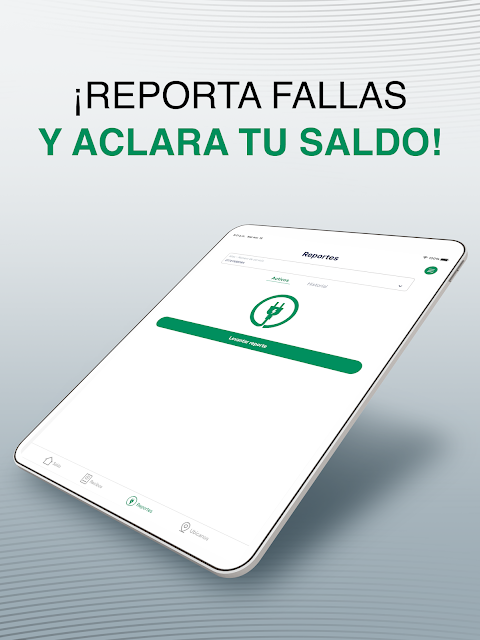
Outage reporting is one of the more practical features beyond billing. If the power supply fails, the app lets users report the issue through the service they already use for account tasks. I can see that being handy during an unexpected interruption, when I would rather avoid searching around for a separate place to make a report.
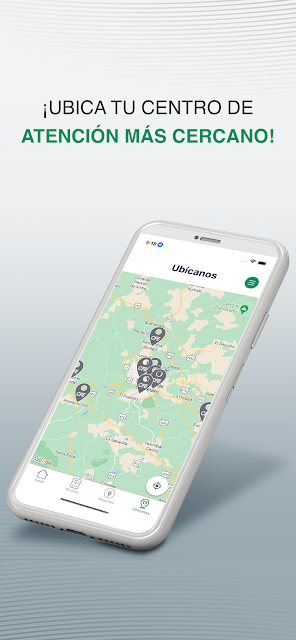
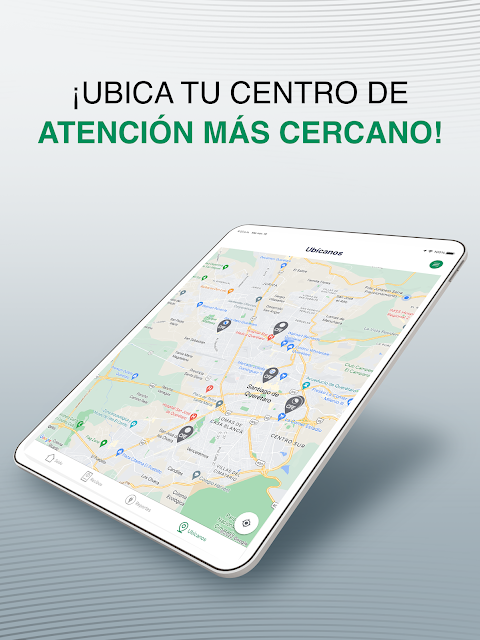
The other notable tools address common follow-up questions. Users can locate the 10 closest Customer Service Centers, activate an electronic receipt instead of paper, and simulate subsequent consumption. Together, those features cover a mix of in-person help, less paper, and bill planning. They make the app broader than a simple payment button while keeping it firmly focused on electricity service.
A simple monthly check-in
A sensible routine could be to open CFE Contigo when a new bill is on my mind, review the balance, and download the receipt after paying. If I choose recurring charges, I’d still check the service details from time to time rather than treating the app as something I never need to revisit. Payment reminders can add a nudge, provided I have enabled push messages.
Between bills, I could use the simulated consumption feature as a rough check on what may be coming next. If I need in-person assistance, allowing location access can help me get the precise address of a nearby Customer Service Center. This kind of occasional check-in seems more natural than opening a utility app every day, and keeps its tools attached to real household tasks.
Keep expectations practical
CFE Contigo’s narrow focus is a strength if I mainly need to manage this electricity service, but it is not designed to replace a broader financial app. It covers selected account and support tasks rather than a full picture of household spending. Anyone looking for multi-utility tracking or comprehensive budgeting will need to pair it with other options.
A couple of features also rely on permissions, and the consumption tool is explicitly a simulation. I’d use it as an estimate, not as a substitute for the current balance or the latest receipt. The supplied details do not give a minimum Android version, so checking Google Play on the device is the practical way to confirm compatibility before installing.
CFE Contigo makes the most sense as a practical companion for electricity-service chores. I like the combination of payment, balance checks, receipt downloads, reminders, and outage reporting, with a few useful extras for customer-center locations and paperless receipts. Its limited scope is clear, and that is easier to judge than an app trying to do everything.
If you manage a CFE service and want these tasks on your phone, I think it is worth trying. If your priority is an all-in-one household finance tool, it will feel too specialized. I’d start with the payment and receipt features, then enable reminders or location only if those fit how I handle bills and service issues.
CFE Contigo Frequently Asked Questions
What is CFE Contigo used for?
CFE Contigo is for managing electricity-service tasks. It lets users check a balance, pay by credit or debit card or with BBVA points, download the latest receipt, and request recurring charges. It can also send payment reminders, report power supply failures, locate nearby Customer Service Centers, activate electronic receipts, and simulate subsequent consumption.
Can I use CFE Contigo on my phone?
CFE Contigo is an Android app available through Google Play. The supplied details do not specify a minimum Android version, so compatibility may vary by device and software version. I’d check the Google Play page from the phone where you plan to install it for the current requirements and availability.
Does CFE Contigo cost money?
CFE Contigo is free to download on Google Play. The supplied app details say it has no in-app purchases and contains no ads. Payment features are part of the service tools, but the details here do not describe any separate service fees or payment terms, so check the app and store information for anything that may apply to your account.
Does CFE Contigo send payment reminders?
Yes. CFE Contigo can provide payment reminders, but push messages need to be enabled to receive them. You can also use the app to check the balance and download the latest receipt. If reminders are an important part of your routine, review the app’s notification permissions on your device so its messages are allowed.
Who should use CFE Contigo?
It is best suited to people who want to manage CFE electricity-service tasks from an Android phone, especially bill payments, receipts, and outage reports. It may not suit someone looking for a general budgeting app or a place to manage several utilities. The app’s features are focused on electricity service rather than broader household finances.
Pros
- Combines balance checks, bill payments, and receipt downloads in one electricity-service app.
- Supports card payments, BBVA points, recurring charges, and payment reminders.
- Includes outage reporting and nearby Customer Service Center locations.
- Offers electronic receipts and a simulated consumption estimate.
Cons
- Focused on electricity service rather than broader budgeting or multiple household bills.
- Payment reminders and precise nearby-center addresses depend on device permissions.
- The consumption feature is a simulation, not an actual future bill.
- Category
- Finance
- Version
- 8.0.0











