BookFunnel
- 3.79K
- 4.2
- Installs
- 1.00M
- Price
- Free
Screenshots
Analysis by Reviewed APKs
BookFunnel is a reader app for organizing books received through BookFunnel and opening them in its reader, audiobook player, or another reading app. I’d recommend it to people who get books from BookFunnel authors and want a straightforward way to keep those titles together. Its appeal is practical rather than broad: it helps with books you already have access to, instead of trying to be an all-purpose bookshop or discovery service.
A Book Ready for the Commute
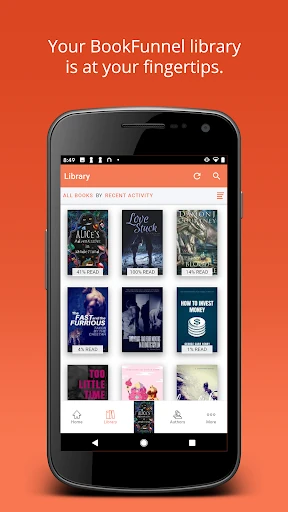
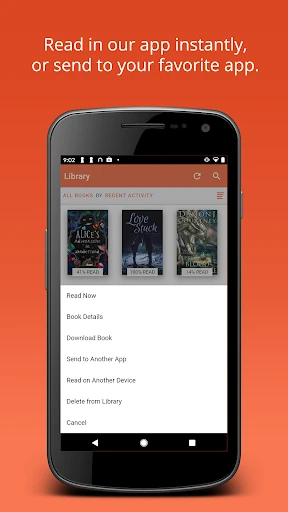
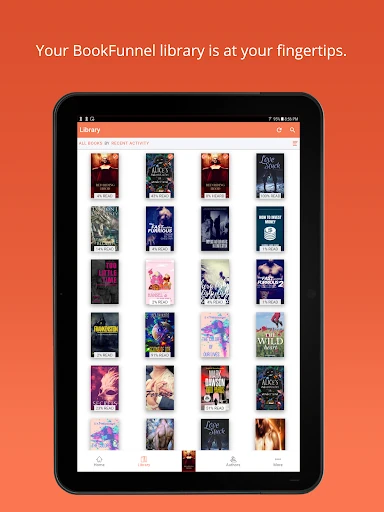
Imagine receiving a BookFunnel title and wanting it ready before tomorrow’s train ride. The app is designed to put that book in one library, where you can search or sort your titles and tap a cover to open it. Books sent through BookFunnel are usually added automatically; if one is missing, you can enter its download code yourself. That makes the first step feel focused on getting to the book, not managing files.
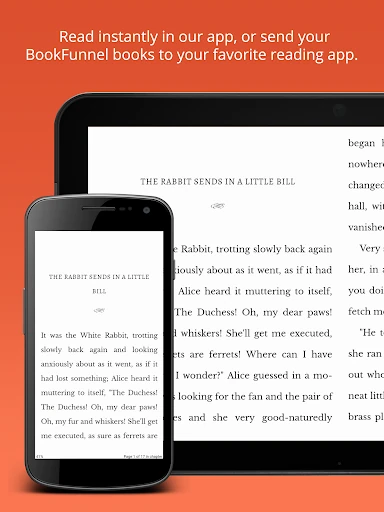
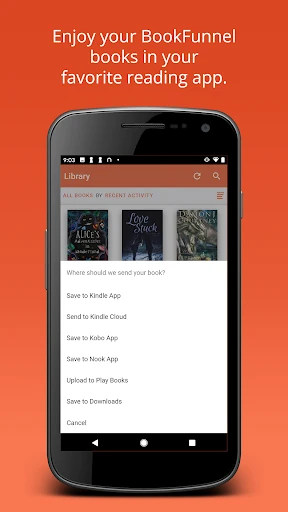
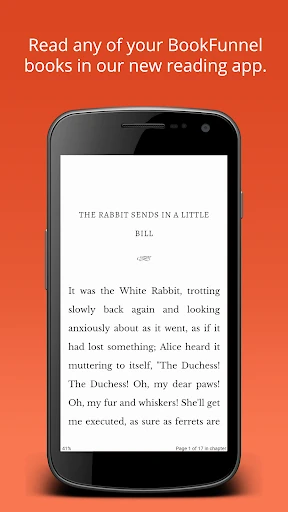
I can see the routine working well for a reader who switches between a quick phone session in the morning and a longer read later. Open the title in BookFunnel’s reader, adjust the text to suit the moment, and pick up where you left off. If you prefer another reading app, BookFunnel can also send books there. The point is to reduce friction between receiving a title and actually reading it.
A Companion, Not a Bookshop
BookFunnel makes the most sense as a companion to books delivered through its service. It helps you manage those titles, read or listen in the app, and move a book to a favorite reading app when that fits better. I wouldn’t approach it as a general storefront or a place to browse a wide catalog; the description focuses on handling books already in your BookFunnel library.
That narrower job can be a plus if your reading starts with a BookFunnel delivery, but it also defines who will get value from the app. Someone looking for broad book discovery or a single home for titles from every source may find it less useful. It is also not an author-publishing tool in this reader-focused app description. Think of it as a delivery and reading companion, not a replacement for every book service.
Keep the Reading Flow Simple
A small habit that should help is checking the library when a new BookFunnel title arrives. Since books are usually added automatically, you can look for the cover first and use a download code if you need to add a title manually. Search and sorting are useful when the library grows beyond a handful of books. Keeping the book in the app also makes it easy to return to the same reading place later.
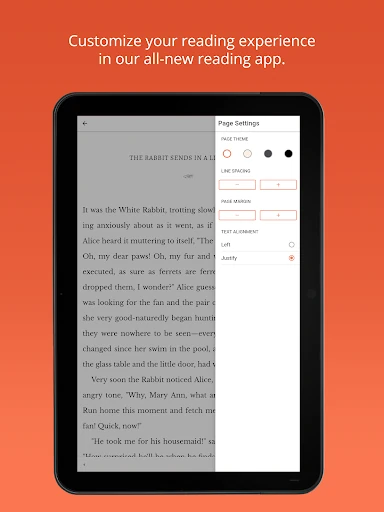
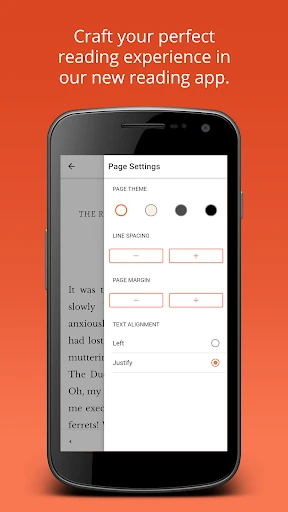
I’d also set up the reading or listening experience at the beginning of a book, rather than interrupting a good chapter later. For reading, the app lets you adjust font type, text size, line spacing, and margins. For audiobooks, playback speed, skip controls, and the sleep timer can be tuned to your routine. If you use a phone and tablet, syncing is intended to help you switch devices without losing your place.
More From Our News Desk

Zoom Meetings, Google Meet, or Teams: Which Is Easiest to Join?

How I Build a Free Streaming Lineup With Tubi

Why Crunchyroll Is the Default Anime App for So Many Fans

YouTube TV: A Practical Guide to Cutting Cable

Rummikub and the Small Comfort of Phone Games

TeamViewer Remote Control or AnyDesk for Helping Family?
Who Will Get the Most From It
I’d suggest BookFunnel to readers who receive books through BookFunnel authors and want a simple place to find and open them. It is particularly handy if you sometimes read on one device and sometimes on another, or if you like having a choice between the app’s reader and a reading app you already use. Audiobook listeners may also appreciate having playback adjustments and a sleep timer in the same book-focused experience.
It may not suit someone whose main goal is discovering or buying a large range of books, since that isn’t the job described here. Readers who already have a comfortable setup and rarely receive BookFunnel titles may have little reason to add another app. I’d think of it as useful when a BookFunnel delivery is part of your reading life, rather than essential for every reader.
BookFunnel is developed by BookFunnel.com and is available on Google Play for Android. The app has over one million installs and a 4.2-star rating from around 3,800 ratings. Its content rating is Everyone. The listed version varies with device, so the version shown for a particular phone may differ.
The app is free to download, with no listed in-app purchases or ads. It was released on July 21, 2015, and its listed last update is September 18, 2026. The minimum Android version is worth checking on Google Play for the device you plan to use.
A Closer Look at the Reading Experience
Getting to Your Library
When I first opened the idea of BookFunnel, what stood out was its directness: the library is the center of the experience. This is not a reading app that asks you to start by finding a title in a broad catalog. It is built around books associated with your BookFunnel library, with covers acting as the obvious way into each one.
The setup has two straightforward paths. A book received from a BookFunnel author is usually added automatically, while a download code can be entered to add one manually. If you want to read on another device or in a different app, the app can provide instructions for downloading the book there. That keeps the handoff part of the experience, rather than leaving you to guess what to do next.
Reading Day to Day
For a quiet reading session, the in-app reader offers a useful set of comfort controls: font type and size, line spacing, and margins. Those are the adjustments I’m most likely to want after opening a book on a smaller screen or settling in for a longer stretch. The app saves the last page read and returns you to it the next time you open that book.
That saved place matters most when reading happens in short bursts. I might read a few pages while waiting, close the app, and come back later without needing to remember where I stopped. BookFunnel also says books sync across devices, so moving between a phone and tablet is part of the intended workflow. It’s a practical convenience, not a reason to change how you like to read.
Reading and Listening Tools
The app covers both ebooks and audiobooks, which gives it a little more range than a basic book shelf. For listening, its audiobook player includes bookmarks, a choice of download quality, playback-speed controls, adjustable skip-back and skip-forward buttons, and a sleep timer. Those options suit different situations, whether you want to mark a spot or set a timer before bed.
I like that the reader settings are similarly concrete. Rather than a vague promise of a comfortable reading experience, the app names the controls you can change: font, text size, line spacing, and margins. A reader who already knows their preferred layout can adjust it, while someone who is happy with the default can simply tap a cover and start. The features stay close to the central task of enjoying a delivered book.
A Simple Weekly Routine
A realistic routine might begin with checking the library when a new title arrives. I’d find the cover, open the book, and decide whether I want to read inside BookFunnel or send it to my usual reading app. If I’m reading in the app, I’d set the text size and spacing once, then let the saved page position handle the stop-and-start parts of the week.
For an audiobook, I’d spend a minute setting playback speed and skip buttons to my preference, then use the sleep timer for an evening session. Bookmarks can help preserve a listening point worth revisiting. None of this requires a complicated system; the useful habit is simply choosing the format and settings that fit the moment, then letting the app keep the title and progress accessible.
Limits to Keep in Mind
The biggest limitation is also the app’s clearest focus: it is designed around BookFunnel books. If you do not receive titles through BookFunnel, the library may not have much to manage. It can send books to another reading app, but that does not make it a universal organizer for every ebook source. I’d judge its usefulness by how often BookFunnel is already part of your reading routine.
There are also two different ways to enjoy a title here: read in the app or use another reading app, with instructions available for downloading to a different device. That flexibility is helpful, but it means the experience may involve a handoff if your preferred reader is elsewhere. The app’s described tools are practical and focused; readers seeking a broad catalog or extensive discovery features should look for those elsewhere.
BookFunnel does a focused job: it brings delivered books together, makes them easy to open, and offers useful reading and audiobook controls. I especially like the combination of adjustable text, saved reading position, and support for moving a title to another reading app. It feels best when BookFunnel deliveries are already part of how you find books.
I’d recommend trying it if you regularly receive BookFunnel ebooks or audiobooks and want a convenient way to read or listen. If you mainly want a broad book catalog or a home for titles from many unrelated sources, it is probably not the right fit. For its intended audience, the straightforward library and flexible playback make a sensible package.
BookFunnel Frequently Asked Questions
What is the BookFunnel app used for?
BookFunnel helps you manage books in your BookFunnel library and open them in its reader or audiobook player. You can also send books to a favorite reading app, and enter a download code to add a book manually. Its reader offers text and layout adjustments, while the audiobook player includes playback controls and a sleep timer.
Which devices can I use BookFunnel on?
BookFunnel is available on Google Play for Android. Its description also says books can sync across devices, including switching between a phone and tablet, and that you can get instructions for downloading a book to another device. Check Google Play for current compatibility details for the device you plan to use.
What Android version does BookFunnel require?
The Android requirement can vary by device and app release, so check the BookFunnel page on Google Play for the current minimum supported version before installing. The listed app version varies with device. Once installed, the app is designed to manage BookFunnel books and read or listen to them.
Does BookFunnel cost money?
BookFunnel is free to download on Google Play, and it has no listed in-app purchases or ads. The app is for managing and enjoying books received through BookFunnel; this download price does not describe the terms of any book or service outside the app. Check the store page for current details.
Is BookFunnel a good fit for every reader?
It is a better fit for people who receive BookFunnel books and want a dedicated way to read or listen, adjust settings, and keep their place across devices. If you mainly want broad book discovery or a library covering titles from many sources, its focused purpose may not suit you as well.
Pros
- Keeps BookFunnel titles together with search, sorting, and manual code entry.
- Offers adjustable font, text size, spacing, and margins for in-app reading.
- Audiobook controls include bookmarks, playback speed, skip buttons, and a sleep timer.
- Saves reading position and supports switching between devices.
Cons
- Its library is focused on books received through BookFunnel.
- Readers who prefer another app may need to follow download instructions to move a book.
- It is not designed as a broad book-discovery catalog.
- Category
- Books & Reference











