Beyond Finance
- 10.03K
- 4.8
- Installs
- 100.00K
- Price
- Free

Screenshots
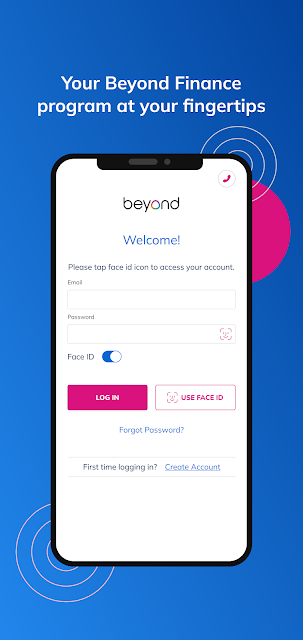
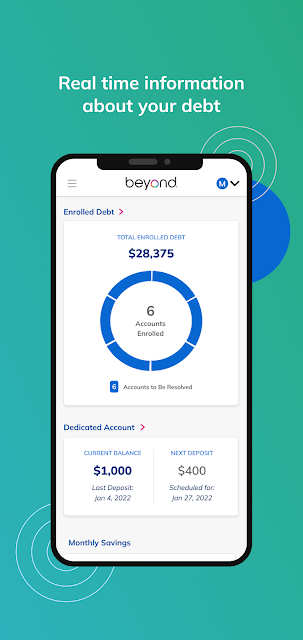
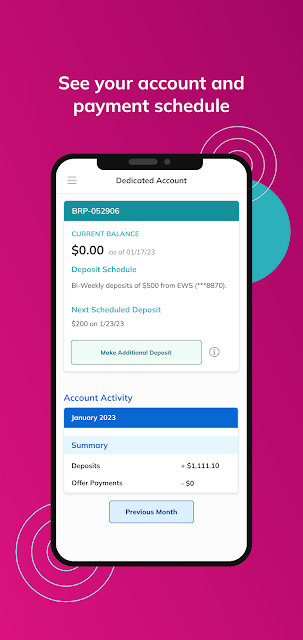
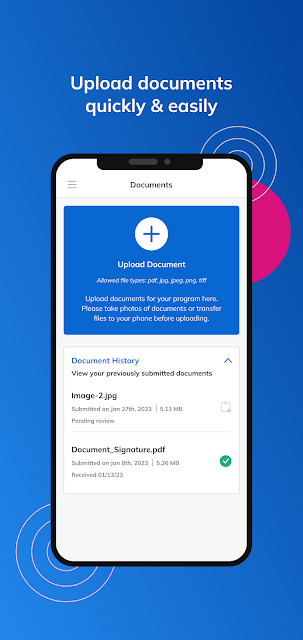
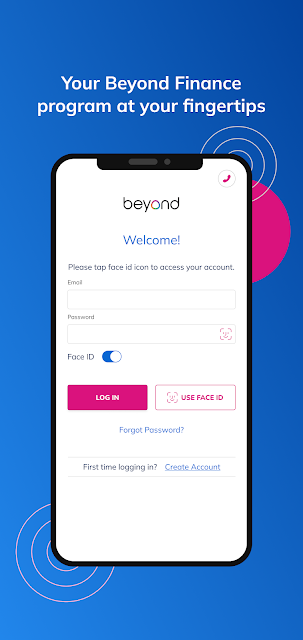
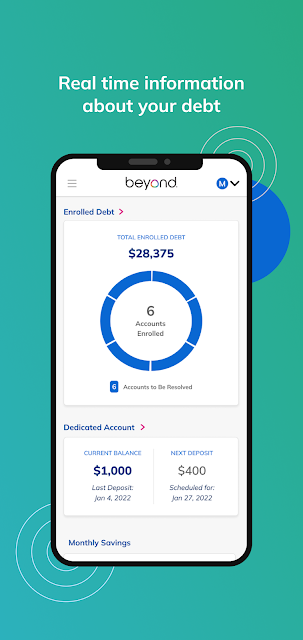
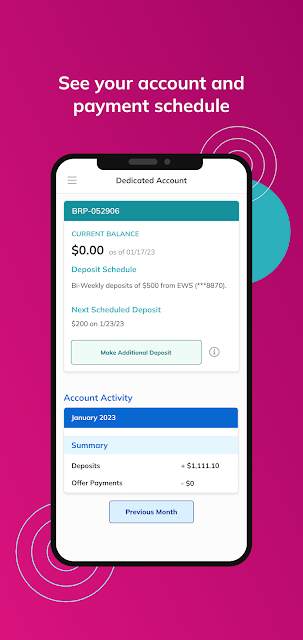
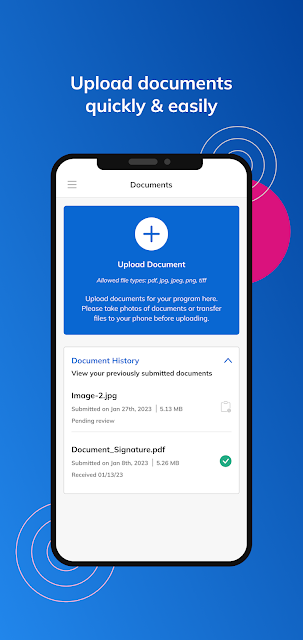
Analysis by Reviewed APKs
Beyond Finance is a companion app for people who are already enrolled in the Beyond Program and want to check their program information on a phone. I see its main value as keeping enrolled debt details, Trust Account history, and scheduled activity in one place. It is focused rather than a general money manager, which makes it more useful for following this specific program than for handling every part of a household budget.
Checking In Between Tasks
Imagine you have a quiet moment after work and want to see where things stand with your enrolled debts. Beyond Finance gives you a mobile place to review details related to those debts, rather than making you wait until you are back at a computer. I would use it as a quick check-in: open the app, review the relevant information, then leave with a clearer picture of what is already recorded.
The other useful part of that check-in is the Trust Account history and scheduled activity. I can picture looking through past account activity when I want to understand what has happened, then checking what is coming up before planning the rest of my week. That makes the app feel suited to brief, practical visits. It is less about studying charts and more about seeing program-related information when I need it.
A Program Companion, Not a Budget
The obvious alternative is a general finance or budgeting app, but Beyond Finance has a narrower job. Its described tools center on Beyond Program information, enrolled debts, Trust Account history, and scheduled activity. That focus can be useful if those are the details I want to check, because I do not have to treat it as an all-purpose dashboard for unrelated finances.
I would not choose it expecting a household budget, investment tracker, retirement planner, or broad financial education library. Those are different jobs, and the app information describes none of them. Beyond Finance is also not a substitute for understanding the terms of a program or making a financial decision. I see it as a way to review account information connected to the program, not as a source of personalized financial advice.
Make Check-Ins a Habit
A small routine is likely the best way to get value from an app with this focused purpose. I would check scheduled activity at a regular moment, such as when I sit down to organize the week, rather than opening the app repeatedly without a question in mind. That turns the visit into a simple review of what is coming up and keeps the information connected to an everyday planning habit.
I would also return to the Trust Account history when I want to review past activity, instead of relying on memory. Looking at enrolled debt details and account history in separate, purposeful visits can make the app easier to use than trying to absorb everything at once. The useful habit here is staying familiar with the information the app presents, while using other appropriate resources for questions it does not answer.
More From Our News Desk

Zoom Meetings, Google Meet, or Teams: Which Is Easiest to Join?

How I Build a Free Streaming Lineup With Tubi

Why Crunchyroll Is the Default Anime App for So Many Fans

YouTube TV: A Practical Guide to Cutting Cable

Rummikub and the Small Comfort of Phone Games

TeamViewer Remote Control or AnyDesk for Helping Family?
Who May Find It Useful
I would recommend Beyond Finance to someone enrolled in the Beyond Program who wants a phone-based way to review enrolled debt details, Trust Account history, and scheduled activity. Its appeal is practical: the app brings those pieces of program information into a single mobile destination. If you already know why you need those details, it should be straightforward to see how the app fits into a regular check-in.
It may not suit someone looking for a general personal finance app, broad budgeting tools, or investment features. The described purpose is specific to the Beyond Program, so people without a reason to view that program information may have little to do in the app. I would also avoid treating an account view as financial guidance; it is best approached as a companion for reviewing information, not deciding what to do with money.
Beyond Finance is developed by Beyond Finance, LLC. On Google Play, it has over 100,000 installs and a 4.8-star rating from around 10,000 ratings. The app is free to download, and the available facts say it has no in-app purchases and contains no ads. Its Google Play content rating is Everyone.
The current version shown is 6.139.0. Beyond Finance was released on January 20, 2021, and its last update is dated October 30, 2026. The app is described as a way to view Beyond Program information, including enrolled debt details, Trust Account history, and scheduled activity. An Android version requirement is not included in the available app facts.
A Focused View of Program Activity
A Purposeful First Impression
When I first opened Beyond Finance, the purpose I expected was not to manage every part of my finances. The app is presented as a way to view Beyond Program information, and that framing helps set sensible expectations. It is a companion for people with relevant program details to review, not a broad personal finance workspace with a long list of unrelated jobs.
Getting started makes the most sense when I already know that I want to check enrolled debt details, Trust Account history, or scheduled activity. Those are the specific areas the app describes. I would approach the first visit with one of those questions in mind, rather than expecting a tutorial or an elaborate setup process that the app information does not describe.
Useful for Quick Reviews
In day-to-day use, I see the app working best as a short stop during an otherwise ordinary routine. I might open it while sorting out the week, check what scheduled activity is coming up, and then return to the rest of my planning. That kind of visit has a clear beginning and end, which is a good fit for an app centered on viewing program information.
The Trust Account history offers a different reason to return: reviewing what has already happened. When I want context, looking back through account history is more useful than trying to reconstruct activity from memory. Together with the enrolled debt details, these views make the app relevant at more than one point in a routine, without changing its focused role.
Three Useful Information Areas
The most distinct feature is the combination of enrolled debt details, Trust Account history, and scheduled activity. Each answers a different kind of practical question: what information is available about enrolled debts, what has appeared in account history, and what activity is coming up. I like that the app's purpose is easy to summarize without pretending it covers more of my financial life than it does.
That set of views can help make a program check-in feel more concrete. If I am reviewing past activity, I have the Trust Account history; if I am looking ahead, there is scheduled activity; and if I want to revisit debt information, that is included too. The described feature set stays close to the Beyond Program, which is a strength for the intended audience and a limitation for everyone else.
A Simple Weekly Routine
A practical way I would use Beyond Finance is to pair it with a weekly planning moment. I would review scheduled activity first, then decide whether I have a reason to look back at Trust Account history or revisit enrolled debt details. This keeps the app visit focused and makes it easier to connect the information on screen with the next steps in my own schedule.
I would keep a separate note of questions that the app's information does not resolve, rather than assuming that a view of account activity explains every detail. That is a modest habit, but it helps distinguish between checking what is shown and seeking clarification about a program. The app can be part of a routine without becoming the only place I turn when I need context.
Keep the Scope in Mind
The main limit is also the app's defining feature: it is built around Beyond Program information. Someone hoping to track grocery spending, set savings goals, compare investments, or manage a full household budget should look for a tool intended for those jobs. Nothing in the described app features suggests that Beyond Finance is meant to cover those wider needs.
I would also keep a careful distinction between reviewing information and receiving advice. The app description says users can view program details, account history, and scheduled activity; it does not describe personalized recommendations. That makes it sensible to use the app for visibility and routine checks, while treating decisions about finances as a separate matter that may call for other sources of support.
Beyond Finance has a clear, limited purpose: it puts Beyond Program information, enrolled debt details, Trust Account history, and scheduled activity within reach on a phone. I appreciate that focused role. It can make a routine check-in easier, provided those are the details I need and I do not expect a full budgeting or financial advice toolkit.
I would recommend giving it a try if you are enrolled in the Beyond Program and want to review this information on mobile. If your goal is broader money management, it is probably the wrong fit. Think of it as a program companion: useful for checking what is there, with a scope that is best understood before you install it.
Beyond Finance Frequently Asked Questions
What is Beyond Finance used for?
Beyond Finance is used to view information related to the Beyond Program. Its described features include details about enrolled debts, Trust Account history, and scheduled activity. I would think of it as a mobile companion for reviewing those program details, rather than as an all-purpose budgeting app or a source of financial advice.
Which phones can run Beyond Finance?
Beyond Finance is available on Google Play for Android. The available app facts do not give a minimum Android version, so check the Google Play store page on your device for the requirement that applies. The app description is focused on viewing Beyond Program information, including enrolled debts, account history, and scheduled activity.
Does Beyond Finance cost money?
Beyond Finance is free to download on Google Play. The available facts say it does not offer in-app purchases and does not contain ads. Store details can change over time, so it is worth checking the Google Play page for current information before installing.
Does Beyond Finance offer budgeting or investing tools?
The described purpose of Beyond Finance is to show Beyond Program information, enrolled debt details, Trust Account history, and scheduled activity. It is not presented as a general budgeting or investing app. If you want tools for those broader tasks, look for an app whose features specifically cover them.
Who is Beyond Finance best suited to?
Beyond Finance is best suited to someone who wants to check information connected to the Beyond Program on a phone. Its focused features may be useful for regular account and activity reviews. Someone seeking a broad personal finance manager or personalized financial recommendations may find that its described role is too narrow.
Pros
- Keeps enrolled debt details, Trust Account history, and scheduled activity in one program-focused app.
- Free to download, with no in-app purchases or ads according to the available facts.
- A clear fit for brief mobile check-ins on Beyond Program information.
Cons
- Its narrow Beyond Program focus may not help people seeking general budgeting tools.
- The described features do not include personalized financial advice or investment tracking.
- The minimum Android version requirement is not provided in the available app facts.
- Category
- Finance
- Version
- 6.139.0











