Barclaycard
- 51.84K
- 2.8
- Installs
- 1.00M
- Price
- Free

Screenshots
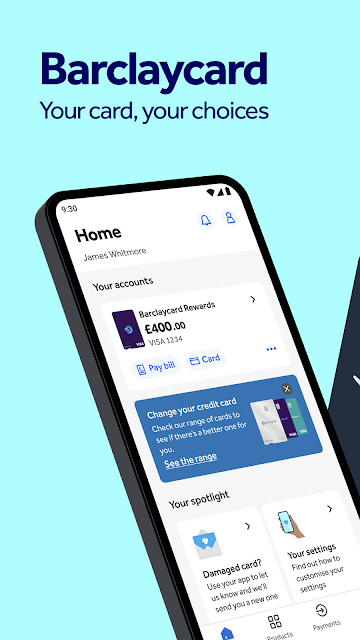
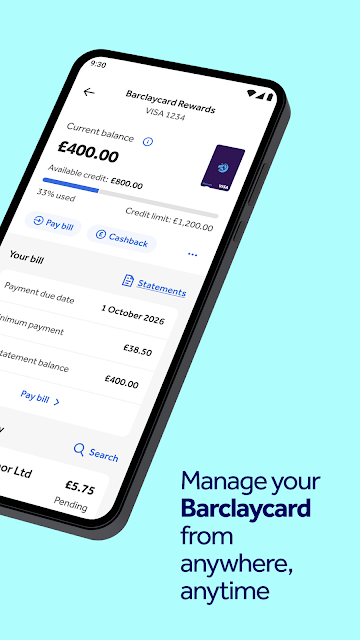

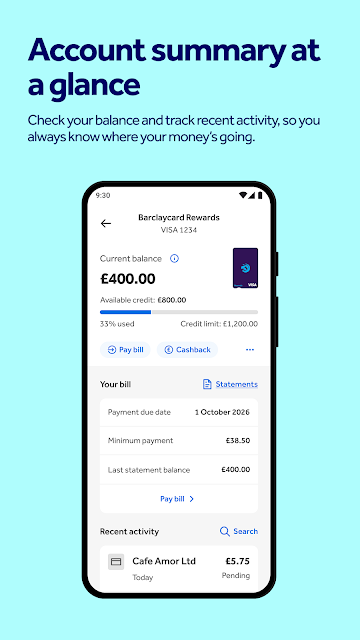
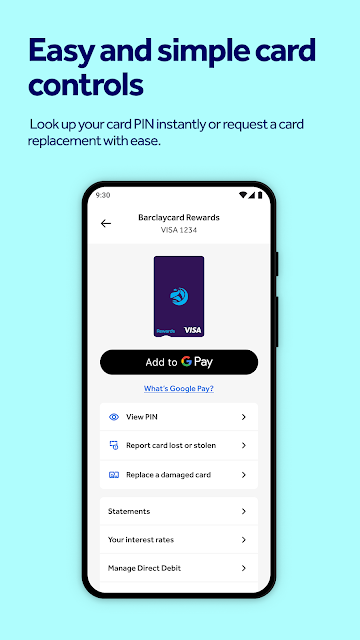
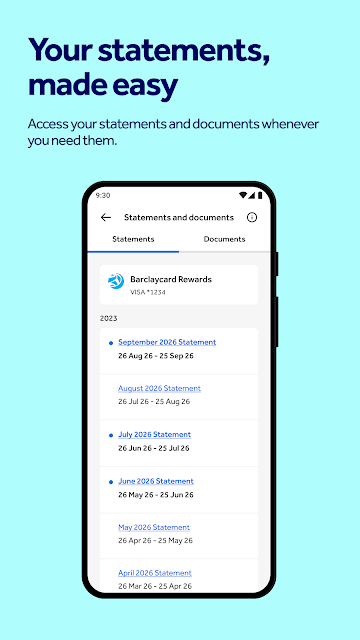
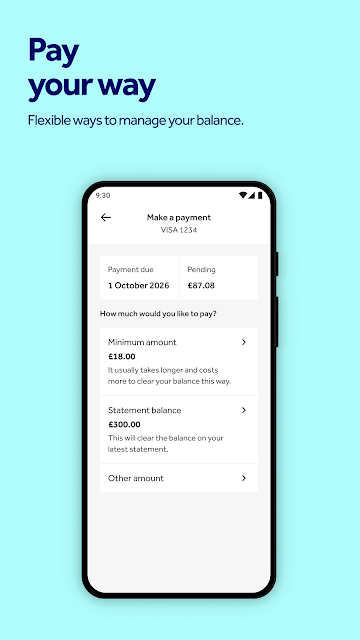
Analysis by Reviewed APKs
Barclaycard is a banking app for adults with a Barclaycard account who want to register and access their card account from a phone. It may also suit Barclays current account holders who want to view and manage that account in the same app. I see it as a focused companion for existing customers, rather than a general-purpose finance tool; getting started depends on having the right account and verification details.
A quick account check
Picture a familiar moment: I’m away from home and want to check in on my Barclaycard account without reaching for a computer. The app is built for that kind of mobile access. Registration starts with a 16-digit card number and on-screen instructions, with identity checks depending on the person’s circumstances. Once registered, the app gives customers a phone-based way to access Barclaycard services.
The useful part is having a route into the account that starts with the card already in my wallet. I would keep the card number handy and allow a little time in case an identity check is needed. Some people may be asked for their card PIN, a PINsentry card reader, or a valid form of ID. That makes setup more than a quick password entry, but the steps are tied to confirming account access.
A companion, not a budget planner
Barclaycard is best understood as an app for people who already have a Barclaycard account, not as a place to compare cards or start managing money from scratch. Its stated purpose is account access, and Barclays current account holders can also view and manage that account through it. That combined access may be handy if both relationships apply, though it remains centered on Barclays services.
I wouldn’t choose it as a replacement for a broad budgeting app or as a general banking hub for accounts at unrelated providers. The available information focuses on registering and accessing Barclaycard services, rather than tracking spending across multiple banks or comparing financial products. If I only wanted a tool to categorize household expenses, this would not be my first pick; its value depends on having an eligible account.
Make registration easier
A small bit of preparation can make the first session smoother. I’d have my 16-digit card number ready before opening the registration flow, rather than stopping halfway to find it. I’d also make sure I can use the UK-registered mobile number associated with my circumstances. The app’s instructions guide registration, but having the likely details close by helps avoid turning a short setup task into a search around the house.
After registration, I’d treat the app as a regular account check-in rather than something to open only when a problem crops up. A quick look during an ordinary weekly admin session can help keep Barclaycard access part of a routine. If I also have a Barclays current account, it may be convenient to view and manage that account in the same app, rather than switching between separate access points.
More From Our News Desk

Zoom Meetings, Google Meet, or Teams: Which Is Easiest to Join?

How I Build a Free Streaming Lineup With Tubi

Why Crunchyroll Is the Default Anime App for So Many Fans

YouTube TV: A Practical Guide to Cutting Cable

Rummikub and the Small Comfort of Phone Games

TeamViewer Remote Control or AnyDesk for Helping Family?
Who may find it useful
I’d recommend Barclaycard to adults who already hold a Barclaycard account and want a mobile route to register and access Barclays services. It is especially relevant to someone who prefers handling routine account access on a phone and has the card details and any requested verification method available. Existing Barclays current account customers may also appreciate being able to view and manage that account through the same app.
It may not suit someone looking for a finance app that works without a Barclaycard relationship, or someone who wants a general spending planner spanning several providers. Registration is limited to people aged 18 or over, and the described process also calls for a UK-registered mobile number. If those conditions do not fit, the app’s central purpose may not match the user’s needs.
Barclaycard is developed by Barclays Services Limited. Google Play shows more than 1 million installs and a 2.8-star rating from around 52,000 ratings. The app is free to download, with no in-app purchases or ads. Its content rating is Everyone. It is a finance app for Android, though a minimum Android version is not provided in the available store details.
The current version shown is 7.86.6, and the listed last update date is October 27, 2026. No release date is provided. Registration is for people aged 18 or over with a Barclaycard account and a UK-registered mobile number. Barclays current account holders can also view and manage that account through the app.
A closer look at account access
Starting with the card
When I first opened the app, the most important thing to know was that this is for existing customers, not a service to browse anonymously. Registration begins with a 16-digit card number, followed by on-screen steps. That gives the setup a clear starting point, but it also means I would not expect to explore account features before having the relevant Barclaycard relationship.
The verification step can depend on individual circumstances. The app may ask for a card PIN, a PINsentry card reader, or a valid form of ID. I’d prepare for that possibility instead of assuming registration will finish with only the card number. It’s a practical, security-conscious hurdle, although it may make the first session take longer than a simple sign-in.
Everyday account access
The app’s day-to-day role is straightforward: it offers Barclaycard customers a mobile way to register and access services. I can see the appeal when I’m doing routine admin on my phone and would rather not switch to a computer. The description also says Barclays current account holders can view and manage that account here, which could make the app useful beyond the card for some customers.
I’d keep expectations grounded in that account-access purpose. The information provided does not describe a broad set of budgeting or cross-bank tools, so I would not assume it can replace a dedicated spending tracker. For someone whose main need is access to their Barclaycard relationship, though, a focused app may be all they want.
A second account option
The standout detail is that the app can cover a Barclays current account as well as Barclaycard access for customers who have both. That is a practical convenience rather than a reason for every user to install it. If I already bank with Barclays and hold a Barclaycard, having both account relationships available through one app could simplify the routine of checking in.
The registration flow is another notable part of the experience because it tells users what to have ready and which identity checks might apply. The required details can differ by circumstance, so I would follow the prompts rather than assume every customer sees precisely the same steps. That makes the app’s setup feel account-specific, which is appropriate for a service tied to existing customers.
A sensible weekly check-in
I’d fold the app into a small weekly admin habit: choose a quiet moment, open it on my phone, and take care of whatever Barclaycard access task brought me there. The aim is not to spend ages exploring menus, but to keep account access close at hand when I’m already sorting household paperwork or checking other routine tasks.
If I had a Barclays current account too, I’d use the same session to view or manage that account through the app. For a first-time setup, I’d set aside a little extra time and keep the 16-digit card number nearby. That simple preparation is more useful than beginning registration in a hurry and then needing to retrieve verification details.
Keep the scope in mind
The biggest limitation is also the app’s defining boundary: it is intended for Barclaycard customers, and registration has age and mobile-number conditions. It will not be a fit for someone who wants to manage unrelated bank accounts or explore financial services without first having an eligible relationship. The app is most useful when its narrow purpose matches what I need.
I would also remember that some verification requirements depend on personal circumstances. A card PIN, PINsentry reader, or valid ID may be requested, so a first attempt could involve more than entering card details. That is worth planning around, especially if I’m trying to register while away from the information or items I may need.
Barclaycard looks like a practical mobile companion for existing customers who want account access, with an extra convenience for Barclays current account holders. The registration requirements make it less of an instant, open-to-everyone experience, but they are easy to plan for if you have the relevant account details ready.
I’d recommend giving it a try if you’re an eligible adult customer who wants to handle Barclaycard access on a phone. If you’re searching for a cross-bank budget planner or do not have a Barclaycard account, this is unlikely to be the right app for you.
Barclaycard Frequently Asked Questions
What is the Barclaycard app used for?
Barclaycard is for adults with a Barclaycard account to register and access Barclays services through a phone app. Barclays current account holders can also view and manage that account in the app. The registration process starts with a 16-digit card number and may involve additional identity checks depending on the customer’s circumstances.
Which devices can run the Barclaycard app?
The app is available for Android through Google Play. A minimum Android version is not provided in the details here, so check the Google Play page on your device for current compatibility information. The registration requirements include a Barclaycard account and a UK-registered mobile number.
What Android version does Barclaycard require?
The minimum Android version is not provided in the available information, and requirements can change as the app is updated. I’d check the Barclaycard Google Play page from the Android device you plan to use before installing, since the store can show compatibility details relevant to that device.
Does the Barclaycard app cost money?
Barclaycard is free to download on Google Play. The provided store details show no in-app purchases and no ads. Download cost is separate from any terms that apply to the underlying financial services or account, so customers should refer to their Barclays documents for those.
Who can register for the Barclaycard app?
Registration is for people aged 18 or over who have a Barclaycard account and a UK-registered mobile number. You will need your 16-digit card number, and depending on your circumstances may be asked to verify your identity with a card PIN, a PINsentry card reader, or valid ID.
Pros
- Provides a mobile registration and access route for existing Barclaycard customers.
- Barclays current account holders can view and manage that account in the app.
- Registration instructions explain which card details and possible identity checks to prepare.
Cons
- Registration requires an existing Barclaycard account and a UK-registered mobile number.
- Some customers may need a PINsentry reader or valid ID to complete identity checks.
- It is not presented as a general budgeting app for accounts at other providers.
- Category
- Finance
- Version
- 7.86.6











