Aura: Security & Protection
- 39.62K
- 4.5
- Installs
- 1.00M
- Price
- Free

Screenshots




Analysis by Reviewed APKs
Aura: Security & Protection brings identity monitoring, fraud alerts, safer browsing tools and other digital-safety features together in one app. I can see it suiting people who want a central place to keep tabs on personal information and financial activity, rather than juggling separate services. My overall impression is that Aura covers a lot of ground, though the breadth of its protection comes with a subscription model worth understanding before you settle in.
A Watchful Everyday Companion
When I first opened Aura, I pictured using it as a quiet check-in point during an ordinary week. I might be shopping online, paying a bill or checking a bank account, then return to the app to look for alerts about identity, credit or linked financial activity. The appeal is less about a dramatic security dashboard and more about having one place to notice a possible issue before it becomes a bigger distraction.
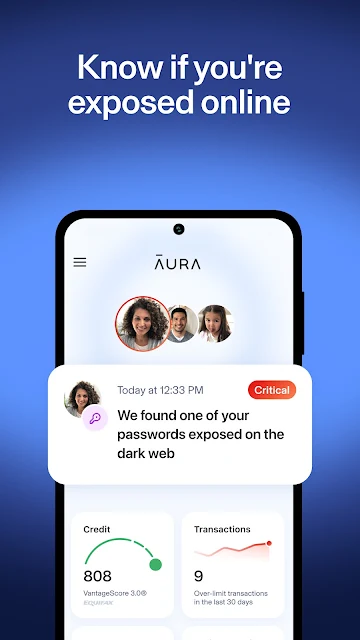
That routine depends on setting up the parts that matter to you. Aura describes monitoring identity and credit activity, notifying users about suspicious transactions, and letting users link financial accounts and set spending alerts. It also offers tools for passwords and safer browsing. Rather than expecting the app to replace sensible care with personal information, I’d treat it as an extra layer of visibility and make time to review what is connected and what alerts are enabled.
More Than a Single-Purpose Tool
Aura sits between several familiar categories: identity-protection services, credit-monitoring tools, password managers and browsing protection. Its main distinction is putting those jobs under one roof. If you already use separate products for each task, Aura may feel like a consolidation option; if you mainly want one narrow utility, its wider set of services may be more than you need.
This is not a general-purpose banking app, nor is it a substitute for being careful about links, passwords or account activity. Its credit score is described as educational, and the score may differ from the one a lender uses. I’d also avoid assuming every feature is included in every plan: parental controls, for example, are tied to subscriptions with those controls enabled.
Small Habits That Help
I’d get more from Aura by choosing a few checks that fit a real routine instead of trying to watch everything at once. For example, a weekly glance at alerts and monitored activity can make the app feel manageable. If I link accounts, I’d also review the spending alerts I’ve set, so notifications are useful rather than just another stream of phone interruptions.
The password tools are another area where a little consistency matters. Aura describes secure password storage, autofill, syncing and checks for weak or reused passwords. I’d use those features as a prompt to improve accounts gradually, starting with the ones I rely on most. For browsing, I’d turn to its VPN and site filtering when shopping or banking online, while keeping normal caution in place.
More From Our News Desk

Zoom Meetings, Google Meet, or Teams: Which Is Easiest to Join?

How I Build a Free Streaming Lineup With Tubi

Why Crunchyroll Is the Default Anime App for So Many Fans

YouTube TV: A Practical Guide to Cutting Cable

Rummikub and the Small Comfort of Phone Games

TeamViewer Remote Control or AnyDesk for Helping Family?
Who Might Find It Useful
I’d recommend Aura to people who want a broad digital-protection toolkit and are comfortable setting up several kinds of monitoring. It may suit someone who worries about identity or credit activity, wants alerts for linked financial accounts, or would rather keep password and browsing tools in the same service. Families may also want to look at the parental controls and digital-wellbeing options described for eligible subscriptions.
It may be a poor fit if you only need one simple function, prefer not to link accounts, or want a free service without paid subscription options. The range can take some attention to configure, and the most relevant tools will depend on the subscription. I’d compare Aura with the services you already use and decide whether having these features together is worth the recurring cost.
Aura: Security & Protection is developed by Aura Sub LLC and is available on Google Play for Android. The app is free to download, with in-app purchases listed from $11.99 to $395.99 per item. Google Play shows more than 1 million installs and a 4.5-star rating from about 39,600 ratings. It contains no ads and has an Everyone content rating.
The current version is listed as varying with device. Aura first appeared on February 16, 2021. Its Android minimum requirement and most recent update date are not included in the available app details, so check Google Play for current device compatibility and release information.
How Aura Fits Into Daily Digital Life
A Broad First Impression
When I first opened Aura, what stood out was the range of jobs it aims to cover. Identity and credit monitoring sit alongside browsing protection, password tools and financial alerts. That breadth makes the app feel more like a protection hub than a single-purpose scanner. It also means I’d take a moment to decide which parts I actually want to use before turning every available option into another daily task.
Getting started is best approached as a series of choices, not a one-sitting overhaul. I’d begin with the protection areas that matter most, then consider whether linking accounts or using the password features makes sense for me. Aura’s description emphasizes alerts when information or accounts may be at risk, so the practical value depends on having the relevant monitoring set up and paying attention when a notification arrives.
The Day-to-Day Experience
In everyday use, Aura’s role is largely to monitor and notify. I’d expect to check it when an alert arrives, or make a brief routine check rather than keep the app open. The described monitoring spans identity and credit activity, as well as suspicious transactions in linked financial accounts. That is a useful combination for people who want signals gathered in one service, though it still asks the user to decide what action to take.
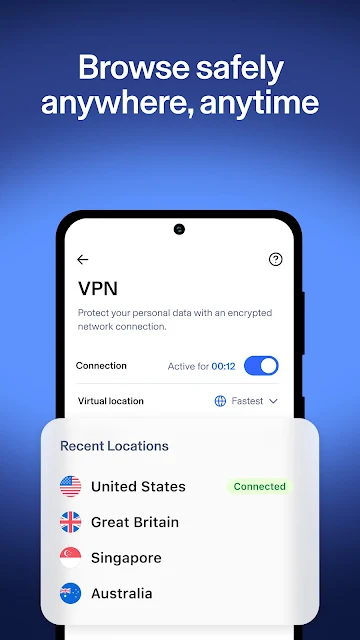
The browsing tools offer a different kind of daily use. Aura describes a VPN and filtering for malware, phishing and scam sites, with more than 100 virtual locations. I’d think of that as support while shopping, banking or browsing, rather than a reason to click unfamiliar links freely. The value is practical and situational: it is most relevant when I want an added layer while using the internet.
Features With a Clear Purpose
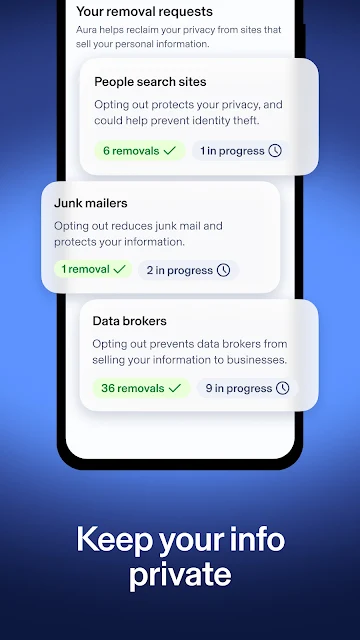
The data-broker removal service is one of Aura’s more distinctive offerings. The app says it requests removal of personal information from more than 500 data brokers. That gives privacy-conscious users a concrete task they can hand off through the service, rather than treating privacy as only a matter of changing browser settings. I’d still view this as one part of managing personal information, not a promise that every copy disappears.
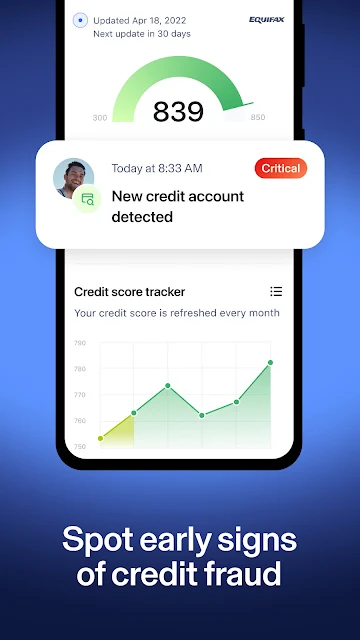
Credit and financial tools add another layer to the package. Aura describes credit monitoring, access to a credit score and three-bureau annual credit reports, as well as the ability to lock credit. Its account-linking options include spending alerts and notifications about suspicious transactions. These features can make it easier to notice activity, but the credit score is for educational use and may not match a lender’s scoring method.
Password storage, autofill and syncing round out the individual-account side of Aura. The service also describes checks for weak or reused passwords, which can help identify accounts that deserve attention. For eligible subscriptions, parental controls include content blocking, screen-time limits and focus modes. These are specific tools rather than a vague claim of total protection, and the relevant subscription determines which family features are available.
A Manageable Weekly Routine
A routine I’d use is to respond to alerts when they arrive, then set aside a few minutes once a week to review monitored activity. If I’ve linked financial accounts, I’d check that spending alerts still fit my habits. This keeps Aura connected to everyday life without turning it into a constant monitoring ritual. It also gives me a regular chance to notice settings that no longer match how I use my accounts.
I’d pair that check-in with gradual password cleanup. If Aura flags weak or reused passwords, I could work through the accounts I care about most, using its storage and autofill tools where appropriate. When I’m shopping or banking online, I’d consider the browsing protection features as an extra precaution. Keeping these habits small makes a broad suite easier to maintain than trying to configure everything at once.
Limits to Keep in Mind
The first limitation is the subscription structure. Aura is free to download, but its Google Play details include in-app purchases, and the listed price range is wide. Different features are tied to subscriptions, so I’d check what a particular plan includes before relying on a tool. The app description also discusses a free trial and recurring subscriptions; I’d read the current purchase terms carefully before starting one.
The second is that monitoring is not the same as prevention or resolution. Alerts can help bring activity to my attention, but they do not remove the need to review account activity and make informed choices. Likewise, a credit score in Aura is not necessarily the score a lender uses. I’d use the app as one useful source of information, not as a replacement for other account and privacy habits.
Family features deserve a closer look before use. Aura says parental controls and digital wellbeing are available only with subscriptions that enable them, and their child-safety functions use a local VPN and Accessibility Service on a child’s device. That makes it important for a family to understand how those controls work and what they involve before deciding whether they fit.
Aura’s strength is its range: identity and credit monitoring, financial alerts, browsing protection, data-broker removal and password tools all have a place in one app. I like the idea of a single hub, especially for someone who will make time to set it up and check its alerts.
I’d recommend trying Aura if those combined services match your needs and you’re comfortable comparing subscription options. If you only want one basic security tool, a narrower alternative may be simpler. Either way, I’d treat Aura as support for good digital habits, not a replacement for them.
Aura Frequently Asked Questions
What is Aura: Security & Protection used for?
Aura combines identity and credit monitoring with fraud alerts, browsing protection, password tools and other digital-safety features. It can also request removal of personal information from data brokers and monitor linked financial accounts for suspicious transactions. The available tools depend on the subscription, so check Google Play for the current plan details.
Which devices can run Aura: Security & Protection?
Aura is an Android app available through Google Play. Its listed Android version requirement can vary or may be updated, so check the store page for compatibility with your device. Some child-safety features are described as using a local VPN and Accessibility Service on a child’s device.
What Android version does Aura require?
The Android minimum requirement may vary by device and app release. Before installing Aura: Security & Protection, check its Google Play page on the device you plan to use. The store is the best place to confirm current compatibility and any updated requirements.
Does Aura: Security & Protection cost money?
Aura is free to download, and Google Play lists in-app purchases from $11.99 to $395.99 per item. Its description discusses subscriptions and a free trial, but the available plans and terms can vary. Check Google Play for the current pricing and details before purchasing.
Who is Aura: Security & Protection best suited for?
Aura may suit people who want identity, credit, financial-alert, password and browsing tools together, or families considering its eligible parental-control features. It may be less appealing if you only need one simple function or do not want a subscription. Review the current plan details in Google Play to see which features fit.
Pros
- Combines identity and credit monitoring with financial alerts and browsing protection.
- Includes password storage, autofill, syncing and checks for weak or reused passwords.
- Offers data-broker removal requests and credit-lock features.
- No ads are listed on Google Play.
Cons
- Many features depend on a paid subscription, with a wide listed purchase-price range.
- The broad toolkit may take time to configure and keep relevant.
- Credit scores are educational and may differ from scores used by lenders.
- Category
- Finance











