Arvest Go Mobile Banking
Listed on Google Play as “Arvest Mobile Banking”
- 21.25K
- 3.7
- Installs
- 500.00K
- Price
- Free

Screenshots
Analysis by Reviewed APKs
Arvest Mobile Banking is for Arvest customers who want to handle routine banking from an Android phone: checking accounts, depositing checks, paying bills, moving money, and keeping an eye on card activity. I like the breadth of its everyday tools, especially the option to see accounts, cards, and loans together. It is a practical companion to an Arvest account, rather than a general-purpose money manager for everyone.
A quick banking check-in
When I picture using Arvest Mobile Banking on a busy weekday, it is between errands: I want to check an account, deposit a check, or deal with a bill without waiting until I am back at a computer. The app brings several of those routine jobs together, including check deposits, bill payments, and moving money. That makes it useful for short visits throughout the day, not just a dedicated sit-down session to review finances.
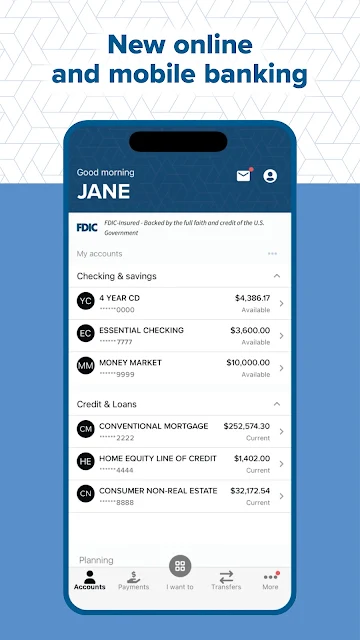
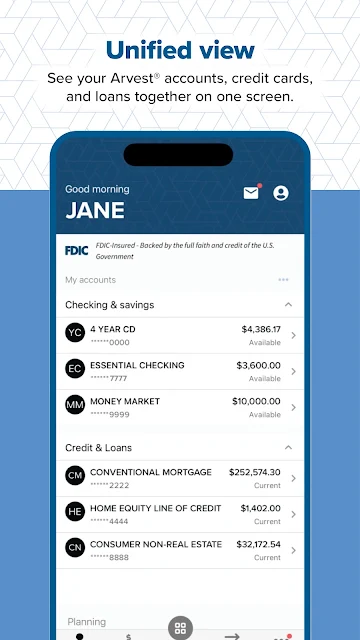
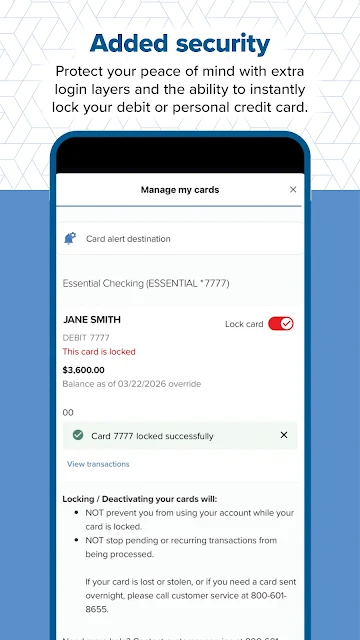
The unified account view is a sensible starting point. Arvest customers can see their accounts, credit cards, and loans together, which saves some bouncing around when they want a broader snapshot. If a card needs attention, the app also offers the ability to lock a debit or personal credit card. I would treat that as a practical control for a moment of concern, rather than a substitute for staying alert to account activity.
A bank companion, not a budget
Compared with visiting a branch or using a desktop banking session, this app is built around handling common tasks while away from home. Check deposit, payments, account access, and a branch or ATM locator all suit moments when opening a laptop would be inconvenient. Zelle is included for sending and receiving money with people you trust, provided you have an eligible U.S. checking or savings account and are enrolled.
The important distinction is that Arvest Mobile Banking serves Arvest customers. It is not presented as a way to compare banks, manage accounts from unrelated institutions, or build a household budget. I would not choose it as a standalone finance tracker if I wanted spending categories or a full picture across several banks. Its value is in bringing Arvest banking tasks onto a phone, with the account relationship already in place.
Make small routines count
A few setup choices can make quick check-ins more useful. On compatible devices, facial recognition or a fingerprint can provide a convenient login option. Push notifications can surface account activity on the lock screen, while paperless statements offer a way to keep statements online rather than adding paper clutter. These are optional conveniences, so I would choose the ones that fit my comfort level and the way I use my phone.
I would also make a habit of checking the account view when I open the app, then use the relevant task rather than wandering through banking chores at random. The branch and ATM locator is handy to remember before a trip across town, and card locking is worth knowing about before there is a stressful reason to look for it. Zelle is better kept for people I know and trust, as the app’s description advises.
More From Our News Desk

Zoom Meetings, Google Meet, or Teams: Which Is Easiest to Join?

How I Build a Free Streaming Lineup With Tubi

Why Crunchyroll Is the Default Anime App for So Many Fans

YouTube TV: A Practical Guide to Cutting Cable

Rummikub and the Small Comfort of Phone Games

TeamViewer Remote Control or AnyDesk for Helping Family?
Who will find it useful
I would recommend Arvest Mobile Banking to existing Arvest customers who want basic banking within easy reach. The mix of account visibility, check deposit, money movement, bill payment, card controls, notifications, and location finding covers a useful range of ordinary needs. It should particularly suit people who already use Arvest online banking, since getting started requires an online banking user ID and password.
It may be a poor fit for someone who does not bank with Arvest or who wants a broad financial dashboard spanning multiple providers. It also is not a budgeting tool based on the features described. People who prefer handling money in person can still use branches, but the app is most appealing to customers comfortable doing routine tasks on a phone. Fingerprint and facial login are options only on compatible devices.
Arvest Mobile Banking is published by Arvest Bank Operations. On Google Play, it has over 500,000 installs and a 3.7-star rating from 21,254 ratings. The app is free to download, with no in-app purchases and no ads. Its content rating is Everyone, making the store’s stated audience rating broad, though the app’s banking features are aimed at Arvest customers.
The current version is 6.5.51. The app was released on November 28, 2017, and its last update was September 9, 2026. An Android minimum version is not included in the available app details, so it is worth checking the Google Play page on the device you plan to use.
Everyday Banking From Your Phone
Getting started
My first impression is that the app is organized around familiar banking jobs rather than an elaborate financial-planning pitch. Its promise is straightforward: give Arvest customers phone access to their banking, with account information and common transactions in one place. That focus is useful when I only have a minute and want to check something specific, instead of setting aside time for a longer review.
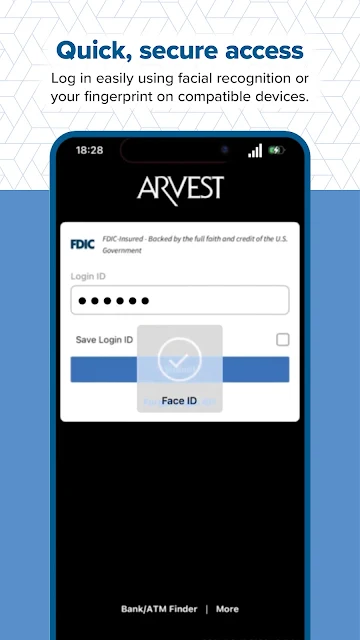
Getting in depends on having Arvest online banking credentials. The app’s instructions say to log in with an online banking user ID and password; people who have not enrolled are directed to call Arvest for credentials. Compatible devices can use facial recognition or a fingerprint for access. Those options can make repeat visits easier, but the initial requirement is still an existing online banking relationship.
Routine tasks, one place
For day-to-day use, the appeal is the variety of banking tasks available from a phone. I can imagine checking accounts before making a purchase, depositing a check after it arrives, or paying a bill without switching to a desktop session. The app also supports moving money. These are practical jobs that tend to come up in short bursts, and having them together makes the app more useful than an account-balance viewer alone.
The combined view of accounts, credit cards, and loans gives a wider look at a customer’s Arvest relationship. It does not turn that information into a detailed budget or cross-bank overview, but it can help with a quick check of what is held with Arvest. For someone who already handles banking there, this is a more direct fit than a general finance app that may not offer these account-specific tasks.
Useful extras
Card controls are one of the more practical additions. The app lets customers instantly lock a debit or personal credit card, which can be reassuring when a card is misplaced and a quick action is needed. I appreciate that this is described as a control within the banking experience, not as a reason to ignore account activity or other steps a customer may need to take.
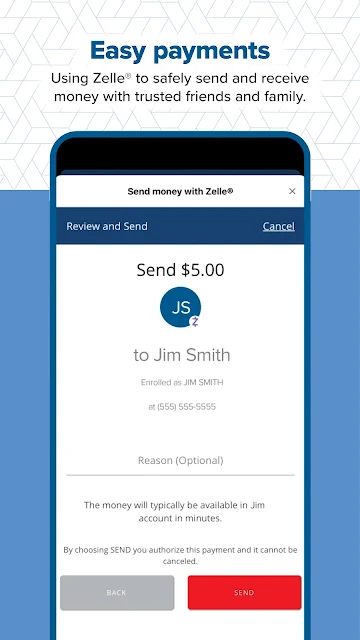
Zelle adds a familiar way to send and receive money with friends and family. The service requires a U.S. checking or savings account, and Arvest’s description says transactions between enrolled users typically happen within minutes and generally do not have transaction fees. I would keep the ‘people you trust’ guidance in mind; convenience is most useful when paired with care about who receives a payment.
Notifications and paperless statements round out the less hands-on tools. Activity alerts can appear on the lock screen, and enrolling in online statements can reduce paper clutter. The app can also locate nearby Arvest branches and ATMs. These features may not be things I open every day, but they help the app cover more than just transfers and balances.
A simple weekly rhythm
A sensible routine might be to check the account view when reviewing the week’s errands, deposit any checks that need handling, and pay bills that are due. Notifications can provide a prompt about account activity between those check-ins. I would keep the routine lightweight: the app is meant to make banking tasks accessible, not to turn every spare moment into a full financial audit.
If I were heading somewhere unfamiliar, I would use the branch or ATM locator to find a nearby Arvest location. If a card went missing around the same time, knowing the lock option is available could save a scramble to work out what the app can do. For money sent through Zelle, I would stick to trusted contacts and confirm the recipient carefully.
Keep expectations grounded
This is a bank-specific app, so its usefulness depends on being an Arvest customer with online banking access. Someone looking for tools to track accounts across different banks, analyze spending, or create a budget may need a different kind of app. Arvest Mobile Banking concentrates on accessing and managing Arvest accounts, and that narrower purpose is worth understanding before downloading it.
Some conveniences depend on circumstances: facial or fingerprint login requires a compatible device, Zelle requires an eligible U.S. account and enrollment, and a minimum Android version is worth checking on Google Play. The app’s store rating is 3.7 stars, so I would not assume every user’s experience will be identical. For a banking app, it makes sense to review the store details and see whether the available setup suits your device.
Arvest Mobile Banking makes the most sense as a practical extension of an Arvest account. Its strongest points are the range of routine tasks, the combined account view, and useful extras such as card locking, notifications, and a location finder. It stays focused on banking rather than trying to be a universal money-management service.
I would recommend it to Arvest customers who want to handle everyday banking from an Android phone. If you are not an Arvest customer, or you need budgeting and multi-bank tracking, it is unlikely to be the right fit. For its intended audience, it brings useful tasks into one convenient place.
Arvest Go Frequently Asked Questions
What is Arvest Mobile Banking used for?
Arvest Mobile Banking lets Arvest customers manage everyday banking from a phone. Its described features include viewing Arvest accounts, credit cards, and loans together, depositing checks, moving money, paying bills, using Zelle, receiving account activity notifications, locking eligible cards, and finding nearby Arvest branches or ATMs.
Which phones can run Arvest Mobile Banking?
Arvest Mobile Banking is an Android app available through Google Play. The minimum Android version can vary with app updates and device compatibility, so check the Google Play page on the phone you plan to use. Facial recognition and fingerprint login are available only on compatible devices.
Does Arvest Mobile Banking cost money?
The app is free to download on Google Play, and its store details show no in-app purchases or ads. Some services have their own requirements: Zelle requires an enrolled U.S. checking or savings account. Check the store and service details for information that may vary.
Do I need an Arvest account to use the app?
The app is designed for Arvest banking customers and requires an Arvest online banking user ID and password to log in. If you are not enrolled in online banking, Arvest directs you to call for credentials. It is not described as a general account-management app for customers of other banks.
Who is Arvest Mobile Banking best suited for?
It is best suited to Arvest customers who want convenient phone access to routine banking tasks, account information, and card controls. It may not suit someone seeking budgeting tools or a combined view of accounts at several banks. Device compatibility and available features are worth checking in the Google Play details.
Pros
- Combines account, credit card, and loan views for Arvest customers.
- Supports check deposits, bill payments, and moving money from a phone.
- Includes card locking, activity notifications, and a branch and ATM locator.
- Offers Zelle for sending and receiving money with trusted contacts.
Cons
- Designed for Arvest customers rather than people banking elsewhere.
- Does not describe budgeting or cross-bank account tracking features.
- Fingerprint and facial login depend on device compatibility.
- Category
- Finance
- Version
- 6.5.51











