Amazon A to Z
- 100.23K
- 4.1
- Installs
- 5.00M
- Price
- Free

Screenshots


Analysis by Reviewed APKs
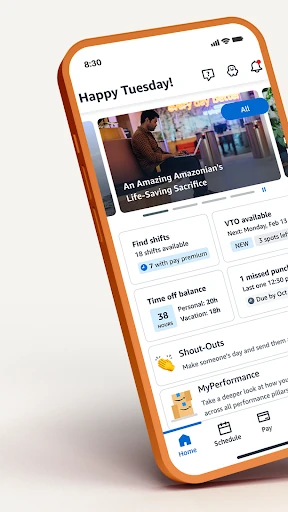
Amazon A to Z is a work-life app for people exploring jobs at Amazon, current employees, and former employees. It brings work schedules, time off, pay details, benefits, career opportunities, and work documents into one place. I see its main appeal as practical convenience: instead of treating work information as a collection of separate tasks, it gives Amazon workers a single place to check several important parts of the job.
A workday in one place
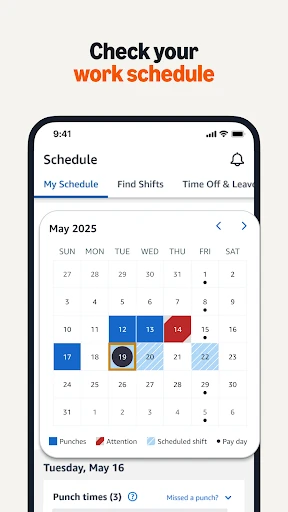
Picture a familiar shift-work question: when am I working next, and can I request a change? Amazon A to Z is built for that sort of check-in. The app lets current workers look up their schedules, apply for shift changes, and record missed punches. I like that those closely related tasks sit alongside time-off information, rather than making the app only a place to glance at a calendar.
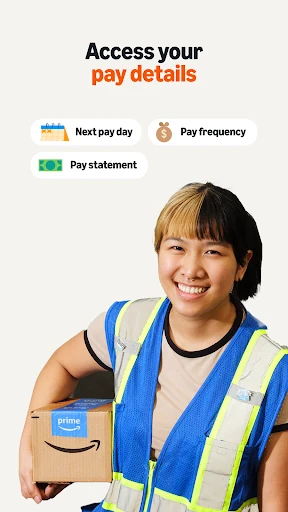
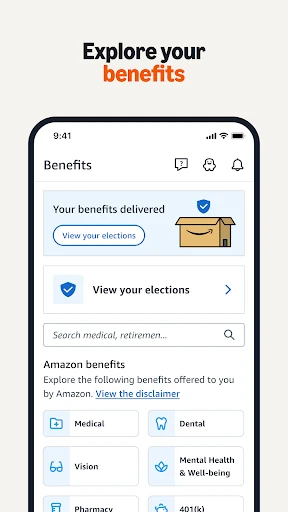
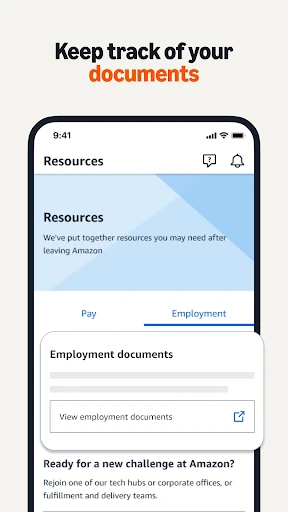
The same workday routine can include practical details that are easy to forget until they matter. A worker can use A to Z to view pay details, manage time off and benefits, and keep track of documents. I would treat it as a reference point for Amazon employment information: open it to answer a specific work question, then return when another schedule or job-related need comes up.
A workplace tool, not a general job app
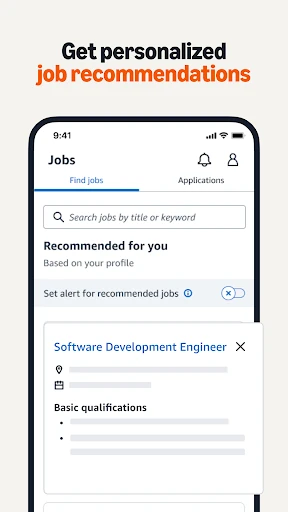
A to Z spans several stages of an Amazon work relationship. Someone exploring opportunities can see job recommendations and apply for jobs, while current workers have schedule, pay, time-off, and benefits tools. Former Amazon employees can still use it to keep track of documents. That breadth is the distinguishing idea: it is aimed at Amazon-related work needs, rather than serving as a general-purpose job search or shift-planning app.
That focus also sets a boundary. I would not choose it to organize a job at another company, manage a household calendar, or compare employers across the wider job market. Its features and updates are centered on Amazon and its opportunities. If you are not exploring, working for, or formerly employed by Amazon, most of the app’s purpose is unlikely to match your everyday needs.
Small habits that help
I would make A to Z part of a short work-planning routine rather than waiting until a schedule issue becomes urgent. Checking the schedule when planning the week, then looking at time off when considering a date, keeps the app tied to decisions it can actually support. If a shift needs attention, the option to apply for a change or record a missed punch is relevant to that same routine.
It can also help to visit the app when a work question comes to mind, rather than relying on memory. Pay details, benefits, and documents each have a place in its stated feature set, while personalized updates and job recommendations suit people keeping an eye on opportunities. I would use those sections selectively: the most useful habit is returning for a concrete need, not browsing without a reason.
More From Our News Desk

Zoom Meetings, Google Meet, or Teams: Which Is Easiest to Join?

How I Build a Free Streaming Lineup With Tubi

Why Crunchyroll Is the Default Anime App for So Many Fans

YouTube TV: A Practical Guide to Cutting Cable

Rummikub and the Small Comfort of Phone Games

TeamViewer Remote Control or AnyDesk for Helping Family?
Who will find it useful
I would recommend Amazon A to Z first to current Amazon workers who want a central place for schedules, shift requests, time off, pay details, and benefits. It is especially relevant when work questions crop up at different points in the week and you want to find several kinds of employment information in the same app. People interested in Amazon roles may also value its job recommendations and application options.
Former Amazon employees may appreciate that the app includes document tracking after leaving the company, and job seekers can use its opportunity-focused features. It may not suit anyone looking for a broad job board, tools for another employer, or general personal scheduling. Its value depends on a connection to Amazon work, so I would not install it expecting a flexible productivity app for unrelated tasks.
Amazon A to Z is developed by Amazon Mobile LLC and is listed on Google Play in the Business category. It has over 5 million installs and a 4.1-star rating from about 100,000 ratings. The app is free to download, with no in-app purchases or ads. Its content rating is Everyone.
The supplied app details give version 6.0.2191.0, a release date of August 29, 2018, and a last update date of October 22, 2026. A minimum Android version is not provided in the available app details, so check Google Play for the requirement that applies to your device.
A Closer Look at Amazon A to Z
A practical first impression
The first thing that stands out about A to Z is its unusually broad definition of a work app. It is not only about getting onto a shift: the stated tools cover schedules, time off, pay, benefits, career opportunities, and documents. That gives the app a clear role for Amazon workers, even before getting into any one feature. Its usefulness is tied to the employment relationship it is designed to serve.
The app also addresses people at different points in that relationship, including job seekers and former employees. I find that more thoughtful than a tool aimed only at someone currently working a shift. At the same time, it makes the intended audience quite specific. If Amazon work is not part of your plans or history, there is little reason to expect the app to be useful.
The everyday essentials
For current workers, schedule access is one of the most immediate reasons to use the app. A to Z also supports applying for shift changes and recording missed punches, which makes its schedule tools more than a simple look-up. These are concrete work tasks, and keeping them within the same app as time-off management gives the product a practical, day-to-day center.
Other needs are less frequent but still important: checking pay details, managing benefits, and keeping track of documents. I can see the appeal of having those work-related topics gathered alongside the schedule, rather than thinking of A to Z as a single-purpose shift tool. The feature list points to a useful reference app, though the exact needs that bring someone back will depend on their role and circumstances.
Career and work features
A to Z reaches beyond employment administration with personalized updates, job recommendations, and the ability to discover and apply for jobs. Those features make sense for someone exploring Amazon opportunities, as well as a current worker interested in what else may be available. The app also includes upskilling and cross-training opportunities, giving its career-related side a place alongside scheduling and employment information.
The inclusion of former employees is another noteworthy part of its scope. Document tracking can remain relevant after someone leaves, so the app is not framed solely around the next shift. I appreciate that the stated features cover more than one chapter of work life. Still, all of these tools relate to Amazon; they do not turn A to Z into a general career-planning service.
A simple weekly routine
A useful way to approach the app is to anchor it to a weekly planning check. Look up the work schedule when arranging the week, and consider the time-off tools when a date needs attention. If something about a shift needs correction or a change, the app’s listed options give you a relevant next step. That keeps the routine focused on actions A to Z is designed to support.
I would keep a separate mental checklist for less frequent work questions: pay details, benefits, documents, or a possible training opportunity. There is no need to open every section on every visit. A to Z covers several kinds of employment information, so returning with one clear question can make the breadth feel useful instead of overwhelming.
Keep its scope in mind
The biggest limitation is also the app’s clearest design choice: it is specifically about Amazon work. Its schedules, benefits, job recommendations, and work documents are not presented as tools for people employed elsewhere. That focus is a strength for the intended audience, but it means the app is a poor fit if you want a workplace-independent organizer or a broad job-search destination.
It is also worth approaching it as a practical work companion, not assuming it replaces every conversation or process around employment. The described features let users look up information and submit certain requests, but they do not make the app a general solution for every workplace question. I would judge it by how well its Amazon-focused tools match the tasks I need to handle.
Amazon A to Z has a clear purpose and a substantial range of work-related tools: schedules, shift requests, time off, pay, benefits, job opportunities, training, and documents. I like that it considers job seekers, current employees, and former employees, while keeping its focus on Amazon rather than trying to serve everyone.
I recommend it to people with a current or prospective connection to Amazon who want those employment tasks gathered in one app. For everyone else, its narrow workplace focus is a good reason to skip it. It is a practical companion for the audience it is built around, not a general-purpose work organizer.
Amazon A to Z Frequently Asked Questions
What is Amazon A to Z used for?
Amazon A to Z is for managing work-related needs connected to Amazon. Current workers can look up schedules, apply for shift changes, record missed punches, manage time off and benefits, and check pay details. The app also includes job opportunities, recommendations, training options, and document tracking for former employees.
Which devices can run Amazon A to Z?
Amazon A to Z is available on Android through Google Play. The available app details do not specify a minimum Android version, so check the Google Play page for the requirement that applies to your device. The listed platform here is Android; check the store for current compatibility information.
Does Amazon A to Z cost money?
Amazon A to Z is free to download on Google Play. The supplied details indicate that it has no in-app purchases and contains no ads. Store details can change, so it is worth checking the current Google Play page before installing if you want the latest information about cost.
Can I use Amazon A to Z after leaving Amazon?
The app is also intended for former Amazon employees, and its described features include keeping track of documents after leaving. It also serves people exploring Amazon jobs. The usefulness of particular features may depend on your circumstances, so check the app’s current store information if you are unsure whether it fits your situation.
Is Amazon A to Z useful if I do not work for Amazon?
It may suit you if you are exploring Amazon opportunities, currently work there, or previously worked there. Its tools are centered on Amazon schedules, employment details, and jobs, rather than general workplace organization or jobs at other companies. If none of those Amazon connections apply, it is unlikely to be a useful everyday app.
Pros
- Combines schedules, shift requests, time off, pay details, and benefits in one work-focused app.
- Covers job seekers, current workers, and former employees with features for each stage.
- Includes job recommendations, training opportunities, and document tracking.
- Free to download, with no in-app purchases or ads.
Cons
- Its features are specifically focused on Amazon-related work and opportunities.
- A minimum Android version is not provided in the available app details.
- Its usefulness depends on having a current, past, or prospective connection to Amazon.
- Category
- Business
- Version
- 6.0.2191.0