Allstate Mobile
- 126.46K
- 4.1
- Installs
- 10.00M
- Price
- Free

Screenshots
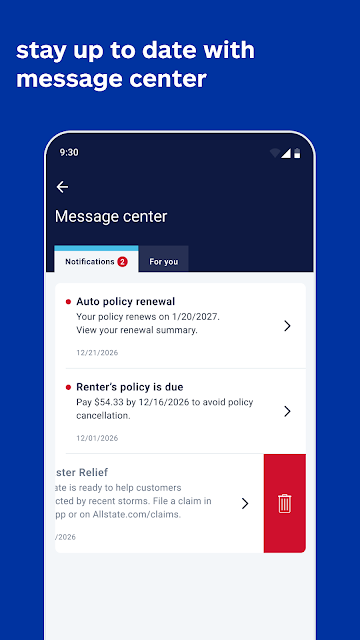
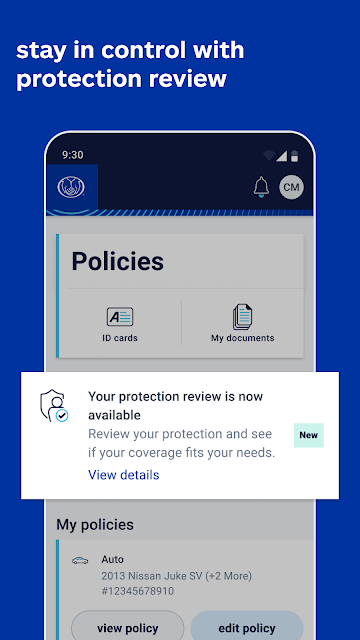
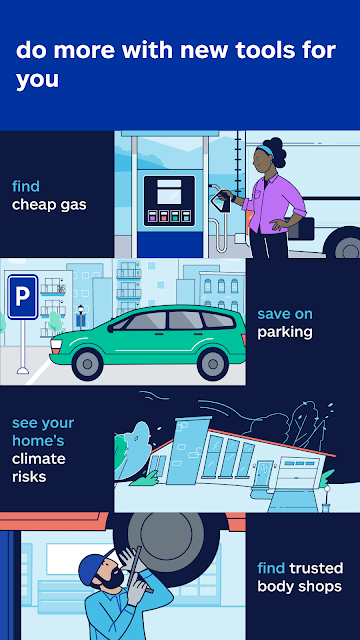
Analysis by Reviewed APKs
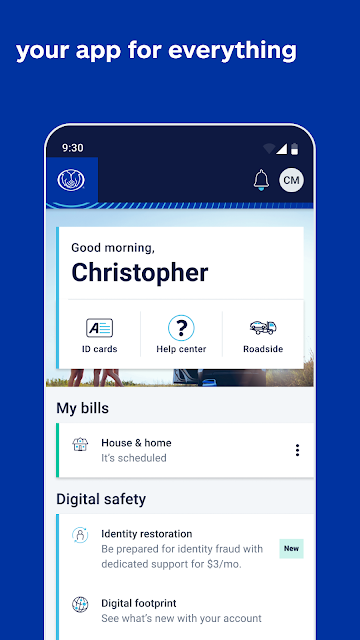
Allstate Mobile brings policy access, claims tools, payments, and driving-related features into one app for Allstate customers. I see it as a practical companion for the moments between renewals: checking an insurance card, handling a bill, or looking for roadside help. It has a broad mix of useful tools, though the experience makes the most sense if Allstate already insures you.
Insurance For The In-Between
When I first opened Allstate Mobile, I thought about the small insurance tasks that tend to surface at inconvenient times. You might be asked to show proof of insurance while away from home, or want to check a policy before calling about a question. The app puts digital ID cards and policy access in one place, so those quick checks do not have to start with searching through email or paper files.
The same practical feel carries over to a bill or an open claim. You can pay through Google Pay or a bank transfer, view policies, manage claims, and upload documents. I like that these tasks sit alongside the ID cards rather than being treated as separate services. It gives the app a clear everyday job: make common insurance administration easier to handle from a phone.
A Companion, Not A Comparison Tool
Compared with a general budgeting app, Allstate Mobile is much narrower: its focus is your Allstate insurance and related services, not a full picture of household spending. Compared with a browser or a folder of saved documents, it brings policy details, payment options, and claim tools together. If you already use Allstate, that can save a few steps when you need something quickly.
It is not an insurance marketplace for comparing policies across companies, and it is not a replacement for every conversation with an insurer. Its driving rewards, roadside help, and repair-shop finder add useful extras, but they do not change its central role as an Allstate customer app. I would not install it expecting a general-purpose car-management service or broad financial planning tools.
Make It Part Of Your Routine
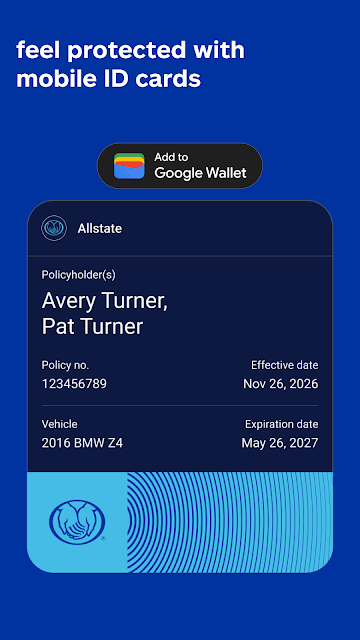
A useful first habit is to check that your digital ID cards are easy to reach before you need them. The app lets you save cards to Google Wallet, and they can be available offline. I would still keep the state-specific caveat in mind: electronic proof is not accepted by law enforcement or motor vehicle departments everywhere. Having the card ready is convenient, but it is worth knowing the rules where you drive.
For regular use, I would pair a quick policy check with bill reminders or a claim-related task when one comes up. If you choose to use Drivewise, the app says it needs activation and uses driving behavior to determine savings, with terms and state differences. You can also glance at gas prices or weather alerts when those are relevant, rather than treating every feature as something that needs daily attention.
More From Our News Desk

Zoom Meetings, Google Meet, or Teams: Which Is Easiest to Join?

How I Build a Free Streaming Lineup With Tubi

Why Crunchyroll Is the Default Anime App for So Many Fans

YouTube TV: A Practical Guide to Cutting Cable

Rummikub and the Small Comfort of Phone Games

TeamViewer Remote Control or AnyDesk for Helping Family?
Who May Find It Useful
I would recommend Allstate Mobile to people who already have an Allstate policy and want their insurance information and routine tasks close at hand. Digital ID cards, payments, claims access, document uploads, and a repair-shop finder cover several common needs without requiring a separate app for each one. Drivers who are interested in safe-driving rewards or roadside help may also appreciate having those options in the same place.
It may be less useful if you are not an Allstate customer, since the app is built around Allstate policies and services rather than comparing providers. It also will not suit someone looking for an all-in-one personal finance app. Drivers should read the Drivewise terms carefully, including how participation and savings work in their state. I would treat the extra tools as optional conveniences, not reasons on their own to choose insurance.
Allstate Mobile is a free finance app from The Allstate Corporation. On Google Play it has over 10 million installs and a 4.1-star rating from about 126,000 ratings. The listed content rating is Everyone. The app includes ads, and Google Play lists no in-app purchases.
The app's current listed version is 21.6.1. It was released on January 12, 2013, and its latest listed update was November 3, 2026. The Android minimum version is not included in the available app details, so check Google Play for device compatibility before installing.
A Closer Look At The Everyday Tools
First Open And Setup
My first impression is that Allstate Mobile tries to cover more than the basic insurance-card use case. Its feature set spans policy details, bills, claims, driving, roadside assistance, gas prices, and weather-related information. That breadth can be handy, but it also means the app is best approached with a specific task in mind rather than as something you need to explore all at once.
I would start by looking for the information I expect to need soon: a digital ID card, a policy detail, or a payment. The description says cards can be saved to Google Wallet and accessed offline, which is a particularly practical option for a document people may need away from home. As with any electronic proof of insurance, acceptance can depend on the state and situation.
The Day-To-Day Core
The core experience is about having common insurance actions gathered on your phone. You can view policies, manage claims, upload documents, and pay bills using Google Pay or bank transfers. I can picture opening the app during a quiet moment to check a policy, then returning later when a bill is due or a claim needs a document. Those are focused jobs, and the app's value is mainly in reducing the hunt for the right information.
I also appreciate that the app includes digital cards rather than limiting policy access to account details. Saving a card to Google Wallet may make it more convenient to retrieve, while offline access can be useful when connectivity is poor. The important qualification is that an electronic card may not be accepted everywhere, so I would not assume that the phone version replaces every local requirement.
Helpful Extras With Context
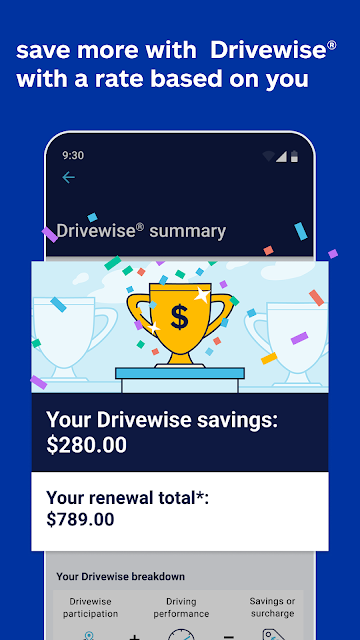
Drivewise is one of the more distinctive additions. It can reward safe driving habits, but participation requires activation and savings depend on driving behavior and state terms. In some states, participation allows Allstate to use driving data for rating, and high-risk driving could affect rates. California is excluded from Drivewise savings. I would read the terms before enabling it and decide whether the trade-off fits my comfort level.
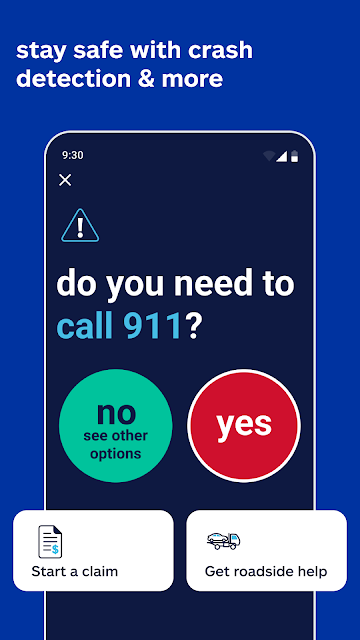
Other extras are more situational. The app can help find gas prices, connect with help through crash detection, and provide 24/7 roadside assistance. It also offers alerts for extreme weather and a tool for understanding climate risks to a home. The climate tool is informational and does not directly affect coverage or rates, so I would use it as context rather than as a coverage decision.
The Good Hands Repair Network gives customers a way to find repair shops, while Allstate Identity Protection is another service surfaced in the app. These features broaden its usefulness beyond policy paperwork, but they remain connected to Allstate offerings. I would treat them as convenient points of access, not assume that every customer needs or will use every extra.
A Practical Weekly Check-In
A simple routine could be checking the app when a bill arrives, confirming the relevant policy information, and making the payment through one of the available methods. If a claim is active, the claims and document tools give you a place to manage it and upload paperwork. That is a more grounded use than opening the app every day just to see what it can do.
Before a road trip, I might make sure my digital ID card is saved and review whether roadside assistance is available to me. During the drive, gas-price information may help with a practical stop, while weather alerts could be relevant if conditions are changing. These are small tasks, but bringing them together can make the app feel useful without turning it into a constant distraction.
If I were considering Drivewise, I would make that a separate decision rather than an automatic setup step. I would read the state-specific terms and understand how driving data may be used before activating it. The app's own description notes that savings vary and that rates could increase with high-risk driving in some states. That makes an informed choice more important than simply tapping through.
Limits To Keep In Mind
The biggest limitation is that this is an Allstate-centered app. Its features are most relevant to existing customers, and it is not designed to compare other insurers or organize every part of your financial life. People who only need occasional access to a policy may find that they use a small fraction of the available tools. That is not a flaw so much as a reminder to judge it by the tasks you actually have.
A few features come with meaningful conditions. Electronic proof of insurance is not accepted in every state or by every relevant authority. Drivewise has state-dependent terms and uses driving behavior, while the climate-risk tool is informational and does not change coverage or rates. I would check the details that apply to my location rather than relying on a general description.
The app also contains ads, which is worth knowing for anyone who prefers a completely ad-free experience. Its broad menu of services can make it feel like a service hub rather than a single-purpose insurance card. I would keep expectations practical: it can put useful Allstate tools within reach, but it does not remove the need to understand policy terms or contact the insurer when a situation calls for it.
Allstate Mobile is a capable everyday companion for customers who want policy access, payments, claims tools, and driving-related services in one place. The digital ID card and document options feel especially practical, while Drivewise and the other extras are best approached with their terms in view.
I would recommend giving it a try if you already use Allstate and expect to handle insurance tasks from your phone. If you are shopping across providers or want broader financial tools, it is not built for that job. For current customers, though, it brings several useful errands into one focused app.
Allstate Mobile Frequently Asked Questions
What is Allstate Mobile used for?
Allstate Mobile is used to access insurance-related services from Allstate. You can view policies, manage claims, upload documents, pay bills, and access digital ID cards. The app also includes features such as Drivewise, roadside help, gas-price information, weather alerts, and a repair-shop finder.
Which devices can run Allstate Mobile?
Allstate Mobile is available for Android through Google Play. The Android minimum version can vary with app updates and device compatibility, so check the Google Play listing for the current requirements before installing. The available app information does not describe an iOS version.
Does Allstate Mobile cost money?
Google Play lists Allstate Mobile as free, with no in-app purchases listed. It contains ads. Insurance services and any applicable terms are separate from the app's download price, so check your policy details and the store listing for current information.
Can I use Allstate Mobile without internet?
The app says digital ID cards can be saved to Google Wallet and accessed offline. Availability of other app features may depend on connectivity. Keep in mind that electronic proof of insurance is not accepted by law enforcement or motor vehicle departments in every state.
Who is Allstate Mobile best for?
It is best suited to Allstate customers who want insurance cards, policy access, payments, claims tools, and related services together on a phone. It may be less useful if you do not use Allstate or want to compare insurers. Drivewise participation and terms can vary by state.
Pros
- Combines policy access, digital ID cards, payments, claims, and document uploads.
- Digital ID cards can be saved to Google Wallet for offline access.
- Adds practical driving tools, including roadside help, gas prices, and weather alerts.
- Drivewise offers safe-driving rewards, subject to state-specific terms.
Cons
- Most useful features are designed around existing Allstate customers.
- Electronic proof of insurance is not accepted in every state or situation.
- Drivewise data use and savings terms vary, and rates could rise for some drivers.
- Category
- Finance
- Version
- 21.6.1











