Albert: Budgeting and Banking
- 163.54K
- 4.4
- Installs
- 10.00M
- Price
- Free

Screenshots
Analysis by Reviewed APKs
Albert: Budgeting and Banking brings budgeting, account tracking, saving, investing, and banking tools into one money app. I’d consider it for someone who wants a broad view of their finances without juggling several separate services. My overall impression is that its range is appealing, especially for keeping spending and recurring bills visible, but the subscription requirement means it’s worth checking which features are included before making it part of your routine.
A clearer monthly money picture
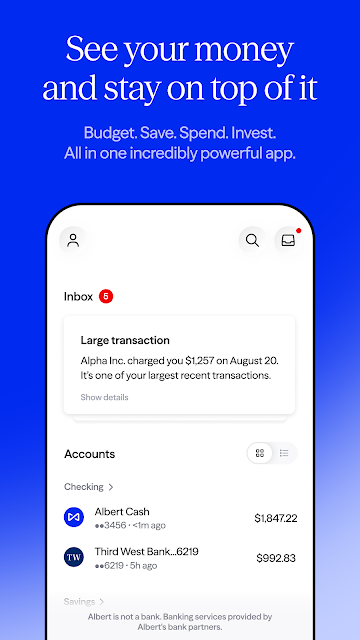
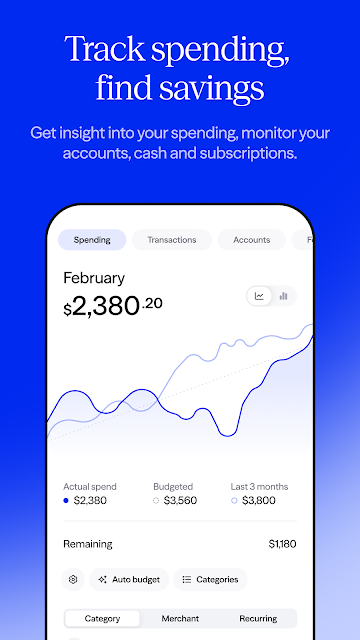
When I first opened Albert, I pictured using it during the quiet part of a Sunday evening: checking what came in, reviewing recent spending, and getting a sense of the bills ahead. Its budgeting tools are designed to build a monthly budget, track expenses, and let you customize a spending plan. Seeing accounts together can make that check-in feel more coherent than bouncing between separate banking apps.
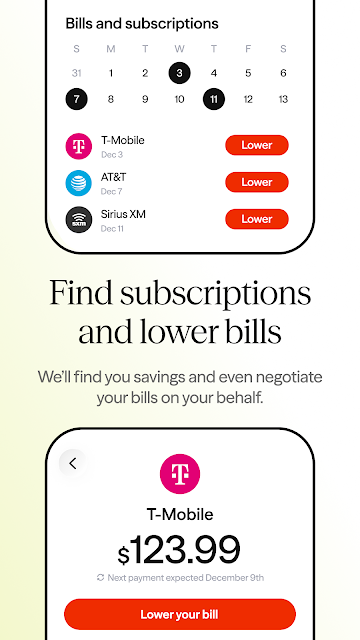
The recurring-bill tracking gives the routine a practical next step. I could use it to keep regular expenses in view, then look over subscriptions I may no longer use or bills I might be able to lower. That doesn’t mean every charge will be easy to change, but it gives the review a useful focus. For someone who tends to notice a bill only after it leaves their account, that visibility could help.
More than a budgeting tool
Albert sits somewhere between a budgeting app and a broader personal-finance service. Alongside spending plans and expense tracking, it offers banking features, savings, investing, account and identity monitoring, and a credit-score view. That range may suit people who want several money tasks in one place, rather than using one app for a budget and another to check savings or investments.
It is not just a simple expense ledger, and it may be more than someone needs if they only want to record purchases or keep a basic monthly spreadsheet. Some features require a subscription, and the app also includes financial products such as investing and credit options. I’d treat those as separate choices to evaluate, not as necessary steps for setting a budget. Albert is a broad toolkit, not a substitute for deciding what works for your finances.
Small habits that help
The app’s tools make the most sense when they support a repeatable check-in. I’d start by reviewing the monthly budget and recent expenses, then take a look at upcoming recurring bills. If a spending category needs adjusting, the ability to customize a spending plan gives the review somewhere to go besides simply noticing what has already happened.
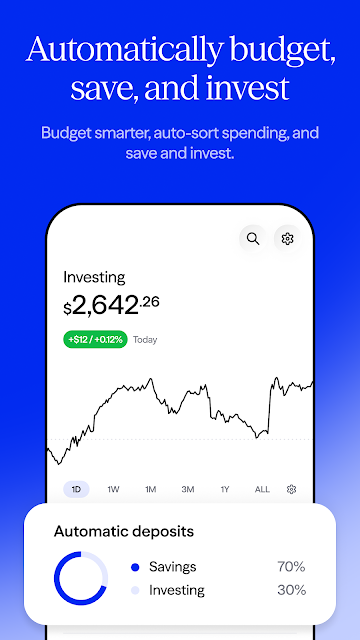
I’d also make subscription reviews a regular, low-pressure task rather than trying to sort out every recurring charge at once. Albert can help identify subscriptions you may not use and bills to investigate for possible savings. Automatic saving and investing are another option for people who want transfers to happen without manually initiating each one. I’d still review what is moving and where; automation can make a routine easier, but it doesn’t remove the need to understand it.
More From Our News Desk

Zoom Meetings, Google Meet, or Teams: Which Is Easiest to Join?

How I Build a Free Streaming Lineup With Tubi

Why Crunchyroll Is the Default Anime App for So Many Fans

YouTube TV: A Practical Guide to Cutting Cable

Rummikub and the Small Comfort of Phone Games

TeamViewer Remote Control or AnyDesk for Helping Family?
Who may find it useful
I’d recommend giving Albert a look if you want to bring budgeting, expense tracking, recurring bills, and other money tools into one app. It may be especially appealing if you like the idea of checking accounts together and pairing a spending plan with saving or investing features. People who prefer a recurring review over a detailed daily bookkeeping ritual may find that broad overview easier to keep up with.
It may be a poor fit if you want a free, narrowly focused budget tracker with no subscription considerations, or if you prefer each financial task to stay in a separate service. The app’s description says a subscription is required for its all-in-one offering and that plans range from $19.99 to $39.99. I’d compare the available plan details with the features I’d actually use before signing up.
Albert: Budgeting and Banking is a finance app from Albert - Budgeting & Banking. On Google Play, it has over 10 million installs and a 4.4-star rating from about 164,000 ratings. The app is marked free to download, and the supplied store facts say it contains no ads and has no in-app purchases. Its content rating is Everyone.
The supplied app details give version 10.0.78, a release date of January 30, 2019, and a last update of November 3, 2026. The minimum Android version is not included in the available facts, so check the Google Play page on your device for current compatibility. The app description separately says a subscription is required for its service and gives plan prices of $19.99 to $39.99; check the plan terms for current details.
How Albert Fits a Money Routine
A broad first impression
When I first considered Albert, the main appeal was the number of financial jobs it brings together. Budgeting, spending, saving, investing, and banking all appear in the app’s scope, along with monitoring and a financial assistant. That breadth could make the app feel useful from the start, but it also means I’d take a little time to understand which parts matter to me rather than trying to use everything.
I’d begin with the everyday basics: get a monthly budget in place, check how expenses are tracked, and see how account information fits into the overall picture. The description also points to recurring bills and customizable spending plans. Those are the kinds of details I’d want to understand before considering optional services. A clear initial focus can help keep a wide-ranging finance app from feeling like a list of unrelated products.
The daily money check
For day-to-day use, Albert’s budgeting and personal-finance tools provide a natural reason to return. I’d use the app to check spending against my monthly plan, review recent expenses, and keep recurring bills on my radar. Putting accounts in one place can help connect those small checks to a broader view, instead of treating every purchase or bill as an isolated event.
What matters is whether I keep the plan current. A budget only reflects the choices and categories I’ve set up, so I’d revisit it when regular expenses change or a spending target no longer fits. The app lets users customize their spending plan, which supports that kind of adjustment. I’d think of Albert as a place to review and organize information, rather than something that makes financial decisions for me.
Tools beyond budgeting
Automatic saving and investing are among the more distinctive parts of Albert’s feature set. Its description says Smart money can automatically transfer money to help users save and invest. The app also offers a high-yield savings account and access to stocks, ETFs, and managed portfolios. Those options extend the experience well beyond tracking expenses, though they involve different kinds of choices and deserve attention in their own right.
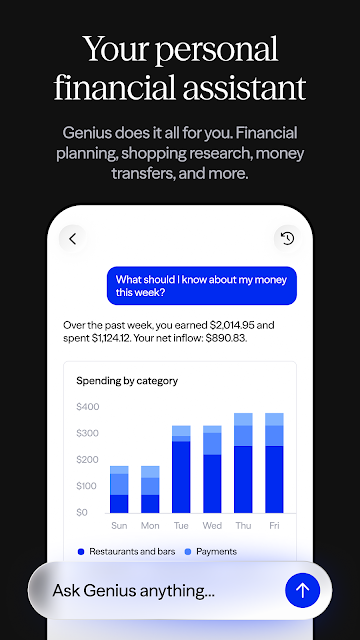
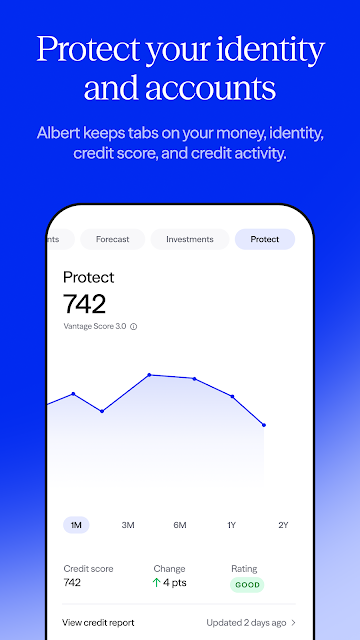
Other notable tools include subscription identification, help negotiating lower bills, account, credit, and identity monitoring, and real-time alerts when potential fraud is detected. Albert also offers credit-score tracking and an AI financial assistant called Genius. The description cautions that Genius can make mistakes, so I’d treat its information as a tool to consider, not as a final answer. Each feature serves a different purpose, and users don’t need to approach them all the same way.
A practical weekly routine
A realistic routine might be a short weekly check rather than a full financial overhaul. I’d open Albert, review expenses against the monthly budget, and check whether any recurring bills are coming up. If a subscription looks unfamiliar or no longer useful, I’d follow up on it. If a spending category has drifted, I’d consider whether the plan needs an adjustment instead of simply hoping the next week looks different.
Once that basic habit feels settled, I’d look at the features I’m genuinely interested in, such as automatic saving or account monitoring. I’d read the terms before enabling financial products, especially where subscriptions, eligibility, or variable rates are involved. The aim would be to use Albert to make a regular check-in easier—not to turn a quick review into an obligation to adopt every tool it offers.
Keep the trade-offs in view
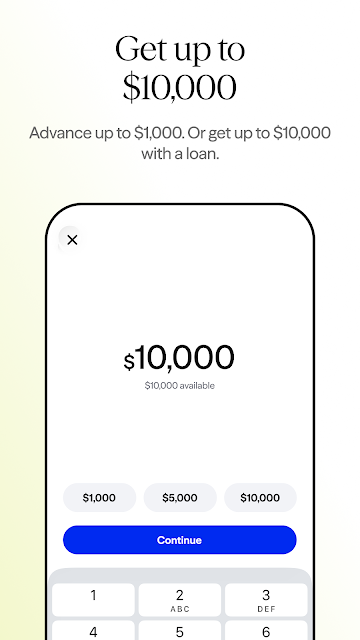
Albert’s scope is a strength, but the number of services can also make the experience feel like more than a budget app. Banking, savings, investing, advances, credit, monitoring, and an AI assistant each come with their own conditions and considerations. I’d focus on the tools I need and read the relevant terms, rather than assuming that one subscription or account automatically makes every feature suitable.
Cost deserves particular attention. The description says a subscription is required and gives plan prices from $19.99 to $39.99, while the supplied store facts mark the app free and report no in-app purchases. I’d check the current Google Play information and the in-app plan terms before committing. Other details can matter too: early direct deposit depends on payer timing, certain products require eligibility, and investment values can rise or fall.
Albert makes a strong case for people who want budgeting, bill tracking, saving, investing, and other financial tools gathered in one place. I like the practical emphasis on monthly plans and recurring expenses, which can support a useful routine without demanding a complicated system.
I’d recommend trying it if that broad approach matches how you manage money and you’re willing to review the subscription and product terms. If all you need is a simple expense log, a more focused tool may feel easier. Either way, Albert is best approached as a set of options to evaluate, not a reason to use every feature.
Albert Frequently Asked Questions
What is Albert: Budgeting and Banking used for?
Albert combines budgeting and expense tracking with account views, recurring-bill tracking, savings, investing, and other money tools. Its description also mentions subscription identification, bill negotiation, account and identity monitoring, credit-score tracking, and a financial assistant. Which parts make sense to use depends on your needs and the terms for each service.
Which devices can run Albert: Budgeting and Banking?
Albert is an Android app available through Google Play. The supplied details do not give a minimum Android version, so check the Google Play page from your device for current compatibility. The app’s features and availability may also depend on eligibility and account terms.
What Android version does Albert require?
The minimum Android version is not provided in the available app details. For the most relevant compatibility information, check Albert: Budgeting and Banking on Google Play using the Android device you plan to use. Requirements may change as the app is updated.
Does Albert: Budgeting and Banking cost money?
The supplied store facts mark Albert free to download and report no in-app purchases. However, the app description says a subscription is required and gives plan prices from $19.99 to $39.99. Check the current Google Play information and the app’s plan terms to understand what costs apply to the features you want.
Who is Albert: Budgeting and Banking best for?
It may suit someone who wants budgeting, account tracking, recurring bills, and additional saving or investing tools in one app. It may be less appealing if you only want a basic budget tracker or prefer not to consider a subscription. Review the available features and terms before deciding whether it fits your routine.
Pros
- Brings monthly budgeting, expense tracking, and recurring-bill tools together.
- Includes account views alongside savings and investing options.
- Offers subscription identification and customizable spending plans.
- Provides monitoring, alerts, and credit-score tracking features.
Cons
- Its wide range of financial services may feel excessive for basic budgeting.
- The subscription requirement and plan terms deserve careful review.
- Eligibility and conditions can vary across financial products.
- Category
- Finance
- Version
- 10.0.78











