Acorns: Save & Invest Money
- 415.03K
- 4.7
- Installs
- 10.00M
- Price
- Free

Screenshots

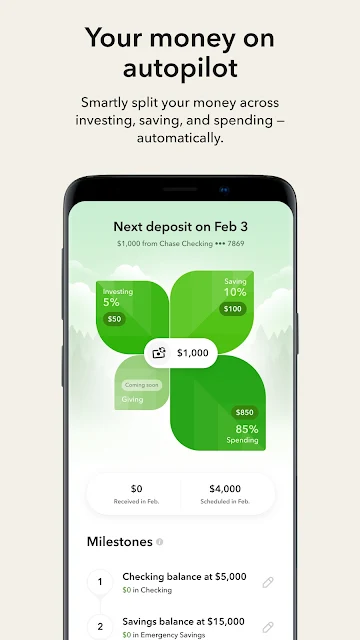

Analysis by Reviewed APKs
Acorns is a personal finance app built around automated saving and investing, with tools for spending, retirement, and financial education. It suits people who want to make investing a regular habit without choosing every investment themselves. After looking through its mix of features, my take is that Acorns offers a lot under one roof, but its subscription plans and wide scope are worth understanding before you settle into it.
Turn Small Spending Into Investing
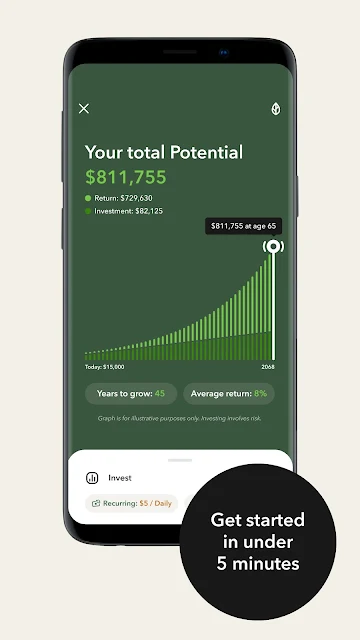
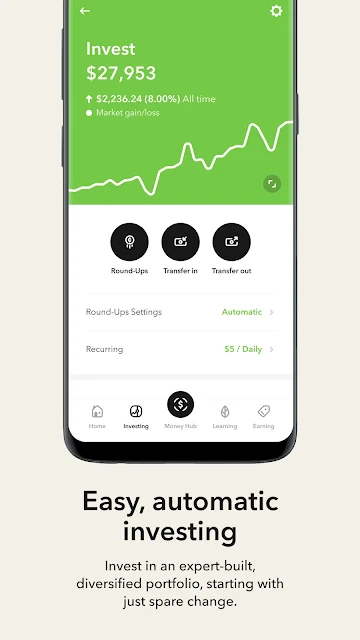
Picture checking your finances after a week of errands: coffee, groceries, and a few routine purchases have all passed through your day, and Acorns can use its Round-Ups feature to invest spare change from purchases. You can also schedule recurring investments starting at $5. That makes the app’s central idea easy to grasp: build an investing habit through small, automated contributions rather than waiting for a large sum or trying to time each deposit.
When I first considered that routine, its appeal was the low-effort rhythm. You choose an investing setup, then let automatic contributions do their work in the background. Acorns describes its portfolios as diversified and built from ETFs. It also offers ways to invest for retirement and children, alongside savings and checking tools. The practical question is less “Can I use every feature?” and more “Which pieces fit how I manage money?”
A Broader Money Toolkit
Compared with an app focused only on tracking spending, Acorns aims to connect spending habits with saving and investing. It includes Round-Ups, recurring investments, retirement accounts, emergency savings, checking, and educational material. Some features depend on the plan you choose. For someone who wants several money tools in one place, that breadth may be useful; someone who only needs a basic spending tracker may find the investment focus and subscription structure unnecessary.
Acorns is not a substitute for understanding what you are investing in or deciding whether risk suits your circumstances. The app’s automated approach can reduce the number of routine decisions, but that does not make investing risk-free or remove the need to review your plan. I’d think of it as a tool for building consistent habits, not as a promise of a particular outcome or a complete answer to every financial question.
Make Automation Work for You
A useful way to approach Acorns is to start with one habit. You might set a recurring investment that fits your budget, then decide whether Round-Ups would complement it. Keeping the first setup simple makes it easier to see what is actually happening to your money. The app also offers educational articles, videos, courses, and live Q&As, so there are resources to explore when you want more context.
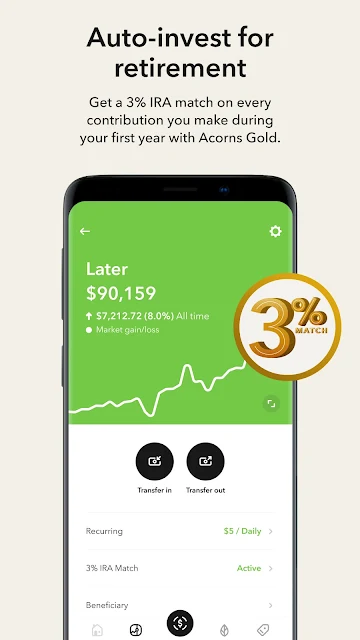
After that, I’d make a brief routine of checking contributions and reviewing which tools I use. Someone who wants retirement investing could look at Acorns Later, while a parent may be interested in the dedicated children’s investment account or the Acorns Early debit card. These are not all necessary for a useful experience. Picking only relevant features can make the app feel more manageable and help keep the monthly plan cost in perspective.
More From Our News Desk

Zoom Meetings, Google Meet, or Teams: Which Is Easiest to Join?

How I Build a Free Streaming Lineup With Tubi

Why Crunchyroll Is the Default Anime App for So Many Fans

YouTube TV: A Practical Guide to Cutting Cable

Rummikub and the Small Comfort of Phone Games

TeamViewer Remote Control or AnyDesk for Helping Family?
Who May Find It Useful
I’d recommend Acorns to people who want a structured nudge toward saving and investing, especially if recurring contributions or spare-change investing sound easier to maintain than occasional manual deposits. Its mix of investment, retirement, savings, checking, and educational tools may also suit households looking for several kinds of money features in one app. The best fit is someone willing to choose a plan and periodically check that its tools still match their needs.
It may be less appealing if you want a free, narrowly focused budgeting tool or prefer to choose and manage every investment yourself. Acorns uses subscriptions, and the available tools differ by plan, so the cost deserves a look alongside the features. I’d also be cautious about treating automated investing as a hands-off decision forever: the app can automate contributions, but users still need to decide what they can afford and what they want the app to do.
Acorns is the developer, and Google Play shows more than 10 million installs. It has a 4.7-star rating from about 415,000 ratings. The app is free to download, with no ads or in-app purchases reported in the supplied app facts. The app description also presents paid monthly subscription plans: Bronze at $4, Silver at $8, and Gold at $12.
The supplied app facts give version 4.221.0, a release date of October 7, 2014, and a last update date of November 2, 2026. Its content rating is Everyone. A minimum Android version is not included in the available app facts, so check Google Play for device compatibility before installing.
A Closer Look at Acorns
A Clear Starting Point
Acorns’ first impression is of a service with a bigger remit than a single investing feature. The description brings together saving, investing, spending, retirement, and money education. That may feel reassuring if you want related tools in one place, though it also means there is more to sort through than there would be in a simple savings app.
I’d approach setup by deciding what I want the app to help me do before exploring every option. Someone starting with small regular investments has a straightforward place to begin: recurring contributions or Round-Ups. Someone focused on another goal can look at the relevant account or plan. Having that priority in mind makes it easier to compare features against the monthly cost.
The Everyday Experience
The core idea is automation. Round-Ups can invest spare change from purchases, while recurring investments let you schedule contributions starting at $5. Instead of relying on a burst of motivation once in a while, the app is designed to support a repeatable routine. That is a practical distinction: its value is in helping users make contributions regularly, not in turning every day into a trading session.
I’d still want to check the account activity and contribution settings from time to time. Automation can make a habit easier, but it should remain connected to a budget that works for the person using it. For someone who likes frequent, hands-on investment decisions, Acorns’ automated approach may feel limiting. For someone who wants fewer routine choices, that same quality may be the point.
More Than Round-Ups
Acorns offers several ways to shape an investing routine. Its description includes diversified ETF portfolios, a Custom Portfolio with individual stocks and ETFs from more than 100 public US companies, and an option to allocate up to 5% of a diversified portfolio to a Bitcoin-linked ETF. Retirement investing through Acorns Later and a dedicated account for children are also part of the broader lineup.
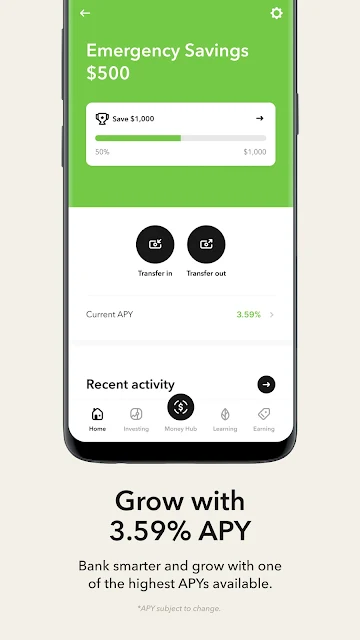
The savings and spending side adds emergency savings, checking, and Money Manager, which is described as splitting money across investing, saving, and spending. Acorns also includes educational articles, videos, courses, and live Q&As. These features give the service a wider role than an investing-only app, but plan availability matters: the description assigns some tools to particular subscriptions.
A Routine That Stays Simple
A realistic routine could begin with a scheduled contribution that fits comfortably into a person’s budget. Round-Ups can then add another automatic investing habit tied to purchases. I’d check in periodically to see whether those contributions still feel appropriate, rather than treating an automated setup as something to forget about entirely.
When there is time to learn, the app’s articles, videos, courses, and live Q&As offer another reason to open it. A parent might instead investigate the children’s account or debit-card features, while someone thinking about retirement could focus on Acorns Later. The useful habit is choosing a clear purpose and reviewing the parts of the app connected to it, rather than trying to activate everything at once.
Keep the Trade-Offs in View
The biggest practical consideration is the subscription. The app is free to download, but its description outlines monthly Bronze, Silver, and Gold plans at different prices, with tools varying by tier. Those recurring costs are important to weigh against the features you would actually use. A broad feature list can look attractive, but unused extras do not necessarily make a plan a better fit.
The investing features also deserve a measured approach. Acorns describes diversified portfolios and automated contributions, but investment values can change, and automation does not remove investment risk. The app may be less suited to someone who wants detailed, hands-on control throughout the process. I’d also check the current Google Play details for compatibility and plan information before getting started.
Acorns makes a convincing case for turning investing into a repeatable routine, with Round-Ups and scheduled contributions at its center. Its range of related tools and learning resources gives it room to serve different goals, but the subscriptions mean it is worth choosing features deliberately rather than signing up for the biggest bundle by default.
I’d suggest trying Acorns if automated saving and investing sound like a practical fit and you are comfortable reviewing the plan costs. If you mainly want a free spending tracker or prefer to manage each investment yourself, a more focused alternative may suit you better.
Acorns Frequently Asked Questions
What is Acorns used for?
Acorns is a finance app for saving, investing, and managing related money habits. Its features include investing spare change through Round-Ups, scheduled contributions, investment portfolios, retirement investing, savings and checking tools, and financial education. Which tools are available depends on the subscription plan. It is intended to support financial routines, not to promise a particular investment result.
Which devices can run Acorns?
The supplied platform information identifies Acorns as an Android app available through Google Play. The minimum Android version is not included in the available app facts, so check the Google Play store details for current device requirements before installing. Compatibility can depend on the device and the version of Android it uses.
Does Acorns cost money to use?
Acorns is free to download, and the supplied app facts report no in-app purchases or ads. Its description also offers paid monthly subscriptions: Bronze for $4, Silver for $8, and Gold for $12. Plan details or prices may change, so check the Google Play store information and the app’s current subscription details before choosing.
What Android version does Acorns require?
The minimum Android version is not provided in the available app facts. Since compatibility requirements can vary by app version and device, check Acorns’ Google Play store page for the current requirement before installing. The supplied facts identify the current app version as 4.221.0.
Who is Acorns best suited for?
Acorns may suit people who want automated investing habits, such as Round-Ups or scheduled contributions, and who may also use its savings, retirement, or educational tools. It may be less appealing to someone who wants only a basic spending tracker or prefers detailed hands-on investment management. Consider the monthly subscription plan and its included features before deciding.
Pros
- Round-Ups and scheduled contributions can support consistent investing habits.
- Combines investment, savings, retirement, and educational tools in one app.
- Offers articles, videos, courses, and live Q&As about money.
Cons
- Monthly subscription plans mean the cost depends on the tools you choose.
- The broad feature set may feel excessive for a simple budgeting need.
- Automated investing may not suit people who want hands-on control.
- Category
- Finance
- Version
- 4.221.0











