Zosi Smart
- 31.47K
- 3.9
- Installs
- 1.00M
- Price
- Free
Screenshots
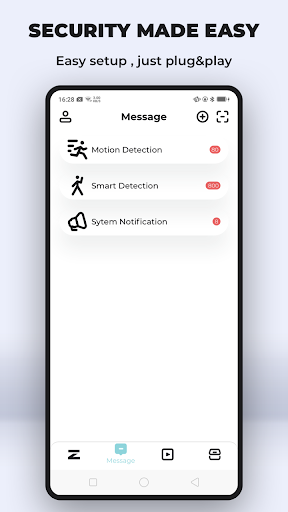
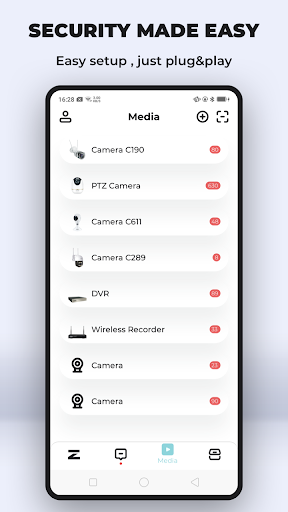
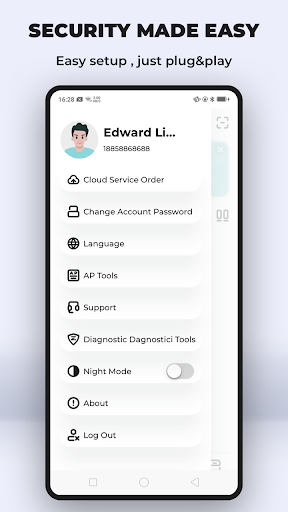
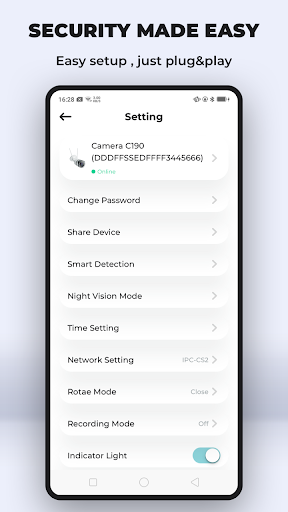
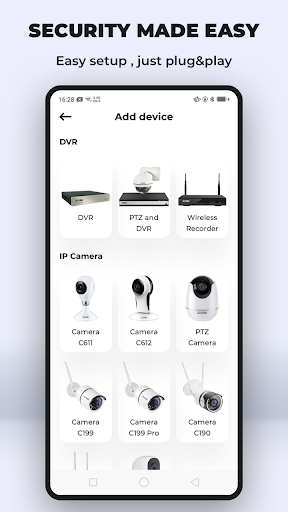
Analysis by Reviewed APKs
Zosi Smart is a phone and tablet companion for viewing compatible NVR, DVR, and IPC camera systems. I see it as a practical option for people who already use Zosi equipment and want to check live video or recordings without heading to the recorder. Its appeal is straightforward remote access and a handful of useful camera controls, though it is more of a system companion than a general-purpose home security app.
A quick camera check
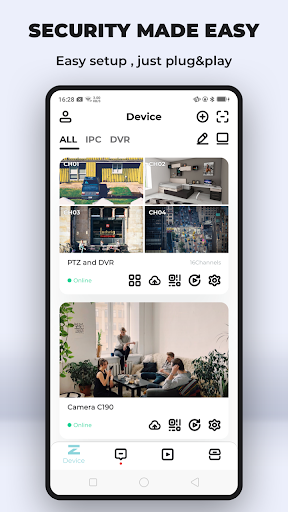
The everyday job here is easy to picture: I’m away from home and want to see what a camera is showing. Rather than making a trip to the recorder, I can use Zosi Smart on a phone or tablet to view live feeds from a supported NVR, DVR, or IPC setup. When several cameras matter, multi-channel viewing lets me keep more than one feed on screen at the same time.
That kind of check is most useful when I want a quick visual answer, not a long session of monitoring. I can look at the live view, capture a video clip to my phone, or save still images to the phone’s picture library. Playback of stored recordings is also available, although it depends on having a high-upload-speed internet connection. That requirement is worth remembering when planning to review footage away from the local network.
A companion, not a whole system
Zosi Smart makes the most sense alongside compatible Zosi camera equipment. Its focus is remote viewing, recorded-video playback, image capture, settings, and PTZ camera control. That is a narrower job than a general smart-home hub, and I would not choose it expecting unrelated home automation or a standalone camera service. The app’s usefulness depends on having the associated recorder or camera system to connect to.
Compared with walking to a recorder and using its local display, a phone app is more convenient for a quick check from another room or while away. It does not replace the camera hardware or make a camera system unnecessary. I also wouldn’t treat it as a dedicated video-editing or photo-management tool: saved clips and images are useful captures, while the core purpose remains viewing and controlling camera equipment.
Small habits that help
I’d make multi-channel viewing part of a simple check-in routine when several areas matter. Seeing feeds together can make it easier to scan the whole setup without repeatedly switching between individual cameras. For a particular moment worth keeping, capturing a still image or a video from live view gives me a copy on the phone rather than relying only on the live feed.
For reviewing something that happened earlier, I’d leave time for playback and keep the internet connection in mind. The app supports playing stored recordings from the recorder, but that playback requires high upload speed internet. PTZ users can also take advantage of remote pan, tilt, and zoom controls when they need to adjust the camera’s view. These are practical tools, not a reason to constantly fiddle with settings.
More From Our News Desk

Zoom Meetings, Google Meet, or Teams: Which Is Easiest to Join?

How I Build a Free Streaming Lineup With Tubi

Why Crunchyroll Is the Default Anime App for So Many Fans

YouTube TV: A Practical Guide to Cutting Cable

Rummikub and the Small Comfort of Phone Games

TeamViewer Remote Control or AnyDesk for Helping Family?
Who will find it useful
I’d recommend Zosi Smart to people who already have a compatible Zosi NVR, DVR, or IPC system and want a phone-based way to view it. The features are relevant to anyone who checks cameras while away, wants to look back at stored recordings, saves an occasional image or clip, or operates PTZ cameras remotely. Tablet support may also suit someone who prefers a larger screen for viewing multiple channels.
It may not suit someone shopping for a complete security setup in app form, or someone who does not have compatible camera equipment. The app’s purpose is specific, so its value comes from fitting into an existing camera routine. People who mainly want general smart-home controls or a broad media library should look elsewhere. I’d also consider whether my internet connection can handle remote playback before relying on that part of the experience.
Zosi Smart is developed by ZOSI Technology Co., Ltd. On Google Play, it has more than one million installs and a 3.9-star rating from about 31,000 ratings. The app is listed as free, with no in-app purchases and no ads. Its content rating is Everyone, making the store’s age classification broad, though the app’s practical usefulness is aimed at people with compatible camera equipment.
The supplied app version is 3.14.1.ZG. Google Play gives its release date as March 15, 2018, and its last update date as September 3, 2026. The minimum Android version is not specified in the available app facts, so anyone checking compatibility should consult the Google Play page for the requirement shown for their device.
Remote Viewing, Without the Extra Steps
Getting oriented
The first thing I’d want to establish is whether my camera system is one the app is meant to work with: Zosi Smart is built around NVR, DVR, and IPC viewing. Once that is clear, the app’s purpose is uncomplicated. It puts camera viewing and a set of related controls on a phone or tablet, rather than trying to become a catch-all dashboard for every connected device at home.
I like that the feature set is easy to understand from the outset. Live viewing is the central task, while settings, playback, capture, and PTZ controls support it. That focus helps set realistic expectations before I start. This is a companion to camera hardware, so the setup’s recorder or camera remains essential; the app is not a substitute for those devices.
The daily viewing loop
For a routine check, live viewing is the natural starting point. If more than one camera is relevant, multi-channel viewing keeps several feeds visible together on the screen. I can imagine using that for a quick scan of different parts of a property, then focusing on a particular camera if I need a closer look. The value is less about elaborate analysis and more about getting a useful visual check on a mobile device.
Playback gives the app a second role beyond looking at what is happening right now. Stored recordings from the DVR, NVR, or IPC can be played back on the phone or tablet, provided there is high upload speed internet. That caveat matters in real use: live viewing and reviewing footage are both mobile features, but remote playback has an explicit connection requirement that may affect how smoothly it fits into a routine.
Useful camera controls
The capture options are among the more practical details. From live view, I can capture video to the phone for later playback, and I can take single or multiple still images that are saved to the phone’s picture library. Those options make it easier to keep a moment for later without treating every check as a recording session. They are small conveniences, but they connect camera viewing to the device I already carry.
Remote PTZ control is another feature with a clear purpose. On a pan, tilt, and zoom camera, the app can control those movements remotely, which gives a user more flexibility than simply watching a fixed view. It also supports configuring many settings from a handset or tablet. I appreciate that the app’s extra functions stay close to the camera task rather than adding unrelated features.
A practical check-in routine
A sensible routine might start with a quick live-view scan, especially when I want to check several areas without opening each feed separately. If something deserves a closer look, I can use the relevant camera view and, for a PTZ camera, adjust its direction or zoom remotely. If there is a moment I want to keep, I can capture a still or save video from live view to the phone.
Later, if I need to revisit something, I can turn to recordings stored on the DVR, NVR, or IPC and play them back on the mobile device. I would plan that review around a strong upload connection, since high upload speed internet is required for playback. That makes the app useful across a few distinct moments: checking live video, saving a capture, and reviewing stored footage.
Limits to keep in mind
The main limitation is also the app’s defining focus: it is intended for viewing and controlling compatible camera equipment. Without a suitable Zosi system, the app has little to do. It is not presented as a general-purpose smart-home platform, and its camera-related features should not be mistaken for a replacement for the recorder, cameras, or the recordings stored on that equipment.
Remote playback has a specific internet condition, so it may be less convenient in places where upload speed is weak. Multi-channel viewing can also be more useful to some people than others; someone checking only one camera may not need that capability. These are practical considerations rather than reasons to dismiss the app, but they help clarify who gets the most from its fairly focused toolset.
Zosi Smart is a focused mobile companion for people who already use compatible Zosi camera equipment. Live viewing, multi-channel feeds, saved captures, recording playback, settings, and PTZ control cover the main reasons I’d want camera access on a phone. The clearest caveat is that remote playback depends on high upload speed internet.
If you have a supported NVR, DVR, or IPC setup and want to check it from a phone or tablet, Zosi Smart is worth considering. If you are looking for a camera system in app form or a broad smart-home hub, it is not the right fit. I’d judge it by how well its specific viewing and control tools match my existing setup.
Zosi Smart Frequently Asked Questions
What is Zosi Smart used for?
Zosi Smart is used to view live feeds from NVR, DVR, and IPC camera systems on a phone or tablet. It also supports multi-channel viewing, playback of stored recordings, video and still-image capture, camera settings, and remote control of PTZ cameras. Playback of stored recordings requires high upload speed internet.
Which devices can run Zosi Smart?
The app is available for Android phones and tablets through Google Play. The minimum Android version can vary by device and app release, so check the Google Play page for the current requirement before installing. The app’s camera features are intended to work with compatible Zosi NVR, DVR, or IPC equipment.
Does Zosi Smart cost money?
Zosi Smart is listed as free on Google Play, with no in-app purchases or ads. Store details can change, so it is worth checking the Google Play page before installing if you want the latest information about availability or terms.
Does Zosi Smart work without a camera recorder?
The app is a companion for viewing and controlling NVR, DVR, and IPC camera equipment, so it is intended for use with a compatible camera setup. It is not a standalone camera service. If you are unsure whether your equipment is supported, check the Google Play details or the information for your camera system.
Who is Zosi Smart best suited for?
It is best suited to people who already use compatible Zosi camera equipment and want mobile live viewing, recording playback, saved captures, or PTZ control. It may not suit someone looking for a general smart-home app or a camera system of its own. Playback also depends on high upload speed internet.
Pros
- Supports live viewing from NVR, DVR, and IPC camera systems on phones and tablets.
- Multi-channel viewing helps users check several camera feeds on one screen.
- Can save live video and still images to the phone for later use.
- Includes remote PTZ controls and camera settings from a mobile device.
Cons
- Its usefulness depends on having compatible Zosi camera equipment.
- Stored-recording playback requires high upload speed internet.
- The focused camera tools may not appeal to people seeking a general smart-home app.
- Category
- Tools
- Version
- 3.14.1.ZG











