Zenput
Listed on Google Play as “Crunchtime Ops Execution”
- 1.15K
- 3.6
- Installs
- 100.00K
- Price
- Free
Screenshots
Analysis by Reviewed APKs
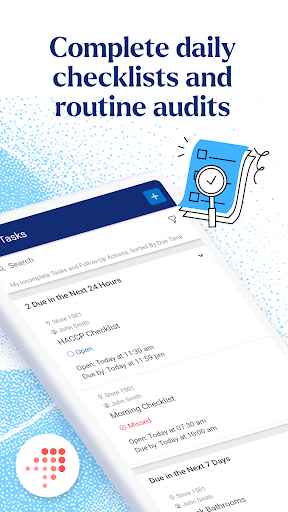
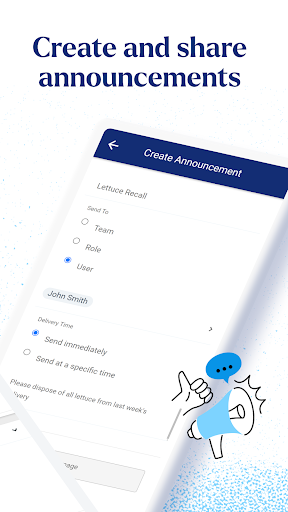
Crunchtime Ops Execution is a business app for restaurant and convenience-store teams managing daily work across locations. It brings tasks, audits, food safety checks, and maintenance requests into one operational workflow, with tools for accountability and real-time visibility. I see its strongest fit as a practical companion for teams that need consistent follow-through in the field, rather than a general-purpose planning or communication app.
A shift with fewer loose ends
Picture a busy shift change at a restaurant: one team needs to complete its daily tasks, another needs to check food safety, and a maintenance issue has to be passed along. Ops Execution is built around those kinds of operational jobs. Instead of treating a completed task as the whole story, the app focuses on whether work was done correctly and gives teams a way to track execution across locations.
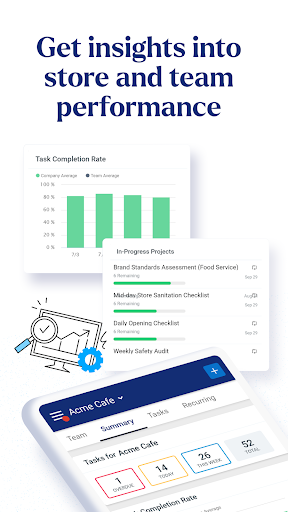
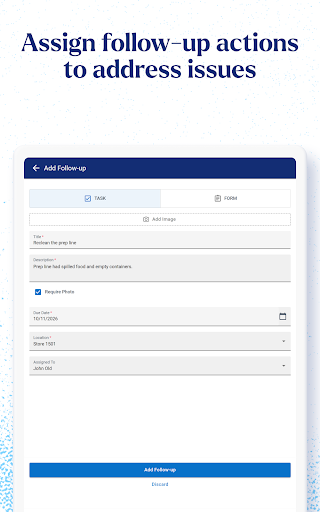
I would use it as part of a manager’s routine, checking the work that needs attention and following up when something is incomplete or an issue needs a response. The real-time visibility described for the app matters most when more than one location is involved. A supervisor can use operational information to spot where follow-through may be slipping, rather than relying entirely on a quick verbal update at the end of a shift.
Operations, not general planning
Compared with a basic to-do list, Ops Execution is aimed at structured restaurant and convenience-store operations: daily tasks, audits, food safety checks, and maintenance requests. Its emphasis on consistency and accountability makes it a better match for teams following recurring operational processes than for someone who only wants a personal reminder list. The app’s focus is on getting work done across locations, not simply collecting notes or ideas.
It also isn’t a substitute for a broad workplace chat or a general project-management tool. The description centers on operational execution, visibility, and identifying issues, not open-ended conversations or planning every kind of project. That narrower purpose is useful when a business wants a shared way to monitor field work. It may feel like too much if your needs are limited to a single person’s lightweight checklist.
Build a reliable work rhythm
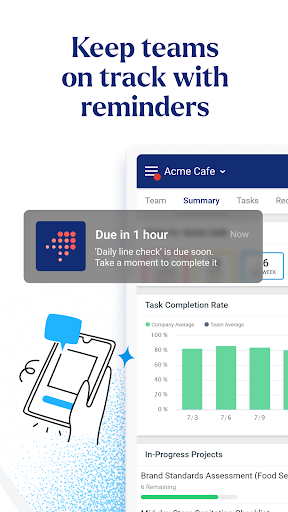
The most useful habit is to make the app part of the work cycle, rather than something staff remember only when a manager asks for an update. Teams can treat daily tasks and checks as regular operating work, then use the accountability tools to keep attention on completion and quality. That creates a clearer rhythm: carry out the work, record execution, and follow up on issues that still need attention.
For managers overseeing several locations, it makes sense to review execution as part of a normal check-in and look for problems that need quicker attention. The app’s real-time visibility and AI-powered insights are intended to help identify issues faster, but they work best as aids to operational judgment. I’d use them to guide follow-up, not as a reason to stop talking with staff or checking the underlying work.
More From Our News Desk

Zoom Meetings, Google Meet, or Teams: Which Is Easiest to Join?

How I Build a Free Streaming Lineup With Tubi

Why Crunchyroll Is the Default Anime App for So Many Fans

YouTube TV: A Practical Guide to Cutting Cable

Rummikub and the Small Comfort of Phone Games

TeamViewer Remote Control or AnyDesk for Helping Family?
Who may find it useful
I’d recommend Crunchtime Ops Execution to restaurant and convenience-store teams that need to carry out daily processes consistently, especially when managers are responsible for more than one location. Its combination of tasks, audits, food safety checks, maintenance requests, and execution visibility speaks to people coordinating real work on the floor. Teams looking for a stronger sense of accountability may also appreciate that the app is about correct completion, not just marking something done.
It may not suit someone looking for a flexible personal organizer, a general team chat, or a tool for managing unrelated projects. The app has a specific operational setting, so its usefulness depends on whether your workplace uses the kinds of checks and workflows it supports. I’d also keep its Google Play rating in perspective: it sits at 3.6 stars from around 1,150 ratings, suggesting experiences are not uniformly positive.
Crunchtime Ops Execution is developed by Crunchtime Information Systems, Inc. On Google Play, it has over 100,000 installs and a 3.6-star rating from around 1,150 ratings. The app is free, with no in-app purchases and no ads. Its content rating is Everyone, making it suitable for a general audience from a store-rating perspective.
The current version shown is 26.11.13. The app was released on June 26, 2013, and its latest listed update is November 3, 2026. Google Play does not give an Android minimum version in the supplied app details, so check the store page on your device before installing if compatibility is a concern.
Turning Daily Checks Into Consistent Work
A focused first impression
When I first considered what this app is for, its operational focus stood out. This isn’t a consumer lifestyle app with a broad collection of unrelated tools; it is designed for restaurant and convenience-store teams handling daily execution. The named work areas—tasks, audits, food safety checks, and maintenance requests—make its intended setting clear before you get into the details.
That clarity is helpful, though it also sets expectations. The app makes the most sense when a business already has recurring work that needs to be completed consistently across locations. I would approach it as part of a team’s operating process, rather than expecting it to create a new system for every kind of work. The fit depends on the routines the business needs to manage.
Keeping execution visible
The day-to-day idea is straightforward: staff carry out operational work, while managers need a way to understand how well it is being completed. Ops Execution describes real-time visibility and built-in accountability tools as part of that process. Those are practical priorities in a busy workplace, where a task can be marked complete without necessarily showing whether the work met the expected standard.
I like that the app’s stated purpose goes beyond collecting completion marks. For a shift lead, the value is in being able to follow execution and identify where follow-up is needed. For a team member, the value is in having operational work treated as a shared process. The app’s description does not specify every screen or step, so the exact daily workflow will depend on how a workplace uses it.
Tools for field operations
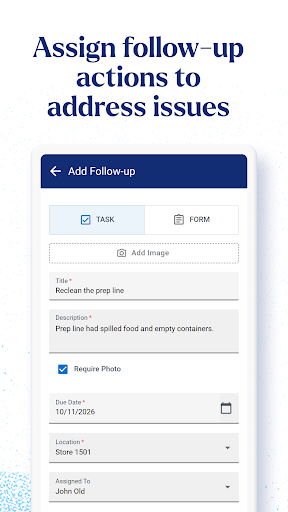
The strongest feature set is the set of operational categories it brings together. Daily tasks, audits, food safety checks, and maintenance requests all have a place in its stated purpose. That makes the app relevant to both routine work and problems that interrupt routine work, such as a maintenance issue that needs to be raised and tracked.
Crunchtime also describes AI-powered insights intended to help teams identify issues faster. I’d treat that as a way to support attention and follow-up, not as a replacement for a manager’s understanding of a location. Paired with real-time visibility and accountability tools, it gives the app a more oversight-focused character than a simple list. The practical benefit is clearest when teams need consistency across multiple sites.
A practical shift routine
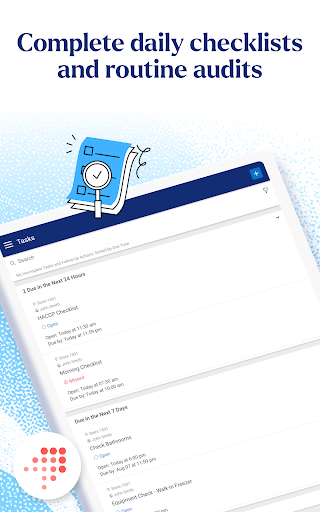
A sensible routine would begin with the team’s regular operational work: complete the daily tasks and food safety checks that apply, carry out audits where needed, and raise maintenance requests when something requires attention. The app is intended to support these activities consistently across locations. Making it part of an existing shift routine is more realistic than asking staff to remember a separate system only after work is finished.
At the management end, I’d review execution as part of a regular handoff or check-in. If visibility or insights point to an issue, that gives the team a reason to follow up and understand what happened. This approach keeps the app tied to real workplace actions: it helps organize attention, while the people on site remain responsible for checking the work and resolving problems.
Limits to keep in view
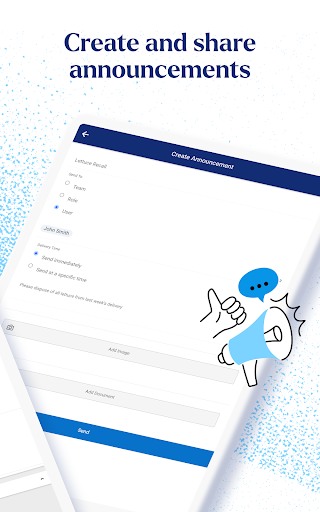
The main limitation is its narrow audience. Ops Execution is built for restaurant and convenience-store operations, so people outside those settings may not have much reason to use it. It also isn’t described as a general communication platform or an all-purpose organizer. If your team needs those broader capabilities, this app’s operational focus may leave important needs outside its scope.
Another consideration is that the app’s value depends on the team’s process and participation. Real-time visibility and accountability are useful concepts, but they only help when staff and managers use the system as part of the work. Google Play shows a 3.6-star rating from around 1,150 ratings, so I’d read recent user feedback and check device compatibility before making it central to a workplace routine.
Crunchtime Ops Execution has a clear job: help restaurant and convenience-store teams carry out daily work consistently and give managers better visibility into execution. Its combination of operational checks, maintenance requests, and accountability tools is more focused than a general task app, which is a strength for the right workplace.
I’d recommend it to teams managing recurring field operations across locations, particularly those that need to follow up on quality as well as completion. For personal checklists or broad project coordination, I’d look elsewhere. Before adopting it, confirm that it fits your team’s routines and runs on your Android device.
Zenput Frequently Asked Questions
What is Crunchtime Ops Execution used for?
Crunchtime Ops Execution supports restaurant and convenience-store teams with daily tasks, audits, food safety checks, and maintenance requests. It is designed to help teams execute work consistently across locations, with real-time visibility, accountability tools, and AI-powered insights intended to help identify issues faster.
Which devices can run Crunchtime Ops Execution?
Crunchtime Ops Execution is an Android app available through Google Play. The supplied app details do not specify a minimum Android version, so check the Google Play page on your device for current compatibility information before installing.
Is Crunchtime Ops Execution free?
The app is free on Google Play. The supplied details show no in-app purchases and no ads. Store information can change, so it is worth checking the current Google Play page for the latest pricing and availability.
Is Crunchtime Ops Execution suitable for a small team?
It may suit a small team if it works in restaurant or convenience-store operations and needs to manage daily tasks, checks, audits, or maintenance requests. Its usefulness depends on the team’s routines. It is less suited to someone seeking a personal organizer or a general-purpose project tool.
Who makes Crunchtime Ops Execution?
Crunchtime Information Systems, Inc. develops Crunchtime Ops Execution. On Google Play, it has over 100,000 installs and a 3.6-star rating from around 1,150 ratings. Those figures can change over time, so check the store page for the latest details.
Pros
- Brings daily tasks, audits, food safety checks, and maintenance requests into one operational focus.
- Designed to support consistent execution across restaurant and convenience-store locations.
- Real-time visibility and accountability tools help teams focus on follow-through.
- Free to install, with no ads or in-app purchases shown.
Cons
- Its specific focus may not suit teams outside restaurant and convenience-store operations.
- A 3.6-star Google Play rating suggests user experiences are mixed.
- Minimum Android requirements should be checked on Google Play before installing.
- Category
- Business
- Version
- 26.11.13











