Yokee Karaoke – Start Singing
- 96.16K
- 4.5
- Installs
- —
- Price
- Free

Screenshots

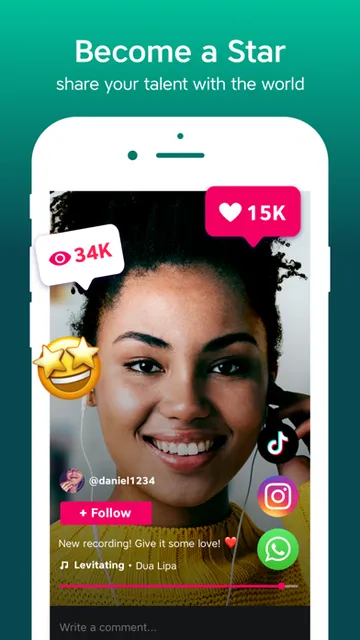
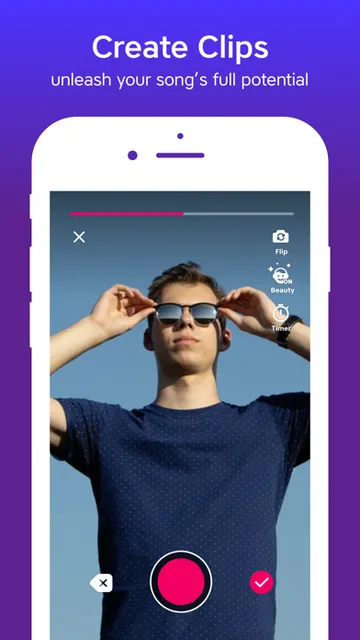

Analysis by Reviewed APKs
Yokee Karaoke – Start Singing turns an iPhone into a casual karaoke setup: pick a song, sing along, and record a version to share. I’d recommend it to people who enjoy singing for fun, whether that means a solo break at home or passing the phone around with friends. Its combination of music videos, recording, and social listening makes it more than a basic lyrics-on-screen sing-along, though premium access has a role in the experience.
A song for an ordinary evening
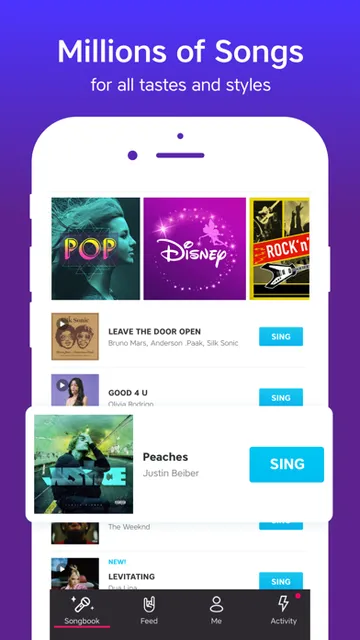
When I want a low-effort way to fill a quiet evening, karaoke is an easy choice: find a familiar song, set the phone somewhere handy, and sing along without turning the room into a production. Yokee is built around that simple routine. Its catalog pairs songs with music videos, and I can record a take if I feel like keeping it or sharing it afterward.
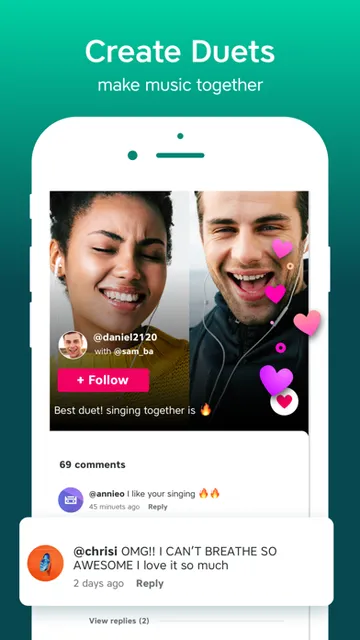
The social side gives the experience another layer. I can listen to friends’ performances and vote on recordings, so the app can work as a small ongoing sing-along between people rather than just a one-off activity. For a get-together, the option to cast to a TV is useful, too. It makes the phone a starting point for a living-room karaoke session.
More than a sing-along
Compared with playing a song on a music service and singing over it, Yokee is specifically organized around karaoke performances. It brings together a catalog of music videos, voice recording, effects, and sharing. That is a better fit when I want to make a performance of a song, hear how it came out, or see what friends have recorded.
It is not a general music player or a vocal-training tool. The material describes singing, recording, sharing, and listening to performances, not lessons or detailed coaching. Nor is it simply a private collection of tracks: the social features invite interaction. People who mainly want uninterrupted music playback may be happier with a conventional music app.
Small habits that help
I’d start by searching for a song I already know well. Familiar lyrics make it easier to enjoy the first attempt instead of spending the whole session trying to keep up. Since the catalog covers songs in different languages and gets new free content daily, it can also be fun to browse beyond the obvious favorites once I’ve settled in.
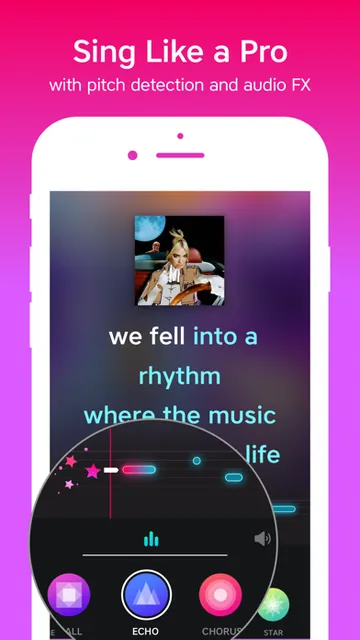
A quick recording can be a useful way to compare takes or share a silly performance with friends. I’d try the built-in echo and reverb first, then experiment with effects such as chorus or radio if I want a different sound. For a group session, casting to a TV can make the setup easier for everyone to follow.
More From Our News Desk

Zoom Meetings, Google Meet, or Teams: Which Is Easiest to Join?

How I Build a Free Streaming Lineup With Tubi

Why Crunchyroll Is the Default Anime App for So Many Fans

YouTube TV: A Practical Guide to Cutting Cable

Rummikub and the Small Comfort of Phone Games

TeamViewer Remote Control or AnyDesk for Helping Family?
Who will enjoy singing here
I’d recommend Yokee to casual singers, karaoke fans, and anyone who likes swapping performances with friends. It suits people who want a quick song-and-record experience on an iPhone, plus groups looking for a simple way to make a living-room karaoke night feel more shared. The choice of songs in multiple languages also gives curious singers a reason to explore outside their usual playlist.
It may be less appealing if you want structured singing instruction, a private music library, or a tool focused on precise vocal analysis. The app’s social listening and voting will not be everyone’s preference, either. I’d also keep the VIP subscription in mind if access to its premium song catalog matters to you; the available songs and subscription details are worth checking in the App Store.
Yokee Karaoke – Start Singing is an iOS Music & Audio app from Yokee Music LTD. On the App Store, it has a 4.5 rating from about 96,000 ratings. It is free to download, has a 4+ age rating, and requires iOS 12.0 or later. The app’s version is 7.7.7.
The app was released on October 10, 2012, and its last update was January 18, 2024. Its description says users can sing from a free song library, while VIP subscription access covers a premium catalog and additional recording, saving, and sharing access. Subscription options are weekly, monthly, and annual; current terms and availability are worth checking in the App Store.
How Yokee Fits a Karaoke Night
Getting started on iPhone
My first impression is that Yokee has a clear purpose: choose music, sing, and optionally turn the take into a recording. That focus makes it easy to understand why I’d open it, whether I have ten minutes alone or friends nearby. The app is for iOS, and it requires iOS 12.0 or later.
I’d begin by browsing or searching for a song that suits the mood, rather than planning a perfect performance. The description says its library includes music videos and songs in different languages, with new free content added daily. That gives a first session room for both familiar picks and a bit of discovery.
The everyday singing loop
The central routine is straightforward: pick a track, sing along, and decide whether to record your version. Yokee describes automatic echo and a little reverb for the voice, with extra effects such as chorus and radio available to change the character of a performance. That can make an informal take feel more playful without requiring a separate audio-editing app.
Recording is optional, which matters for casual use. I can treat a song as a quick sing-along, or save the performance for sharing and listening later. The app also lets users connect with friends, hear their recordings, and vote. That turns singing into something people can revisit rather than a moment that disappears when the song ends.
Features beyond the microphone
The music-video catalog is the foundation, but recording and sharing give the app its personal angle. I can make my version of a favorite song and pass it along, while friends’ recordings offer a way to discover what other people are singing. Voting adds a lightweight social response without changing the basic sing-along format.
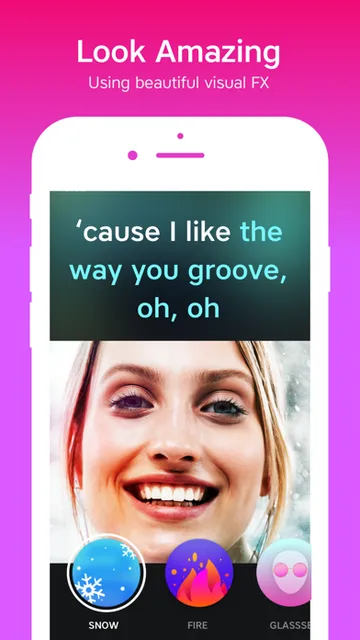
Casting to a TV is a particularly practical option for a group. Rather than everyone leaning over one phone, a host can use the app as part of a home karaoke setup. Yokee also describes video themes—including looks such as snow, rain, old film, and black and white—for making music clips. Video recording is available only for part of the catalog.
A simple home routine
For a low-key karaoke evening, I’d pick a few songs before friends arrive, then cast the session to a TV if the setup allows. Starting with familiar tracks helps everyone join in, while searching the wider catalog can keep the night from getting stuck on the same handful of choices. The app’s support for songs in multiple languages can also help a mixed group find something to share.
I’d keep recording as an option rather than making every song a performance. A quick take can be funny to send around, but singing without saving anything keeps the evening relaxed. If a friend records a song, listening and voting later gives the gathering a small afterlife in the app.
What to keep in mind
The experience depends on finding songs that suit your taste, and the app separates its free library from a VIP catalog. If a particular track is essential to your plans, it is sensible to check whether it is available and what access it requires before building a session around it. Subscription choices and terms can change, so review current details in the App Store.
Some extras have limits: video recording applies to only part of the catalog, and the description does not present Yokee as a coaching app or a detailed recording studio. Its social features may also be a plus for one singer and unnecessary for another. I see it as casual karaoke first, with recording and community features around that core.
Yokee Karaoke – Start Singing is an approachable choice for turning spare time or a friendly get-together into a karaoke session. I like that it combines music videos with optional recording, voice effects, sharing, and TV casting, while still making a simple sing-along the main event.
I’d try it if you enjoy singing casually and want a social way to trade performances. If your priorities are lessons, intensive audio controls, or access to a specific song, check the app’s current catalog and subscription details first.
Yokee Karaoke Frequently Asked Questions
What is Yokee Karaoke – Start Singing used for?
Yokee is for singing along to songs and music videos, recording your version, and sharing performances. Users can also listen to friends’ recordings and vote for them. It includes voice effects and an option to cast to a TV for a home karaoke gathering.
Which devices can run Yokee Karaoke – Start Singing?
Yokee Karaoke – Start Singing is an iOS app available through the Apple App Store. It requires iOS 12.0 or later. Check the App Store for current device compatibility and requirements before installing, since those details can vary with the device and software.
What iOS version does Yokee Karaoke – Start Singing require?
The stated minimum requirement is iOS 12.0. The app is listed as version 7.7.7, and its last update was January 18, 2024. For the latest compatibility details, check the App Store on the device you plan to use.
Does Yokee Karaoke – Start Singing cost money?
The app is free to download and describes a free song library. It also offers VIP subscriptions for access to a premium song catalog, with weekly, monthly, and annual options described. Current subscription prices and terms may vary, so check the App Store before subscribing.
Is Yokee Karaoke – Start Singing good for beginners?
It can suit beginners who want casual karaoke rather than formal lessons. The app centers on choosing a song, singing, and optionally recording or sharing a take, with echo and reverb described as automatic voice enhancements. It is not presented as a structured singing course.
Pros
- Combines music-video karaoke with optional recording, sharing, and social listening.
- Voice effects and TV casting add flexibility for solo or group sessions.
- The description includes songs in multiple languages and new free content daily.
Cons
- VIP access is required for the premium song catalog.
- Video recording is available for only part of the catalog.
- Social features may not suit singers who prefer a private experience.
- Category
- Music & Audio
- Version
- 7.7.7











