Workday
- 268.63K
- 4.2
- Installs
- 10.00M
- Price
- Free

Screenshots
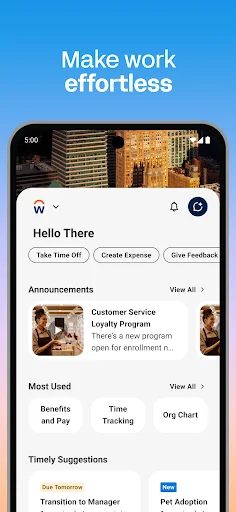
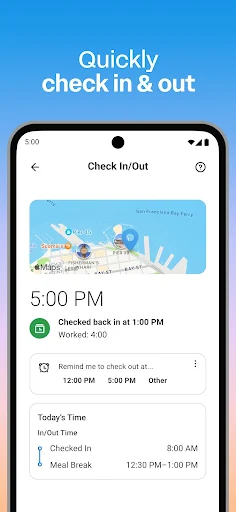
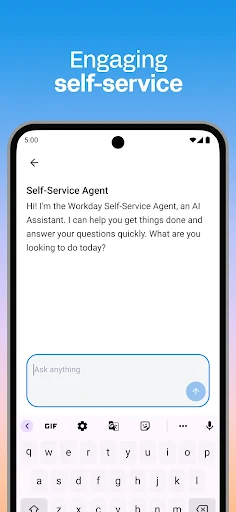
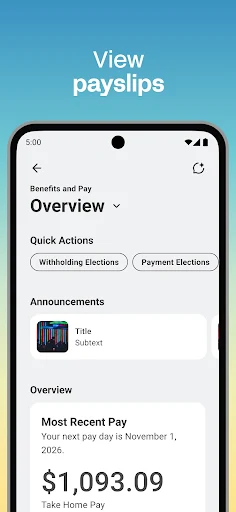
Analysis by Reviewed APKs
Workday puts many workplace tasks in one mobile app, from checking a payslip or requesting time off to submitting a timesheet. It is aimed at employees and managers whose organizations use Workday, rather than anyone looking for a general productivity tool. After spending time with the feature set, my take is that it can make routine work administration easier to handle on the go, though its value depends on which tools your workplace uses.
A Workday Errand, Handled
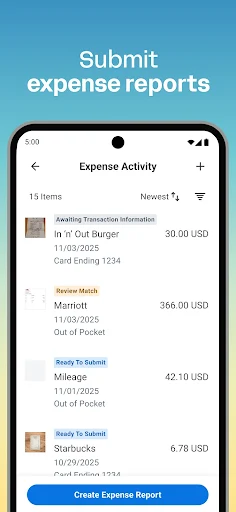
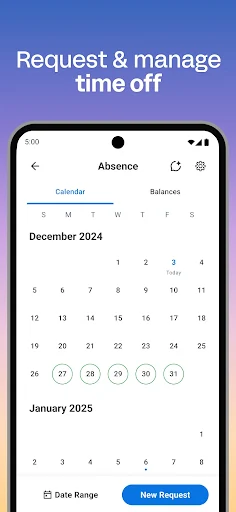
Imagine remembering on a Sunday evening that you need to request a day off, then realizing you also need to check whether last week’s hours went through. Workday brings both tasks into the same app: employees can request time off and submit timesheets, among other work-related actions. I like the appeal of handling a small administrative chore in the moment instead of saving it for the next time I am at a computer.
The app also covers the quick checks that tend to interrupt a day. You can view payslips, check in and out of work, and receive push reminders about tasks. In my imagined commute-to-lunch routine, that means one place to check whether something needs attention, rather than trying to remember a separate web page for each task. It is not a replacement for doing the work itself; it helps with the workplace administration around it.
Workplace Tools, Not a Planner
Compared with a calendar, to-do list, or general team chat app, Workday has a narrower and more administrative job. Its focus is employee and manager tasks connected to an organization: time, expenses, payslips, requests, team information, training, and internal opportunities. That focus is useful when I need to complete a specific work process, but it does not make the app a catch-all for planning my personal schedule or organizing projects.
It also is not a universal job-search service or a standalone learning library. The description points to internal gigs and jobs and training videos, which are workplace offerings rather than a general marketplace. I would treat Workday as a mobile companion to an organization’s workplace tools, not as a way to manage work for an employer that does not use it. That distinction matters more than any comparison of screen layouts.
Make the Quick Checks Count
A useful habit is to let reminders bring tasks to mind, then use the app to deal with them while they are still small. For example, a reminder could prompt me to submit a timesheet or respond to a request, rather than leaving the task until I am back at a desk. The app supports push notifications for task reminders, so this kind of lightweight check-in fits its intended role.
I would also group related work errands together when I open it: check a payslip, review a time-off request, or look at a teammate profile before switching back to the rest of my day. Managers can use the same idea for approvals and timesheets. Keeping the app for these work-specific actions makes its broad collection of tools feel more manageable than treating it as another general-purpose productivity hub.
More From Our News Desk

Zoom Meetings, Google Meet, or Teams: Which Is Easiest to Join?

How I Build a Free Streaming Lineup With Tubi

Why Crunchyroll Is the Default Anime App for So Many Fans

YouTube TV: A Practical Guide to Cutting Cable

Rummikub and the Small Comfort of Phone Games

TeamViewer Remote Control or AnyDesk for Helping Family?
Who Will Find It Useful
I would recommend Workday to employees who already use Workday at their organization and want common workplace tasks available on a phone. It is especially relevant if you regularly submit time or expenses, check payslips, request time off, or need reminders about work tasks. Managers may get more from it because the app also includes employee requests, team profiles, role adjustments, payroll tasks, performance reviews, and reports.
It may not suit someone who wants a personal organizer, an independent payroll service, or a way to browse jobs across employers. The tools are tied to workplace activity, and which actions matter will depend on whether you are using employee or manager features. If you rarely need to handle work administration away from a computer, the mobile convenience may be less compelling; the app’s main strength is quick access, not a new way to do every part of a job.
Workday is a free Business app from Workday, Inc. On Google Play, it has over 10 million installs and a 4.2-star rating from about 269,000 ratings. The store details show no in-app purchases and no ads, and the content rating is Everyone. Its listed release date is April 29, 2013.
The current version shown is 2026.10.1, with the latest update dated October 18, 2026. The Android version requirement is worth checking on Google Play, since it can vary by device and release. The app’s described functions include employee tasks as well as additional tools for managers, so the set of useful actions may depend on your workplace role.
How Workday Fits Into a Workday
A Focused First Impression
When I first considered Workday as a mobile tool, its scope stood out: it is not just for checking a payslip or just for requesting time off. The description brings together those employee tasks with expenses, time tracking, teammate information, training, and internal opportunities. That breadth gives the app a clear purpose, though it also means the experience is most relevant when several of those workplace tasks are part of your routine.
The app is presented as a single place to reach workplace tools and actions, with access tailored to what you need most. I appreciate that idea for a phone, where I usually want to finish one small task and move on. Workday also describes biometric authentication and cloud-stored information as part of its security approach. Those are meaningful considerations for a work app, although the overall setup will depend on the organization using it.
Routine Tasks on Mobile
The day-to-day appeal is the range of practical actions: submit a timesheet or expense, request time off, view a payslip, and check in or out of work. These are the kinds of chores that can be easy to postpone when they are separated from the rest of a work routine. Having them available on a phone can make a quick pause between other activities enough to take care of one.
Push notifications add a useful nudge for tasks that might otherwise slip past. I can see that helping with a deadline or an outstanding request, especially when the reminder arrives while I am already checking the app for something else. The point is convenience, not constant engagement. Workday’s best everyday use is likely a short visit to complete a specific work action, then closing it and getting back to the day.
More Than Employee Requests
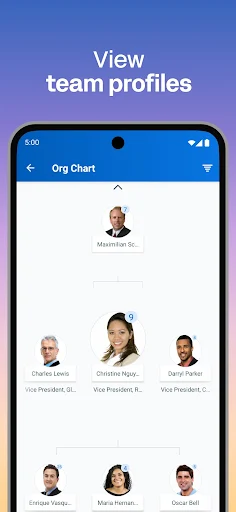
The manager tools make Workday broader than a personal employee portal. Managers can approve employee requests, view team and employee profiles, adjust roles, manage payroll, request compensation changes, and give performance reviews. They can also use an hours tracker, review employee timesheets, and browse interactive reports and dashboards. That is a substantial set of responsibilities to have represented alongside the employee-facing tasks.
For employees, internal opportunities and learning add another dimension. The app describes training videos for learning skills and ways to find internal gigs and jobs. I like that these features connect everyday administration with development inside an organization. They are not a promise of a general course catalog or public job board; the focus is on opportunities and learning offered through the workplace.
A Simple Weekly Check-In
One practical routine would be to open Workday at the end of a shift or at a regular point in the week. I could check whether a timesheet needs submitting, look for a reminder, and take care of a pending request while the details are still fresh. If expenses are part of my work, I could add that task to the same check-in rather than leaving a collection of small chores to build up.
A manager could use a similar rhythm to review employee requests and timesheets, then consult reports or dashboards when useful. The app’s feature set supports those actions, but I would keep the routine focused rather than trying to review every area each time. A few purposeful checks make more sense than opening a work app out of habit when there is nothing to handle.
Keep the Context in Mind
Workday’s main limitation is also part of its design: it serves workplace processes, not every kind of work or personal organization. Someone looking for a standalone calendar, project board, or broad team messaging tool will need something else for those jobs. The app’s descriptions of internal jobs and training are similarly specific to an organization, rather than a route to opportunities or courses across the wider market.
The range of features can also feel like a lot if all you need is an occasional payslip check. Employees and managers have different reasons to use it, and not every listed tool will be equally relevant to every person. I would judge it by the workplace tasks I actually handle on a phone. Its practical value comes from having those tasks together, not from using every feature simply because it is there.
Workday is a capable mobile companion for workplace administration, with useful employee tasks and a particularly broad set of manager tools. Its reminders, time and expense actions, payslips, and requests suit short, practical check-ins. I also like that learning and internal opportunities sit alongside the routine chores, giving the app a wider role than a basic employee portal.
I would try it if my organization uses Workday and I want to handle work tasks away from a computer. Managers who deal with approvals, timesheets, and team information may find even more reason to keep it close. If you want a personal planner or general-purpose work hub, though, this is not that app; its usefulness depends on the workplace tasks you need.
Workday Frequently Asked Questions
What is the Workday app used for?
Workday is a mobile app for workplace tasks. Employees can submit timesheets and expenses, view payslips, request time off, check in or out, and access teammate, training, and internal opportunity features. Managers also have tools for approvals, employee information, payroll-related tasks, reviews, timesheets, and reports. The useful functions depend on your work context.
Can I use Workday on an iPhone or computer?
The app covered here is the Android version, available through Google Play. The available information describes this mobile app and does not establish device support for other platforms. If you want to use Workday on an iPhone or computer, check your organization’s guidance or the relevant store and service details for current options.
What Android version does Workday require?
The required Android version can vary by release and device, so check the Workday page on Google Play for the current requirement before installing. The app’s listed version is 2026.10.1. Your organization’s use of Workday also affects which workplace actions are relevant to you once you have access.
Does Workday cost money or include purchases?
Workday is free to download on Google Play. Its store details show no in-app purchases and no ads. Store information can change over time, so it is sensible to check the current Google Play page for the latest cost and purchase details before installing or updating.
Is Workday a good fit for every employee?
It is most useful for employees and managers whose organization uses Workday and who want workplace tasks on a phone. Employees can handle routine requests and time tasks, while managers have additional team and reporting tools. It may not suit someone seeking a general planner, public job board, or standalone learning app.
Pros
- Brings timesheets, expenses, time-off requests, and payslips into one mobile app.
- Push reminders can help keep workplace tasks from slipping through the cracks.
- Manager tools cover approvals, team profiles, timesheets, reviews, and reports.
- Includes workplace training and internal gigs and job opportunities.
Cons
- Its usefulness depends on your organization’s Workday setup and your role.
- It is focused on workplace administration, not general planning or project management.
- The breadth of tools may be unnecessary if you only need occasional payslip access.
- Category
- Business
- Version
- 2026.10.1











