Fast VPN & Proxy - Windscribe
- 328.48K
- 4.7
- Installs
- 10.00M
- Price
- Free

Screenshots
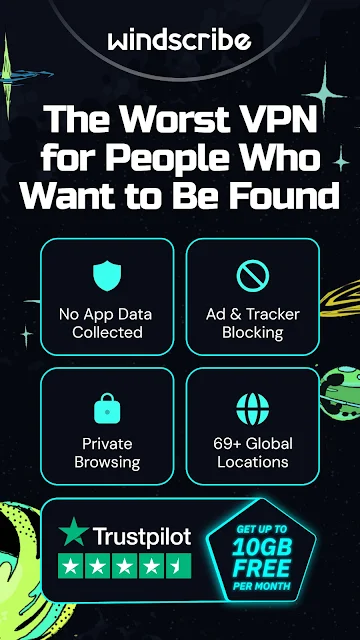

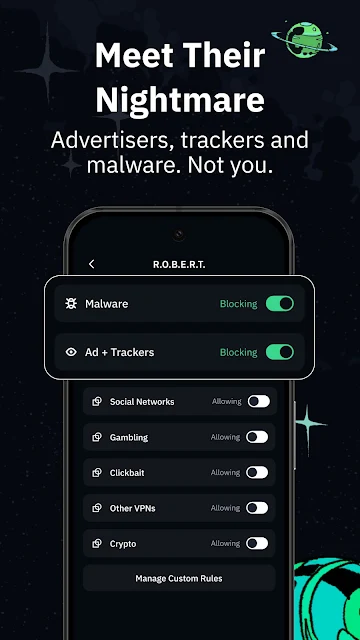
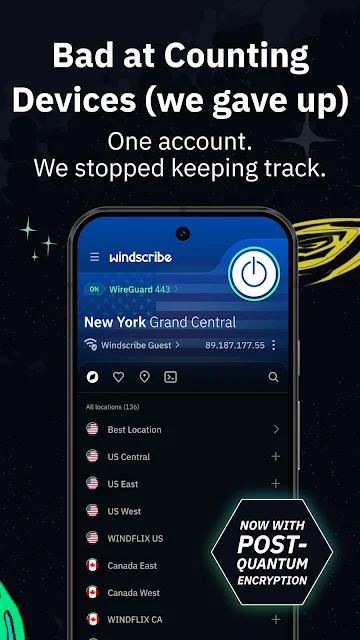
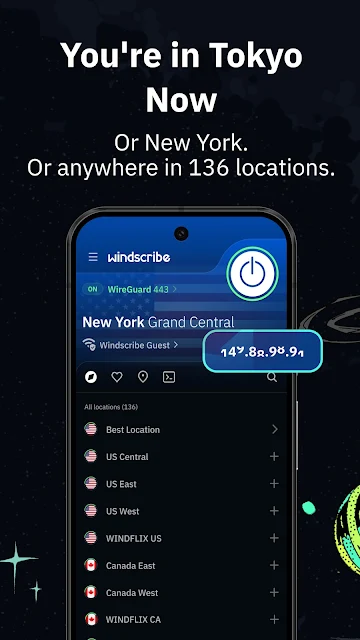
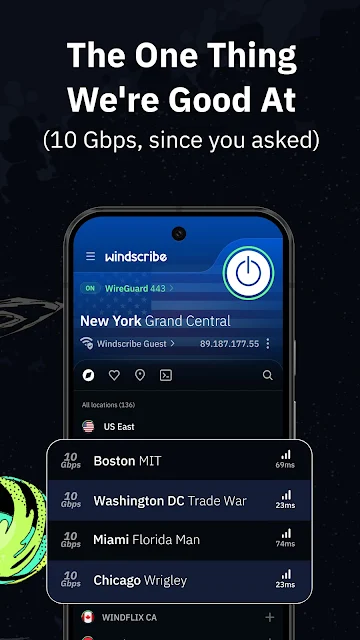

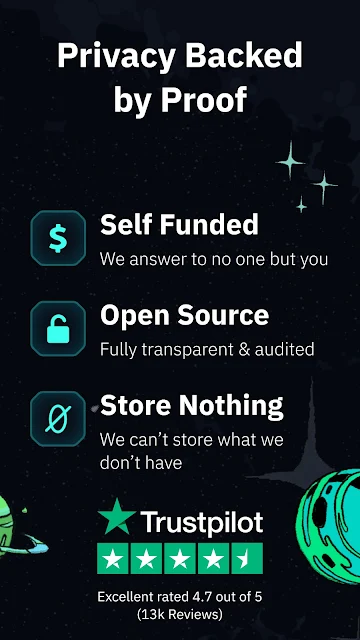
Analysis by Reviewed APKs
Fast VPN & Proxy - Windscribe is an Android VPN for people who want an encrypted connection, a different IP location, or fewer ads and trackers while browsing. I like that it pairs a simple connect button with more control for people who need it, such as split tunneling and multiple connection protocols. It feels suited to everyday privacy and travel use, though it is not a substitute for careful choices about what you share online.
A Café Wi-Fi Check-In
When I first opened Windscribe, I pictured the familiar café routine: find a table, join the public Wi-Fi, then check messages or browse while waiting for coffee. The app is built around making that connection more private with an encrypted VPN tunnel and a masked IP address. Its Auto-Secure option can turn protection on when the phone joins a new Wi-Fi network, which fits the moment when I might otherwise forget to open a VPN first.
The everyday appeal is that the main job does not require much planning. I can choose a location and connect, or use a shortcut from Quick Settings or an app shortcut. Windscribe also includes a DNS-level blocker for known ad, tracker, phishing, and malware domains. That makes it more than a location switcher, though I would still treat it as one layer of privacy rather than a reason to browse carelessly.
VPN, Not a Privacy Cure-All
Compared with browsing over an ordinary connection, Windscribe adds an encrypted tunnel and lets me route traffic through a server in another country. That can be useful while traveling, on public Wi-Fi, or when I want to see a service from a different IP location. The app also offers several protocols, including WireGuard, IKEv2, OpenVPN, Stealth, and WStunnel, giving experienced users options beyond a single default connection.
It is not a general-purpose security suite, and a VPN does not make every website trustworthy or erase information I choose to submit. Nor is it simply an ad-blocking browser: the VPN and DNS blocker work at the connection level, while the description does not present Windscribe as a replacement for a browser. I would choose it for network privacy and location routing, not for managing passwords or cleaning up a phone.
Small Habits, Better Control
A useful habit is to decide in advance which situations deserve an automatic connection. Auto-Secure can respond to a new Wi-Fi network or hotspot, which is handy for someone who moves between home, work, and cafés. When I want to keep a particular app on the regular connection, split tunneling lets me choose which apps use the encrypted tunnel and which do not.
I would also take a minute to pick a nearby server for ordinary use, then change the location only when I have a reason to. The app describes servers in more than 135 cities across over 69 countries, so the location list can serve different travel and browsing needs. If a connection drops, Windscribe's kill switch can be set up in Android settings to stop traffic until the tunnel returns.
More From Our News Desk

Zoom Meetings, Google Meet, or Teams: Which Is Easiest to Join?

How I Build a Free Streaming Lineup With Tubi

Why Crunchyroll Is the Default Anime App for So Many Fans

YouTube TV: A Practical Guide to Cutting Cable

Rummikub and the Small Comfort of Phone Games

TeamViewer Remote Control or AnyDesk for Helping Family?
Who Might Find It Useful
I would recommend Windscribe to someone who regularly uses public Wi-Fi, travels, or wants a straightforward way to change the apparent IP location of a connection. The one-tap approach makes the basic task approachable, while protocol choices and split tunneling give curious users room to adjust how the app behaves. The built-in DNS blocker is a practical extra for people who would rather reduce known ad and tracker traffic at the network level.
It may be less appealing if you want a VPN that never asks you to think about data limits or plan choices: the Starter plan has a monthly allowance, while Pro offers unlimited VPN data and bandwidth. It also may not suit someone expecting a VPN to make them anonymous in every online situation. I see it as a useful connection tool, with sensible controls, rather than an all-purpose answer to online privacy.
Windscribe is the developer of Fast VPN & Proxy - Windscribe, a free Android Tools app with optional in-app purchases. Google Play shows over 10 million installs and a 4.7-star rating from about 328,000 ratings. The app contains no ads, and its content rating is Everyone. The current version varies by device.
The app was released on November 3, 2017. Google Play lists in-app product prices from $3.99 to $94.99 per item. Windscribe describes a Starter plan with 10 GB per month after email confirmation and servers in 10 countries, alongside a Pro subscription with unlimited VPN data and bandwidth and access to locations in more than 69 countries.
How Windscribe Fits Into a Phone Routine
A Direct First Impression
Windscribe’s core promise is easy to understand: connect to a VPN tunnel, mask the phone’s IP address, and encrypt the connection. I like that the basic action is a tap rather than a long setup sequence. The first connection does involve the standard Android VPN permission prompt, which can feel technical if you have never used a VPN, but the app explains the role of that permission as creating the encrypted tunnel.
There is more here than a connect button, but newcomers do not have to start with every option. I would first connect, check that the tunnel is active, and leave protocol selection alone until there is a reason to change it. That approach keeps the opening experience manageable while leaving the more detailed controls available later.
The Daily Connection
In normal use, the app is at its most useful when I can set a routine and stop thinking about it. Auto-Secure is designed to switch protection on when the phone joins new Wi-Fi or a hotspot. For a person who checks email or browses from different networks throughout the day, that can remove a small but easy-to-miss step.
The app can connect through Quick Settings or an app shortcut, and its server list makes location selection part of the same workflow. If I am simply looking for a private connection, I would keep the process simple. If I need a country-specific IP, I can choose a location instead. Those are related tasks, but the app makes room for both.
More Than One Tunnel
Protocol choice is one of Windscribe’s more substantial controls. It supports WireGuard, IKEv2, OpenVPN over UDP or TCP, Stealth, and WStunnel. The description positions Stealth and WStunnel for networks that restrict VPN traffic by making the connection resemble ordinary web traffic. That is a useful distinction for hotel, school, or work Wi-Fi, although a result will depend on the network in question.
Split tunneling is another feature I can see mattering in everyday use. It lets me decide which apps pass through the VPN and which use the regular connection. The kill switch works differently: it can be configured in Android settings to stop traffic if the tunnel drops. These controls are valuable, but they are worth setting deliberately rather than switching on without understanding their effect.
A Travel-Day Routine
For a travel day, I would connect to a trusted local Wi-Fi network, let Auto-Secure handle the new network if configured, and choose a server location when I have a specific reason to do so. Windscribe describes locations across more than 69 countries, including options for connecting through a country of choice. That can be useful for viewing local sites or browsing with an IP associated with another place.
Later, if I move to mobile data or another hotspot, the same app can remain part of the routine. I might use a nearby server for general browsing and split-tunnel a particular app if it should use the regular connection. The useful part is not a complicated travel checklist; it is having a few clear controls ready when the network changes.
Keep the Trade-Offs Visible
The main practical limit is the difference between the Starter and Pro plans. Starter provides 10 GB per month after email confirmation and servers in 10 countries. Pro provides unlimited VPN data and bandwidth, all locations in more than 69 countries, and port forwarding. Someone who uses a VPN constantly should pay attention to that distinction rather than assuming every plan has the same allowance.
There are also realistic limits to what a VPN can do. It encrypts the connection between the device and Windscribe’s servers and changes the IP location presented by that connection, but it cannot make every website safe or prevent every form of tracking. The built-in blocker targets known domains at the DNS level. I would value these as useful protections, not as a reason to stop using judgment online.
A server’s usefulness can also depend on the network and the task. The description highlights gaming, streaming, and lower-ping server choices, but I would not assume every location will perform equally on every connection. Picking a nearby location for routine use and changing it when needed seems more practical than treating one server as the right choice for everything.
Fast VPN & Proxy - Windscribe strikes a practical balance: it makes connecting simple, but offers enough control to suit people who want to shape how their traffic is routed. I especially like the combination of Auto-Secure, split tunneling, and a DNS-level blocker for ordinary network routines.
I would try it if I wanted an Android VPN for public Wi-Fi, travel, or changing IP location, and I was comfortable keeping an eye on plan limits. If I expected a VPN to solve every privacy concern by itself, I would look at my expectations first. Windscribe is a capable connection tool, not a substitute for thoughtful online habits.
Fast VPN & Proxy Frequently Asked Questions
What is Fast VPN & Proxy - Windscribe used for?
It is an Android VPN app for encrypting an internet connection, masking the device’s IP address, and connecting through server locations in other countries. It also includes a DNS-level blocker for known ad, tracker, phishing, and malware domains. The app is designed for situations such as public Wi-Fi, travel, and choosing which apps use the VPN through split tunneling.
Which devices can run Fast VPN & Proxy - Windscribe?
The supplied store information describes Fast VPN & Proxy - Windscribe as an Android app. Its current version varies with the device. Windscribe’s description says one account covers all of a user’s devices, but the details of other platforms are not part of this Android app information. For device compatibility, check the Google Play store page on the phone you plan to use.
What Android version does Windscribe require?
The minimum Android version is not specified in the supplied app facts, so I would check the Google Play store page for the requirement that applies to your device. The app does request Android’s VPN permission the first time you connect, which it uses to create the encrypted tunnel. Its current version varies by device.
Is Fast VPN & Proxy - Windscribe free?
The app is free to download and contains in-app purchases. Google Play shows in-app item prices from $3.99 to $94.99. Windscribe describes a Starter plan with 10 GB monthly after email confirmation and a Pro subscription with unlimited VPN data and bandwidth. Plan details and prices can change, so check the current store information before choosing.
Who is Fast VPN & Proxy - Windscribe best suited to?
It should suit people who want an Android VPN for public Wi-Fi, travel, or routing selected apps through an encrypted tunnel. People who want only a very basic connection may appreciate the one-tap approach, while more experienced users can explore protocol choices and split tunneling. It may be less suited to someone who expects a VPN to replace all other privacy habits.
Pros
- Simple connection flow with shortcuts from Quick Settings or an app shortcut.
- Auto-Secure can respond when the phone joins new Wi-Fi or a hotspot.
- Multiple protocols and split tunneling offer useful control for experienced users.
- Includes a DNS-level blocker for known ads, trackers, phishing, and malware domains.
Cons
- Starter has a monthly data allowance, so frequent users may need to compare plans.
- Protocol and routing options may feel like extra complexity for casual users.
- A VPN does not make every website or online activity private by itself.
- Category
- Tools











