Whisker
- 52.44K
- 4.7
- Installs
- 100.00K
- Price
- Free

Screenshots
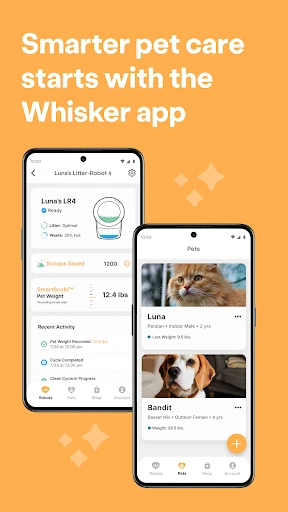
Analysis by Reviewed APKs
Whisker is a companion app for owners of Wi-Fi-enabled Whisker pet devices, including Litter-Robot and Feeder-Robot models. It brings alerts, status checks, remote controls, schedules, and usage insights together on a phone. I see its strongest appeal in making routine litter and feeding tasks easier to monitor when you are away or busy. It is useful equipment support, rather than an all-purpose pet-care tracker.
A Quieter Pet-Care Check-In
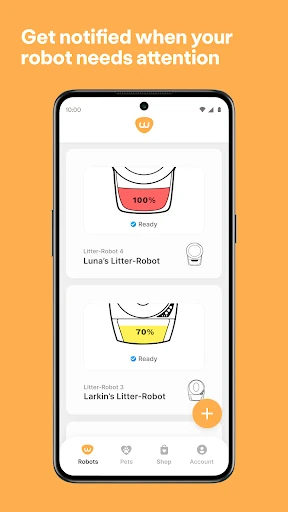
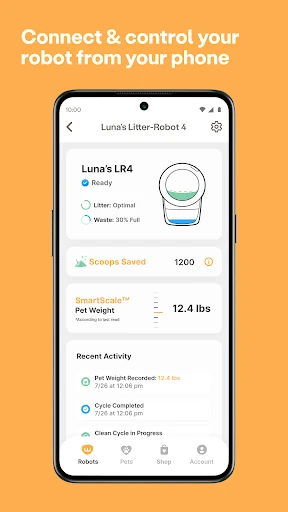
Picture heading out for a long workday and wondering whether the litter drawer needs attention. With a compatible Litter-Robot connected, Whisker can send alerts when a cycle starts or pauses and when the drawer needs emptying. I like that this turns a small but recurring household question into something I can check remotely, rather than having to be beside the unit to know its status.
The same idea works for feeding. A Feeder-Robot owner can set or edit schedules in the app, dispense a snack on demand, and receive low-food or issue alerts. Usage and feeding trends add context beyond a single notification. In practice, the app is most useful when it supports a device already doing the physical work; it does not replace the feeder, litter robot, or the everyday attention a pet still needs.
Device Companion, Not Pet Diary
Whisker sits in a different lane from a general pet organizer. Its job is to monitor and control supported Whisker devices, with the available tools depending on the model. If your household uses a compatible litter robot or feeder, it offers a single phone-based place for status, alerts, schedules, and selected controls. That focus makes sense: the app is built around the connected equipment, not around every part of pet ownership.
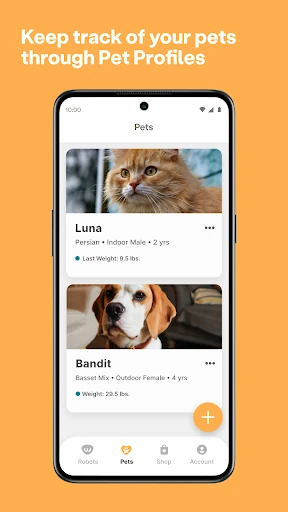
I would not choose it expecting a broad health record, vet appointment calendar, GPS locator, or social community. Those are not the functions described here. Nor is it a replacement for checking on a cat in person. The appeal is narrower and more practical: a way to keep tabs on compatible equipment and its usage patterns. Without a supported Whisker device, there is little reason to make this a regular stop on your phone.
Make Alerts Work for You
A useful habit is to treat alerts as prompts for a quick status check, not as a reason to stare at the app all day. For a Litter-Robot, cycle and drawer notifications can help you decide whether a visit to the unit is needed. For a Feeder-Robot, low-food and issue alerts provide a reminder to check the feeder. This keeps the app tied to real household tasks rather than turning it into another notification stream to manage.
The insights can also be more helpful when viewed as trends instead of isolated readings. Whisker offers usage insights for litter devices and weekly and monthly feeding insights for the feeder. I would use those views as a way to notice changes in routine, while remembering that the app describes device activity rather than offering a complete picture of an animal's health. Multiple compatible robots can be managed in one place, which may make a regular check-in simpler.
More From Our News Desk

Zoom Meetings, Google Meet, or Teams: Which Is Easiest to Join?

How I Build a Free Streaming Lineup With Tubi

Why Crunchyroll Is the Default Anime App for So Many Fans

YouTube TV: A Practical Guide to Cutting Cable

Rummikub and the Small Comfort of Phone Games

TeamViewer Remote Control or AnyDesk for Helping Family?
Who Will Get the Most From It
I would recommend Whisker to someone who owns a supported Wi-Fi-enabled Whisker device and wants to check its status from a phone. It is especially relevant if you are often away from home, want alerts about a litter drawer or feeder, or would rather adjust a schedule remotely than handle every setting at the device. Owners with more than one compatible robot may appreciate having multiple units managed together.
It may not suit someone looking for a general-purpose pet app, or anyone without one of the supported devices. The app's value is closely tied to that equipment, and its features can differ by model. People who prefer not to connect household devices to Wi-Fi may also find its central convenience less compelling. For everyone else, the practical question is simple: do you want phone-based monitoring and control for the Whisker device you already use?
Whisker is a free Android lifestyle app developed by Whisker. On Google Play it has over 100,000 installs and a 4.7-star rating from around 52,000 ratings. The app is marked Everyone, contains no ads, and does not offer in-app purchases. Those basics make the download easy to try, though the app's usefulness depends on having compatible Whisker equipment.
The current version is 1.34.2, and the app was last updated February 6, 2026. It was first released October 8, 2020, and requires Android 12 or later. Recent release notes mention bug fixes and stability improvements. Setup uses camera permission for QR-code onboarding and location services to help find a Wi-Fi network; supported Wi-Fi bands depend on the device model.
A Closer Look at Connected Care
Starting With the Device
My first impression is that Whisker has a clear purpose: it is the phone-side companion for supported connected equipment. The starting point is not a blank pet profile or a general dashboard of animal-care topics. Instead, setup is about connecting a Whisker device. The app uses the camera for QR-code onboarding and location services to help it find the Wi-Fi network, so getting those permissions ready is part of the process.
The network detail is worth knowing before you begin. All supported models work with 2.4 GHz Wi-Fi, while 5 GHz is supported only on select Pro models; other models should use 2.4 GHz. The network needs to be visible, password-protected, and IPv4. These requirements are specific enough that a quick check of your home network and device model can prevent a frustrating start.
Everyday Status and Control
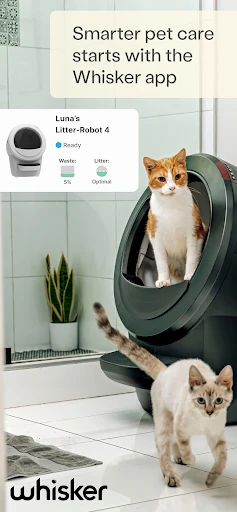
Once a compatible litter device is connected, the practical rhythm is check, respond, and get on with the day. Whisker reports cycle events and drawer status, and it shows litter and waste information at a glance. If a setting needs changing, remote controls can adjust cycle delay time, lock the control panel, toggle the night light, or schedule sleep mode. Those are tangible household controls, not just passive statistics.
The feeder side has a different daily pattern. I can see the value of setting a schedule from the phone, then using on-demand dispensing for an occasional snack. Low-food and issue alerts give the app a maintenance role as well as a scheduling one. Features vary by model, so a specific control should be understood as available only where the connected device supports it.
Useful Trends, Not Just Alerts
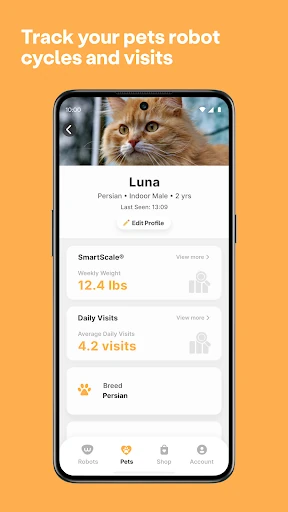
The standout feature for me is the combination of notifications with longer-term usage information. A single alert tells me something happened; a trend can help me notice whether the device is being used differently over time. Whisker provides usage insights for Litter-Robot and weekly and monthly feeding trends for Feeder-Robot. That gives owners a reason to open the app even when nothing needs immediate attention.
Multi-robot support is another practical touch. If a home has more than one supported unit, Whisker can set up and manage multiple robots in one place. That can reduce the mental overhead of remembering which device needs checking. It is a focused feature, though: the app's insights are tied to the connected Whisker products, rather than being a complete record of everything happening in a pet's life.
A Simple Weekly Routine
A sensible routine would be to respond to alerts as they arrive, then make a brief weekly check of device status and any available trends. For a litter robot, that could mean noticing a drawer alert and checking the litter and waste status before deciding what needs attention. For a feeder, it might mean reviewing the schedule and food status, then adjusting a feeding time from the phone if needed.
I would keep the insights in perspective during that routine. Trends can help you pay attention to patterns in device use or feeding, but they are not a substitute for observing your pet or asking a professional about a concern. Used in that modest way, the app can make equipment chores feel more organized without encouraging me to mistake an app screen for a full account of an animal's wellbeing.
Know the Boundaries
The biggest limitation is also the clearest one: Whisker depends on compatible Whisker hardware. Its supported devices include several Litter-Robot models, PetTag, and Feeder-Robot, but the available features vary by device and model. Someone shopping for a general pet-care app will find the scope narrow, while someone without a supported device may have little reason to keep it installed.
Connectivity is another consideration. The devices need an appropriate Wi-Fi network, and the setup requirements include camera and location access for onboarding. The app can send alerts and offer remote controls, but the physical equipment still has to be connected and functioning. I would judge Whisker as a useful companion for connected routines, not as a promise that pet chores disappear or that every model behaves identically.
Whisker is a focused, practical companion for owners of compatible litter and feeding devices. I like the mix of status checks, alerts, remote controls, schedules, and trends, especially for the small moments when I want to know whether equipment needs attention while I am away. Its strongest advantage is convenience around an existing device, not breadth as a general pet app.
If you already use a supported Whisker product and meet the Wi-Fi requirements, I think it is worth trying. If you want pet records, GPS tracking, or a broad care-management hub, this is not the app I would pick. Check your device model before relying on a particular feature, since availability varies across the range.
Whisker Frequently Asked Questions
What is the Whisker app used for?
Whisker lets owners monitor and control compatible Wi-Fi-enabled Whisker devices, including Litter-Robot and Feeder-Robot. Depending on the device, it can provide alerts, status information, usage or feeding insights, remote controls, and feeding schedules. It is designed around Whisker equipment rather than as a general-purpose pet-care organizer.
Which phones and devices work with Whisker?
Whisker is an Android app and requires Android 12 or later. It works with supported Whisker devices, including Litter-Robot 3 Connect, Litter-Robot 4, Litter-Robot 5, Litter-Robot 5 Pro, Litter-Robot EVO, PetTag, and Feeder-Robot. Features can vary by device and model, so check the Google Play store details and your equipment information for current compatibility.
What Wi-Fi does Whisker need during setup?
The connected device needs a visible, password-protected IPv4 network. All listed models support 2.4 GHz Wi-Fi; 5 GHz is supported only on select Pro models, and 2.4 GHz is recommended for the others. Setup also uses camera permission for QR-code onboarding and location services to help find the network.
Does Whisker cost anything or include purchases?
Whisker is free to download on Google Play. The app has no in-app purchases and contains no ads. You will need a compatible Whisker device to use its connected-device features; the app itself is not a substitute for that equipment. Store details are worth checking for any changes over time.
Is Whisker a good fit for every pet owner?
It is a better fit for people who own a supported Whisker device and want phone-based monitoring, alerts, schedules, or remote controls. It may not suit someone seeking a broad pet-care app or someone without compatible equipment. As features vary by model, check the store listing and device details before deciding whether it covers your needs.
Pros
- Combines device alerts, status checks, and selected remote controls in one phone app.
- Supports feeding schedules and on-demand snacks for compatible Feeder-Robot models.
- Offers usage and feeding trends alongside immediate notifications.
- Can manage multiple supported robots in one place.
Cons
- Its usefulness depends on owning compatible Whisker equipment.
- Wi-Fi setup has specific band and network requirements.
- Available features differ across device models.
- Category
- Lifestyle
- Version
- 1.34.2











