- 5.90M
- 2.9
- Installs
- 100.00M
- Price
- Free

Screenshots

Analysis by Reviewed APKs
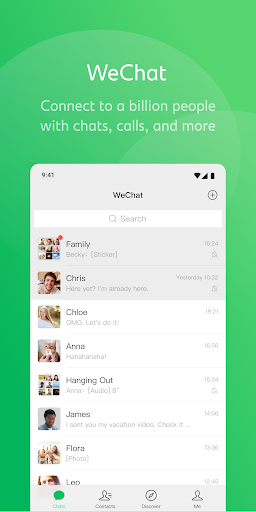
WeChat combines private messaging, voice and video calls, group chats, and a social feed in one communication app. It suits people whose friends, family, or communities already use it, especially when they want more than basic text messages. After looking closely at its range of tools, my take is that it can be a handy daily hub, though its many extra services may feel like more than some people need.
A Day Built Around Chats
When I imagine using WeChat through an ordinary day, I start with a quick text to a friend and end up sharing a photo from an outing in Moments. A voice message is useful when typing feels awkward, while location sharing can help a group find the same meeting spot. Instead of switching among separate messaging and social apps, the basic conversation and the small updates around it can live together.
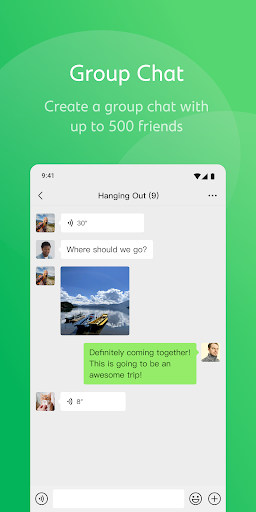
For a family or hobby group, a chat with room for as many as 500 members can keep announcements and replies in one place. If a conversation needs more than text, WeChat supports photo, voice, video, and location messages, plus voice and video calls. I like that the format can shift with the moment: a short typed answer for a simple question, or a call when a longer discussion is easier.
More Than a Messenger
Compared with a straightforward texting app, WeChat has a broader social layer. Moments gives friends a shared stream for photos and videos, while Status offers a temporary way to express a mood. Stickers add another tone to chats, and message translation can help when people use different languages. That mix makes the app more versatile than a tool focused only on sending messages, but also means there is more to explore.
I would not treat WeChat as a simple, stripped-down chat utility or assume every extra service will be useful in every region. Pay and Wallet, as well as WeChat Out calls to phone numbers, are available only in certain regions. The app is primarily about staying connected; its additional social and service features are optional layers rather than a reason everyone needs to switch from their existing messenger.
Small Habits That Help
I would start by keeping everyday conversations in individual or group chats, then use Moments for updates I want friends to see beyond one conversation. That distinction helps prevent a group thread from becoming a running photo album. For a get-together, sharing a real-time location can be more useful than sending a series of directions, particularly when people are approaching from different places.
It also helps to choose the right kind of message before sending it. A voice note can carry more context than a string of quick texts, while a video call suits a discussion that benefits from seeing one another. Stickers and custom selfie stickers can make casual exchanges feel more personal. If a friend writes in another supported language, translation is another tool to try within the conversation.
More From Our News Desk

Zoom Meetings, Google Meet, or Teams: Which Is Easiest to Join?

How I Build a Free Streaming Lineup With Tubi

Why Crunchyroll Is the Default Anime App for So Many Fans

YouTube TV: A Practical Guide to Cutting Cable

Rummikub and the Small Comfort of Phone Games

TeamViewer Remote Control or AnyDesk for Helping Family?
Who May Find It Useful
I would recommend WeChat to people whose friends, relatives, or groups already communicate there. It has enough range for everyday texts, calls, photo sharing, group coordination, and social updates, so it can cover several kinds of contact in one app. People who regularly speak with contacts in other languages may also appreciate its message and Moments translation, along with support for 18 languages.
It may be a less comfortable fit for someone who wants only a basic chat app with very few extras, or for anyone whose contacts mainly use another service. The extra payment and calling options are region-dependent, so they should not be the deciding factor without checking availability. Its Google Play rating is modest, which is worth weighing alongside its feature set and whether the people you want to reach are already there.
WeChat is developed by WeChat and is listed in the Communication category on Google Play. It has more than 100 million installs and a 2.9-star rating from around 5.9 million ratings. The app is free to download, with in-app purchases priced from $0.99 to $14.99 per item. Google Play marks its content rating as Teen.
The current version varies with device. WeChat was released on January 30, 2011, and its most recent update is dated October 21, 2026. The app does not contain ads. Payment and Wallet features, along with WeChat Out calls to mobile phones and landlines, are available only in certain regions.
How WeChat Fits Into Daily Communication
A Broad First Impression
When I first opened WeChat, the main impression was breadth: this is not just a place to send a line of text. The description brings together messaging, calls, Moments, Status, stickers, translation, and regional services. That variety can be appealing if a lot of your social life already runs through one app, but it may take a little time to decide which parts deserve a place in your routine.
I would begin with the people I actually want to contact rather than trying every feature at once. The app's core purpose is communication, and the rest makes more sense once there are friends or groups to share it with. That is a practical first step for any messenger, but especially for one that combines private conversations with a social feed and other services.
Everyday Conversations
The everyday chat options cover several common situations. Text works for quick coordination, photos help show rather than describe something, and voice messages offer a more conversational way to reply. Video and voice calls are there when a back-and-forth exchange would take too long. Group chats can hold up to 500 members, giving larger circles a shared place for messages and updates.
The call features also include group video calls for as many as nine people. I can see that being useful for catching up with a small family or planning something with a few friends who are in different places. The value is less about having a long feature list and more about being able to choose a suitable format without leaving the conversation.
Features With Personality
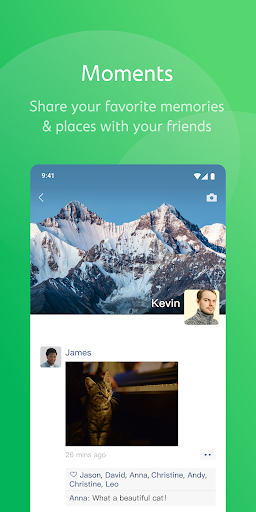
Moments is WeChat's social stream for sharing photos, videos, and other updates with friends. Status serves a different purpose: it lets someone post a mood or temporary experience. I like that the two ideas are not identical. One is suited to a broader update, while the other gives a brief snapshot of how the day feels.
The sticker gallery adds another expressive option, with animated choices and the ability to make custom stickers, including selfie stickers. Translation for friends' messages and Moments posts is also a notable tool for multilingual circles. These details give WeChat a more social and personal character than a plain inbox, without changing the fact that its core job is helping people communicate.
A Simple Social Routine
A sensible routine might be to check direct messages first, then catch up on Moments when there is time. For a group plan, I would keep practical questions in the group chat and share a location when meeting up. Afterward, a photo or short update in Moments can reach friends who were not part of that particular conversation.
This kind of separation can make a busy app easier to use. Private chat stays focused on people who need a reply, while a social post can be more of a general update. When a friend is more comfortable talking than typing, switching to a voice note or call keeps the exchange natural. None of these habits require using every part of the app.
Limits to Keep in Mind
WeChat's range can also make it feel crowded if all you need is occasional one-to-one texting. Moments, Status, stickers, and additional services add possibilities, but not everyone wants a messenger to double as a social space. I would consider whether the people I care about are active on it before making it a central part of my routine.
Regional availability is another practical limit. Pay and Wallet and WeChat Out are restricted to certain regions, so users should not assume those tools will be available wherever they live. The Google Play rating is 2.9 stars, a relatively low score that gives prospective users a reason to read current feedback and decide whether the app's particular mix suits them.
WeChat is at its most compelling when it is already part of a person's community. Chats, calls, group conversations, Moments, translation, and expressive stickers make it a flexible communication app, while region-dependent services extend it further for some users. The trade-off is a wider scope than a simple messenger needs.
I would try WeChat if friends or family use it and I wanted messaging and social updates together. If I wanted a minimal chat tool, or mainly hoped to use its regional payment and calling services, I would check the details that apply to my location before relying on it.
WeChat Frequently Asked Questions
What is WeChat used for?
WeChat is a communication app for messaging, voice and video calls, and group chats. It also lets users share photos and videos in Moments, post a Status, use stickers, share a real-time location, and translate friends' messages and Moments posts. Pay, Wallet, and WeChat Out calls are additional options available only in certain regions.
Which devices can run WeChat?
WeChat is available as an Android app through Google Play. The Android version requirement can vary by device, so check the Google Play page on the device you plan to use. The app version itself also varies with device.
What Android version does WeChat require?
The Android version requirement can vary with device and app compatibility. Check WeChat's Google Play page from your Android device for the requirement that applies to you. The version is also listed as varying with device, so the store page is the best place to check current compatibility.
Does WeChat cost money?
WeChat is free to download and includes in-app purchases priced from $0.99 to $14.99 per item. It does not contain ads. Some features, including Pay and Wallet and WeChat Out calls, are available only in certain regions, so their availability may depend on where you use the app.
Is WeChat a good fit for everyone?
WeChat may suit people whose friends, family, or groups already use it and who want chats, calls, and social updates together. It may be less appealing if you prefer a very simple messenger or your contacts use other apps. Its Google Play rating is 2.9 stars, so it is worth considering current user feedback as well.
Pros
- Combines text, photo, voice, and video messages with voice and video calls.
- Supports large group chats and group video calls for up to nine people.
- Moments, Status, stickers, and translation add useful social options.
- Free to download and does not contain ads.
Cons
- The many social and service features may feel excessive for simple messaging.
- Pay, Wallet, and WeChat Out are available only in certain regions.
- Its Google Play rating is 2.9 stars.
- Category
- Communication











