W3Schools: Learn to Code
- 2.37K
- 4.7
- Installs
- 50.00K
- Price
- Free

Screenshots
Analysis by Reviewed APKs
W3Schools: Learn to Code turns introductory programming topics into short lessons and practice questions for a phone. It suits beginners, students reviewing fundamentals, and curious people who want to test whether coding interests them before taking on a larger course. I like the idea of learning in small, repeatable sessions rather than staring down a long tutorial. The main caveat is that phone lessons are a starting point, not a substitute for building projects on a computer.
A Few Minutes Between Stops
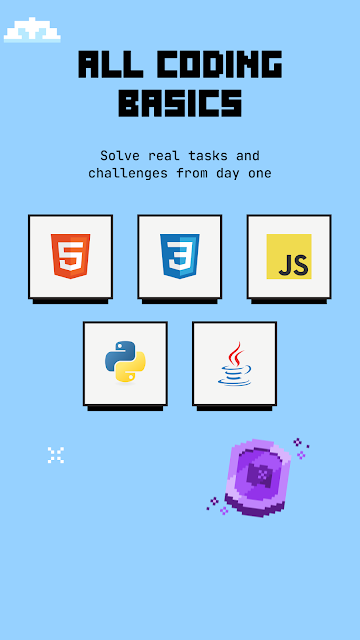
When I have a short stretch of downtime, a coding lesson is easier to begin if it does not ask me to set up a development environment first. W3Schools: Learn to Code is built around that kind of session: I can read a small section, answer a question, and try a little code practice. The lessons cover fundamentals in HTML, CSS, JavaScript, Python, and Java, so there are several useful starting points.
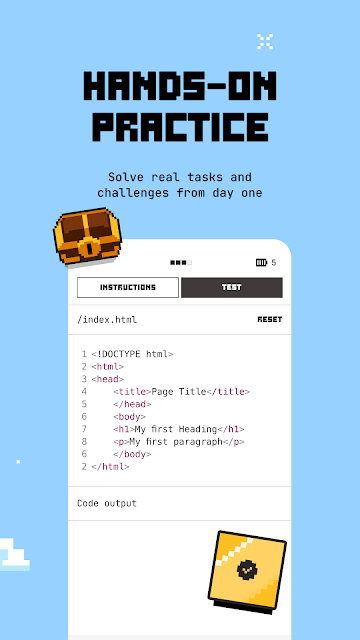
The practice gives a session more shape than simply reading a definition and closing the app. I might answer a multiple-choice question, identify an error, or fill in a missing part of code, then see an explanation if my answer is wrong. That feedback is helpful when I am still learning how the pieces fit together. Progress is saved as I go, which makes it practical to stop after one topic and return later.
A Starting Point, Not a Workbench
The obvious comparison is a browser-based tutorial or a full programming course. This app takes a more compact route: it breaks topics into brief lessons and pairs reading with quick exercises, rather than asking me to work through long videos or install an editor before getting started. That makes it approachable for a first look at programming or a refresher on basics. Its phone-sized format is also convenient for fitting learning into small gaps.
I would not treat it as a complete replacement for writing and testing a larger program on a computer. The app is designed for fundamentals, practice, and repetition; when it is time to build real projects, a computer becomes the more suitable place to work. That distinction is useful rather than a flaw, as long as expectations are clear. The app can help me get comfortable with concepts, but it is not presented as a full project-development workspace.
Make Small Sessions Count
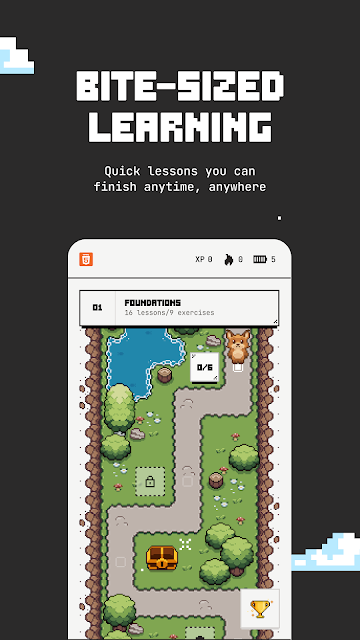
A useful habit is to pick one language and keep returning to its lessons instead of hopping between topics whenever I have a spare minute. The adventure map gives the fundamentals a route to follow, while saved progress lets me resume without trying to remember where I stopped. I can use a short session to read one idea, answer its questions, and review the explanation for anything I missed.
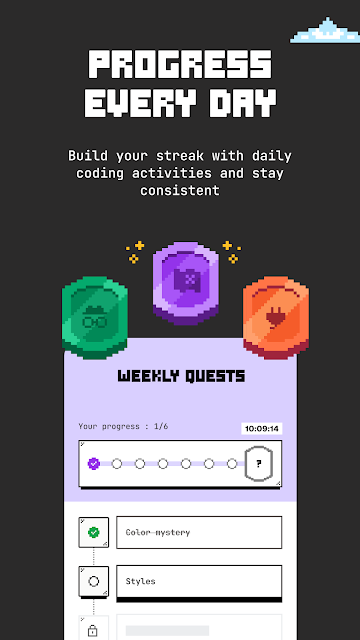
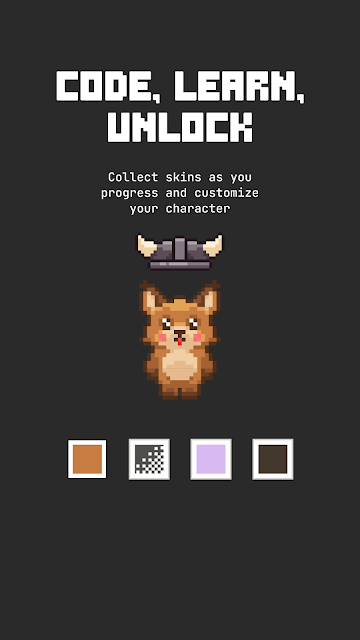
The game-like extras can add a nudge to that routine. XP, a leaderboard, daily streaks, weekly quests, and unlockable Lynx skins give lessons a sense of progress beyond simply finishing a page. I would treat those as motivation, not as a measure of how well I understand code. The most useful habit is still pausing over mistakes and making sure I understand the answer before moving on.
More From Our News Desk

Zoom Meetings, Google Meet, or Teams: Which Is Easiest to Join?

How I Build a Free Streaming Lineup With Tubi

Why Crunchyroll Is the Default Anime App for So Many Fans

YouTube TV: A Practical Guide to Cutting Cable

Rummikub and the Small Comfort of Phone Games

TeamViewer Remote Control or AnyDesk for Helping Family?
Who Might Enjoy It
I would recommend W3Schools: Learn to Code to someone who wants a gentle first encounter with programming, especially if a full course feels like too much to begin with. It is also a reasonable companion for students reviewing HTML, CSS, JavaScript, Python, or Java fundamentals, and for self-taught learners who want to revisit a topic. The short lessons and varied exercises make it easier to practice in small pockets of time.
It may be less satisfying for someone who already wants to build substantial projects or needs a phone-based coding workspace. The app focuses on learning and repetition, with a move to computer-based projects expected as skills grow. I would also keep in mind that its streaks and rewards are optional motivation; anyone who dislikes game-like progress may prefer a more straightforward reference. For a beginner exploring the basics, though, the format has a clear purpose.
W3Schools: Learn to Code is an Education app published by W3Schools. On Google Play, it has over 50,000 installs and a 4.7-star rating from 2,372 ratings. It is free to download and start using, and it contains optional in-app purchases. The listed in-app product prices range from $4.99 to $499.99 per item. The app contains no ads and has an Everyone content rating.
The current version is 1.0.7. Google Play gives its release date as August 20, 2026, and its last update as October 28, 2026. The supplied app details do not give a minimum Android version, so check the Google Play page on your device for compatibility information. The optional purchases are described as unlocking extra content and features; the app can be started without paying.
How the Lessons Work in Practice
An Easy First Step
My first impression is that the app is meant to lower the barrier to starting. Its lessons are organized around familiar programming subjects, and the format does not require a long video session or an editor setup before I can try an exercise. That makes the first interaction feel manageable: choose a topic, learn a small piece, and see whether I can apply it.
The available subjects span both web basics and general programming. HTML and CSS cover the building blocks and presentation of web pages, while JavaScript, Python, and Java introduce programming concepts and syntax. For a beginner, having those options in one place is useful, though I would still focus on one subject at a time rather than treating the list as a checklist to race through.
Lessons With Feedback
The day-to-day rhythm alternates between reading and doing. Instead of only reviewing explanations, I can answer multiple-choice questions, spot an error, or fill in missing code. That range matters because recognizing a term is not quite the same as applying it. Even a small prompt can reveal that I have misunderstood a condition or a line of code.
When an answer is incorrect, the app explains what went wrong. I find that kind of response more useful than a bare right-or-wrong result, especially early on, when a mistake can be a clue about what to review. Lessons are described as short enough for a few minutes, so this format fits a brief break better than setting aside an entire evening.
A Route With Rewards
The adventure map gives the fundamentals a sense of sequence, which can help when I am not sure what to study next. Rather than picking disconnected topics at random, I can follow a route through the material. The app also saves progress, so a disrupted routine does not mean starting a lesson over from scratch when I come back.
XP, leaderboard positions, weekly quests, and daily streaks add a light game layer. There are also skins to unlock for the Lynx avatar. These details may make a daily practice habit feel more rewarding, but I would not confuse activity with mastery: finishing a challenge is only useful if I understand the concept behind it. Happily, the exercises and explanations give me something more substantial to work with.
A Simple Study Routine
For a practical routine, I would choose a single subject based on a current need: perhaps HTML and CSS for page structure and layout, or Python for introductory programming concepts. Then I would follow the map, complete a short lesson, and take a moment to revisit any answer the app explains. This keeps each session focused instead of turning spare time into a scattershot tour of five languages.
A student could use that approach to review a course topic in short sessions, while a returning learner could use it to refresh familiar fundamentals. The streak and weekly quests may help make practice regular, but I would keep the goal modest: understand one small idea today, then continue from saved progress next time. When it is time to build a larger project, the app's own framing points toward moving to a computer.
Keep Its Scope in Mind
The biggest limitation is also part of the app's intended role: it teaches fundamentals on a phone rather than providing a full setting for larger programming projects. Short lessons can introduce ideas and help reinforce them, but they cannot by themselves replace the experience of building and testing something more substantial. I would use the app as a starting layer, then take the next step on a computer when ready.
The game elements will not appeal to everyone, and their presence does not guarantee that a learner will stay engaged. Some people prefer to study without streaks, leaderboards, or unlockables. Others may want a deeper, less bite-sized treatment from the outset. For beginners who want an approachable way to practice a little at a time, those limits are manageable, provided the app is seen as one part of learning.
W3Schools: Learn to Code makes a sensible first stop for learning programming fundamentals in short sessions. I like the mix of bite-size explanations, varied practice, and feedback, along with saved progress for picking up later. Its rewards can help establish a routine, but the real value is in working through the questions and understanding the answers.
I would recommend it to beginners, students reviewing the listed subjects, and anyone curious about coding who wants a low-commitment introduction. I would not choose it as my only tool for building larger projects. Used for what it is designed to do—practice and repetition on a phone—it is a friendly, focused starting point.
W3Schools Online Frequently Asked Questions
What is W3Schools: Learn to Code used for?
W3Schools: Learn to Code offers short lessons and practice in HTML, CSS, JavaScript, Python, and Java. Exercises include multiple-choice questions, error-spotting, and fill-in-the-blank code, with explanations when an answer is wrong. It is aimed at learning and revisiting fundamentals on a phone, rather than serving as a full environment for building larger projects.
Which devices can run W3Schools: Learn to Code?
W3Schools: Learn to Code is an Android app available through Google Play. The supplied app details do not specify a minimum Android version, so check its Google Play page on your device for compatibility. The lessons are designed for phone use, while the app's description says learners will move to a computer when they are ready to build real projects.
Does W3Schools: Learn to Code cost money?
The app is free to download and free to start learning. It offers optional in-app purchases for extra content and features; the listed purchase prices range from $4.99 to $499.99 per item. It contains no ads. Store pricing and purchase details may vary, so check Google Play for the current information before buying.
What Android version does W3Schools: Learn to Code require?
The minimum Android version is not included in the supplied app details. Since device compatibility can depend on the current app release and store information, check the Google Play page for W3Schools: Learn to Code before installing. The app is listed as an Android app and has an Everyone content rating.
Is W3Schools: Learn to Code suitable for beginners?
Yes. The lessons are intended for complete beginners as well as students reviewing course material, self-taught developers filling gaps, and people returning to programming fundamentals. Its short lessons and practice questions are designed for phone sessions. Learners who want to build substantial projects will eventually need to work on a computer as well.
Pros
- Short lessons and exercises make programming practice easier to fit into a busy day.
- Covers HTML, CSS, JavaScript, Python, and Java fundamentals in one app.
- Wrong-answer explanations and saved progress support steady learning between sessions.
- Streaks, quests, XP, and avatar skins add optional motivation.
Cons
- Phone lessons are not a replacement for building larger projects on a computer.
- Streaks, leaderboards, and game-style rewards may not suit every learner.
- The supplied app details do not state a minimum Android version.
- Category
- Education
- Version
- 1.0.7











