Blinkist: Book Summaries Daily
- 178.12K
- 4.6
- Installs
- 10.00M
- Price
- Free

Screenshots
Analysis by Reviewed APKs
Blinkist: Book Summaries Daily turns books and selected podcasts into short summaries you can read or hear when a full-length book is hard to fit into the day. I see it suiting curious people who want a quick introduction to ideas across different subjects, especially during commutes or chores. After spending time with its format and tools, my take is that it works best as a learning sampler, not a replacement for reading whole books.
A Small Learning Window
When I first opened Blinkist, I thought about the awkward gaps in an ordinary day: a bus ride, a few minutes waiting for an appointment, or the time between finishing lunch and getting back to work. A short summary gives those moments a purpose without asking me to settle in with a book. I could choose a subject, read a compact account, or listen instead when looking at a screen was inconvenient.
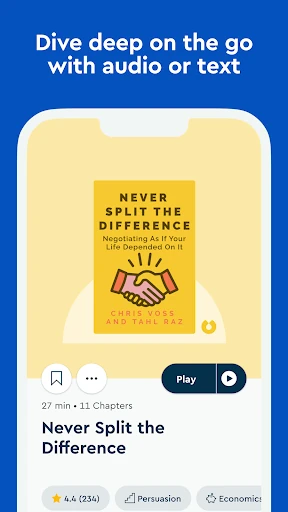
That short-session approach is the app’s central appeal. I might listen to a summary while folding laundry, then return to a text version later when I want to revisit an idea. Blinkist describes its summaries as taking around 15 minutes, which is long enough to offer a useful overview but short enough to feel manageable. It made learning easier to start, though a brief overview naturally leaves more depth for the original book.
A Sampler, Not a Library
Compared with buying a book, borrowing one from a library, or listening to a complete audiobook, Blinkist is built around quicker introductions. Its collection includes book summaries and selected podcast summaries, with both text and audio options. I found that distinction useful when I wanted to explore a topic before deciding whether I wanted to spend hours with a full-length work. It is a convenient first pass, rather than a substitute for every author’s complete argument.
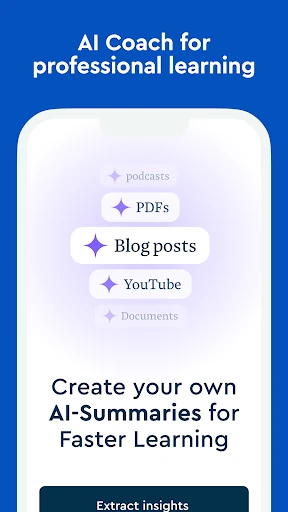
The app is less suited to someone who wants detailed reference material or the full context and evidence of a book. A concise summary has to select and compress, so it cannot preserve every example, qualification, or point of view. Blinkist also offers personalized learning paths, daily insights, Guides, offline downloads, Send-to-Kindle, and, with Pro, AI summaries of articles, PDFs, and videos. Those broaden its uses, but the main experience remains short-form learning.
Make Short Sessions Count
I got more from Blinkist when I treated it as a small routine instead of an ambitious reading project. Picking one subject or goal gave the recommendations a direction, and a short session felt easier to return to the next day. The app’s personalized learning paths are designed to help with that kind of focus. I could use one to explore a theme rather than browsing a large collection without knowing what I wanted.
A practical habit is to match the format to the moment. I would read when I had a quiet few minutes and listen when my hands were busy or I was on the move. Downloading summaries ahead of a trip helps when I expect to be offline. Daily quotes and insights can also offer a quick starting point, while a Guide is there when I want to spend longer with a topic.
More From Our News Desk

Zoom Meetings, Google Meet, or Teams: Which Is Easiest to Join?

How I Build a Free Streaming Lineup With Tubi

Why Crunchyroll Is the Default Anime App for So Many Fans

YouTube TV: A Practical Guide to Cutting Cable

Rummikub and the Small Comfort of Phone Games

TeamViewer Remote Control or AnyDesk for Helping Family?
Who Will Get the Most From It
I’d recommend Blinkist to people who are curious about nonfiction and want a low-friction way to sample ideas across subjects. It can suit a busy reader who struggles to set aside a long block of time, a commuter who prefers audio, or someone deciding which books deserve a deeper read. The mix of short text and audio summaries makes it flexible, while learning paths can give casual browsing a little more structure.
It may not suit readers who want complete books, careful source detail, or a substitute for sustained study. Summaries are necessarily selective, and a 15-minute overview cannot provide the same experience as following an author’s full reasoning. Someone who prefers to read only long-form books may not use the format enough to justify a paid plan. I’d treat Blinkist as a useful companion to reading, rather than a reason to stop reading books.
Blinkist: Book Summaries Daily is an Education app from Blinks Labs GmbH. On Google Play it has over 10 million installs and a 4.6-star rating from about 178,000 ratings. The app is free to install and contains no ads. Its content rating is Everyone. The current version in the provided app information is 10.10.13.
The app offers in-app purchases, with listed items ranging from $0.99 to $439.99 each. The description also mentions a free seven-day trial with unlimited access to features; check Google Play for current offer and subscription details. Blinkist first released on August 29, 2014, and its recorded last update was October 29, 2026. A minimum Android version is not included in the available app details, so check Google Play for device compatibility.
How Blinkist Fits Into Everyday Learning
A Clear Starting Point
My first impression was that Blinkist is organized around a simple promise: get into an idea without committing to an entire book. The choice between reading and listening makes that promise feel practical, not just quick. Rather than requiring a single study setting, it gives me a way to use a quiet moment at home or keep learning while doing something routine.
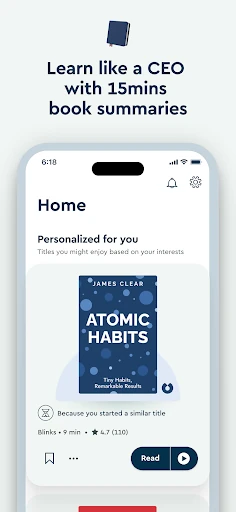
Personalized learning paths provide a more directed way in than simply picking a title at random. I can set goals and use the recommendations to explore areas such as personal growth, business, or science. That is helpful when I know the kind of subject I want but do not have a particular book in mind. It also makes a short session feel like part of a broader interest.
The Daily Rhythm
Day to day, the biggest decision is whether I want to read or listen. Text works when I can focus on the screen and pause to think about a point. Audio works better when I am walking, commuting, exercising, or handling chores. I liked being able to choose based on the moment rather than treating learning as something that always requires a desk and uninterrupted attention.
The short format helps me start, but it also asks me to be realistic about what I have learned. A summary can introduce a book’s central ideas quickly; it is not the same as remembering every detail or being ready to apply an idea in a complicated situation. I found it most useful as a way to stay curious and discover topics, rather than as a shortcut to expertise.
Useful Ways to Explore
The library’s breadth is one of the features that stands out. Blinkist describes more than 7,500 book summaries, alongside summaries of top podcasts, and covers areas including business, personal growth, and science. That range makes the app useful for following a specific interest or trying something outside my usual reading. A collection of this size can feel more approachable when recommendations and curated collections help narrow the choices.
Audio and text versions give the same basic learning format different settings. Offline downloads are useful for preparing material before a journey or another period without Wi-Fi. For people who prefer a Kindle for reading, the Send-to-Kindle feature offers another way to use summaries. These tools are practical extensions of the core experience: short learning that can travel with me.
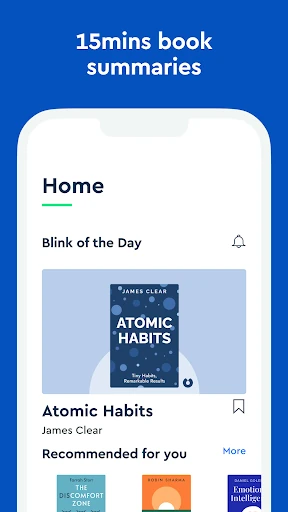
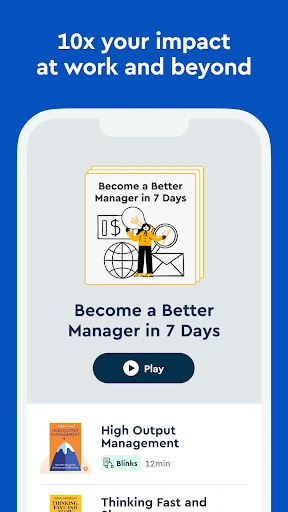
Blinkist also includes daily quotes and insights and expert-led audio Guides that go further into topics such as leadership, mindfulness, and personal growth. Blinkist Pro adds AI tools for summarizing articles, PDFs, and videos. These features offer more than book summaries, but they sit alongside the central idea of making material easier to approach in limited time.
A Routine That Works
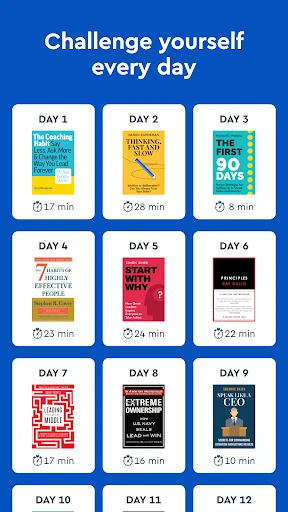
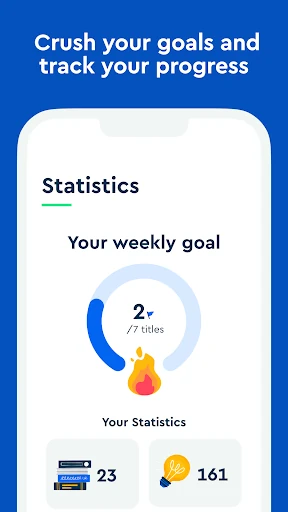
A routine I would use is to choose a learning goal at the start of the week, then set aside one short session when it naturally fits my schedule. I might read during breakfast one day and listen while doing chores another. That removes the pressure to find the perfect uninterrupted hour. If a topic catches my interest, I can treat the summary as a prompt to seek out the full book.
For travel, I would download a few summaries in advance so I am not relying on a connection. I could start with a daily insight when I only have a minute, then move to a full summary or Guide when I have longer. The important part is keeping the routine modest. Blinkist works better as a repeatable small habit than as a large backlog I expect to clear all at once.
Keep the Format in Perspective
The main limitation is built into the format: compression means selection. A summary cannot retain every nuance, example, or supporting detail from a book. If I need a thorough understanding of an author’s case, I would want the complete work. Blinkist is better for an overview, a quick refresher, or deciding whether a subject deserves more attention.
There is also a difference between sampling material and building a lasting practice. Short sessions lower the barrier to learning, but simply moving through summaries does not guarantee that ideas will stick. I would pause to reflect or follow up on the subjects that matter to me. The paid options and Pro features may be useful for some routines, but the range of in-app purchase prices makes checking the current offer worthwhile before subscribing.
Blinkist makes it easier to fit short-form learning into ordinary routines. Audio, text, learning paths, offline downloads, and its broader collection give it several practical ways to serve that purpose. Its best role is as a starting point: a way to explore an idea or decide what deserves more time.
I’d recommend trying Blinkist if you enjoy learning in brief sessions and are comfortable with summaries rather than full books. If depth and detail matter more than convenience, stick with complete books as your main format. For curious readers with busy days, Blinkist can be a useful companion, provided its concise approach is a feature rather than a compromise.
Blinkist Frequently Asked Questions
What is Blinkist: Book Summaries Daily used for?
Blinkist is used to explore ideas through short summaries of books and selected podcasts. You can read or listen, follow personalized learning paths, and use daily quotes and insights for brief sessions. It also offers expert-led audio Guides, offline downloads, and Send-to-Kindle. Blinkist Pro includes AI summaries of articles, PDFs, and videos.
What devices can I use Blinkist on?
The app information provided here is for Android, and Blinkist is available on Google Play. Its description also mentions sending summaries to Kindle devices. Check the Google Play page and the relevant device store for current compatibility and availability, since supported devices and platform options can vary.
What Android version does Blinkist require?
The minimum Android version may vary by release and device. Check the Blinkist page on Google Play for the current requirement before installing. The app information gives version 10.10.13, but that does not by itself establish which Android versions are supported.
Is Blinkist free, and does it have in-app purchases?
Blinkist is free to install, has no ads, and offers in-app purchases. Listed purchase prices range from $0.99 to $439.99 per item. The app description mentions a free seven-day trial with unlimited access. Trial availability, subscription terms, and current prices can vary, so check Google Play before starting.
Is Blinkist suitable for learning a subject in depth?
Blinkist can help you sample a subject and get a concise overview, but its summaries are not complete books. It may suit curious readers who want flexible short sessions or a way to choose what to read next. If you need full context and detail, the original books are a better fit.
Pros
- Read or listen to summaries, making short learning sessions easy to fit into everyday routines.
- Personalized learning paths and curated collections help narrow a broad range of subjects.
- Offline downloads and Send-to-Kindle offer practical ways to use summaries away from the app.
- Daily insights and audio Guides give the short-summary format additional ways to explore ideas.
Cons
- Short summaries necessarily leave out context, detail, and parts of an author’s argument.
- In-app purchase prices span a wide range, so current subscription terms are worth reviewing.
- The format is less suited to readers who want complete books or in-depth study.
- Category
- Education
- Version
- 10.10.13