Voloco: Auto Vocal Tune Studio
- 416.17K
- 4.6
- Installs
- 50.00M
- Price
- Free
Screenshots
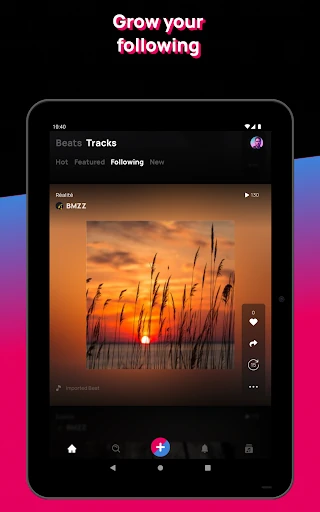
Analysis by Reviewed APKs
Voloco: Auto Vocal Tune Studio is a mobile recording app for singers, rappers, and creators who want to shape vocals without starting with desktop production software. I like its focus: record over a beat, try real-time tuning and vocal effects, and make a clip or demo on the same device. It offers plenty to explore, though its tools and effects may take some experimenting to suit your sound.
A quick vocal session
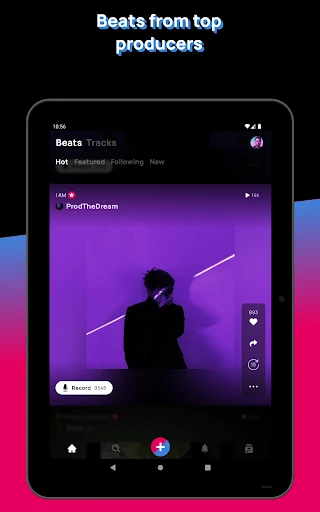
When I want to try out a melody before I forget it, a phone-based vocal studio makes more sense than setting up a full recording space. In Voloco, I can choose a beat from the app or bring in one of my own, then sing or rap while effects process my voice. That gives a rough idea of how a phrase might sit in a track without turning a casual idea into a big production session.
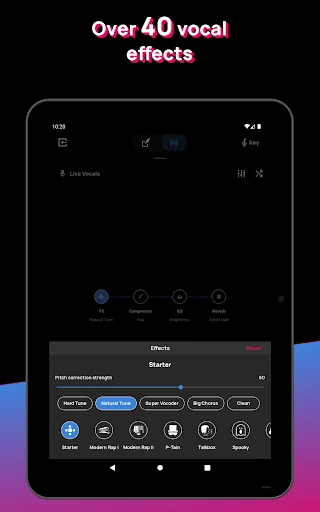
The real-time effects are central to that experience. Pitch correction can help shape a vocal as I record, while harmonies, vocal changes, and other effects offer different directions to try. The app also describes automatic background-noise removal, which is useful when a quick recording happens somewhere less than studio quiet. I would treat the result as a starting point for a song or clip, rather than assuming every take will need no further work.
A mobile studio, not a DAW
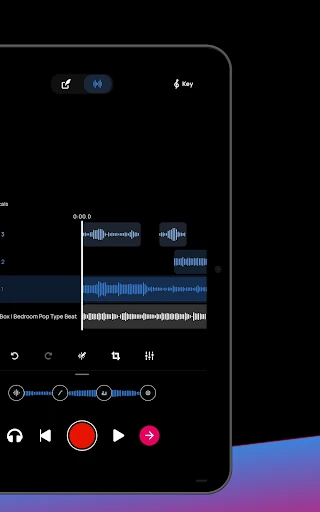
Voloco sits between a simple voice recorder and a more involved music production setup. A basic recorder captures a voice, but this app is built around recording vocals with effects and beats in mind. It can also export clean vocals as WAV or AAC for further mixing, so a recording can become one piece of a larger project instead of staying on the phone as a finished clip.
It is not a replacement for every part of desktop production, and I would not pick it when the main job is detailed arrangement or broad music editing. Its strongest case is the vocal: record, tune, change the character, and try the voice against a beat. Content creators may also use its video recording and vocal effects together. That focus is helpful, as long as you come for vocal work rather than an all-purpose studio.
Make experiments repeatable
I get more out of an effects-based recording app when I treat each attempt as a small experiment. I might record the same short line with a natural tuning sound, then try a harmony or a more obvious voice change. Keeping the phrase and beat steady makes it easier to hear what the effect is doing, rather than confusing a new performance with a new sound.
For a more deliberate session, I would choose a beat first, let Voloco detect its key, and then record a few takes before settling on one. Auto Mix can balance vocals against a beat, while Auto Master is intended to optimize loudness, clarity, and balance. Those one-tap tools suit a fast draft, but I would still listen back and decide whether the result fits the track I am making.
More From Our News Desk

Zoom Meetings, Google Meet, or Teams: Which Is Easiest to Join?

How I Build a Free Streaming Lineup With Tubi

Why Crunchyroll Is the Default Anime App for So Many Fans

YouTube TV: A Practical Guide to Cutting Cable

Rummikub and the Small Comfort of Phone Games

TeamViewer Remote Control or AnyDesk for Helping Family?
Who will enjoy Voloco
I would recommend Voloco to singers and rappers who want to sketch ideas on a phone, and to creators who need a treated voice recording or a video with vocal effects. It also makes sense for musicians who want to capture vocals before moving them into another workflow. The combination of beats, real-time processing, and audio export gives casual experiments a clear path toward a more developed project.
It may be less satisfying for someone who wants a plain recorder with no effects, or a comprehensive production environment for every instrument and editing task. The many sound choices also mean that getting a vocal to feel natural may take some trial and error. If you enjoy auditioning effects and building a sound around a performance, that exploration is part of the appeal; if you want everything to happen automatically, it may feel like extra work.
Voloco: Auto Vocal Tune Studio is a Music & Audio app from Resonant Cavity Inc. On Google Play, it has over 50 million installs and a 4.6-star rating from around 416,000 ratings. The app is free to download and contains ads. Its content rating is Teen, and the listed release date is January 2, 2011.
The app offers in-app purchases, with listed items ranging from $0.99 to $69.99 each. Its version varies with device, so there is no single version number to cite for every phone. The listed last update date is October 13, 2026. Android requirements can vary by device, so check the Google Play store page for the requirement that applies to your phone.
A closer look at making vocals
First takes on a phone
When I first opened an app built around vocal recording, I wanted to know whether it could help me get from a loose idea to something worth replaying. Voloco’s approach is direct: its central ingredients are a voice, a beat, and effects applied during recording. That makes it easier to think in terms of a small musical idea rather than a lengthy session with unfamiliar production tools.
A useful first test is a short vocal phrase over one of the available beats. The app can detect the beat’s key, and real-time effects let me hear a changed vocal as I perform. I would start with a brief take and adjust the sound from there. It is a practical way to learn what the processing does before committing to a full verse or recording a video.
The daily recording loop
The everyday loop is simple to picture: pick a beat, record a vocal, listen back, and try another treatment if the first one does not land. Voloco supports recording vocals or video with effects in real time, so it can serve both a musical sketch and a short performance clip. That immediacy is useful when I have a line in mind but do not want to wait until I am near a larger setup.
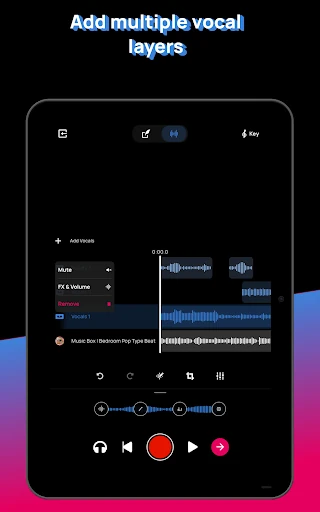
For a recording that needs more attention, I can work with audio or video that was already recorded and apply voice effects afterward. The app also supports separating vocals from existing songs or videos. Those options widen the workflow beyond a live take, though the main point remains vocal-focused editing rather than general-purpose media production.
Effects with different jobs
Voloco offers more than 50 voice effects across 12 curated packs, including natural-sounding tuning, harmonies, voice changers, vocoders, and rap-oriented presets. I would not treat that range as a promise that every effect suits every voice. Its value is that I can move between subtle correction and a more stylized performance, then choose the treatment that supports the mood of a particular line.
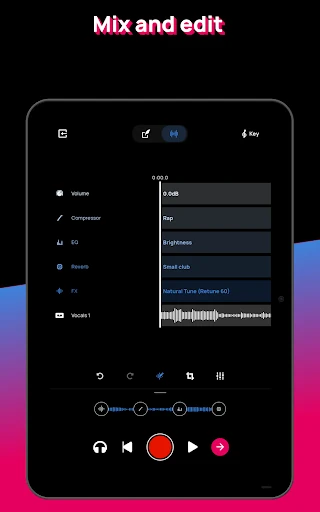
The additional mix and lyric tools address different stages of making a track. Auto Mix is designed to balance vocals against a beat in one tap, and Auto Master aims to optimize loudness, clarity, and balance. Auto Lyrics can generate lyrics from a prompt or transcribe a recording. Together, these tools can help with a quick draft, but the best use is still to review what they produce rather than accepting it without listening.
A practical creator routine
For a quick demo, I would begin by choosing a beat from the in-app selection or importing one, then record a few short vocal takes. Since Voloco detects the beat’s key, I can use that as part of the tuning workflow instead of guessing where to start. I would compare a natural treatment with a more distinctive effect, especially if I am not yet sure what character the song needs.
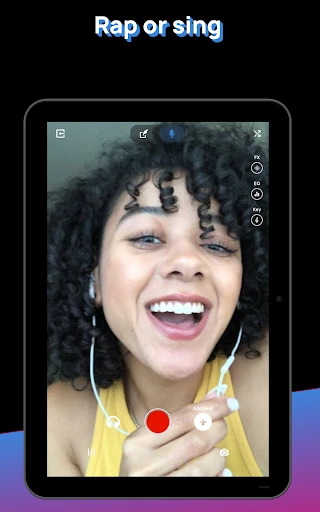
For a creator making a performance clip, recording video with vocal effects keeps the voice treatment part of the capture itself. For a track that will be mixed elsewhere, exporting clean vocals as WAV or AAC gives me a way to carry the performance forward. I would keep the session focused: capture the idea first, then use the mixing or mastering tools only if they help the next step.
Keep the limits in mind
A large effects selection can make the first session feel more like auditioning sounds than simply recording. That is not necessarily a flaw, but it does mean I would give myself time to compare options. Pitch correction and voice effects can change the character of a performance, so anyone seeking an untouched vocal recording should be clear about whether processing is what they want.
Voloco is focused on vocals, beats, and related creator tasks. It offers exporting for further mixing, but that also hints at a sensible boundary: some projects will benefit from work beyond the app. The free app contains ads and offers in-app purchases, which are worth keeping in mind when deciding how much of the experience suits your routine.
Voloco makes a convincing case as a pocket vocal studio: it combines recording, real-time effects, beats, and useful ways to continue working with a take. I especially like how it can support both a quick musical sketch and a creator’s treated voice clip without requiring the same kind of setup as a desktop session.
I would try it if recording vocals, rapping over beats, or shaping a performance video is part of your routine. It is less compelling as a plain recorder or a complete production suite. Start with a short take, explore the effects at your own pace, and use the export options when a promising idea needs more work.
Voloco Frequently Asked Questions
What is Voloco: Auto Vocal Tune Studio used for?
Voloco is used to record and shape vocals, including singing or rapping over beats with tuning and other voice effects. It also supports recording video with effects, applying effects to existing audio or video, and exporting vocals as WAV or AAC. Its focus is vocal recording and related creator work rather than every part of music production.
Which devices can run Voloco: Auto Vocal Tune Studio?
Voloco is an Android app available through Google Play. The Android version requirement can vary by device and is worth checking on its Google Play store page before installing. The version is also listed as varying with device, rather than having one version number that applies to every phone.
Does Voloco: Auto Vocal Tune Studio cost money?
Voloco is free to download and contains ads. It also offers in-app purchases, with listed items ranging from $0.99 to $69.99 each. The available purchase details can vary, so check the Google Play store page for current pricing and options before deciding whether to buy anything.
Can Voloco: Auto Vocal Tune Studio record video?
Yes. Voloco describes recording video while using vocal effects in real time, which can suit a performance clip or other creator content. It can also apply effects to pre-recorded audio or video. The app is aimed at vocal-centered recording and processing, not broad video editing.
Who is Voloco: Auto Vocal Tune Studio best for?
It is a good fit for singers, rappers, musicians, and content creators who want to record vocals with tuning or other effects on a phone. Someone looking for a simple, unprocessed voice recorder or a complete music production environment may prefer a different kind of tool. Whether its effects suit your style is easiest to judge by trying a short recording.
Pros
- Records vocals and video with real-time effects for quick musical or creator-focused sessions.
- Offers beats, key detection, tuning, harmonies, and voice-changing effects in one app.
- Exports clean vocals as WAV or AAC for further mixing elsewhere.
- Includes one-tap tools for vocal-beat balancing and track mastering.
Cons
- The wide range of effects can take time to audition and match to a vocal.
- Its vocal-centered focus does not make it a complete music production environment.
- The free app contains ads and offers a wide range of in-app purchase prices.
- Category
- Music & Audio











