Voice to text
- 18.25K
- 4
- Installs
- 1.00M
- Price
- Free
Screenshots
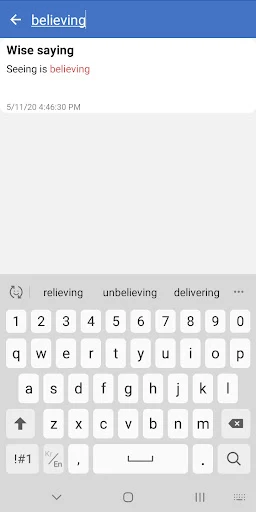
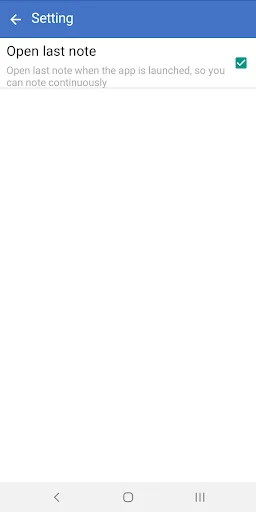
Analysis by Reviewed APKs
Voice to text turns spoken words into notes, messages, and longer pieces of writing, with continuous speech recognition and tools for editing and sharing. I see it suiting people who would rather talk than type, especially when they want to capture a thought quickly or draft a long note hands-free. Its appeal is its straightforward focus; it is a practical dictation tool, not a full writing suite.
Catch a thought on the go
When I have an idea while my hands are busy, opening a speech-to-text app can be more useful than trying to type it one-handed. Voice to text is built for that simple exchange: speak, watch the words appear, and keep going. Its continuous recognition and notes without a stated length limit make it suitable for a quick reminder as well as a longer draft.
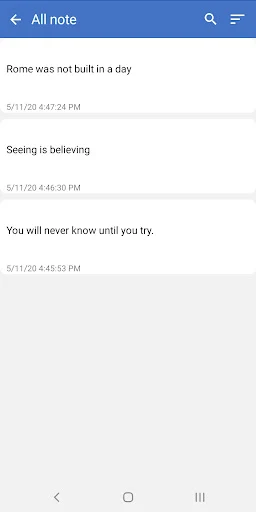
I can also picture using it to rough out an email during a quiet moment, or to dictate a to-do list before starting the day. The app supports editing while dictating, so a correction does not have to wait until the end. Auto-saving is useful in this kind of stop-and-start routine, though I would still read through any important text before sharing it.
A focused alternative to typing
Compared with typing each word on a phone keyboard, dictation can make it easier to get a first draft down when the thought is moving faster than my thumbs. Voice to text also supports sharing notes through other apps and exporting text to a file, so the result can move beyond the app when I need it to.
That focus is also a boundary. The description centers on speech recognition, notes, editing, and sharing; it does not present the app as a full document editor or a meeting-recording service. I would choose it for spoken drafts and everyday notes, not assume it can transcribe an existing audio recording or manage a complex writing project.
Make dictation easier
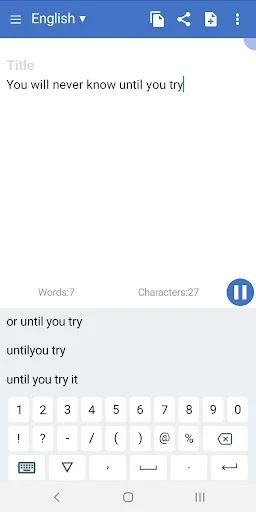
A useful habit is to speak in complete thoughts, then pause to check the text before continuing. Voice to text includes auto spacing and lets me edit during dictation, which can keep a note readable without turning every sentence into a separate chore. The word and character counts offer a quick way to gauge the length of a draft.
For names or recurring terms that speech recognition may handle inconsistently, the custom dictionary is worth exploring. The app also presents possible recognition candidates, giving me a chance to choose among alternatives when a word is unclear. Changing the language is another practical step before a session, particularly if I am dictating in a different language than usual.
More From Our News Desk

Zoom Meetings, Google Meet, or Teams: Which Is Easiest to Join?

How I Build a Free Streaming Lineup With Tubi

Why Crunchyroll Is the Default Anime App for So Many Fans

YouTube TV: A Practical Guide to Cutting Cable

Rummikub and the Small Comfort of Phone Games

TeamViewer Remote Control or AnyDesk for Helping Family?
Who may find it useful
I would recommend Voice to text to Android users who often make notes, draft messages, or compose longer passages by speaking. It is especially appealing if typing on a small screen feels slow and you want a simple way to capture words, edit them, and share the result. The custom dictionary, language selection, and text counts add helpful controls without changing the app’s core purpose.
It may be less suitable if you want a complete writing or document-management workspace, or if your main goal is to convert existing recordings into transcripts. Those jobs are not the focus described for this app. Anyone who prefers to revise every sentence as they type may also find dictation less natural. As with speech recognition generally, I would check the finished text rather than assume every word came through exactly right.
Voice to text is a free Android tools app from maruar. On Google Play it has over 1 million installs and a 4.0-star rating from around 18,000 ratings. The app contains ads, and the provided store facts show no in-app purchases. Its content rating is Everyone.
The current version in the provided facts is 1.2.46. The app was released on May 12, 2020, and its last update was September 28, 2025. The minimum Android version is worth checking on Google Play, since it can vary with the device and app version.
A closer look at everyday dictation
A simple first impression
When I first opened the idea of Voice to text, what stood out was how clearly it sticks to one job: turning speech into text. There is no need to treat it as a broad productivity system. The description points to notes, messages, and longer writing, so I would approach it as a place to dictate a draft and then decide what to do with that text.
Before starting, I would set the recognition language to match what I plan to say. That small check can help avoid an avoidable mismatch between speech and text. The app supports changing language, but the specific languages available are worth checking in the app. Once that is sorted, the basic routine is easy to understand: speak, review, and edit.
The daily dictation loop
The core experience is a continuous stream of speech recognition rather than a tool described as limited to a short phrase. That makes it plausible for drafting an essay, report, or longer note in one sitting. Auto spacing helps keep the result from becoming a wall of words, while editing during dictation gives the user a way to fix a phrase without abandoning the flow.
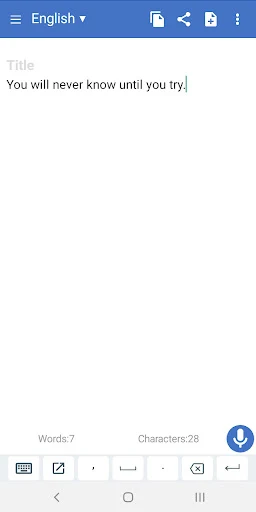
In everyday use, I would treat the text as a working draft, not a finished piece. Names, punctuation, and awkwardly phrased sentences deserve a pass before I share anything important. The app’s word and character counts are modest but useful finishing aids, especially when I want to keep a note concise or see how much I have dictated.
Useful tools beyond speech
One feature I appreciate is the option to see possible recognition candidates. If a spoken word is interpreted in more than one way, that gives me a route to choose the intended version rather than simply accepting the first result. The custom dictionary is another practical inclusion for terms I use repeatedly and want to handle more consistently.
The app also covers the next step after dictation. It can share notes through other apps, including email and messaging options, and it can export text to a file. That makes it easier to move a draft into a workflow I already use instead of treating the note as something that must stay in one place.
A routine for longer notes
For a longer piece, I would start by selecting the language, then dictate a few sentences at a time. Pausing to review each section can make it easier to catch a mistaken word while the original thought is still fresh. Since the app supports editing while dictating, corrections can fit into the process instead of becoming a separate cleanup session.
At the end, I would use the counts as a quick check, make a final edit, and either share the note or export it as a text file. Auto-saving supports a stop-and-resume approach when a household interruption or another task breaks concentration. This is a simple routine, but it matches the app’s strengths: capture spoken words, tidy them up, and pass them along.
Keep expectations grounded
Speech recognition still depends on the words being understood correctly, so I would not send a dictated message without reviewing it. The app offers recognition candidates and editing, which are helpful, but they do not remove the need for a human check. That matters most for names, detailed instructions, or any text where a small wording mistake could cause confusion.
Voice to text is also a focused note app, not a substitute for every kind of writing tool. The description does not make it a service for transcribing prerecorded audio or a full-featured document editor, so I would not choose it on that assumption. Ads are present, too, which is worth keeping in mind if I prefer an uninterrupted interface.
Voice to text makes sense as a practical Android option for turning spoken ideas into editable notes and messages. I like that it pairs continuous dictation with auto-saving, counts, a custom dictionary, and ways to share or export text. It is not complicated in concept, and that focused approach is its main strength.
I would try it if dictation is already part of my routine or if typing long notes on a phone is a chore. I would skip it if I need an all-in-one writing workspace or automatic transcription of audio files. Either way, review the recognized text before relying on it.
Voice to text Frequently Asked Questions
What is Voice to text used for?
Voice to text is used to turn speech into text for notes, messages, email, and longer writing such as essays or reports. It supports continuous recognition, editing while dictating, and sharing or exporting notes. It is described as a speech-to-text note app, rather than a general document suite.
Which devices can run Voice to text?
Voice to text is an Android app available through Google Play. The minimum Android version can vary with the device and app version, so check the app’s Google Play page for the requirement that applies to your phone or tablet.
Does Voice to text cost money?
The app is free to install and the provided facts show no in-app purchases. It does contain ads. Store details can change, so check Google Play for the current cost and purchase information before installing.
Can Voice to text handle long dictation?
The app describes continuous speech recognition and says notes have no size or length limit. It is intended for both short text and longer notes. Recognition results should still be reviewed, and the languages available can be checked in the app.
Who is Voice to text best for?
It may suit people who want to dictate notes, to-do lists, messages, or longer drafts instead of typing them on a phone. It may be a poor fit for someone seeking a full document editor or a tool specifically for transcribing existing recordings, since those are not described as its focus.
Pros
- Continuous dictation supports both quick reminders and longer notes.
- Users can edit while speaking and rely on auto-saving.
- Custom dictionary and recognition candidates help refine dictated text.
- Notes can be shared or exported as text files.
Cons
- Ads are present in the free app.
- Recognized text still needs a careful review before sharing.
- Its focused note-taking role may not suit broader document workflows.
- Category
- Tools
- Version
- 1.2.46











