Vivitar Smart Security 2
- 4.47K
- 1.7
- Installs
- 100.00K
- Price
- Free
Screenshots

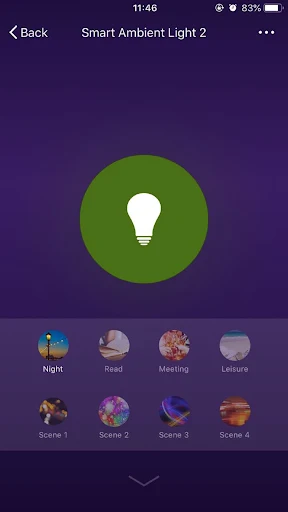
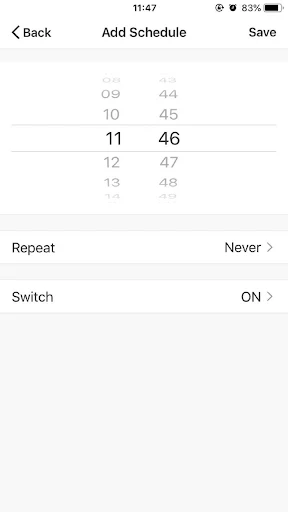
Analysis by Reviewed APKs
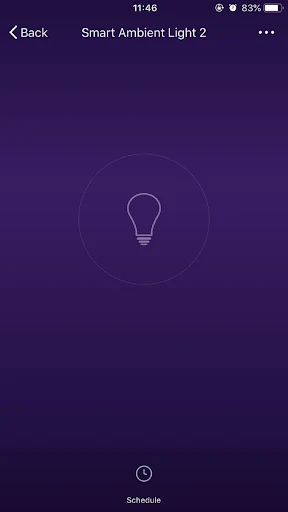
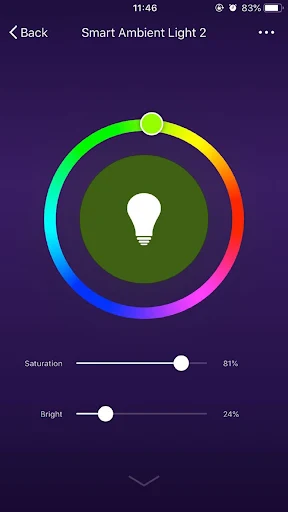
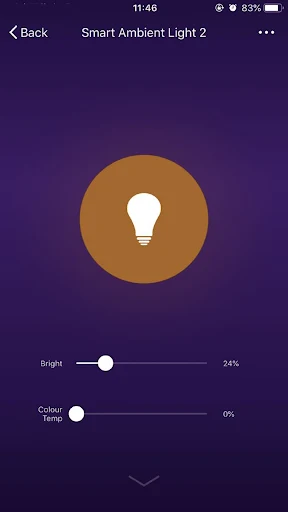
Vivitar Smart Security 2 is a companion app for controlling compatible smart-home devices remotely, managing several devices together, setting timers, and sharing device access with family. I see its appeal in the simple, practical chores it promises to handle: checking in from away or arranging a device to act later. It is focused rather than a general home-management hub, so its usefulness depends on having compatible devices.
A quick check from away
Picture leaving home in a hurry and wanting to check or adjust a connected device while you are out. Vivitar Smart Security 2 is built around that sort of remote control: the app gives you a way to manage compatible smart-home devices from a distance. The appeal is straightforward. Instead of needing to be beside each device, you can use one app for the controls it supports.
That job is most useful when it removes a small interruption from the day. I could imagine opening the app between errands to manage a device, then setting a timer for a later task rather than remembering to return to it. The app also supports controlling multiple devices together, which could make a collection of compatible products less fiddly than switching among separate controls.
A focused device companion
Compared with a broad smart-home platform, Vivitar Smart Security 2 comes across as a narrower companion for its compatible devices. Its listed tools are remote control, simultaneous control of multiple devices, timers, device sharing, and a connection process described as easy. That is a practical set for basic device management, but it does not establish that the app can replace every control system or work with every brand.
It is also not a general home-security service in the sense of a staffed monitoring center or emergency response tool. The available description supports device control, not claims about alarms, camera feeds, motion alerts, or emergency services. I would treat it as an app for managing compatible equipment, rather than assuming it provides a complete security setup or a particular kind of monitoring.
Make the controls routine
A little organization can make a device-control app easier to live with. I would start by connecting the compatible devices I actually expect to use, then check which ones can be controlled together. The simultaneous-control option is especially relevant if several devices often need the same attention. Keeping the app’s role clear helps avoid opening it for tasks it is not designed to handle.
Timers are worth considering for repeated tasks that otherwise depend on memory. Rather than treating the app as something to open only when a device needs attention, a user could set a timer for an appropriate function and let that schedule do some of the remembering. Device sharing is another useful household habit: one tap can share devices with family members, so control need not stay with one person.
More From Our News Desk

Zoom Meetings, Google Meet, or Teams: Which Is Easiest to Join?

How I Build a Free Streaming Lineup With Tubi

Why Crunchyroll Is the Default Anime App for So Many Fans

YouTube TV: A Practical Guide to Cutting Cable

Rummikub and the Small Comfort of Phone Games

TeamViewer Remote Control or AnyDesk for Helping Family?
Who may find it useful
I would recommend Vivitar Smart Security 2 to someone who already has compatible smart-home devices and wants a single place for remote control, timers, and family sharing. It makes the most sense for a household that values simple device management over a long list of advanced features. If several people need access, the sharing function gives the app a practical role beyond one person’s phone.
It may not suit someone who expects broad compatibility, detailed security monitoring, or features beyond the listed controls. The app’s purpose is closely tied to compatible devices, so it is less compelling if you do not own any or are looking for a full-featured home automation system. Before relying on it for a particular device, check the store information and device compatibility details.
Vivitar Smart Security 2 is a free Android app from Sakar International, Inc. Google Play shows over 100,000 installs and a 1.7-star rating from 4,469 ratings. Its content rating is Everyone. The app is listed as version “Varies with device,” so the installed version can depend on the device.
The app is free to download, with no in-app purchases or ads indicated in the provided facts. It was released on March 27, 2019. A minimum Android version and a most recent update date are not included in the available app facts, so it is sensible to check Google Play for current device requirements.
The everyday work of device control
A simple starting point
When I first opened the idea of this app, its purpose seemed easy to grasp: connect compatible devices and manage them from a phone. The description emphasizes an easy connection process, though the actual setup will depend on the device being paired. That straightforward role is a plus for people who want controls rather than a complicated planning system.
The first useful question is not how many options the app has, but whether the equipment you own is compatible. Once that is clear, the stated connection feature gives you a route into remote device control. I would approach setup one device at a time, so it is clear which controls belong to which product.
Controls in daily life
The core experience is about making device control available away from the device itself. That can be handy in ordinary moments: you are out for the day, thinking about a connected device at home, and want to manage it without going back. The app also supports controlling multiple devices simultaneously, which may reduce repeated taps when several products need attention.
Timers add a different kind of convenience. Remote control is useful when a decision comes up in the moment; a timer can help with a task you already know you want to happen later. I like that these are distinct uses rather than one feature doing everything. Still, the description does not specify which functions can be timed, so that depends on the compatible device.
Sharing and timers
Device sharing is one of the more household-friendly parts of the feature set. A one-tap sharing option is described for making devices available to family members. That can spare one person from being the only household member able to use the app’s controls. It is a small feature, but shared access can matter in everyday routines.
The other useful combination is timers alongside remote and simultaneous control. A timer can suit a predictable task, while remote control handles the unexpected moment when you want to act now. I would think of the app as a modest control center for those jobs, not as a promise that every connected product has identical scheduling or sharing options.
A practical household routine
A sensible routine might begin with connecting the devices the household uses regularly, then deciding which ones make sense to control together. For example, if more than one compatible device needs attention at the same time, simultaneous control could make that check quicker. After that, timers can take care of appropriate repeatable tasks, leaving remote controls available for changes in the moment.
Sharing can make that routine easier to maintain when several family members use the same devices. I would keep the setup intentional: share access with the people who need it, and avoid treating the app as a catch-all for unrelated home tasks. This kind of small, repeatable workflow is where the described feature set feels most useful.
Keep expectations in check
The main limitation is that the app’s value depends on compatible devices. Without them, the remote controls, timers, and sharing features have little to work with. Even with compatible products, the available description does not promise that every device supports every function, so it is worth checking compatibility before building a routine around a particular control.
I would also avoid assuming that “security” in the name means a complete security service. The supported description here is about controlling smart-home devices, not verified camera, alert, or monitoring features. The Google Play rating is 1.7 stars from 4,469 ratings, a notably low score that makes checking recent user feedback a sensible step before deciding whether it suits your setup.
Vivitar Smart Security 2 has a clear, practical purpose: manage compatible devices remotely, control several together, set timers, and share access with family. Those tools could fit naturally into a household routine, especially when more than one person uses the same equipment. The app’s usefulness, though, rests on device compatibility and the specific controls those devices support.
I would consider it if I already owned compatible Vivitar smart-home products and wanted these basic controls in one place. I would be more cautious if I expected a complete security platform or broad compatibility. The low Google Play rating is another reason to read current feedback and confirm device support before making it part of a daily routine.
Vivitar Smart Security 2 Frequently Asked Questions
What is Vivitar Smart Security 2 used for?
Vivitar Smart Security 2 is used to manage compatible smart-home devices. Its described functions include remote control, controlling multiple devices at once, setting timers, and sharing devices with family members. The exact controls available can depend on the connected device, so it is worth checking compatibility before relying on a specific function.
Which phones and devices support Vivitar Smart Security 2?
Vivitar Smart Security 2 is an Android app available through Google Play. The minimum Android version is not provided in the available app facts, and compatibility with particular smart-home devices can vary. Check the Google Play details and the device information for current requirements before installing or connecting equipment.
Does Vivitar Smart Security 2 cost money?
The app is free to download, and the provided facts indicate no in-app purchases or ads. That covers the app itself; any separate costs related to compatible devices are outside those app details. Check Google Play for current store information, since app details can change.
Can my family use Vivitar Smart Security 2 too?
The app describes a device-sharing feature for sharing devices with family members. That makes it potentially useful in a household where more than one person needs access to compatible equipment. The particular sharing behavior may depend on the device and current app setup, so check the app and device details for what is supported.
Is Vivitar Smart Security 2 right for every smart home?
It is best suited to people with compatible devices who want remote control, timers, simultaneous control, or family sharing. It may not suit someone seeking broad compatibility or a complete security-monitoring service, since those capabilities are not part of the described feature set. Confirm device support and read current store feedback before deciding.
Pros
- Remote control gives users a way to manage compatible devices away from home.
- Simultaneous control can simplify attention to multiple connected devices.
- Timers and family device sharing support practical household routines.
- The app is free, with no in-app purchases or ads indicated.
Cons
- Its usefulness depends on owning compatible smart-home devices.
- A 1.7-star Google Play rating suggests checking recent user feedback first.
- The minimum Android version and specific device compatibility need checking.
- Category
- Tools











