VA: Health and Benefits
- 134.95K
- 4.8
- Installs
- 1.00M
- Price
- Free

Screenshots
Analysis by Reviewed APKs
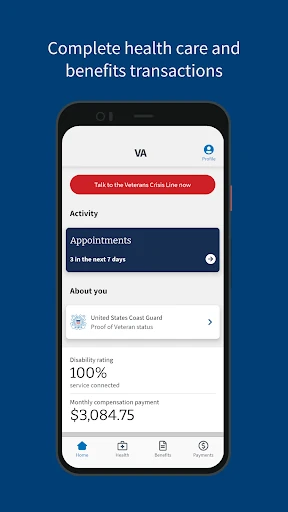
VA: Health and Benefits brings several Veterans Affairs healthcare and benefits tasks together on a phone or tablet. It suits veterans who want to check claims, handle prescription refills, or contact their VA care team without making each task a separate errand. I like the range of practical tools in one place; the app is most useful as a convenient companion to VA services, not as a replacement for them.
A Quick Check Between Errands
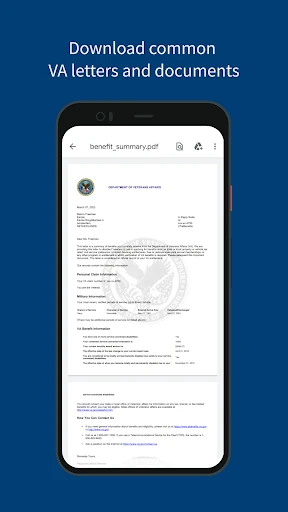
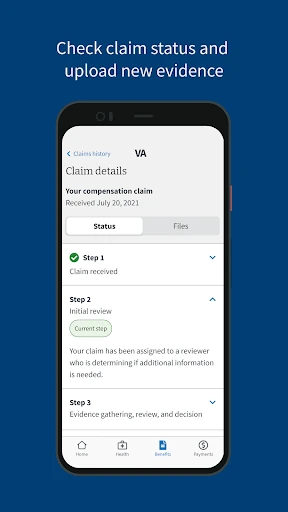
Imagine you have a few minutes while waiting for an appointment and want to check whether a claim has moved forward. VA: Health and Benefits gives you a place to review claim or appeal status, check a disability rating, and download common VA letters. Rather than saving those questions for a later visit to a computer, you can handle a quick information check from your phone.
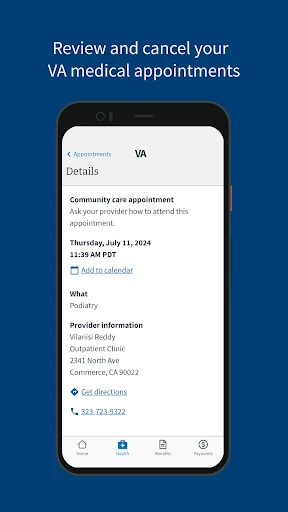
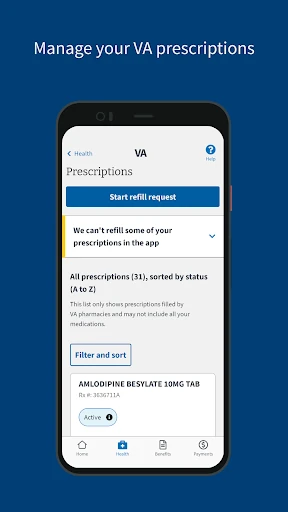
The same visit to the app can cover a healthcare task, too. You can review appointments, add one to your calendar, or refill and track VA prescriptions. I can see the appeal of having these jobs close at hand on a busy day, especially when the next step is simply checking information or sending a message to the care team.
A Companion, Not a Clinic
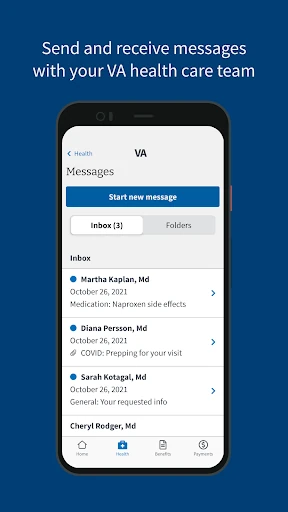
The app’s advantage over keeping notes or relying on reminders alone is its direct connection to VA-related information and services. It brings together healthcare, benefits, payment details, and facility finding, so a veteran can look across several parts of VA life in one app. Secure messages to a healthcare team and claim evidence submission also make it more than a passive place to read records.
Still, this is not a general health tracker, a broad medical reference, or a substitute for talking with a clinician. Its tools are specifically about VA healthcare and benefits. Someone who does not use VA services is unlikely to get much from it, and even for veterans, the app is best understood as a convenient access point rather than a solution to every service need.
Make Small Tasks Routine
I’d get the most from the app by checking it at natural moments instead of opening it only when something feels urgent. A quick look at appointments can help keep upcoming visits in view, while prescription tracking and refills give healthcare tasks a regular place in a weekly routine. Adding appointments to a calendar can make that check more useful beyond the app itself.
Benefits information also lends itself to occasional check-ins. When a claim or appeal is active, reviewing its status and submitting evidence when needed can keep related tasks together. Downloading a common VA letter or checking a payment is another focused visit. Biometric sign-in may make repeat access more convenient, depending on the security features built into the phone.
More From Our News Desk

Zoom Meetings, Google Meet, or Teams: Which Is Easiest to Join?

How I Build a Free Streaming Lineup With Tubi

Why Crunchyroll Is the Default Anime App for So Many Fans

YouTube TV: A Practical Guide to Cutting Cable

Rummikub and the Small Comfort of Phone Games

TeamViewer Remote Control or AnyDesk for Helping Family?
Who will find it useful
I’d recommend VA: Health and Benefits to veterans who already use VA healthcare or benefits and want everyday account tasks on a mobile device. The mix is particularly practical for someone who needs to check appointments, handle prescription refills, message a VA healthcare team, or keep tabs on a claim. Payment review, direct deposit updates, facility finding, and proof of Veteran status add further reasons to keep it handy.
It may be a poor fit for people who are not connected to VA services, or anyone looking for a general-purpose health app. It also won’t replace a conversation with a healthcare professional or provide an all-purpose view of personal finances. The app’s value depends on having VA-related tasks to manage; if those needs are occasional, it may be something to open only when a particular task comes up.
VA: Health and Benefits is published by the US Department of Veterans Affairs (VA). On Google Play, it has over one million installs and a 4.8-star rating from around 135,000 ratings. The app is free to download, and Google Play reports no in-app purchases or ads. Its content rating is Everyone.
The current version is 3.1.0. The app was released on June 1, 2021, and its most recent update is dated October 20, 2026. The available information does not give a minimum Android version, so check the Google Play page for compatibility with a particular device.
Making VA Tasks Easier to Reach
Getting Started
My first impression is of an app with a clearly practical purpose: it puts healthcare, benefits, and payment tasks in the same mobile destination. The feature set is easy to understand from the outside, whether the immediate need is a prescription refill or a claim-status check. That breadth should be useful to veterans who otherwise have several VA-related items to keep track of.
Biometric sign-in is supported, using the phone’s built-in options such as fingerprint or face recognition. That can make repeat visits feel less cumbersome while keeping access tied to the device’s security features. The app also provides access to the VA Crisis Line, a distinct option among its otherwise routine account and service tools.
Everyday Access
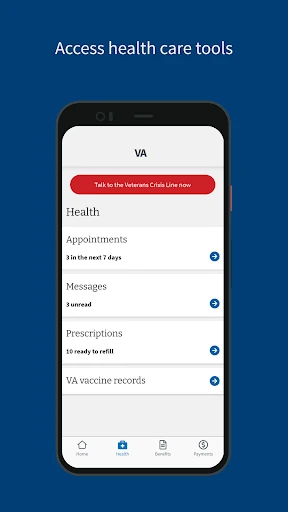
The day-to-day value is in being able to check information when a small question comes up. You can review appointments and add them to a calendar, look at VA vaccine records, or send and receive secure messages from your healthcare team. Those are useful actions to have nearby when you are managing care between visits rather than sitting down for a long administrative session.
Benefits tools serve a different rhythm. A claim or appeal may call for a status check, evidence submission, or a downloaded letter, while payment details may only need attention now and then. Keeping these functions together gives the app a broader role than a single-purpose appointment tool, without requiring every visit to cover every part of VA service.
Tools That Stand Out
The strongest feature is the range of tasks gathered under one roof. Prescription refills, secure healthcare messaging, appointment review, vaccine records, claim and appeal status, evidence submission, and common VA letters all have a place here. That variety matters because it lets a veteran turn to one app for several different kinds of VA-related errands.
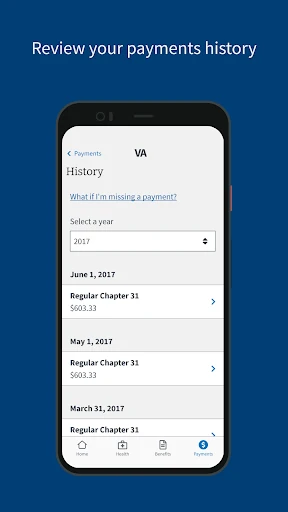
Payment review and direct deposit updates extend the usefulness beyond healthcare and claims. The facility locator can help find nearby VA facilities and services, while proof of Veteran status offers a way to show that status. These features are specific and practical rather than decorative; their usefulness depends on which tasks a person actually needs to do.
A Practical Weekly Check
A simple routine could start with a short appointment check at the beginning of the week. If a visit is coming up, adding it to the calendar helps keep it visible alongside other plans. A prescription that needs attention can be handled in the same session by using the refill and tracking tools, rather than relying on memory to revisit it later.
For someone with an active claim or appeal, a separate check-in can focus on status and any evidence that needs to be submitted. Payment details or a VA letter can be reviewed when there is a reason, without turning every app visit into a full account review. This kind of task-based use makes the app feel manageable rather than like another inbox demanding constant attention.
Keep Expectations Grounded
The app is specialized, and that is both its strength and its main limitation. Veterans who do not use VA healthcare or benefits have little reason to install it. Those who do may still find that their needs are occasional, so the broad collection of tools does not necessarily mean they will use every feature regularly.
It also cannot make a service question disappear simply by putting the relevant tool on a phone. Some tasks may call for follow-up beyond checking a status or sending a message, and the app should not be confused with medical care itself. The built-in crisis-line access is useful to know about, but it does not turn the app into a general health or emergency-management service.
VA: Health and Benefits is a focused, useful collection of mobile tools for veterans managing VA healthcare and benefits. I like that routine tasks, from appointments and prescriptions to claims and payments, are gathered in one place. Its value is practical rather than flashy, and it makes most sense for people who already have a reason to interact with VA services.
If you are a veteran who regularly checks VA information or handles these tasks on a phone, I’d recommend giving it a try. If you are looking for general health tracking or do not use VA services, it is unlikely to become a regular part of your routine.
VA Frequently Asked Questions
What is VA: Health and Benefits used for?
VA: Health and Benefits is for managing VA healthcare, benefits, and payment information from a mobile phone or tablet. Its tools include prescription refills, appointments, secure messages, claim and appeal status, evidence submission, payment review, and a VA facility locator. The right features to use depend on which VA services and tasks matter to you.
What devices can run VA: Health and Benefits?
The app is described as working from a mobile phone or tablet. Device compatibility can depend on the software version and the individual device, so it is worth checking the Google Play store page before installing. The available information does not specify a minimum Android version, and I would avoid assuming every phone or tablet is supported.
Does VA: Health and Benefits require a certain Android version?
A minimum Android version is not provided in the available app details. Because compatibility can change with app updates and device software, check the Google Play page for the current requirement before downloading. The app’s current version is 3.1.0, but that number alone does not establish which older devices can run it.
Is VA: Health and Benefits free?
Yes. VA: Health and Benefits is free to download, and Google Play reports no in-app purchases or ads. As with any app, it is sensible to check the current store page for the latest details before installing, since store information and compatibility can vary over time.
Who should use VA: Health and Benefits?
It is best suited to veterans who use VA healthcare or benefits and want convenient mobile access to related tasks. People who need to check appointments, prescriptions, claims, letters, or payments may find it especially practical. It is much less suited to someone seeking a general health app or someone with no VA-related tasks to manage.
Pros
- Combines healthcare, benefits, and payment tools in one mobile app.
- Supports prescription refills, appointment review, and secure messages with a VA healthcare team.
- Includes claim-status checks, evidence submission, common letters, and payment tools.
- Biometric sign-in and a VA facility locator add practical convenience.
Cons
- Its usefulness is limited for people who do not use VA services.
- The available app details do not specify a minimum Android version.
- A mobile app cannot replace follow-up with VA services or clinical care.
- Category
- Tools
- Version
- 3.1.0