UserTesting
- 2.81K
- 3
- Installs
- —
- Price
- Free

Screenshots
Analysis by Reviewed APKs
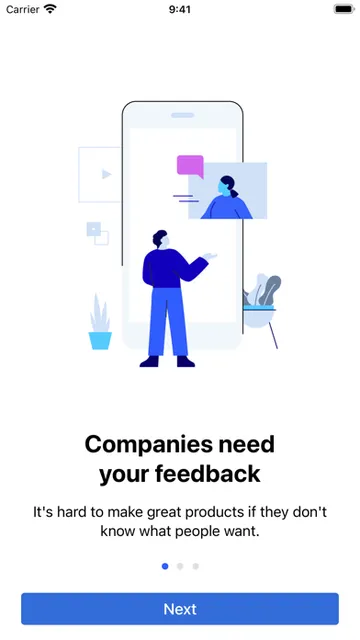
UserTesting lets people try websites, apps, and other experiences, then share their reactions aloud for companies seeking feedback. I see it as a flexible side activity for adults who are comfortable thinking out loud and can fit occasional tests into an unpredictable week. The idea is straightforward, but opportunities depend on your profile and customer demand, so I’d treat any earnings as a bonus rather than a routine paycheck.
A Test Between Errands
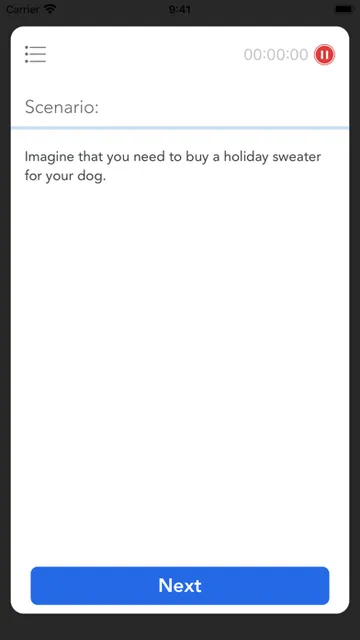
Imagine you have a quiet half hour after lunch and a phone with a working microphone. You open UserTesting, look through the available tests, and answer screening questions to see whether one fits. If you qualify, you complete the test by using the product and explaining your thoughts aloud. That makes the app less like a job board with steady shifts and more like an occasional invitation to give useful feedback.
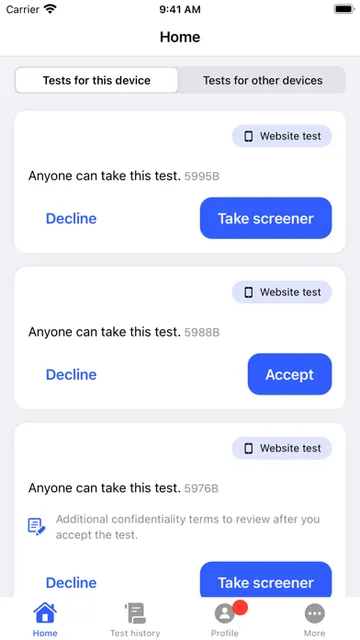
When I first considered this kind of task, the talk-aloud part stood out as the real commitment. You are not simply tapping through an app in silence; you need to explain what you notice as you go. UserTesting says contributors can test websites, apps, and in-person experiences. The test feed shows the amount offered for each test, which helps you decide whether a particular task is worth your time.
Feedback, Not Freelancing
Compared with survey apps, UserTesting centers on trying products and describing your experience rather than just answering a string of questions. It also differs from a regular freelance platform: there is no promise of a consistent stream of assignments, and matching depends on customer needs, your demographic profile, and your background. The screening questions are part of the process, so opening the app does not mean every available test will be a fit.
I would not use UserTesting as a replacement for a stable income source or as a place to build a public portfolio. Its job is narrower: collect ordinary users’ reactions so companies can improve products and services. That can suit someone who likes giving candid feedback and has a little spare time. It may frustrate anyone who needs predictable hours, wants work without speaking aloud, or expects a test every time they check.
Make Matching Easier
A useful first habit is to complete your contributor profile as fully as you can. UserTesting says a more complete profile can help you qualify for more tests, though customer demand and your circumstances still shape what appears. I would also keep the app’s notifications or test-checking routine realistic: opportunities can arrive on any day, but there is no reason to structure an entire day around waiting for one.
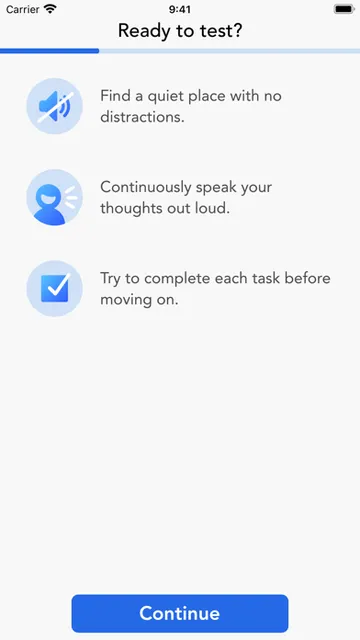
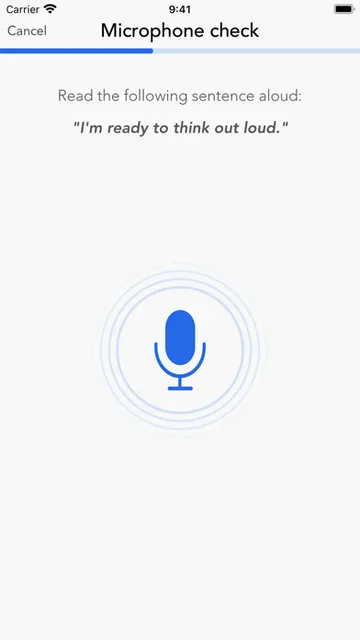
Before starting a test, give yourself a quiet spot and make sure your microphone is ready. Speaking clearly and sharing what you are thinking is central to the task, so trying to squeeze a test into a noisy commute is not ideal. I’d check the offered amount in the feed, consider the time and setting needed, and only begin when I can focus on the experience rather than rushing through it.
More From Our News Desk

Zoom Meetings, Google Meet, or Teams: Which Is Easiest to Join?

How I Build a Free Streaming Lineup With Tubi

Why Crunchyroll Is the Default Anime App for So Many Fans

YouTube TV: A Practical Guide to Cutting Cable

Rummikub and the Small Comfort of Phone Games

TeamViewer Remote Control or AnyDesk for Helping Family?
Who Might Find It Useful
I’d recommend UserTesting to adults who enjoy trying digital products, can explain their reactions as they use them, and are comfortable with occasional work that may or may not match their profile. It can be a reasonable way to put spare pockets of time to use, especially if you already have a suitable device, microphone, and confirmed PayPal account for payments.
It is a weaker fit for anyone counting on regular assignments, looking for a set hourly schedule, or uncomfortable recording spoken feedback. The app describes most contributors as taking one or two tests per week on average, but that is not a personal promise. People under 18 are not eligible according to the description. I’d approach it with flexible expectations and treat any rewards as supplemental.
UserTesting is developed by UserTesting Inc. and is free to download on the Apple App Store. The store shows a 3.0-star rating from 2,813 ratings. The app is rated 17+, and its current version is 11.0. UserTesting’s description says contributors need to be at least 18 to join and complete tests.
The listed release date is December 2, 2019, and the last update date is October 28, 2026. The minimum requirement is iOS 17.0. Contributors receive payments in USD through PayPal, and the description says a confirmed PayPal account in good standing is required to receive them. The amount for an individual test appears in the test feed.
What Using UserTesting Actually Takes
A Simple Starting Point
The setup described by UserTesting is practical rather than elaborate: submit your email and take a short practice test to join its contributor network. The company says no special experience is needed, which lowers the barrier for someone who has never tested a product for feedback before. Still, the practice step gives you a chance to see whether narrating your thoughts feels natural.
On an iPhone, the first thing I’d check is whether the device meets the iOS 17.0 minimum and whether its microphone works well. UserTesting also supports testing on desktop devices, according to its description, but this review concerns the iOS app. Either way, the central task remains the same: qualify for an opportunity, use the product, and say what you think.
The Day-to-Day Flow
The basic loop is easy to understand. Browse the test feed, answer screening questions, and take a test if you match. The trick is that matching is not entirely in your hands. Customers’ needs, your demographic profile, and your background all affect which opportunities you can access, so a quiet feed does not necessarily mean something is wrong with the app.
What surprised me about the workflow is how much it relies on availability rather than a fixed schedule. UserTesting says new tests appear regularly and can arrive any day of the week. It also says most contributors take one or two tests per week on average. That makes the app better suited to checking now and then than to planning a dependable weekly workload around it.
More Than Website Reviews
The range of test subjects is broader than the phrase “website tester” might suggest. UserTesting describes opportunities involving websites, apps, and in-person experiences. For each one, the point is to share your perspective so companies can understand how people experience their products and services. The format keeps the contributor’s role clear: you are providing feedback, not performing specialist analysis.
I also like that the test feed displays the amount offered for each task. That gives contributors a practical detail to consider before deciding whether to continue. Payments are made in USD through PayPal, and UserTesting says contributors can convert the money to local currency through PayPal if they wish. A confirmed PayPal account in good standing is required to receive payments.
A Realistic Weekly Routine
A sensible way to use UserTesting is to check it when you have time for a complete task, not just a quick glance between obligations. If an opportunity appears, I’d read its screening questions carefully, make sure the room is quiet, and think about whether I can give the test my attention. That simple routine makes the talk-aloud portion less awkward and helps avoid starting when conditions are poor.
I’d also keep my profile current and remember that the number of matches can vary with customer demand and personal details. UserTesting says a fuller profile can help contributors qualify for more opportunities, but it cannot control which tests customers need. The app works best as an occasional addition to a flexible routine. I would not count on a particular number of tasks or a particular weekly total.
Limits to Keep in Mind
The main limitation is inconsistency. The description’s average of one or two tests per week is useful context, but individual availability depends on who customers are looking for. Screening also means you may see an opportunity without qualifying for it. If you prefer a predictable queue of tasks, that combination could make the experience feel stop-and-start.
There are a few practical requirements, too: you need a device with a microphone and an active, confirmed PayPal account in good standing to receive payments. You also need to be at least 18. Since the listed iOS requirement is 17.0, people on older iOS versions will need to check the App Store for compatibility before downloading. These details make it worth checking your setup before expecting to take tests.
UserTesting has a clear purpose and an approachable entry point: try products, speak your thoughts, and get paid when you complete a matched test. I like that the test feed shows the offered amount and that the app covers more than websites. Its appeal depends on whether you enjoy verbal feedback and can live with an uneven supply of opportunities.
I’d try it if I were an adult with a microphone-equipped device, a suitable PayPal account, and spare time that does not need to produce steady income. I would skip it if I needed reliable assignments or disliked talking through my decisions. For the right person, it is a straightforward side activity, provided expectations stay flexible.
UserTesting Frequently Asked Questions
What is the UserTesting app used for?
UserTesting connects contributors with tests involving websites, apps, and in-person experiences. You answer screening questions to find tests that match, then share your reactions aloud while using the product. Companies use that feedback to improve products and services. The test feed shows the amount offered for each test.
Which devices can I use with UserTesting?
UserTesting is available for iOS, with a minimum requirement of iOS 17.0. Its description also says contributors can test using a mobile or desktop device. You need a device with a microphone for tests. Compatibility can vary by device and software version, so it is worth checking the App Store before downloading.
Does UserTesting cost money, and how are contributors paid?
The UserTesting app is free to download. Contributors receive payments in USD through PayPal, and a confirmed PayPal account in good standing is required to receive them. The test feed displays the amount offered for each test. Payment availability and details can vary, so check the App Store description for current information.
What does UserTesting require to join?
UserTesting says contributors must be at least 18, submit an email, and take a quick practice test. You will need a microphone-equipped device and an active, confirmed PayPal account in good standing to receive payments. No special testing experience is required, according to the app’s description.
Is UserTesting a good fit for everyone?
It may suit adults who like trying products and speaking their thoughts aloud, and who are comfortable with an unpredictable number of opportunities. UserTesting says most contributors take one or two tests per week on average, but matches depend on customer needs and personal profile details. It may not suit people seeking steady assignments.
Pros
- Covers tests for websites, apps, and in-person experiences.
- Shows the offered amount for each test in the feed.
- No special experience is required to apply as a contributor.
- Flexible opportunities can fit around spare time.
Cons
- Test availability depends on customer needs and contributor profiles.
- Screening means seeing an opportunity does not ensure a match.
- Requires spoken feedback, a microphone, and a confirmed PayPal account.
- Category
- Lifestyle
- Version
- 11.0











