Upwork
- 71.62K
- 4.6
- Installs
- —
- Price
- Free

Screenshots
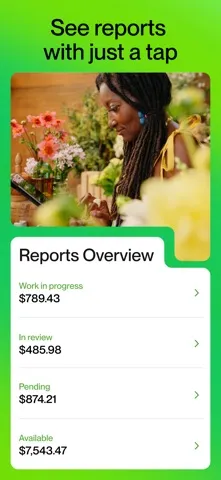
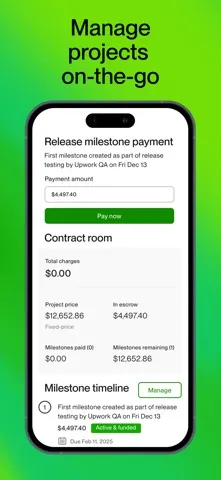
Analysis by Reviewed APKs
Upwork brings the freelance marketplace’s work management into one mobile app, with tools for hiring, freelancing, or doing both. I found its appeal easy to understand: it keeps job posts, proposals, messages, projects, and contracts together instead of scattering them across separate tools. It suits people who need to keep work moving away from a desk, though its marketplace focus makes it less useful as a general productivity app.
Keeping a Project Moving
Picture checking a project between errands: you open Upwork to look over a message, see what is happening with a contract, and keep the conversation moving without waiting to get back to a computer. That kind of in-between moment is where the app makes sense. It gathers the practical parts of hiring and freelancing in one place, so a quick check-in can stay focused on work rather than switching among separate services.
When I think about the app in a freelancer’s routine, the flow might start with browsing for work, then posting a proposal, exchanging messages, and following the project after an agreement. Some proposals require Connects, which are available as in-app purchases. For a client, the same app includes job posting and contract management. I like that both sides of the marketplace can use one app, even though their day-to-day goals are different.
Marketplace, Not Office Suite
Upwork is most compelling when the task is tied to finding freelance work or managing a client relationship through the platform. Compared with relying on a desktop browser for every check-in, a mobile app can make messages and project details easier to reach while away from a desk. It is also more purpose-built than a general notes or task app: the focus is on jobs, proposals, contracts, and communication within Upwork.
That focus is also a boundary. I would not treat Upwork as a general project planner, a standalone messaging service, or a replacement for every tool a team may use. Its central job is to support hiring and freelance work through the marketplace. If someone only needs to organize personal tasks, or has no reason to hire or freelance, the app’s specialized toolkit may feel beside the point.
Small Habits That Help
A useful habit is to check messages and project activity during a natural pause rather than letting small conversations pile up. The app brings messaging, project tracking, and contract management together, so I can imagine using a short check-in to see what needs attention and then return to the rest of the day. This is a practical fit for people who handle client work in brief windows between meetings, commutes, or other responsibilities.
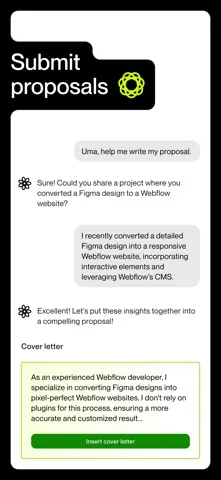
Freelancers can also treat proposal writing as a deliberate step instead of tapping through it casually. The app supports submitting proposals, and some require Connects, so it is worth keeping that requirement in mind before starting. Clients may find it useful to keep job posting and contract management close at hand. In either role, having the relevant work in one app can make quick follow-ups feel less scattered.
More From Our News Desk

Zoom Meetings, Google Meet, or Teams: Which Is Easiest to Join?

How I Build a Free Streaming Lineup With Tubi

Why Crunchyroll Is the Default Anime App for So Many Fans

YouTube TV: A Practical Guide to Cutting Cable

Rummikub and the Small Comfort of Phone Games

TeamViewer Remote Control or AnyDesk for Helping Family?
Who may find it useful
I would recommend Upwork to freelancers who want to manage marketplace activity on the go, especially when messages, proposals, and current projects need attention outside a regular desk routine. It also makes sense for clients who post jobs and manage contracts through Upwork. The unified setup is the main draw: the app covers several stages of the working relationship, rather than serving just one narrow task.
It may be less appealing to someone who rarely hires freelancers, does not look for freelance work, or wants a broad task-management app for unrelated projects. The app’s practical value depends on using Upwork’s marketplace and work tools. I would also keep the Connects detail in mind if I planned to submit proposals, since some proposals require them and they are available as in-app purchases.
Upwork is a free iOS app from Upwork Global Inc. It is rated 4.6 out of 5 on the App Store, based on 71,622 ratings, and has a 4+ age rating. The app is listed as version 2.17.1. It was released on January 11, 2019, and its most recent update shown in the provided store information is dated November 5, 2026.
The minimum operating system requirement is iOS 16.0. The app itself is free to download, while Connects used for some proposals are available as in-app purchases. The supplied store details do not provide a price for those purchases, so costs may vary and are worth checking in the App Store before buying.
A Closer Look at Upwork on Mobile
First Open and Setup
When I first opened the idea of Upwork, what stood out was how much of the work relationship it tries to cover. This is not a single-purpose inbox or a simple job board companion. The app is positioned for people hiring, freelancing, or doing both, with job posts, proposals, messages, project tracking, and contracts brought into one mobile experience.
That unified approach makes the purpose easy to grasp before getting into the details. I would start by thinking about which side of the marketplace I use most, then focus my attention on the tools that support that work. The app does not need to be treated as an all-purpose business dashboard; its value is in keeping Upwork-related activity close at hand.
The Everyday Work Loop
Day to day, the useful loop is straightforward: check messages, keep tabs on a project, and handle contract-related work when needed. For freelancers, proposals are part of that picture; for clients, posting jobs is one of the core tasks. Having those activities within the same app gives the experience a practical rhythm, especially for people who need to respond or check progress while away from a computer.
I would use the app for short, purposeful sessions rather than expecting it to replace every longer work session. A quick look at a conversation or project can help keep things moving, while the larger work itself may still call for a more settled stretch of time. The app’s stated aim is flexibility on the go, and that is the clearest way I see it fitting into a workday.
More Than Messaging
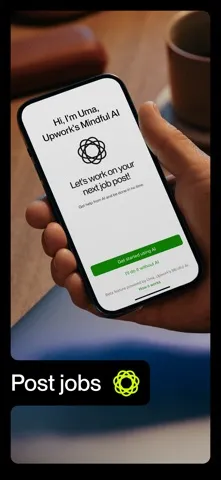
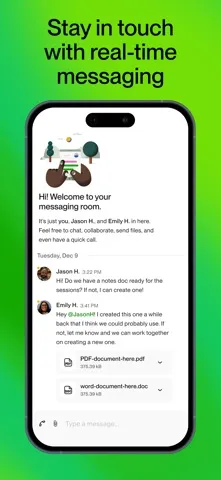
Messaging is only one part of the package. Upwork also supports posting jobs, purchasing Connects, submitting proposals, tracking projects, and managing contracts. That range is what separates it from a basic communication tool: it keeps several steps of freelance work connected to the marketplace where the relationship is taking place.
The Connects detail deserves attention for freelancers. Some proposals require Connects, and the app makes them available as in-app purchases. That means proposal activity can involve more than composing a message or application. I would keep that requirement in mind as part of the workflow and check the App Store for current purchase details before deciding whether to buy.
A Practical Check-In Routine
One routine I can picture is opening Upwork at the start of a work break, checking messages first, and then looking at project or contract activity that needs follow-up. If I were looking for work, I would set aside a separate moment for proposals rather than squeeze them into a distracted glance. That makes the Connects requirement easier to consider before submitting anything.
For a client, the same sort of check-in could center on a job post or an active contract. The app supports both hiring and freelancing, so people wearing both hats can keep the relevant marketplace tasks together. I would still keep the session focused: the benefit is having work-related actions nearby, not turning every spare minute into a demand to be online.
Limits to Keep in Mind
Upwork’s breadth is useful, but it is breadth within a particular ecosystem. Job posts, proposals, projects, messages, and contracts are all tied to hiring and freelance work. Someone seeking a general team workspace or a tool for unrelated personal planning may not find the app’s central focus useful. I see it as a companion for marketplace work, rather than a universal home for every professional task.
There is also a practical distinction between using the app and submitting proposals: some proposals require Connects, which are offered as in-app purchases. The price is worth checking in the App Store because it can vary. Finally, the app requires iOS 16.0, so it is not suited to devices that cannot run that version. Those are sensible points to check before making it part of a routine.
Upwork’s strongest idea is simple: keep the essential marketplace work together on mobile. I like the mix of job posting, proposals, communication, project tracking, and contract management, especially for people who need to stay responsive while away from a desk. Its focus is narrow by design, and that makes it more useful for active Upwork users than for casual organizers.
I would recommend giving it a try if you hire through Upwork or manage freelance work there. Freelancers should factor Connects into the proposal workflow, and anyone considering a download should check the iOS requirement and current purchase details. If your work does not involve the marketplace, you can safely look elsewhere for a broader productivity tool.
Upwork Frequently Asked Questions
What is Upwork used for?
Upwork is a mobile app for people hiring, freelancing, or doing both through the Upwork marketplace. It supports posting jobs, purchasing Connects and submitting proposals, messaging, tracking projects, and managing contracts. Its focus is work arranged through Upwork, rather than general-purpose task planning or communication.
Which devices can run Upwork?
Upwork is an iOS app and requires iOS 16.0 or later. For current compatibility information for a particular device, check the App Store page before downloading. The app is not presented here as an Android app.
Does Upwork cost money to use?
The app is free to download. Connects, which are required for some proposals, are available as in-app purchases. Purchase prices may vary, so check the App Store for current details before buying. The supplied facts do not give a specific Connects price.
Can I use Upwork as a client and a freelancer?
Yes. The app is described as supporting people who are hiring, freelancing, or doing both. Its tools include job posting, proposals, messages, project tracking, and contract management. Which parts matter most will depend on your role and how you use the Upwork marketplace.
Is Upwork a good fit for occasional freelance work?
It may suit occasional users who need to check messages, projects, or contracts while away from a desk. Freelancers should remember that some proposals require Connects, available as in-app purchases. If you do not hire or freelance through Upwork, the app’s marketplace-specific tools may not be useful for you.
Pros
- Combines job posts, proposals, messages, projects, and contracts in one mobile app.
- Supports both clients and freelancers, including people who switch between those roles.
- Useful for checking and managing Upwork work while away from a computer.
- Free to download on iOS.
Cons
- Some proposals require Connects, which are available as in-app purchases.
- Its marketplace focus may not suit people seeking general productivity tools.
- Requires iOS 16.0 or later.
- Category
- Business
- Version
- 2.17.1











