Software Update: App Update
- 132.36K
- 4.1
- Installs
- 5.00M
- Price
- Free
Screenshots
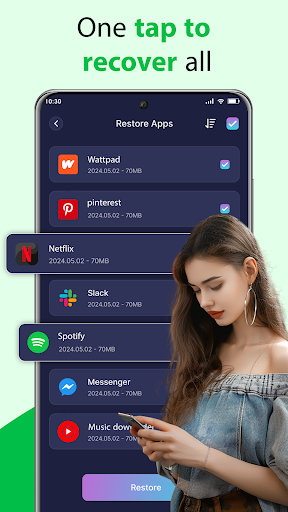
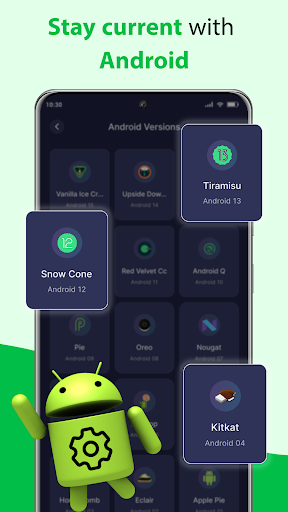
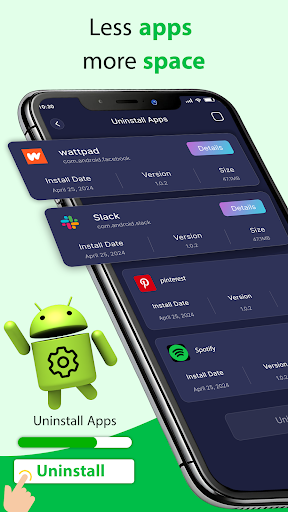
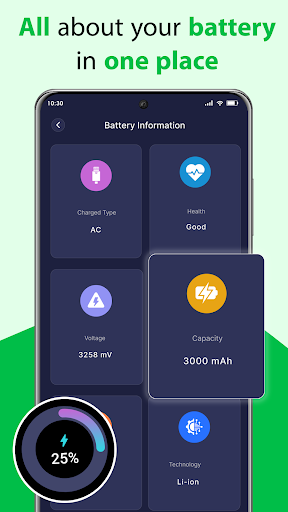
Analysis by Reviewed APKs
Software Update: App Update is an Android utility for checking which installed apps have updates available, browsing app usage, and viewing basic device information. I found its appeal is straightforward: it puts several small maintenance tasks in one place, without pretending to update everything by itself. It suits people who like a quick status check, though it is more of a companion to Google Play than a replacement for it.
A Quick Update Check
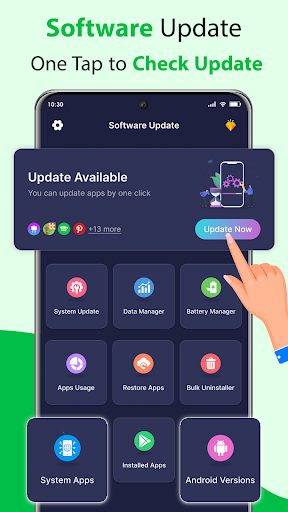
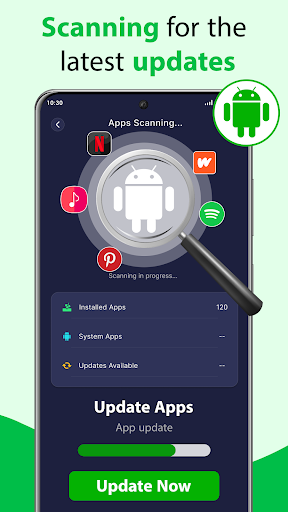
When I first opened Software Update: App Update, I pictured using it during a quiet moment when I was already tidying up my phone. The Scan Now button is the obvious starting point: it checks installed apps and separates those with updates available. That gives me a single place to review what might need attention instead of opening several apps one at a time to look for update prompts.
The important detail is that the app does not install updates automatically. After scanning, I still need to handle each update through Google Play or another official source. I like that the process stays in my hands, but the extra step means this is a checker and organizer, not a one-tap fix for a long list of outdated apps. It helps me see what to do; I still do the updating.
A Companion, Not a Store
Compared with opening Google Play directly, this app puts pending updates into a scan-based view and adds device details, app usage information, battery information, and an installed-app manager. That makes it useful when I want a broader checkup rather than only browsing the store. Its role is still supportive: update actions go through Google Play or another official source, so I would keep the store as the place where I complete the task.
I would not treat Software Update: App Update as a system-software installer or a tool that upgrades Android itself. It can show Android version information and details about available Android versions, but its stated update-checking job is focused on installed apps. It also is not a substitute for deciding which apps I actually want to keep. The uninstall tool can help manage user apps, while system apps cannot be removed.
Small Habits That Help
A useful habit is to run a scan when I am already doing a quick phone cleanup, then review the results rather than tapping through them in a rush. If an app shows an update, I can open the appropriate official source and complete it there. That keeps the check separate from the decision, which is handy when I do not want every available update to interrupt whatever I am doing.
I would also use Manage Apps as a periodic inventory rather than a daily dashboard. The app can show installed apps and usage information, which may help me notice what I use often and what has become clutter. Device and battery details are there for occasional reference, too. These features make more sense as small check-in tools than as information I need to monitor constantly.
More From Our News Desk

Zoom Meetings, Google Meet, or Teams: Which Is Easiest to Join?

How I Build a Free Streaming Lineup With Tubi

Why Crunchyroll Is the Default Anime App for So Many Fans

YouTube TV: A Practical Guide to Cutting Cable

Rummikub and the Small Comfort of Phone Games

TeamViewer Remote Control or AnyDesk for Helping Family?
Who Might Find It Useful
I would recommend Software Update: App Update to Android users who like seeing pending app updates gathered in one place and appreciate having a few device-management details nearby. It may suit someone who checks their phone periodically, prefers to review updates before installing them, or wants to look at app usage while organizing installed apps. The appeal is convenience and visibility, not automation.
It may be less satisfying for someone who expects updates to install automatically or wants an alternative app store. The app sends update actions to Google Play or other official sources, so there is still a manual step. People who only need to update an app occasionally may find it simpler to use the store they already know. Anyone who wants to remove system apps should also know that this tool cannot uninstall them.
Software Update: App Update is a free Android tools app from Squad Apps Studio. Google Play shows over 5 million installs and a 4.1-star rating from about 132,000 ratings. The app is rated Everyone. Its version is 2.0.7, with a release date of April 19, 2024, and a last update date of October 12, 2026.
The app contains ads and offers in-app purchases. Google Play lists in-app items priced from $4.99 to $29.99. The supplied app details do not give a minimum Android version, so I would check the Google Play page on the device I plan to use before installing.
A Practical Checkup for Installed Apps
A Clear Starting Point
The first impression is of a utility built around a simple action: scan the phone for apps with updates available. That is a sensible way to begin, because I do not have to hunt through a collection of unrelated tools just to see whether anything needs attention. The app also describes a Manage Apps area, giving the update check a natural companion for browsing installed apps.
I would set expectations early: scanning is not the same as installing. The app identifies updates, then leaves the actual update action to me through Google Play or another official source. That distinction is easy to overlook when an app is called a software updater, but it matters in everyday use. Once I understand the handoff, the app's job feels clearer and more modest.
The Day-to-Day Check
In regular use, I would reach for the scan when I wanted a quick overview rather than waiting for individual apps to draw attention to themselves. The results are meant to show installed apps with updates available, so I can review the list and choose what to handle. It is a small convenience, especially if I prefer to batch maintenance into one short phone check.
The manual follow-through is the main tradeoff. I still need to update apps one by one through the store or another official source, rather than having this utility perform the update itself. That adds a little friction, but it also makes the app's role easy to understand: it surfaces possible updates and lets me decide what happens next. I would not expect a scan to finish the whole job.
More Than Update Scanning
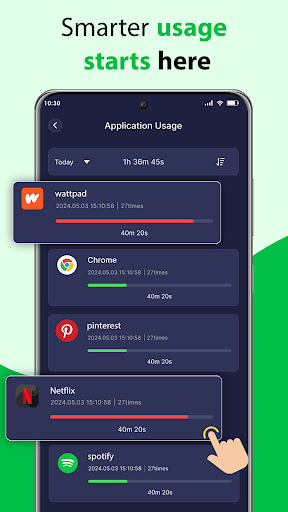
The app's broader set of tools is what makes it different from a narrowly focused update checker. It can show device information such as the model and Android version, along with storage and manufacturer details. It also includes battery information and a view of app usage time. Those additions give me a few reasons to open it even when I am not specifically checking for pending updates.
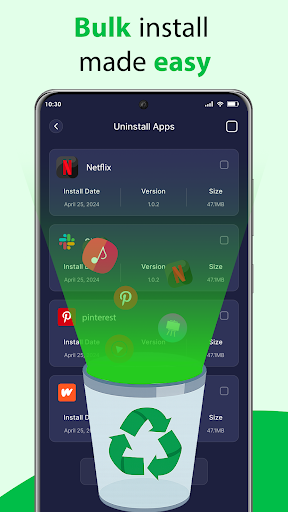
Manage Apps adds another practical angle. The description says I can view installed apps and uninstall selected user apps, either individually or in multiples; system apps cannot be removed. That could help when I am reviewing what is on the phone and deciding what I still need. The app also presents system apps in a list, but that should not be confused with permission to uninstall them.
A Low-Fuss Routine
My sensible routine would be to open the app during a planned cleanup, scan for available updates, and then review the results at my own pace. I would complete any chosen updates through the official source, then move to Manage Apps only if I also wanted to check what is installed. This keeps the maintenance session focused instead of turning every notification or result into an immediate task.
Once in a while, I could use the device information and app-usage views as a quick reference. If I am trying to understand which apps take up my attention, usage time may be more useful than simply counting how many apps are installed. Battery information and device details offer additional context. I would treat these as occasional snapshots, not as a reason to keep monitoring the phone all day.
Keep Expectations Modest
The biggest limitation is that the app does not update apps or Android system software by itself. It checks for app updates and points me toward manual action through Google Play or another official source. That makes it less convenient than the word updater might suggest, especially if I expect a single button to complete every pending update without further input.
There is also a boundary around app removal: user apps can be selected for uninstalling, but system apps cannot be removed. And while the app includes usage, battery, and device information, its purpose is still a collection of practical checks rather than a full device-management solution. I would use it for the tasks it describes and rely on the appropriate source for updates.
Software Update: App Update makes sense as a small Android maintenance companion. I like the central scan, and the added app-usage and device-information views give it more purpose than a single-task checker. Its manual update handoff is a real limitation, but it is also clearly part of how the tool works.
I would try it if I want a convenient overview of pending app updates and installed apps in one place. If automatic updating is the main goal, this is not the right fit; Google Play remains part of the process. For a periodic checkup, though, its straightforward approach may be enough.
Software Update Frequently Asked Questions
What is Software Update: App Update used for?
Software Update: App Update checks installed apps for available updates and presents the results in one place. It also offers installed-app management, app usage information, battery information, and device details. It does not install updates automatically: update actions are completed manually through Google Play or another official source.
Which phones and platforms support Software Update: App Update?
The app is for Android. Its description focuses on Android apps and device information, including the Android version. For the minimum Android version supported by your phone, check the Google Play page, since compatibility details can vary by device.
What Android version does Software Update: App Update require?
The minimum Android version is not included in the app details provided here. Check the Google Play page from the Android device you plan to use for the current compatibility requirement. The app itself can display information about the Android version on your device.
Is Software Update: App Update free?
The app is free to download and contains ads. It also offers in-app purchases, with items listed from $4.99 to $29.99. Check Google Play for the current purchase options and details, since they may vary.
Who should use Software Update: App Update?
It may suit Android users who want a central scan for pending app updates and a place to review installed apps, usage, and device details. It may not suit someone expecting automatic updates or system-app removal. The app sends update actions to an official source, and system apps cannot be uninstalled.
Pros
- Scans installed apps and gathers available updates into one place.
- Includes app usage, battery, and device information alongside update checks.
- Offers a way to review and uninstall selected user apps.
Cons
- Updates still require manual action through Google Play or another official source.
- System apps cannot be uninstalled with the app.
- Contains ads and offers in-app purchases.
- Category
- Tools
- Version
- 2.0.7











