Unlock your Phone via IMEI
- 2.24K
- 3.5
- Installs
- 1.00M
- Price
- Free

Screenshots
Analysis by Reviewed APKs
Unlock your Phone via IMEI is doctorSIM’s app for requesting a network unlock for a compatible phone. It suits people who want to switch carriers without sending their device away or attempting a technical workaround themselves. I like the clear, email-based process described here, though this is a paid unlocking service rather than a magic button that instantly frees every phone from every restriction.
A Carrier Switch at Home
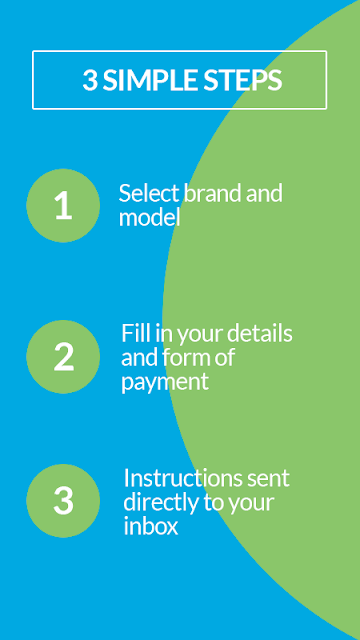
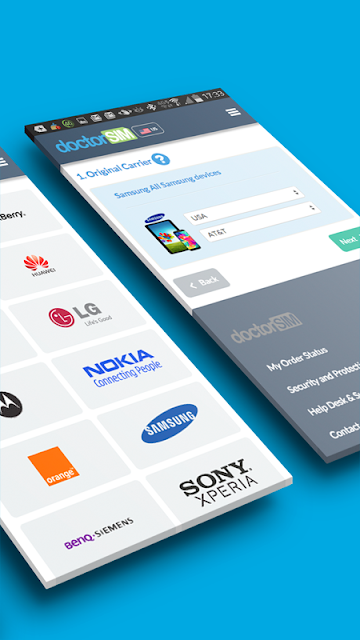
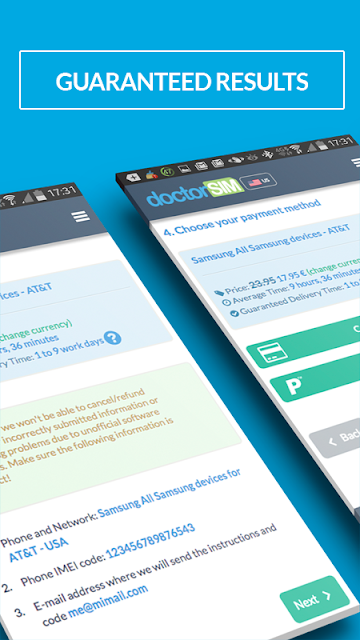
Picture a familiar situation: you have a phone tied to its original carrier and want to use a different network. With Unlock your Phone via IMEI, the first step is to choose the phone’s make and original operator. After submitting the request and payment, doctorSIM sends instructions to your email. You follow those steps on the phone, so there’s no need to mail the device away or stop using it while the request is underway.
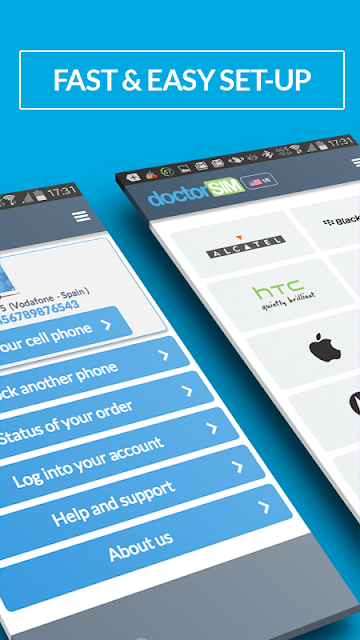
When I first read through that flow, what stood out was how much of the process happens outside the app. The app helps you begin an order, but the actual instructions arrive by email and the final steps are yours to complete. That makes it more approachable than a hands-on technical procedure, while still requiring you to identify the original operator correctly and follow the instructions with care.
An Alternative to Carrier Help
The obvious first alternative is contacting the original carrier, especially if you want to ask about the phone’s status or the carrier’s own unlocking process. doctorSIM offers a separate paid service that handles requests online and sends instructions by email. It may appeal when you want a guided third-party route, but I wouldn’t treat it as a substitute for sorting out an account issue directly with the carrier.
This is not a general phone-repair tool, a way to remove a blacklist restriction, or a free code generator. The description says the service does not clear devices reported lost or stolen, or blocked because of an unpaid bill. If a phone has that kind of restriction, an unlock request alone will not resolve it. It’s also aimed at changing network compatibility, not improving signal or changing the phone’s other settings.
Make the Request Easier
A little preparation can make the order less confusing. Before starting, work out the phone’s make and the network it originally came from; those are the choices the described process asks for. I’d also make sure I can access the email account where the instructions will arrive. That simple check can save a frustrating pause later, particularly if I’m setting this up while traveling or between other errands.
I’d keep the emailed instructions handy and work through them in order rather than trying random steps from elsewhere. If something is unclear before or during the process, doctorSIM says its support team can be contacted by email or chat. It’s also sensible to address any known carrier restrictions first. The service’s own description is clear that an unlock does not remove a blacklist status or cancel contract responsibilities.
More From Our News Desk

Zoom Meetings, Google Meet, or Teams: Which Is Easiest to Join?

How I Build a Free Streaming Lineup With Tubi

Why Crunchyroll Is the Default Anime App for So Many Fans

YouTube TV: A Practical Guide to Cutting Cable

Rummikub and the Small Comfort of Phone Games

TeamViewer Remote Control or AnyDesk for Helping Family?
Who Might Find It Useful
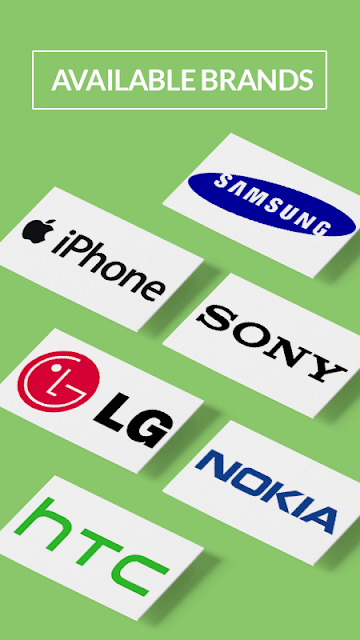
I’d consider this app if I have a phone I want to use with another network and would rather follow emailed guidance than attempt a technical workaround. The process is described as compatible with a range of makes, including iPhone, Samsung, Nokia, HTC, Alcatel, Sony, and LG. It may be especially convenient if I want to keep using the handset while the request is being handled.
It may not suit someone looking for a free, instant unlock, or a fix for a phone blocked because of a lost or stolen report or unpaid bill. The service requires payment, and the process depends on selecting the right make and original operator. I’d also be cautious if I’m unsure about the phone’s carrier status; checking with the original network first may be the more useful next step.
Unlock your Phone via IMEI is a Tools app from doctorSIM. On Google Play, it has over one million installs and a 3.5-star rating from 2,242 ratings. The app is free to install, contains no ads, and has no in-app purchases. That does not make the unlocking service itself free: the description says an order requires payment, with the service details handled as part of the request.
Google Play gives the app an Everyone content rating. Its current version is 2.84. The app was released on December 13, 2013, and was last updated on October 12, 2018. The Android version requirement is not included in the supplied app facts, so check Google Play for the requirement shown for your device.
A Closer Look at the Unlocking Process
Starting the Request
The initial idea is straightforward: choose the make and original operator, submit the request, then watch for an email with the next steps. I appreciate that the process doesn’t ask me to send the phone away. The description says I can keep using it while the request is in progress, which makes this feel more like arranging a service than handing over a device for repair.
The key point is that this app is a starting place, not an automatic on-device unlock tool. The instructions arrive separately by email, and the user completes the steps on the phone. I’d take a moment to verify the carrier choice before submitting anything; selecting the wrong original operator could make an already unfamiliar process harder to navigate.
Using It Day to Day
Most people probably won’t open this app every day. Its role is tied to a specific task: requesting an unlock when a carrier change makes sense. That narrow purpose is useful because I don’t have to sift through unrelated phone utilities, but it also means the app is only relevant at a particular moment in a phone’s life.
Once the request is underway, the email becomes central. I’d keep it accessible, read each step carefully, and contact support if I got stuck. The description offers email and chat support before, during, and after receiving instructions. That gives the process a human help option, rather than leaving the user to troubleshoot every question alone.
What Stands Out
The most distinctive part is the combination of an online request and instructions delivered by email. It avoids shipping the phone and is meant to let the owner continue using it during the process. The description also names a broad selection of phone brands, from Apple and Samsung to Nokia, HTC, Alcatel, Sony, and LG, which gives a useful sense of the service’s intended reach.
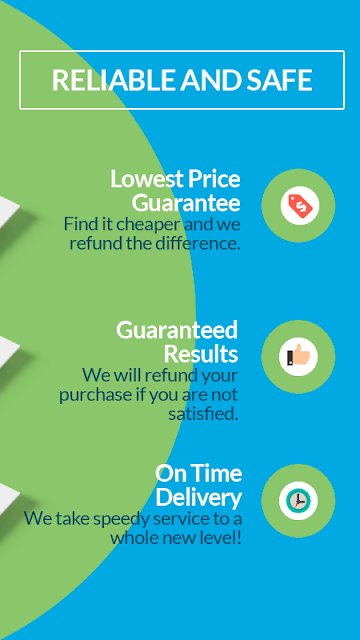
Another practical detail is that the service is described as permanent and as leaving the manufacturer’s warranty intact. Those are claims about doctorSIM’s service, not a reason to skip checking a particular phone’s status or carrier terms. The description also says users can ask customer support for help and seek a refund if a phone cannot be unlocked, so I’d read the service conditions before placing an order.
A Sensible Unlocking Routine
If I were preparing a phone for a new carrier, I’d first confirm its make and original network, then check whether I know of any outstanding carrier restriction. After that, I’d start the request, use an email account I can reach easily, and set aside a little time to follow the instructions without rushing. That’s a simple routine, but it addresses the details most likely to cause confusion.
I’d also keep the distinction between unlocking and account standing in mind. The app’s description says a phone can be unlocked while under contract, but the owner still needs to meet the contract’s requirements. It says a blacklist caused by loss, theft, or an unpaid bill is not removed by the service. If any of that applies, contacting the carrier first is a more sensible step.
Limits to Keep in Mind
The biggest limitation is that an unlock request won’t solve every reason a phone cannot join a network. A blacklist or other carrier restriction can remain after the unlocking process, and the description specifically warns about phones reported lost or stolen or connected to an unpaid bill. That makes it important to understand the phone’s status before paying for an unlock.
There is also a cost attached to the service, even though the app itself is free to install. The app’s last update was in 2018, so I’d check Google Play for current compatibility details and the service’s present terms before relying on it. The process is guided, but it still asks the user to choose the original carrier and complete the emailed instructions.
Unlock your Phone via IMEI is a focused way to start a doctorSIM network-unlocking request. I like the at-home process, the email instructions, and the option to keep using the phone while the request is underway. The main caveat is that this is a paid service, and an unlock won’t clear a blacklist or fix every carrier-related problem.
I’d recommend it to someone who knows their phone’s original network and wants guided help switching carriers. If the phone’s status is unclear, or you need a free or immediate fix, I’d check with the original carrier first. For a straightforward unlock request, the app’s simple process is appealing, provided you read the terms and follow the instructions carefully.
Unlock your Phone via IMEI Frequently Asked Questions
What is Unlock your Phone via IMEI used for?
It’s used to request an IMEI-based network unlock through doctorSIM. You select the phone’s make and original operator, submit the request, and receive step-by-step instructions by email. The service is intended to help a phone work on another network. It does not remove a blacklist restriction caused by a loss, theft, or unpaid bill.
Which phones and platforms work with Unlock your Phone via IMEI?
The app is for Android, and its description names phone makes such as iPhone, Samsung, Nokia, HTC, Alcatel, Sony, and LG. The service is described as covering many models, but compatibility depends on the phone and original operator. Check the Google Play page and doctorSIM’s service details for the current information that applies to your device.
What Android version does Unlock your Phone via IMEI require?
The Android version requirement can vary by device and app availability. Check the Google Play page for the version requirement shown for your phone before installing. The app’s current version in the supplied details is 2.84, but that number alone does not indicate which Android versions are supported.
Is Unlock your Phone via IMEI free?
The app is free to install, has no in-app purchases, and contains no ads. However, the unlocking service itself is paid: the description says payment is required before instructions are sent. The amount can depend on the request, so check the Google Play page and doctorSIM’s current service details for applicable pricing.
Who should use Unlock your Phone via IMEI?
It may suit someone who wants to request a network unlock and prefers emailed guidance to a technical workaround. It may not suit someone seeking a free service or help removing a blacklist. If you’re unsure which carrier the phone came from or whether it has a restriction, check with the original network and review the current service terms before ordering.
Pros
- Requests are handled online, and the phone does not need to be mailed away.
- Email instructions guide users through the unlocking steps.
- Support is available by email or chat, according to the description.
- The app itself is free to install and contains no ads.
Cons
- The unlocking service requires payment despite the free app download.
- Blacklist restrictions and unpaid-bill blocks are not removed by unlocking.
- Users need to identify the phone’s make and original operator correctly.
- Category
- Tools
- Version
- 2.84











