UKG Ready
- 37.00K
- 4.7
- Installs
- 1.00M
- Price
- Free
Screenshots
Analysis by Reviewed APKs
UKG Ready is a workplace app for employees and managers whose organization uses UKG Ready for HR, payroll, scheduling, and timekeeping. I see its main appeal in handling small work tasks from a phone instead of waiting until I’m at a computer: checking pay, requesting time off, or clocking in. It can be useful in a busy routine, but only when an employer has enabled access and the relevant features.
A shift-day companion
Picture a workday that starts away from a desk. I need to clock in, then later check when I’m scheduled and whether a day off request is still pending. UKG Ready is designed to bring those kinds of work details onto a mobile device. Rather than saving every question for a manager or a visit to a computer, I can use the app for routine tasks while I’m on the move.
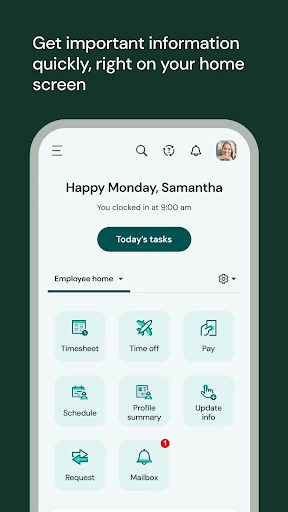
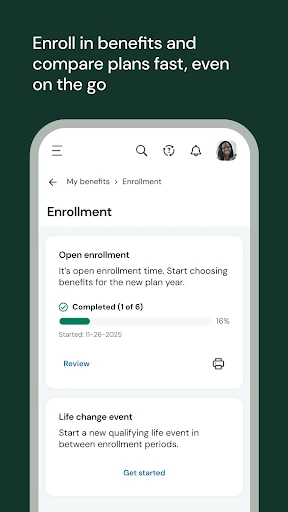
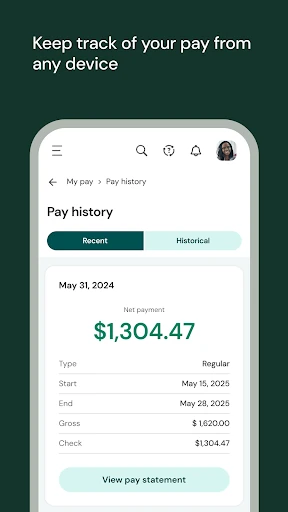
The useful part is the mix of time and HR jobs in one place. An employee may check pay, clock in or out, request time off, or enroll in benefits, depending on what the organization has made available. That makes the app feel less like a general-purpose productivity tool and more like a mobile front door to an employer’s UKG Ready setup. The company must enable access and provide a seven-digit shortname.
Work tools, not a job search
Compared with checking a workplace portal on a computer, UKG Ready is the option for brief tasks that make sense on a phone. Its focus is practical: employee time, pay, benefits, and related HR needs, with additional tools for managers. If I’m already using UKG Ready through work, having those tasks available while away from my desk can save a little friction during an ordinary week.
It is not a general job-search app, a personal budgeting tool, or a replacement for an employer’s policies and decisions. Nor is it a universal employee portal that anyone can simply sign up for. The employer’s UKG Ready software needs to be configured for mobile access, and the organization decides which features each person can use. Someone whose workplace does not use the system will have little reason to install it.
Make quick checks a habit
I’d get the most from UKG Ready by using it for small, timely checks instead of treating it as another place to browse. For example, I could check pay when it arrives, submit a time-off request as soon as plans are firm, and use the app for clocking in or out when that workflow is enabled. Keeping those actions close to the moment they matter can make work admin easier to remember.
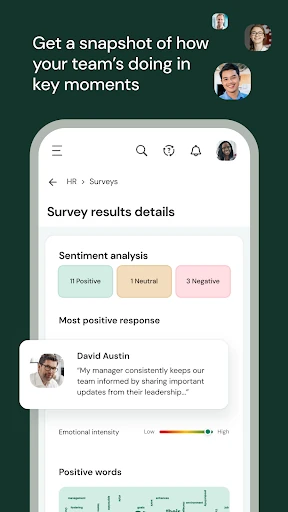
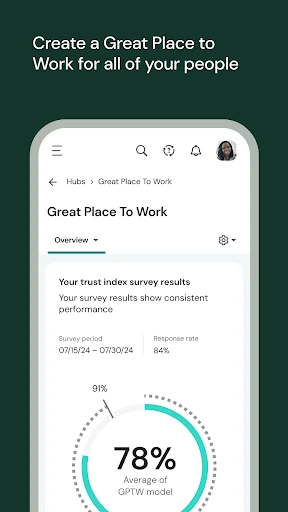
Managers can use the mobile access for a different rhythm: reviewing approvals, adjusting a team schedule to cover a gap, or working on performance reviews. The app also describes ways to examine team trends, including signals related to employee retention and how people feel about work. These are useful possibilities, but the organization controls feature access. I would check with an administrator before relying on any particular workflow.
More From Our News Desk

Zoom Meetings, Google Meet, or Teams: Which Is Easiest to Join?

How I Build a Free Streaming Lineup With Tubi

Why Crunchyroll Is the Default Anime App for So Many Fans

YouTube TV: A Practical Guide to Cutting Cable

Rummikub and the Small Comfort of Phone Games

TeamViewer Remote Control or AnyDesk for Helping Family?
Who will find it useful
I’d recommend UKG Ready to employees whose organization already uses the platform and has enabled mobile access. It suits people who need occasional access to timekeeping, pay, benefits, or time-off tasks while away from a computer. Managers may also appreciate being able to handle schedule adjustments, approvals, and performance review work on the go, as long as those tools are part of their organization’s setup.
It may not suit someone looking for a standalone HR service or a way to manage personal work records across unrelated employers. The experience depends on the employer’s configuration, so two people may not see the same available tasks. If a login fails or a feature is missing, that may call for help from a manager or company administrator rather than more time exploring the app.
UKG Ready is a free Business app from UKG, Inc. On Google Play, it has over 1 million installs and a 4.7-star rating from about 37,000 ratings. The listed content rating is Everyone. The app first appeared on December 13, 2017, and its current version is 1.107.7.
Google Play lists UKG Ready as free, with no in-app purchases and no ads. The latest update date provided is October 13, 2026. The minimum Android version is not included in the available app details, so check Google Play for device compatibility before installing.
Work Admin That Travels With You
Getting started depends on work
When I first consider an employee app, I want to know whether I can actually get in before planning around it. With UKG Ready, setup starts with the employer: the organization must enable mobile access and provide a seven-digit company shortname. That makes the first step less like signing up for a consumer service and more like connecting to a workplace system that has already been configured.
Once access is in place, the app’s promise is straightforward: bring selected HR, payroll, talent, and time tasks to a mobile device. I’d treat the first visit as a chance to see which tools my employer has made available, rather than assuming every capability will appear. The organization decides what employees can access, and managers or administrators are the contact for login and connection questions.
Small tasks, when they happen
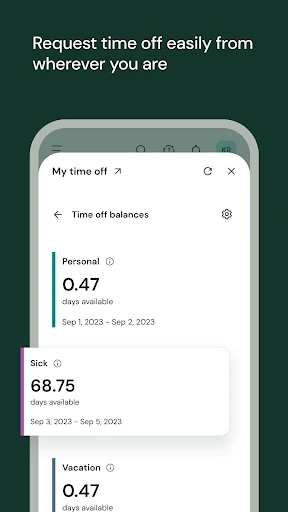
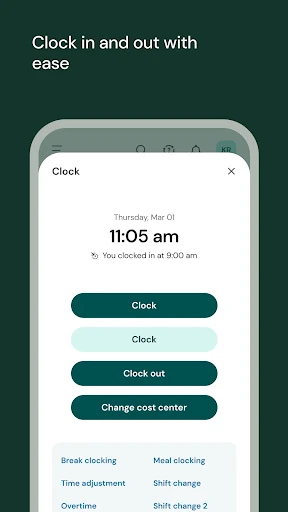
The day-to-day value is in being able to handle a short work task at the point it comes up. A shift starts, and clocking in or out may be available in the app. A pay question comes to mind, and the employee can check pay information. When plans change, a time-off request can be sent without waiting for the next time they are at a work computer.
That convenience is practical rather than dramatic. I would not expect a mobile app to replace every conversation with a supervisor or resolve questions about workplace policy. Instead, it can make certain routine actions more reachable. What appears in the app depends on the employer’s setup, so it is worth learning which tasks are supported before building a personal routine around them.
Employee and manager tools
The range of described tasks is broader than a simple clock-in utility. Employees may be able to check pay, request time off, and enroll in benefits, along with similar HR and time-related tasks. That combination can be handy for workers who are away from a desk or moving between job sites. It keeps several kinds of workplace admin within reach, subject to the company’s settings.
Managers have a separate set of possible uses. UKG Ready describes adjusting a team schedule to fill gaps, working on performance reviews, and handling approvals. It also points to team trends, including indications of who may be likely to leave and how a team feels about work. Those are manager-oriented capabilities, not a reason to assume every employee will see the same tools.
A simple weekly rhythm
A sensible routine could be to open UKG Ready when there is a specific work task to complete. At the start of a shift, that might mean using the clock-in function if the employer has enabled it. During the week, I could check pay details or put in a time-off request when needed, rather than trying to remember several loose ends later.
For a manager, the same idea might mean checking approvals or adjusting a schedule when a coverage gap appears. I would keep the app as a convenient access point, while turning to the company administrator for questions about account access or feature availability. That division makes the app easier to use without expecting it to answer workplace questions that depend on the employer.
Keep the employer in view
The biggest limitation is also the app’s basic requirement: it is useful only when an employer uses UKG Ready and has enabled mobile access. A seven-digit company shortname is required, and the organization decides which features are available. That means installation alone does not guarantee a full set of tools or access to a particular task.
I’d also keep expectations focused on work administration. UKG Ready is not described as a universal service for handling every workplace issue, and the app cannot make employer decisions on a user’s behalf. If a feature is unavailable or a connection problem comes up, the guidance is to contact a manager or company administrator. That is a reasonable boundary, but it can make the experience depend on timely workplace support.
UKG Ready makes the most sense as a mobile companion to an employer’s existing system. Its mix of timekeeping, pay, time-off, benefits, and manager tasks could remove small bits of friction from a workweek, especially for people who are often away from a desk. The important caveat is that access and features are controlled by the organization.
I’d try it if my employer uses UKG Ready and has provided mobile access details. Employees seeking a general HR app, or workers whose company does not use the platform, should look elsewhere. For those who meet the requirement, it offers a practical way to take selected workplace tasks along.
UKG Ready Frequently Asked Questions
What is UKG Ready used for?
UKG Ready gives employees mobile access to work tasks such as clocking in or out, checking pay, requesting time off, and enrolling in benefits, when those features are enabled. Managers may also have access to scheduling adjustments, approvals, performance reviews, and team trends. The employer determines which tools are available.
What devices can run UKG Ready?
UKG Ready is an Android app available through Google Play. The minimum Android version is not provided in the available details, and compatibility can depend on the device and current app requirements. Check the Google Play page for the latest requirements before installing.
Does UKG Ready require employer access?
Yes. The organization must use UKG Ready, enable mobile access, and provide the employee with a seven-digit company shortname. The organization also controls which features a person can access. For login, feature, or connection questions, UKG Ready directs users to their manager or company administrator.
Is UKG Ready free to download?
Google Play lists UKG Ready as free, with no in-app purchases and no ads. A user's ability to use it still depends on their employer’s UKG Ready setup and mobile access. Store details can change, so check Google Play for current pricing and app information.
Who should use the UKG Ready app?
It is aimed at employees and managers whose organization uses UKG Ready and has enabled mobile access. Employees may find it useful for selected time, pay, benefits, and HR tasks; managers may have additional team tools. It is unlikely to help someone whose employer does not use the system.
Pros
- Brings selected timekeeping and HR tasks onto a mobile device.
- Can support pay checks, time-off requests, and benefits enrollment.
- Includes possible manager tools for schedules, approvals, and reviews.
- Google Play lists no ads or in-app purchases.
Cons
- Requires an employer to enable access and provide a company shortname.
- Available features depend on the organization’s configuration.
- Login and connection issues may require help from a workplace administrator.
- Category
- Business
- Version
- 1.107.7











