UK ETA
- 9.05K
- 3.1
- Installs
- 5.00M
- Price
- Free

Screenshots
Analysis by Reviewed APKs
UK ETA is an Android app for applying for an electronic travel authorisation before a trip to the UK. It walks eligible travelers through identity checks and application questions, then sends the decision by email. I found its purpose refreshingly narrow: it is a practical application tool, not a place to plan a holiday. It should suit travelers who have the right passport and phone ready before they begin.
A focused travel task
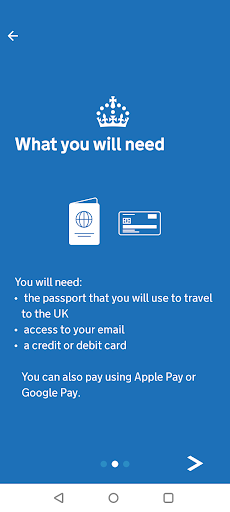
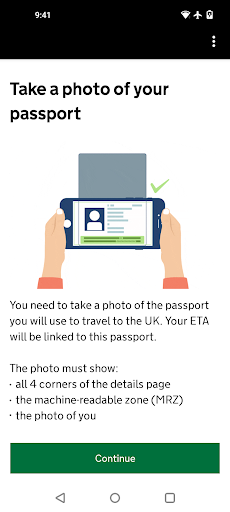
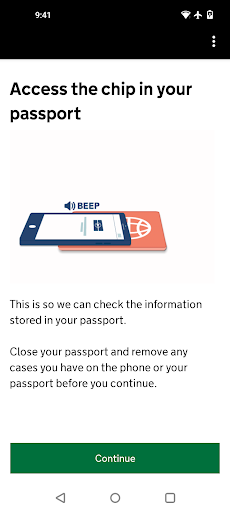
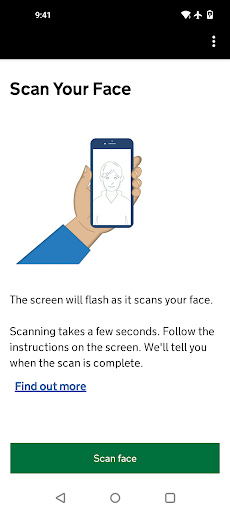
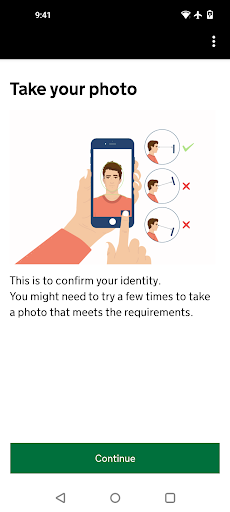
Picture this: I am sorting out the last details for a UK visit and realize I need to check whether an ETA applies to me. The app is built for the next step, not for browsing destinations. I would have my travel passport, a payment card or Apple Pay, and email access nearby, then follow the prompts to photograph the passport, scan its chip, scan my face, take a selfie, and answer questions.
The application is meant to take about 10 minutes, though I would leave more time for careful passport scans and reading each question. One useful detail is that the app does not ask for travel dates or itinerary details. After submitting, the decision comes by email, usually within a day, but the guidance allows up to three working days. I would not treat a submitted application as permission to travel; the confirmation email matters.
An application, not a trip planner
Compared with searching government guidance in a browser and applying online, the app offers a phone-based route that uses the camera and NFC to check identity documents. That makes it a natural choice when I have the passport and compatible phone in hand. It is not a general travel companion: there is no described itinerary planning, hotel search, or destination guide. Its job is to help complete the ETA application.
The app is also not a substitute for checking whether an ETA is required in the first place. The guidance directs travelers to the UK electronic travel authorisation information to find out if they need one. If I were applying for someone who could not be with me, the app would not fit that situation; the stated alternative is to apply online. That distinction is worth sorting out before starting.
Make the process smoother
I would start by checking eligibility and gathering the exact passport I plan to travel with. The ETA is linked to that passport, so applying with one document and later traveling with another could undermine the point of the application. I would also check that the phone supports NFC; if contactless phone payments work, the app’s guidance says that is an indication the phone has it.
A simple habit is to keep email accessible while applying and to check the inbox, spam, and junk folders afterward. If several people are applying, I would not assume everyone’s decision will arrive at the same time. I would wait for each confirmation before travel and save the email with the 16-digit reference number somewhere easy to find. These small checks make a short application less likely to become a last-minute travel worry.
More From Our News Desk

Zoom Meetings, Google Meet, or Teams: Which Is Easiest to Join?

How I Build a Free Streaming Lineup With Tubi

Why Crunchyroll Is the Default Anime App for So Many Fans

YouTube TV: A Practical Guide to Cutting Cable

Rummikub and the Small Comfort of Phone Games

TeamViewer Remote Control or AnyDesk for Helping Family?
Who will find it useful
I would recommend UK ETA to travelers who have checked that they need an ETA and want to complete the application on an Android phone. It is especially convenient for someone comfortable taking document photos and following identity-check steps. The practical requirements are clear: the travel passport, NFC-capable phone, payment method, and email access. Having everything ready makes the app’s focused approach feel more useful than cumbersome.
It may be a poor fit if your phone cannot scan the passport chip, you do not have the relevant passport with you, or you are applying for someone who cannot be present. It also will not answer every trip-planning question. Anyone unsure whether an ETA is needed should first consult the official eligibility guidance. I would treat the app as one part of preparing for travel, rather than the whole travel checklist.
UK ETA is developed by UK Visas and Immigration and is listed in the Travel & Local category. Google Play shows over 5 million installs and a 3.1-star rating from about 9,000 ratings. The app is free to install, and the store facts say it contains no ads or in-app purchases. Applying does involve paying for the application, with the amount not stated in the app details provided here.
The app was released on October 16, 2023. Its version is shown as varying by device. The content rating is Everyone. Google Play does not provide a single Android version requirement in the app facts; the application guidance says applicants need Android 12 or later. No last-update date is provided in the available store facts.
A Passport-First Application Flow
Starting with the essentials
My first impression of UK ETA is that it has a single clear mission: help a traveler submit an ETA application. Before opening it, I would check whether I need an ETA and make sure the phone is running Android 12 or later. I would also set out my passport, a payment method, and a way to check email. That preparation matters because the process depends on both document scanning and a later email decision.
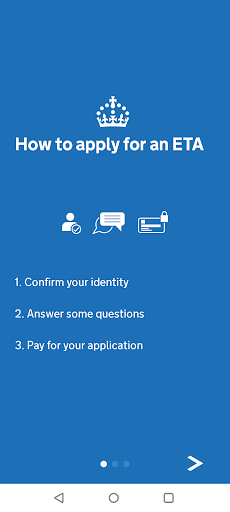
The setup asks for more than a quick form. The described steps include photographing the passport, reading its chip, scanning the applicant’s face, taking a separate photo, answering questions, and paying. I like that the sequence is spelled out in advance; it gives me a realistic sense of what I need to do. The main point of friction is that a passport and compatible phone are essential, rather than optional conveniences.
The everyday experience
Day to day, this is an app I would use for one concentrated task, not something I would keep opening for entertainment or trip inspiration. Once I start, I would focus on getting clear document images and answering the questions carefully. The app’s process is designed around the passport and the applicant’s identity, so I would avoid starting while distracted or in a rush.
After submission, the app is not where the decision is described as arriving. UK Visas and Immigration sends it by email, usually within a day, with up to three working days allowed. That changes how I would build it into a travel routine: apply well before departure, keep an eye on email, and check spam or junk if a decision has not arrived. Waiting for confirmation is part of the process.
Useful identity checks
The standout feature is the combination of passport photography and NFC chip scanning. Rather than relying only on typed passport details, the application guides the traveler through photographing the document and scanning its chip. The phone also scans the applicant’s face and asks for a photo. Together, these steps make the app’s purpose very specific: collecting identity information for an ETA application.
I also appreciate the detail that travel plans are not required during the application. That keeps the task centered on the applicant and passport instead of asking me to assemble an itinerary first. The resulting ETA is tied to the passport used in the application, and the guidance says travelers only need to show that passport when they travel. The email confirmation and its reference number are still worth keeping accessible.
A sensible travel routine
For a straightforward routine, I would begin with the eligibility check, then confirm that I have the passport I intend to use for the UK trip. Next I would check NFC, gather a payment method, and make sure I can access email. With those pieces in place, I could complete the photo and scan steps in one sitting rather than stopping halfway to find a document or payment option.
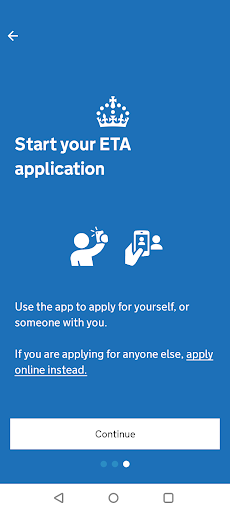
If I were helping another traveler, I would make sure that person is physically with me before using the app. The guidance says they must be present when applying for them through the app; otherwise, the online application route is the alternative. After submitting, I would track the decision through email and allow the full stated window. For a group, I would check each person’s confirmation separately because decisions may arrive at different times.
Limits to plan around
The biggest practical limitation is device compatibility. Applicants need Android 12 or later and NFC for the passport scan, so an older phone or one without NFC will not meet the stated requirements. The application also depends on having the travel passport in hand. Those are not minor details to discover halfway through; I would check them before opening the process.
There are also boundaries to what the app does. It does not tell every traveler whether they need an ETA without first directing them to eligibility guidance, and it is not the right app route for applying for someone who cannot be present. Finally, an application is not an approval: the traveler must wait for the email confirming an ETA before traveling. The limited scope is clear, but it calls for sensible preparation.
UK ETA is a practical, purpose-built option for travelers who need to apply for an ETA and have a compatible Android phone and passport ready. The identity steps are specific, and the process avoids asking for travel details. Its focused approach is useful, provided I remember that email confirmation—not simply submitting the form—is the important finish line.
I would recommend it to eligible applicants who can complete the passport and face scans themselves and have time to wait for a decision. I would check requirements before starting, apply well ahead of travel, and keep the confirmation email handy. For travel research or broader trip planning, I would use other tools; UK ETA is for the application itself.
UK ETA Frequently Asked Questions
What is the UK ETA app used for?
UK ETA is used to apply for an electronic travel authorisation to come to the UK. The process includes photographing and scanning a passport, scanning the applicant’s face, taking a photo, answering questions, and paying for the application. Check the eligibility guidance first to find out whether you need an ETA.
Which phones can run the UK ETA app?
The app is for Android, and its application guidance requires Android 12 or later and NFC for scanning the passport chip. You also need the passport you plan to travel with. Requirements and compatibility can change, so check the Google Play store details and your device before beginning.
Is the UK ETA app free?
The app is free to install, and the store facts show no in-app purchases or ads. However, applying requires payment. The amount is not specified in the details here, so check the Google Play store or the application guidance for the current charge before you submit.
Can I use UK ETA to apply for someone else?
The person you are applying for must be with you when you use the app. If they cannot be present, the guidance says to apply online instead. Make sure the applicant has the passport they will use for travel, since the ETA is linked to that passport.
Who is UK ETA a good fit for?
It suits travelers who have checked that they need an ETA, can use an Android 12-or-later phone with NFC, and have their passport, payment method, and email access ready. It is less suitable for someone without a compatible phone or for applications where the person cannot be present.
Pros
- Combines passport photography and chip scanning in a guided application process.
- Does not require travel dates or itinerary details during the application.
- Explains the email decision window and links the ETA to the travel passport.
- Free to install, with no ads or in-app purchases.
Cons
- Requires Android 12 or later and NFC-capable hardware.
- Applicants need their passport, payment method, and email access ready.
- The app route requires the person being helped to be present.
- Category
- Travel & Local











