Flightradar24 Flight Tracker
- 660.19K
- 4.5
- Installs
- 100.00M
- Price
- Free

Screenshots

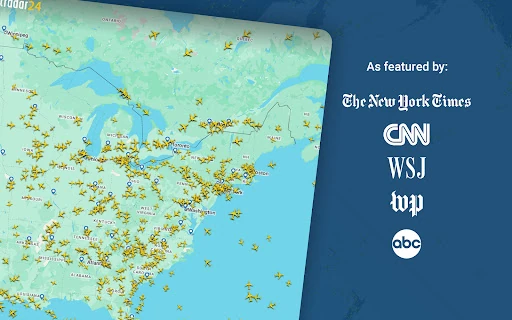
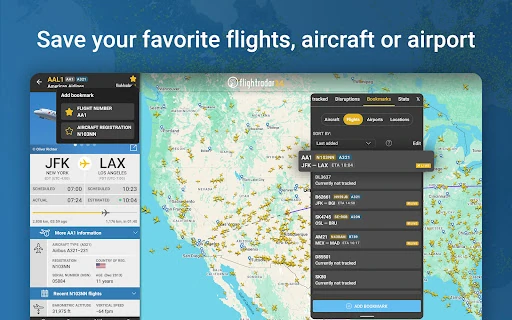
Analysis by Reviewed APKs
Flightradar24 Flight Tracker turns a phone or tablet into a live map of aircraft, with flight details, airport activity, and tools for exploring past trips. I find it useful both for practical travel checks and for those moments when a plane overhead catches my attention. It has plenty to explore without upgrading, though the map and data are best treated as an informative snapshot rather than a travel authority.
Following a flight in real time
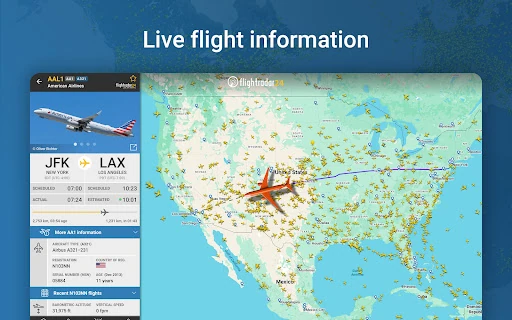
When I want to check on a flight, I can search by its number, airline, or airport, then tap the aircraft on the map to see its route and details. Estimated arrival time, actual departure time, aircraft type, speed, and altitude help turn a moving icon into a clearer picture of the trip. It’s a handy way to satisfy curiosity while waiting for someone to land or to see what is moving above my neighborhood.
The map also works well when I have no particular flight in mind. I can zoom into an area and watch aircraft move across it, then open an airport icon for arrivals, departures, current delays, aircraft on the ground, and weather conditions. I spent a few minutes following one plane and then checking its destination airport. That simple loop is easy to pick up, and it makes the app useful even when I’m not planning a trip.
More than a departure board
A standard airline app or airport departure board is usually the better first stop when I need information about my own booking or a specific airline’s travel updates. Flightradar24 takes a broader view: it puts flights from around the world on a map and makes it easy to explore aircraft, routes, and airport activity. I like that difference. It feels less like a booking companion and more like a live window onto air traffic.
That broad view also means the app is not a replacement for official travel communications or a tool to rely on for safety-critical decisions. Its own description limits use to entertainment, and flight coverage can vary by region. For a quick look at where a plane is, it’s engaging and informative; for changes to my itinerary, I would still check directly with the airline or airport.
Small habits that help
I get more from the app when I start with a question rather than just panning around. Searching a flight number is quick when I already know what I’m looking for; searching an airport gives me a useful overview of what is arriving and departing. Tapping a plane for its route and aircraft details adds context without making me dig through unrelated information.
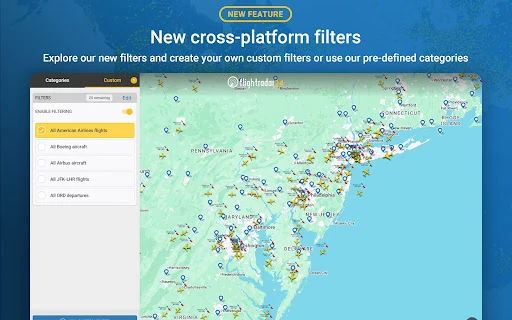
Filters can narrow the map by airline, aircraft, altitude, speed, and more, which helps when a busy patch of sky becomes a jumble of icons. If I want to look back rather than follow something live, historical data and flight playback offer another way to explore. I also like the point-at-the-sky identification option for a passing aircraft, while keeping in mind that it’s a casual discovery tool rather than a travel necessity.
More From Our News Desk

Zoom Meetings, Google Meet, or Teams: Which Is Easiest to Join?

How I Build a Free Streaming Lineup With Tubi

Why Crunchyroll Is the Default Anime App for So Many Fans

YouTube TV: A Practical Guide to Cutting Cable

Rummikub and the Small Comfort of Phone Games

TeamViewer Remote Control or AnyDesk for Helping Family?
Who will enjoy the flight map
I’d recommend Flightradar24 to aviation enthusiasts, curious travelers, and anyone who likes knowing what aircraft are passing overhead. It’s also a useful companion for checking airport activity or following a flight when I’m meeting someone. The free version already covers the central experience: a live map, flight details, airport information, search, and ways to explore past flights.
It may be less appealing if you only want a simple airline itinerary or expect every flight to appear with the same level of detail everywhere. The map can feel busy, and deeper tools such as longer history, alerts, and additional weather or chart layers sit in paid upgrade options. I’d treat it as an exploratory tracker, not as a substitute for airline updates or a quiet, minimal travel app.
Flightradar24 Flight Tracker is made by Flightradar24 AB and is listed in Google Play’s Travel & Local category. Google Play shows over 100 million installs and a 4.5-star rating from about 660,000 ratings. The app is free to install, includes ads, and offers in-app purchases. The listed in-app product range is $1.49 to $69.99 per item.
Google Play gives the app an Everyone content rating. Its version varies with device, and the Android requirement is not included in the available app details, so it is worth checking the store page for compatibility. The listed release date is September 15, 2010, and the listed last update is October 22, 2026.
A closer look at the live map
Opening the map
When I first opened Flightradar24, the map was the obvious place to begin. Aircraft icons make the core idea immediately clear: this is a tracker for watching flights move, not a form-heavy trip planner. I could zoom toward an area that interested me and tap an aircraft to get more context. That direct approach makes the app approachable even if I’m only opening it because a plane caught my eye.
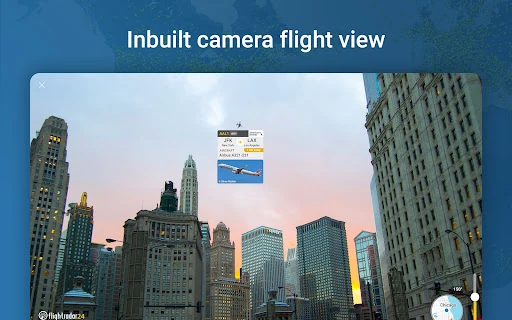
There are several ways to begin exploring, depending on what I know. I can search for a flight, airport, or airline, or simply browse the map and select an aircraft. Pointing the device at the sky is another route to identifying flights overhead and seeing information about the aircraft. I appreciate having both a purposeful search and an easy way to wander; they suit different moments without changing the app’s central focus.
The everyday tracking experience
The live map is the feature I return to most. Tapping an aircraft brings up information such as its route, estimated arrival, actual departure, aircraft type, speed, altitude, and photos of the actual plane. That detail makes following a flight more satisfying than watching a dot move across a map. I can glance at a plane’s progress, or spend longer looking at what type of aircraft is on a particular route.
Airport icons add a second useful layer. Their panels show arrivals and departures, flight status, aircraft on the ground, current delays, and detailed weather conditions. When I’m waiting for a pickup, I can check the airport’s broader activity rather than focusing on one aircraft alone. The amount of information is generous, though it can take a little tapping to find the detail that matters to me.
Tools for curious observers
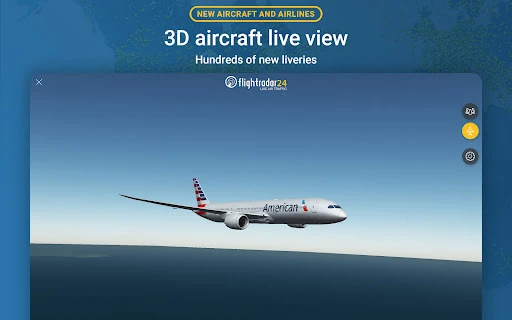
A few features make the app especially fun when I’m not tracking a specific trip. Pointing my device toward a plane overhead can identify the flight and show what kind of aircraft it is, including a photo of the actual airplane. I also like the option to view a flight in 3D, which shows what the pilot sees, and to see airline liveries. These are engaging ways to explore without needing a flight number first.
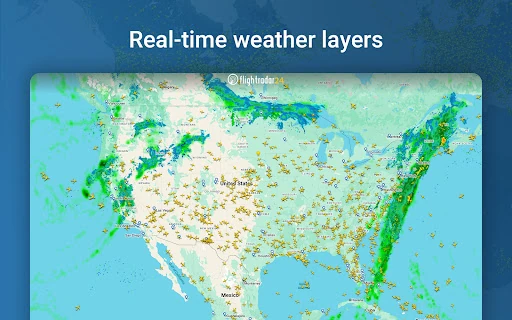
For looking backward, historical data and playback let me revisit past flights. The free app includes these features, while Silver and Gold add longer history and other tools. Silver includes 90 days of tracking history, more aircraft and flight details, filters, alerts, and current weather at more than 3,000 airports. Gold includes Silver features plus 365 days of history, live weather layers, aeronautical charts, oceanic tracks, ATC boundaries, and extended Mode S data when available.
Wear OS support offers a smaller companion experience: I can view nearby aircraft, see basic flight information, and open an aircraft on the map from my watch. It doesn’t replace the phone or tablet map, but it gives the app another useful way to check what is nearby.
A simple airport routine
For a practical routine, I’d start by searching the airport connected to my plans and checking its arrivals or departures. If I’m meeting someone, I can then search for the particular flight and tap its aircraft to see the route and estimated arrival. I’d use this as extra context while waiting, rather than as the only source for deciding when to leave or where to go.
On a quiet evening, I use the same tools less practically. I pick an airport, follow a flight moving away from it, and check the aircraft type or route. If the map is crowded, filters for airline, aircraft, altitude, or speed help narrow the view. The app rewards small, focused searches more than aimless scanning, especially when there are many aircraft visible.
Limits to keep in mind
Coverage and detail can vary. The app describes aircraft positions as coming mainly from ADS-B transponders received through ground stations, with multilateration in some regions and real-time radar data supplementing coverage in North America. Not every aircraft or area will necessarily be represented in the same way, so I treat what I see as a useful view of air traffic, not a complete record.
The free experience has a lot to explore, but some deeper features require Silver or Gold. Subscription prices vary by country and currency, and subscriptions renew automatically unless canceled at least 24 hours before the current period ends. That’s worth considering before starting an upgrade. The app also explicitly limits its use to entertainment, so I wouldn’t use its data or interpretation as the basis for a safety-critical decision.
Flightradar24 makes following aircraft feel immediate, whether I’m checking a flight for a pickup or simply wondering where a plane overhead is headed. The live map, airport panels, and aircraft details give the free app plenty of substance, while 3D views and playback add reasons to explore.
I recommend it to curious travelers and aviation fans who enjoy an information-rich map. If you only need your own itinerary, an airline app may be simpler. For everyone else, Flightradar24 is a compelling way to follow air traffic, provided you keep coverage limits and its entertainment-only purpose in mind.
Flightradar24 Frequently Asked Questions
What is Flightradar24 Flight Tracker used for?
Flightradar24 lets you watch aircraft move on a map, search for flights, airports, or airlines, and view flight details such as routes, aircraft type, and estimated arrival. Airport panels include arrivals, departures, delays, and weather. You can also identify flights overhead, view flights in 3D, and explore historical data and playback.
Which devices can run Flightradar24?
Flightradar24 is available for Android phones and tablets, and the description also mentions Wear OS support for viewing nearby aircraft and basic flight information. The Android version requirement may vary with the device or app release, so check the Google Play store page for current compatibility details.
What Android version does Flightradar24 require?
The Android version requirement can vary by device and app release. Google Play describes the app version as varying with device, so check the current store page on your phone or tablet to see whether your Android version is supported.
Is Flightradar24 free, and does it have purchases?
Flightradar24 is free to install and includes ads and in-app purchases. Optional Silver and Gold upgrades add features such as longer flight history and extra data tools. The listed in-app product range is $1.49 to $69.99 per item; subscription prices vary by country and currency, so check Google Play for current pricing.
Who is Flightradar24 best suited for?
It suits aviation enthusiasts, curious travelers, and people who want to follow aircraft or check airport activity. The free version includes the core live tracking and flight details. It may be less suitable if you only want a simple itinerary app or need to rely on the map as an official source for travel or safety decisions.
Pros
- Live map combines aircraft movement with useful route and aircraft details.
- Airport panels show arrivals, departures, delays, and weather conditions.
- Free features include flight search, overhead identification, and historical playback.
- 3D views and Wear OS support offer extra ways to explore.
Cons
- Coverage and flight detail can vary by region.
- Longer history, alerts, and advanced map layers require paid upgrades.
- The information-rich map can feel busy when many aircraft are visible.
- Category
- Travel & Local