Turo — Better car rental
- 612.32K
- 4.9
- Installs
- 10.00M
- Price
- Free

Screenshots
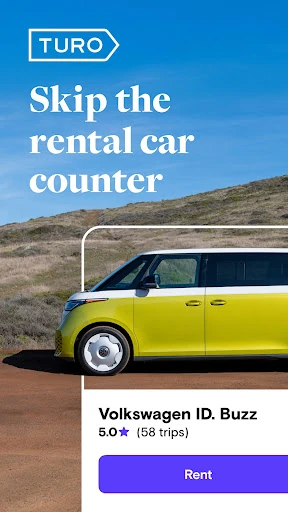
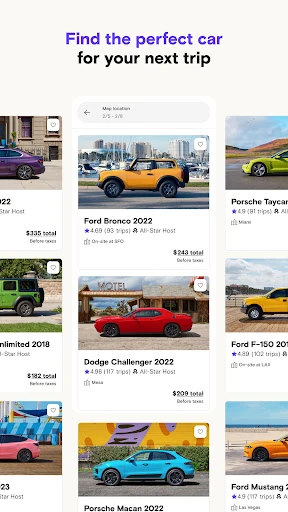
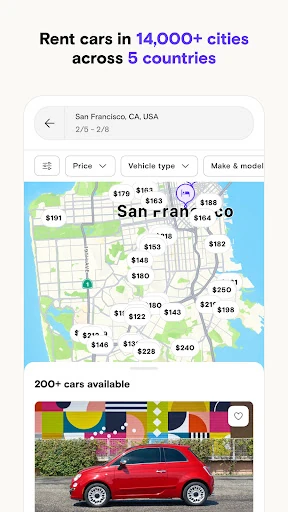
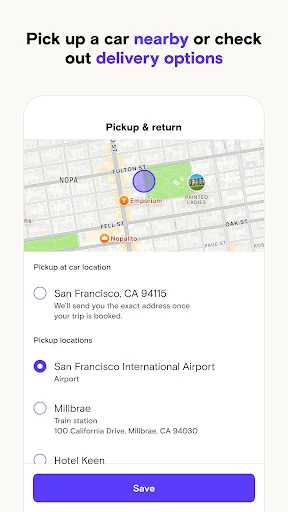

Analysis by Reviewed APKs
Turo is a car-rental marketplace for travelers who want to choose a specific vehicle and arrange a trip through the app rather than start at a traditional rental counter. It also gives car owners a way to list vehicles for rent. I like the idea of matching a car to the trip, from an everyday drive to a weekend away, though the host-based approach takes a little more planning than a standard rental.
Choose a car for the trip
Imagine arriving in a new city with a day of errands and a drive out of town ahead. In Turo, I can look for a particular kind of car instead of settling for a broad rental category. A roomy van could make sense for a family visit; an EV might suit a short city stay. Being able to book the exact make and model is the app’s central appeal, especially when the vehicle itself matters to the plan.
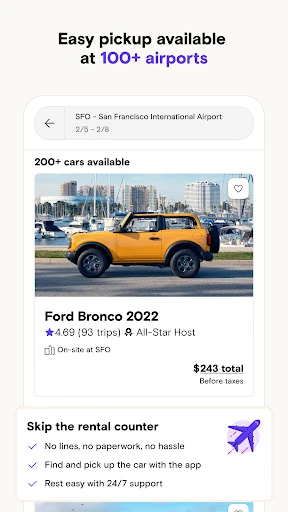
The marketplace also changes the shape of pickup. Hosts may offer delivery to an airport, hotel, or home, so I can consider where the car will meet me as part of choosing it. I’d look at the host’s reviews and the trip details before making plans around delivery. That extra bit of comparison feels worthwhile when it could spare me an inconvenient trip to a rental counter after a long journey.
A different kind of rental
Turo is best understood as a community marketplace, rather than a conventional rental-company app. Its selection spans everyday cars, luxury vehicles, EVs, vans, and rugged 4x4s, with local hosts offering their own vehicles. That makes it useful when I care about a specific model or need a car that suits a particular outing. Host reviews add a useful perspective that a simple list of vehicle categories cannot provide.
That flexibility is not the same thing as a traditional counter experience, and Turo is not a general travel-planning app. The vehicle and host are part of the arrangement, so I would read the trip information and pickup details rather than assume every booking works alike. If I only want the simplest possible process and have no preference about the car, a standard rental may feel more familiar.
Plan before pickup
A useful habit is to decide what the trip actually needs before browsing. For a group, I’d start with space; for a city stay, I might prioritize an EV or a car that is easy to park. Turo’s range of vehicle types makes that kind of focused search more meaningful than scrolling through cars without a clear purpose. It also helps me compare suitable options instead of getting sidetracked by a vehicle that looks fun but does not fit the itinerary.
I’d also build a small check-in routine around the host and the trip: read reviews, confirm the pickup or delivery arrangement, and revisit the booking if plans change. The app supports trip extensions and flexible cancellation, though I would still check the terms for the specific trip. Treating those details as part of planning, not an afterthought, should make a host-based rental easier to fit into a busy travel day.
More From Our News Desk

Zoom Meetings, Google Meet, or Teams: Which Is Easiest to Join?

How I Build a Free Streaming Lineup With Tubi

Why Crunchyroll Is the Default Anime App for So Many Fans

YouTube TV: A Practical Guide to Cutting Cable

Rummikub and the Small Comfort of Phone Games

TeamViewer Remote Control or AnyDesk for Helping Family?
Who should give Turo a look
I’d recommend Turo to travelers who enjoy having a say in what they drive. It is especially appealing when a particular vehicle type would improve the trip: a van for a group, a 4x4 for a weekend escape, or an EV for city driving. People who appreciate reading reviews and comparing options may also like the host marketplace, where the car and the person providing it both matter to the experience.
It may be less appealing if you want a familiar, one-size-fits-all rental process and do not want to compare individual cars or host arrangements. Owners may also find it relevant: the app lets people list one or more cars and set pricing and availability. That side is a different commitment from simply booking a vehicle, so I’d treat it as a platform for managing a listing rather than a quick way to make a casual sale.
Turo — Better car rental is a free Android app from Turo Inc. On Google Play, it has over 10 million installs and a 4.9-star rating from around 612,000 ratings. The app itself contains no ads and offers no in-app purchases, according to its store details. Those figures describe the app, not the cost of renting a car through the marketplace.
The app is rated Everyone on Google Play. Its listed version is 26.42.2, and the store gives a release date of September 14, 2014, with a last update on October 28, 2026. The supplied store details do not give a minimum Android version, so it is worth checking compatibility on Google Play before installing.
A closer look at planning a Turo trip
A browse-first introduction
Turo’s premise is easy to grasp: browse cars offered by local hosts, choose the vehicle that suits the trip, and arrange the rental in the app. My first impression is that the choice of car is meant to be part of the planning, not a detail left until pickup. That distinction gives the service a clear identity, particularly for anyone who has ever been disappointed by receiving an “or similar” vehicle.
The first decision is less about learning a complicated tool and more about knowing what you need. I’d think through passenger space, the kind of roads involved, and whether delivery would make the start of the trip easier. The available options vary by host and destination, so it makes sense to browse with some flexibility rather than expect the same selection everywhere.
The everyday booking rhythm
For a typical trip, the rhythm is browse, compare, and make a choice based on both the car and its host. Turo emphasizes booking the exact make and model, while reviews give renters a way to learn about the host experience. I like that those pieces sit together: a vehicle can look right on paper, but the host’s reviews and the pickup arrangement can shape how practical it is.
The app is also designed for plans that do not stay perfectly fixed. Turo describes trip extensions and flexible cancellation as options, and it offers around-the-clock customer service and roadside assistance. I would still review the details attached to a particular booking before relying on flexibility. Those features are reassuring context, but the trip’s own terms are what I’d want to understand before setting an itinerary around them.
Selection with a purpose
The most distinctive feature is the range of cars available through local hosts. Turo presents options from regular drivers to luxury cars, EVs, vans, and 4x4s. That variety makes the app more than a way to find basic transportation: it can help match the vehicle to the shape of a trip. I would not assume every type is available in every place, but the range gives browsing a useful starting point.
Delivery is another practical feature. Some hosts can bring a car to an airport, hotel, or home, which could simplify the first leg of a trip. The emphasis is on convenience, but delivery is offered by hosts rather than something I’d treat as automatic. I’d check the individual listing and plan around the stated arrangement, especially if I had a tight arrival schedule.
A calmer travel routine
For an airport arrival, I’d use Turo before leaving home rather than wait until I land to figure out transportation. I’d narrow the choice by the number of travelers and the kind of driving planned, then compare host reviews and pickup options. This gives me a chance to see whether delivery to the airport or hotel is available and to make a plan that fits the first few hours.
If the itinerary changes during the trip, I’d check the booking in the app to see whether an extension or cancellation option applies. That is a more useful habit than assuming the original plan is fixed or that every change is handled the same way. Keeping the trip details handy and checking them when plans shift makes the app’s flexibility more actionable.
Details still matter
The marketplace format asks for a bit more attention than choosing a broad category from a fleet. Cars come from individual hosts, so availability, delivery, and the overall experience can depend on the specific option. Reviews help with comparison, but I’d still read the trip information carefully and leave enough room in my schedule for the agreed pickup arrangement.
Turo also serves two audiences: people renting cars and owners listing them. That breadth is useful, but it means the app is not only a straightforward booking tool. Owners can list one or more vehicles and control pricing and availability, while renters are choosing among those listings. Anyone looking at the host side should consider it a separate ongoing activity, not simply another step in a guest booking.
Finally, the app’s free download does not mean a car rental is free. The store details cover the app’s price and in-app purchases, not the cost of an individual trip. I’d check the specific booking details before committing, and confirm Android compatibility in Google Play because the minimum version can vary with app updates.
Turo’s strongest idea is simple and useful: choose the actual car that fits the trip, then arrange the rental with a local host. The breadth of vehicles, host reviews, delivery options, and trip-management features give it a distinct place alongside traditional rental apps. It rewards a little comparison and planning rather than promising that every booking will feel identical.
I’d recommend giving Turo a look if vehicle choice or pickup convenience matters to you, and if you are comfortable checking the details of a host-based rental. It is less compelling for someone who wants the most familiar counter-based process with minimal decisions. For the right traveler, the ability to match a car to the trip is a practical reason to browse.
Turo Frequently Asked Questions
What is Turo — Better car rental used for?
Turo is a marketplace app for renting cars from local hosts. Renters can browse vehicles, choose a specific make and model, review hosts, and arrange a trip. Some hosts offer delivery to places such as an airport, hotel, or home. The app also lets car owners list vehicles and manage their pricing and availability.
Which devices and platforms support Turo?
The supplied store information is for the Android app on Google Play. Turo describes its marketplace as serving the US, UK, Canada, Australia, and France. Device compatibility depends on Android requirements, so check the Google Play store details for your device before installing.
What Android version does Turo require?
The minimum Android version is not provided in the app details available here. Requirements can vary as apps are updated, so check the compatibility information on Google Play for the current version and your particular device.
Does Turo cost money or have in-app purchases?
Turo is free to download on Google Play and its store details say it has no in-app purchases or ads. Renting a car is a separate transaction, so the app’s free download does not mean a trip is free. Check the details for the vehicle and booking you are considering.
Is Turo a good fit for every traveler?
It is a good fit for travelers who want to choose a particular vehicle and are willing to compare host reviews and trip arrangements. It may be less suitable for someone who prefers a familiar, minimal-decision rental-counter process. Owners can also use Turo to list cars, but that is a different use from booking a trip.
Pros
- Lets renters choose a specific make and model instead of a broad vehicle category.
- Host reviews offer another useful point of comparison when browsing cars.
- Some hosts offer delivery to airports, hotels, or homes.
- Trip extensions and flexible cancellation can help when plans change.
Cons
- The host-based marketplace makes checking each car’s details important.
- Delivery and vehicle choices depend on the individual host and destination.
- The app’s free download does not cover the cost of renting a car.
- Category
- Travel & Local
- Version
- 26.42.2