U-Haul
- 16.49K
- 3.3
- Installs
- 5.00M
- Price
- Free

Screenshots
Analysis by Reviewed APKs
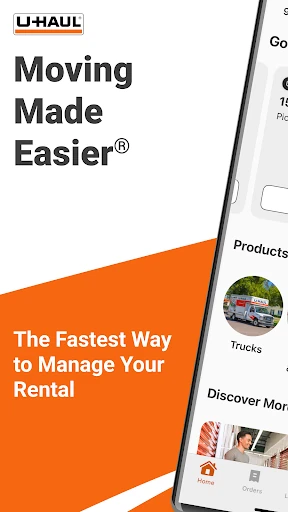
U-Haul is a moving and storage app for people arranging a rental, keeping track of an order, or looking for a nearby location. I’d recommend it most to someone who wants to handle practical moving tasks from a phone instead of juggling every detail separately. Its focus is refreshingly clear: quotes, reservations, rental pickup and return, support, and moving resources, all in one place.
Keeping a Move on Track
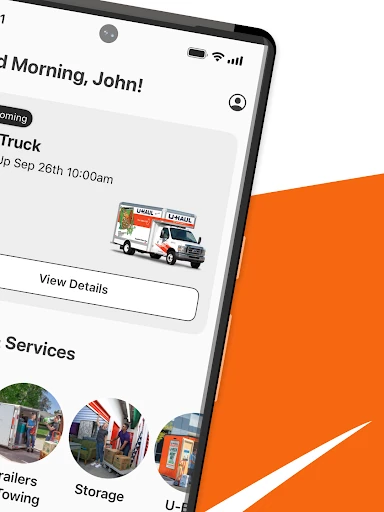
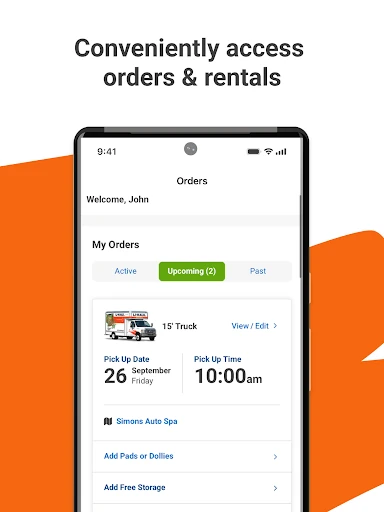
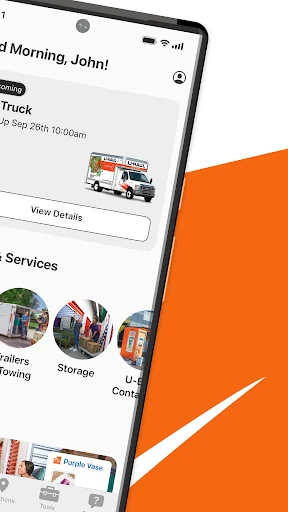
When I picture using U-Haul, it’s the week before a move: I’m checking the reservation, confirming what I need, and trying to keep a dozen small tasks from slipping through the cracks. The app lets me get a quote, start or modify a reservation, and track orders from my phone. Its updated homepage is meant to put upcoming and active orders in view, which makes it a natural place to start when plans change.
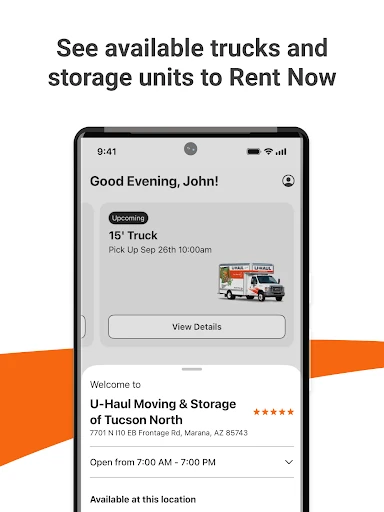
The useful part is that the app covers more than booking. I can look for a nearby U-Haul location and check its products and services, review rental history, and find answers in the FAQs and resources. If a question needs a person, live chat and email support are available. That range suits the practical, slightly hectic stretch of moving when I want the important rental details close at hand.
A Moving Tool, Not a Planner
Compared with calling or visiting a location for each step, U-Haul gives me a phone-based way to handle quotes, reservations, order tracking, and rental pickup or return. A custom profile is intended to make reservations quicker, and the app also provides location details and support. It is most useful when U-Haul is already part of the plan; the app centers on managing that service rather than comparing every moving option on the market.
I wouldn’t treat it as a complete household move planner. The listed features focus on U-Haul orders, locations, services, and resources, not coordinating friends, building a packing calendar, or arranging every part of a move with other companies. That distinction matters: it can take some friction out of the rental side, but I’d still use whatever separate notes or planning tools help me organize the rest.
Small Ways to Stay Organized
A simple habit would be to check the app whenever a moving detail changes. I could open it to review an upcoming or active order, adjust a reservation if needed, or look up a location’s details before heading over. Keeping those steps together reduces the chance that I’m searching through old messages when I need a rental detail. The app also gives me a place to revisit rental history after the move.
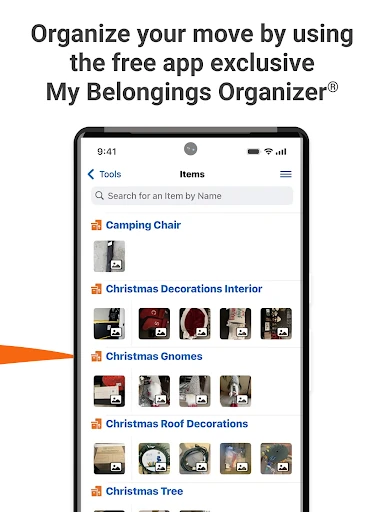
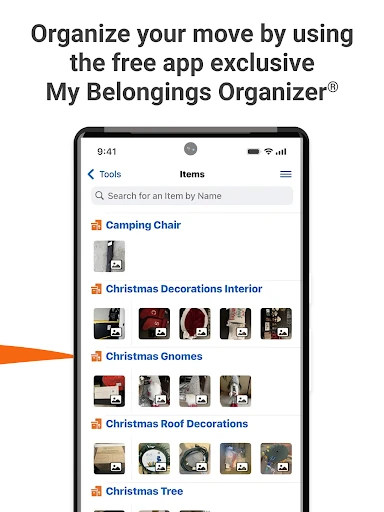
I’d also make use of the Organizer’s folders and categories to sort belongings, then check its recommendations for services and products tailored to the move. Those features are most helpful when I build a little organization into the routine instead of waiting until moving day. For a question that the FAQs don’t answer, I can turn to live chat or email rather than abandoning the app and starting the search over.
More From Our News Desk

Zoom Meetings, Google Meet, or Teams: Which Is Easiest to Join?

How I Build a Free Streaming Lineup With Tubi

Why Crunchyroll Is the Default Anime App for So Many Fans

YouTube TV: A Practical Guide to Cutting Cable

Rummikub and the Small Comfort of Phone Games

TeamViewer Remote Control or AnyDesk for Helping Family?
Who Will Find It Useful
I’d recommend U-Haul to people who have a U-Haul rental in their plans and want a phone-based way to manage the steps around it. Being able to request a quote, manage a reservation, track an order, find a location, and access support makes it a practical companion during a move. It should also appeal to anyone who prefers checking current order details on a phone rather than relying only on paper or memory.
It may be less useful if you’re only looking for a general-purpose moving checklist or a way to coordinate several providers. The app’s described features are focused on U-Haul rentals, locations, and related resources, so it isn’t presented as an all-in-one organizer for every moving task. I’d also expect the most value when I’m comfortable using a profile and handling reservation details on a mobile device.
U-Haul is developed by U-Haul International and is available on Google Play for Android. The app is free to download. Google Play shows more than 5 million installs and a 3.3-star rating from about 16,000 ratings. Its content rating is Everyone, and Android 8.0 or later is required.
The current version is 3.9.1. U-Haul was released on September 20, 2016, and its most recent update was January 13, 2026. The app does not contain ads or offer in-app purchases, according to the supplied app details. These figures describe the app’s practical basics; the features themselves are aimed at managing a move and its related rental tasks.
A Closer Look at Moving Day
Starting with the Essentials
When I first open an app designed for moving, I want to know whether it can help with the immediate job: getting a quote, finding a reservation, or locating a nearby center. U-Haul’s feature set covers those basics alongside order tracking and FAQs. That makes its purpose easy to understand. It is a companion to arranging and managing U-Haul services, not a broad lifestyle app that happens to include moving.
A custom profile is part of the experience, and U-Haul says it can help users reserve in minutes and skip the counter. The app also supports starting or changing a reservation. I’d expect those options to be most relevant once I know roughly what I need and am ready to handle the rental details, rather than when I’m only beginning to think about a move.
The Everyday Rental Workflow
The day-to-day value is in keeping the rental process accessible between other moving tasks. I can check an order, manage a reservation, or look at rental history without treating every question as a fresh search. The updated homepage is designed to show upcoming and active orders directly, a useful focus when I’m making quick checks during a busy week.
Pickup and return are also part of the app’s stated role, with the option to complete those steps from a device. That could be handy when I’m coordinating timing around a full day of packing or travel. I appreciate that the app’s purpose extends past the initial quote, though the actual rental remains the central thread tying these tools together.
Helpful Moving Extras
The app includes more than reservation management. I can use it to find a nearby U-Haul location and see its products and services, while FAQs and resources offer another place to look for moving information. The recent update also describes personalized recommendations for products and services. That combination makes sense when I’m already sorting out the rental and want related information nearby.
The Organizer is another notable addition: it uses folders and categories to help sort belongings. I can imagine grouping items as I pack, then returning to the categories when I need to find something. It’s a useful supporting feature because moving creates a lot of small information-management problems. Still, the described tools are tied to the move and U-Haul’s services rather than a general file or task system.
A Routine for Move Week
I’d make checking U-Haul part of a short move-week routine. In the morning, I could review the upcoming order and confirm that the reservation still reflects the current plan. If something changes, the app can be used to modify it. Before traveling to a center, I could check its location details and available products or services, so I have a better sense of what to expect.
Later, I could use the Organizer’s folders and categories to keep belongings easier to sort, then return to the app for an FAQ or support if a rental question comes up. Live chat and email provide routes to ask for help. That rhythm is deliberately simple: check the order, organize what I’m moving, and use the app’s resources when I need an answer.
Limits to Keep in Mind
U-Haul is most compelling when I have a U-Haul rental to manage. Its listed tools don’t describe a full move-planning system that coordinates every provider, household task, or person involved. I’d pair it with separate planning methods if I wanted a detailed packing schedule or a single overview of the entire move. Knowing that boundary helps set sensible expectations before relying on it.
The Google Play rating is 3.3 stars from about 16,000 ratings, so the overall response is mixed rather than uniformly enthusiastic. I’d keep that in mind alongside the app’s practical feature set, especially if I depend on it during a tight schedule. It may be worth checking the current store information before installing, since details such as requirements and app information can change over time.
U-Haul makes the most sense as a practical companion for a U-Haul rental: it brings quotes, reservation management, order tracking, location details, resources, and support into a mobile app. I like that it also includes an Organizer for belongings, while keeping its main job easy to identify.
I’d suggest trying it if you’re arranging or managing a U-Haul move and want the rental details close by. If you need a complete planner for every part of moving, treat this as one useful tool in a broader routine, not the whole plan.
U-Haul Frequently Asked Questions
What is the U-Haul app used for?
U-Haul is for managing moving and storage tasks related to U-Haul services. It can provide an instant quote, let users start or modify a reservation, track orders, and review rental history. It also supports rental pickup and return, finding nearby locations, viewing FAQs and resources, and contacting support through live chat or email.
Can I use U-Haul on an iPhone or Android device?
The supplied store information is for the Android app on Google Play. It requires Android 8.0 or later. The available platform and device requirements can vary by store and over time, so check the relevant store listing for the latest information about compatibility with your device.
What Android version does U-Haul require?
U-Haul requires Android 8.0 or later according to the supplied app details. If you are unsure whether your phone meets that requirement, check its Android version in the device settings and compare it with the current Google Play information, since app requirements can change.
Does the U-Haul app cost money?
The app is free to download, and the supplied details say it does not offer in-app purchases or contain ads. Rental and other service costs are separate from downloading the app. Store details can change, so it is worth checking Google Play for the latest app information before installing.
Is U-Haul useful if I only need a moving checklist?
It may be less suitable if you want only a general checklist. U-Haul focuses on quotes, reservations, rental orders, locations, support, and resources related to its services. Its Organizer can sort belongings with folders and categories, but the app is not described as a complete planner for every part of a move.
Pros
- Brings quotes, reservation changes, order tracking, and rental history together.
- Includes location details, FAQs, resources, live chat, and email support.
- Organizer folders and categories can help sort belongings during a move.
- Free to download, with no ads or in-app purchases in the supplied details.
Cons
- Its main value depends on having U-Haul services as part of your move.
- It is not described as a complete planner for every moving task.
- Google Play ratings are mixed, at 3.3 stars from about 16,000 ratings.
- Category
- Travel & Local
- Version
- 3.9.1











