Three
- 253.28K
- 4.1
- Installs
- 10.00M
- Price
- Free

Screenshots
Analysis by Reviewed APKs
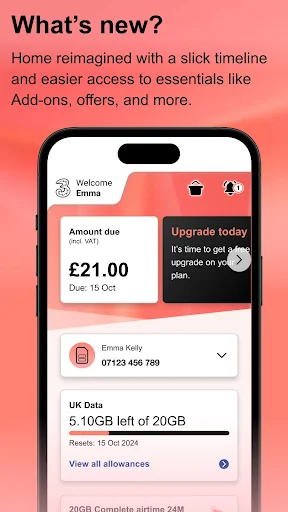
Three is an account-management app for people using Three mobile or broadband services in the UK. It brings practical tasks such as checking allowances, reviewing bills, topping up Pay As You Go, and managing broadband into one place. I see it as a useful companion to the service rather than a general phone-usage tool: it is most valuable when you want to handle account details quickly without switching to a browser or contacting support.
A quick account check
Picture the familiar moment before a trip: I want to know how much of my allowance I have left, whether a bill has arrived, and if I need to top up. Three is built for exactly those account chores. It lets me view plan allowances and usage, open past bills and their cost breakdowns, or add credit to a Pay As You Go account. That makes it a practical stop before heading out, not another app to browse for its own sake.
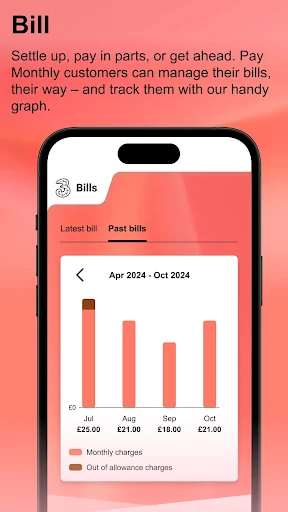
The value is in having several small jobs gathered together. If I notice an unexpected charge, I can look through past bills; if I am running low on credit, I can top up. Someone on a plan can check usage and explore additional products, while a broadband customer can manage that service too. I would not expect every customer to use every tool, but the app covers a useful range of account needs.
Account tool, not phone monitor
Three makes sense beside the provider's website and customer support, rather than as a replacement for every way of dealing with an account. I would open it for a quick allowance check, a bill review, or a top-up while away from home. For a more involved question, its live chat offers another route to Three. It also points to Three Community, so there is a path to discover the service's community space from within the app.
It is important to be clear about what this app does not do. Despite the name, Three is not a general screen-time tracker, app blocker, or tool for setting phone-use limits. Its focus is the Three account and related services. It also is not a way to compare every provider or manage an unrelated mobile account. If you are not a Three customer, the account-specific features are unlikely to be useful.
Small habits that help
I would make a quick usage check part of a routine before a long journey or a week when I expect to be away from Wi-Fi. Seeing the allowance and usage can help me understand where my account stands. It is also worth getting into the habit of checking past bills when I want to understand costs over time, rather than waiting until a charge surprises me.
For Pay As You Go, a top-up is a natural task to handle as soon as I notice credit is getting low. Plan customers can review additional products when their needs change, and broadband customers can use the account tools to manage their setup. I would also keep Three+ rewards and offers in mind as occasional destinations, not daily obligations. A few deliberate check-ins are more useful than opening the app without a specific task.
More From Our News Desk

Zoom Meetings, Google Meet, or Teams: Which Is Easiest to Join?

How I Build a Free Streaming Lineup With Tubi

Why Crunchyroll Is the Default Anime App for So Many Fans

YouTube TV: A Practical Guide to Cutting Cable

Rummikub and the Small Comfort of Phone Games

TeamViewer Remote Control or AnyDesk for Helping Family?
Who will find it useful
I would recommend Three to customers who like handling routine account tasks themselves. It suits someone who wants to check allowances, inspect bills, top up, manage additional products, or reach live chat from a phone. Broadband customers may appreciate having broadband management and a hub signal-strength indicator among the available tools. The app is most compelling when these are tasks you already do now and then, and you want a direct account-focused place to do them.
It may not suit people looking for a general data-control or digital wellbeing app, since that is not its purpose. Nor is it likely to help someone who has no Three service to manage. If you rarely check your account and prefer to handle everything another way, the convenience may matter less. I would think of it as a handy service companion: useful when a particular account job comes up, without needing to become part of every daily phone routine.
Three is an Android app from Hutchison 3G UK Ltd, in the Tools category. On Google Play it has over 10 million installs and a 4.1-star rating from around 253,000 ratings. The supplied release date is July 26, 2019, and the current version is 7.11.2. The recorded last update date is November 2, 2026.
The app is free to download, and the supplied facts say it has ads but no in-app purchases. Its content rating is Everyone. A minimum Android version is not provided in the available app details, so check Google Play for the requirement that applies to your device. Three supports account tasks such as viewing usage and bills, topping up Pay As You Go, managing broadband, and accessing live chat.
A closer look at everyday account management
Getting oriented
When I first consider an account app, I want to know whether it will save time on the jobs I actually do. Three has a clear remit: it is for managing a Three account while away from a computer. The available tools cover mobile usage and plans, billing, Pay As You Go top-ups, and broadband. That range gives it more purpose than a single-task bill viewer, while keeping the focus on the provider's services.
I would start with the task that brought me there, rather than trying to explore every section at once. If I opened it to check usage, that is the natural first stop; if I needed to pay attention to costs, past bills and their breakdowns are relevant. The description also includes live chat, offers, Three+ rewards, and Three Community, making it possible to branch into other account-related destinations when I have a reason.
The day-to-day core
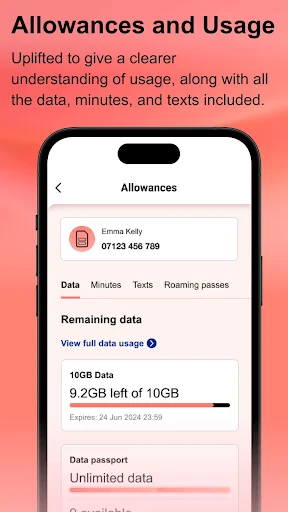
Checking plan allowances and usage is one of the most straightforward reasons to return. I can imagine doing it during a lunch break or before relying on mobile data for a busy day. The app also gives customers access to past bills and a breakdown of costs, which is more useful than simply seeing that a bill exists. These are practical reference tasks: open the app, find the account information I need, and get back to the day.
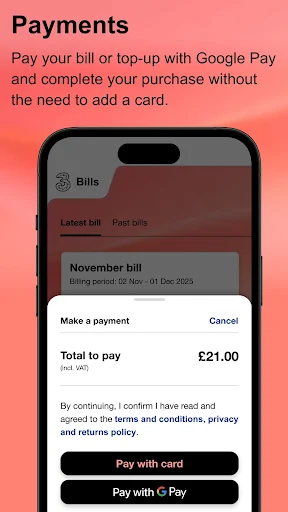
The other routine task depends on the type of service. A Pay As You Go customer can top up, while someone on a plan can add, change, or cancel additional products. That gives the app some flexibility as needs shift, without turning it into an all-purpose financial dashboard. Google Pay is supported for managing payments, too. I would treat it as an available payment option within the account experience, not as a reason to install the app on its own.
Useful extras in one place
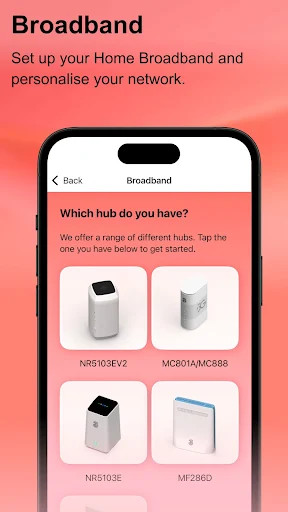
Broadband customers get a set of features that make Three more than a mobile-account checker. The app can help set up and manage broadband, and its real-time signal-strength indicator can help with positioning a hub. I like that this is a concrete household task: if the connection seems weak in one spot, the indicator gives a way to check signal strength while considering where the hub sits.
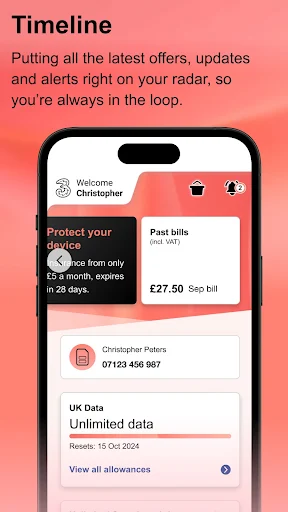
There are also routes to offers, Three+ rewards, and Three Community. The app can launch Three+ rewards quickly, and it surfaces offers described as exclusive to the app. I would regard these as occasional extras rather than the core reason to use it. Live chat is the more practical addition when a self-service task does not answer a question, giving customers a way to contact Three from the same account-focused app.
A routine that stays simple
My most sensible routine would be occasional and task-based. I would check usage before a trip, look through a bill when I want to understand charges, and top up when a Pay As You Go balance needs attention. That approach keeps the app useful without adding another daily habit for its own sake. If my service changed, I could return to the relevant account tools to review or adjust additional products.
For broadband, I would treat setup and hub placement as jobs that come up when the service is new or when I am reconsidering where the equipment sits. The real-time signal-strength indicator gives that task a specific purpose. I would also make a quick visit to Three+ rewards or offers when I am already checking my account, rather than assuming I need to monitor them constantly. The main benefit is having those options close at hand.
Keep the scope in mind
The biggest limitation is also the clearest point about the app: it is designed around Three services. Its account tools are not a substitute for a general mobile usage tracker, and features such as account billing and broadband management only make sense in that provider context. Anyone expecting phone-wide analytics, app restrictions, or controls for another carrier would be looking for a different kind of product.
There is also a distinction between having account tools and needing them often. If I do not check bills, allowances, or broadband details regularly, Three may be something I open only when a specific task arises. The supplied facts also indicate that the free app contains ads, which some users may prefer to keep in mind. Overall, its usefulness depends on being a Three customer and valuing the convenience of mobile self-service.
Three earns its place as a practical account companion, not as a broad phone-management app. Its combination of usage checks, bill history, top-ups, additional products, broadband tools, and live chat covers a sensible spread of everyday service chores. I especially like the hub signal-strength feature as a focused extra for broadband customers.
I would recommend it to Three customers who want account details and common service tasks within reach. If you are looking for screen-time controls, phone-wide data analytics, or tools for another provider, this is not the right fit. For the people it serves, it offers a useful way to manage the account on the go.
Three Frequently Asked Questions
What is the Three app used for?
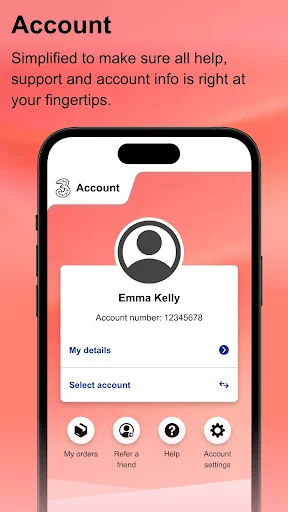
Three is for managing a Three mobile or broadband account. It can show plan allowances and usage, provide access to past bills and cost breakdowns, and let Pay As You Go customers top up. Customers can also manage additional products, explore offers and Three+ rewards, access Three Community, use live chat, and manage broadband.
Which devices can I use the Three app on?
Three is an Android app available through Google Play. The supplied details do not specify a minimum Android version, so check the Google Play page for the requirement that applies to your device. The app's described tools are for managing Three services, including mobile accounts and broadband.
Does the Three app cost money?
The app is free to download. The supplied app facts say it contains ads and does not offer in-app purchases. Payment management is among its features, including support for Google Pay, but the cost of any mobile or broadband service is separate from downloading the app.
What Android version does Three require?
A minimum Android version is not included in the available app details. Requirements can vary as the app is updated and by device, so check Google Play before installing to see whether your particular Android device is supported.
Is the Three app right for me?
It is best suited to Three customers who want to check usage, review bills, top up Pay As You Go, manage broadband, or contact Three from a phone. It is not a general screen-time monitor or app blocker, and customers of other providers are unlikely to find its account-specific features useful.
Pros
- Combines usage checks, bill history, Pay As You Go top-ups, and account changes.
- Includes broadband management and a real-time hub signal-strength indicator.
- Offers live chat, Three+ rewards, offers, and access to Three Community.
- Free to download with no in-app purchases, according to the supplied facts.
Cons
- Its account features are mainly useful to customers with Three services.
- It is not a general phone-usage tracker or app-blocking tool.
- The supplied facts indicate the free app contains ads.
- Category
- Tools
- Version
- 7.11.2











