The Flight Tracker
- 33.99K
- 3.9
- Installs
- 5.00M
- Price
- Free

Screenshots
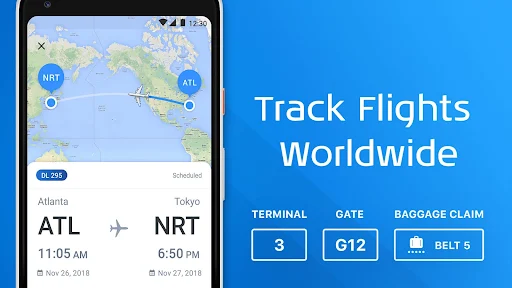
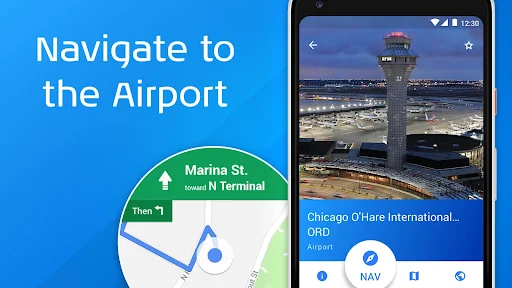
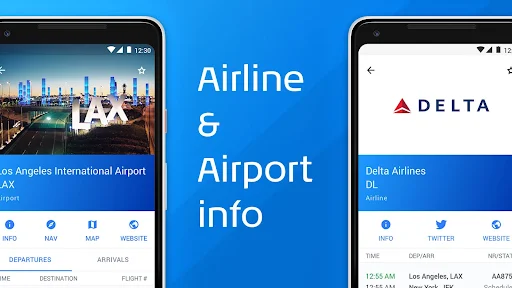
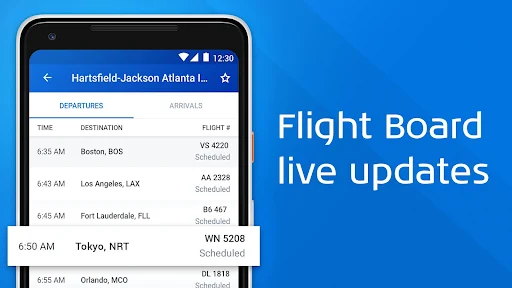
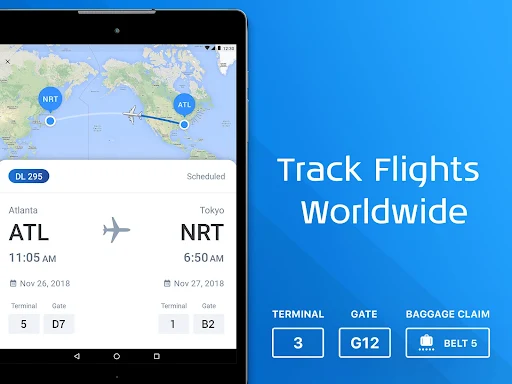
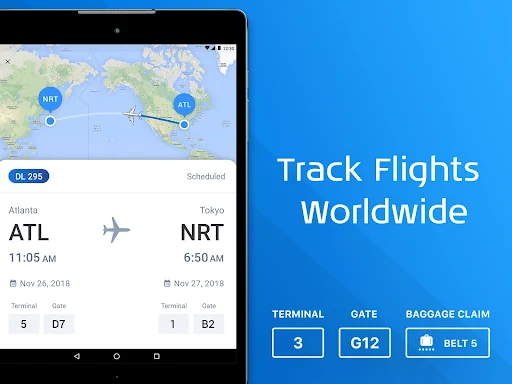
Analysis by Reviewed APKs
The Flight Tracker is for checking flight status, airport details, and travel changes without juggling several sources. I can see it helping both passengers keeping an eye on their own trip and friends timing a pickup. Its mix of flight alerts, trip notes, boarding-pass storage, and airport information makes it more than a bare status checker, though ads and premium extras are part of the experience.
A Pickup With Fewer Guesswork Calls
When I’m picking someone up, the awkward part is deciding when to leave: the scheduled arrival time can become stale as soon as a delay or gate change appears. The Flight Tracker is built for that moment. I can look up a flight, check its arrival details, and follow status changes instead of asking my friend to send another update while they are navigating the airport.
For a trip of my own, I’d use the same check before heading to the airport. Departure information, terminal and gate details, and delay updates put the practical bits together. Push alerts for changes and reminders can help me notice important updates without repeatedly opening the app. It is a straightforward job, but a useful one when plans are moving and attention is elsewhere.
A Companion, Not a Booking Desk
I’d place The Flight Tracker alongside an airline’s app, a calendar, and a search engine rather than in place of all three. Its focus is following flights and organizing details around them: arrivals, departures, terminals, gates, delays, notes, and boarding passes. Airport flight boards, terminal maps for major airports, and local destination weather add context when I’m preparing or waiting.
This is not presented as a way to compare ticket prices or book a seat, and I wouldn’t choose it for building an entire holiday itinerary. An airline remains the place to handle airline-specific travel tasks, while this app offers a broader view across flights and airports. That distinction keeps its role clear: it helps me monitor and remember travel information, rather than purchase travel.
Small Habits That Help
I’d add a flight to Trips as soon as plans are firm, then attach a note with anything I’ll want to remember. That could be a pickup arrangement or a detail I don’t want to search for later. The app also supports syncing with a calendar and automatically synchronizing with a TripIt account, which can reduce duplicate entry for people already using those tools.
Before leaving home, I’d check the latest flight status and any terminal or gate changes, then share the flight information with whoever needs it. For a pickup, a departure or arrival reminder can be more helpful than relying on memory. If I’m traveling, saving the boarding pass in the app gives me another way to keep the trip’s key information together.
More From Our News Desk

Zoom Meetings, Google Meet, or Teams: Which Is Easiest to Join?

How I Build a Free Streaming Lineup With Tubi

Why Crunchyroll Is the Default Anime App for So Many Fans

YouTube TV: A Practical Guide to Cutting Cable

Rummikub and the Small Comfort of Phone Games

TeamViewer Remote Control or AnyDesk for Helping Family?
Who May Find It Useful
I’d recommend The Flight Tracker to occasional travelers who want a convenient place to check flight changes, and to frequent flyers who like keeping trip details, notes, and a boarding pass close at hand. It also makes sense for people who regularly pick up friends or family. The ability to follow flights across airports gives it a useful role even when the person checking is not the passenger.
It may be less appealing if you only need an airline’s own flight status once in a while, or if you want one app to handle booking and full itinerary planning. The free version includes ads, and premium membership is promoted for ad-free use and extras such as widgets and seat maps. People who prefer a very minimal tracker may find its wider set of travel tools unnecessary.
The Flight Tracker is made by Impala Studios and is listed in Google Play’s Travel & Local category. It has over 5 million installs and a 3.9-star rating from about 34,000 ratings. The app is free to download, but it contains ads and offers in-app purchases. Individual in-app items are priced from $0.99 to $31.99.
Google Play gives the app an Everyone content rating. The listed version is 3.2.1, and its release date is August 22, 2014. The store information gives July 23, 2026 as the most recent update date. The supplied Android-version requirement is not included in these practical details, so check Google Play for the requirement that applies to your device.
Keeping Flight Details Within Reach
A Direct First Impression
When I first opened The Flight Tracker, its purpose was easy to grasp: find a flight and keep its important details in view. The feature set is broad enough to cover both checking a flight and preparing for one, but it stays centered on travel information rather than trying to be a general trip-planning service. That makes the app’s basic value clear before I have to build a routine around it.
Getting useful information starts with choosing a flight or airport to follow. From there, I can work with departure and arrival details, trip organization, and alerts. The app also describes ways to add a boarding pass, create notes, and connect information with a calendar or TripIt. These options give travelers room to choose how much they want to organize inside the app.
Checking In Day to Day
On a travel day, I’d treat the app as a quick reference rather than a screen to watch constantly. Flight status, scheduled and actual arrival or departure times, and gate or terminal updates are the kinds of details I’d check when deciding whether to leave, where to go, or whether to update someone waiting for me.
Push notifications are useful because the important change may happen while I’m doing something else. The app describes alerts for flight-status changes, time changes, gate and terminal changes, and schedule reminders. I like that these cover both changes and planned moments. It gives me a reason to check less often without suggesting I can stop paying attention to travel arrangements altogether.
Useful Extras Around the Flight
The supporting tools are what separate this from a simple flight lookup. Trips can hold flight plans, while notes let me attach personal details to a flight. Sharing flight information through options such as email or text can make coordinating a pickup less cumbersome. Adding a boarding pass is another practical way to keep travel information together, including a QR code boarding pass.
Airport information adds another layer. The app describes flight boards for airport departures and arrivals, detailed airline information, and terminal maps for major airports. I can also check local weather at my destination. Those features are most valuable when I’m preparing for a trip or helping someone navigate a change, not when I only want to know whether a plane has landed.
There are a few details for the curious traveler, too. The app includes aircraft facts and zoomable maps with live flight-track information. It also describes offline viewing features for use on airplanes. I’d consider those welcome additions around the core status checks, rather than the main reason to install it.
A Simple Travel-Day Routine
For an outbound flight, I’d start by adding the flight to Trips and putting any reminders or personal notes where I can find them. I’d add the boarding pass if I want it kept alongside the flight information, and use calendar syncing if that fits my existing routine. Once the travel day arrives, I’d check the status and terminal or gate details before setting out.
If I’m meeting someone, I’d follow their arrival instead of planning around the original time alone. A notification about an arrival change gives me a prompt to reassess when to leave, while sharing the flight details keeps the other person informed. After landing, destination weather can help me get a quick sense of conditions. It is a modest workflow, but it avoids repeated searches and messages.
Trade-Offs to Keep in Mind
The free app contains ads, so someone who wants a completely uninterrupted experience may find that distracting. Impala Studios promotes a premium membership for an ad-free experience, practical widgets, and seat maps. In-app purchases range from $0.99 to $31.99 per item, so I’d check the current Google Play details before deciding whether any paid option suits my needs.
The app’s wide coverage and extra tools can also be more than a minimal tracker requires. If I already rely on an airline app for everything I need, a second source may feel redundant. Likewise, the product is focused on monitoring and organizing flight information, not booking travel. I’d judge it by whether its alerts and trip details make my own airport routine easier.
As with any flight information app, I’d still pay attention to updates from the airline and airport during a trip. The Flight Tracker describes live status and gate information, but travel plans can change quickly. I see it as a handy companion for keeping track, not a reason to ignore the travel provider’s own instructions.
The Flight Tracker earns its place when I want a flight’s status, travel notes, alerts, and related airport details together. Its strongest use is practical: keeping a passenger informed or helping someone time a pickup. The additional boarding-pass, trip, and sharing tools make it more capable than a bare flight search.
I’d recommend giving it a try if you travel often or regularly meet arriving passengers, especially if you value reminders and organized trip details. If you only need occasional status checks, or dislike ads and extra features, an airline app may be enough. The free download makes it easy to assess whether its broader approach fits your routine.
The Flight Tracker Frequently Asked Questions
What is The Flight Tracker used for?
The Flight Tracker helps users follow flight status and check arrival, departure, delay, terminal, and gate information. It also supports flight alerts, trip planning, notes, boarding passes, airport flight boards, and sharing flight details. It is aimed at monitoring and organizing travel information, rather than booking flights.
Which devices can run The Flight Tracker?
The Flight Tracker is available on Android through Google Play. Check its Google Play page for the Android version requirement and device compatibility that apply to your phone or tablet. The app’s description covers flight and airport information, but does not establish availability on other platforms.
What Android version does The Flight Tracker require?
The Android version requirement can vary with the app’s current release and the device. Check The Flight Tracker’s Google Play page for the requirement shown for your phone or tablet before installing. The listed app version is 3.2.1, but that does not by itself determine device compatibility.
Is The Flight Tracker free, and does it have purchases?
The Flight Tracker is free to download and contains ads. It offers in-app purchases, with listed individual item prices from $0.99 to $31.99. A premium membership is described as offering an ad-free experience, practical widgets, and seat maps. Check Google Play for current purchase details.
Who should use The Flight Tracker?
It may suit travelers who want flight changes and trip details in one place, as well as friends or family monitoring an arrival before a pickup. People who only need occasional status checks may prefer a simpler option. The app has an Everyone content rating on Google Play.
Pros
- Combines flight status, delay information, gate changes, and arrival details.
- Trip notes, boarding passes, and sharing help keep travel information together.
- Alerts and reminders can reduce repeated manual checks on travel days.
- Airport boards, terminal maps, and destination weather add useful context.
Cons
- The free app contains ads, with ad-free use tied to premium membership.
- Its many travel tools may feel unnecessary for occasional flight checks.
- It focuses on tracking and organizing flights, not booking travel.
- Category
- Travel & Local
- Version
- 3.2.1











