T-Mobile Prepaid eSIM
- 16.36K
- 4.9
- Installs
- —
- Price
- Free

Screenshots
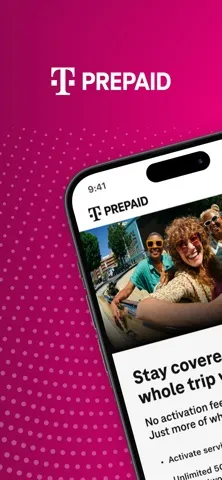
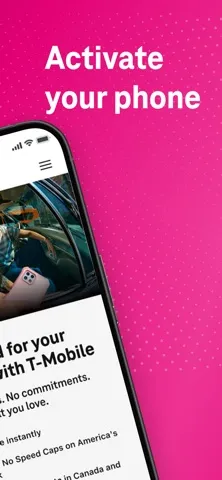
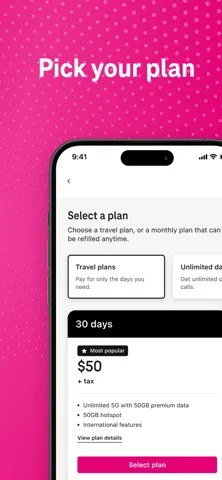


Analysis by Reviewed APKs
T-Mobile Prepaid eSIM is an iPhone app for choosing a prepaid plan and activating a T-Mobile line through eSIM. I see it as a focused option for someone who wants a second number, or a local US line while traveling, without handling a physical SIM. Its appeal is straightforward, though it is specifically for compatible, unlocked devices and prepaid service rather than general account management.
A Line for the Trip
Picture arriving in the US with an iPhone you already use at home. Rather than looking for a shop and a physical SIM, you can open T-Mobile Prepaid eSIM, choose an available prepaid plan, and set up a local number on the phone. That makes the app useful before a trip or during the first day, when having a way to communicate can make ordinary logistics easier.
The app’s main job is activation, so the experience is best understood as a short setup task rather than something to browse every day. I’d check that the phone is unlocked and supports eSIM before relying on this route; T-Mobile says service is unavailable on devices locked to another carrier. Plan availability can change, too, so I’d review the options at purchase time rather than plan around a particular screenshot.
A Focused Alternative
Compared with visiting a carrier store or looking for a physical SIM, the app offers a phone-based path to a prepaid T-Mobile line. That can suit someone who wants to arrange service on their iPhone without making a separate trip. It also supports the idea of using two lines on one phone, such as keeping personal and business numbers distinct.
This is not a broad T-Mobile account app, a general phone-settings tool, or a way to activate service on a device locked to a different carrier. The description centers on choosing a prepaid plan and activating eSIM. If you want features such as bill payment, rewards, store searches, or account management, those are outside the job described here. The value is in its narrower purpose.
Make Setup Easier
A little preparation can make the activation task less distracting. I’d confirm the iPhone’s eSIM compatibility and carrier-unlocked status before opening the app, then think through whether I need a travel line or a separate number for work. Those are simple checks, but they help keep the plan choice tied to the actual reason for adding service instead of turning setup into guesswork.
I’d also treat plan selection as something to do close to when I need the line, since the available prepaid choices may vary. For a trip, that means checking current options before departure rather than assuming a particular plan will still be offered. Once the line is activated, the useful habit is simply keeping the two-line purpose clear: know which number you intend to use for personal communication and which for the added use.
More From Our News Desk

Zoom Meetings, Google Meet, or Teams: Which Is Easiest to Join?

How I Build a Free Streaming Lineup With Tubi

Why Crunchyroll Is the Default Anime App for So Many Fans

YouTube TV: A Practical Guide to Cutting Cable

Rummikub and the Small Comfort of Phone Games

TeamViewer Remote Control or AnyDesk for Helping Family?
Who Might Find It Useful
I’d recommend T-Mobile Prepaid eSIM to iPhone users who want a T-Mobile prepaid line without using a physical SIM. It has an especially clear use case for people visiting the US who want a local number, and for anyone who wants to keep personal and business numbers on one device. The app’s focused nature is a strength if activation is the task you need to handle.
It may not suit someone with a phone locked to another carrier, or someone looking for a general-purpose carrier account app. The description specifically frames this around iPhone eSIM and prepaid plan activation, so I wouldn’t choose it expecting a wide set of account tools. If you’re unsure whether your device or desired plan is supported, check the current App Store details and available choices before depending on it.
T-Mobile Prepaid eSIM is published by T-Mobile USA, Inc. for iOS and is available through the Apple App Store. The app is free to download, has a 4+ age rating, and is version 2.8. Its release date is December 17, 2018, and the recorded last update is August 21, 2026.
On the App Store, T-Mobile Prepaid eSIM has a 4.9 rating from 16,365 ratings. It requires iOS 13 or later. The app’s stated purpose is activating a T-Mobile prepaid line using eSIM; the prepaid plans themselves may vary in availability when you make a selection.
A Closer Look at eSIM Setup
A Purposeful First Open
When I first opened the app, the description’s promise was easy to understand: choose a prepaid plan, then activate T-Mobile service through eSIM. There is no need to interpret it as a full carrier dashboard. That narrow goal makes the app’s role clear before you begin, especially if you’re setting up a line for a specific trip or a second-number arrangement.
The important preparation happens around the app as much as inside it. T-Mobile says the service does not work on devices locked to another carrier, and the app is intended for iPhone eSIM functionality. I’d check those basics before spending time comparing plans. It is a small but practical first step that can prevent a mismatch between the phone you have and the service you want.
The Day-to-Day Role
This is not an app I’d expect to open every morning. Its everyday value is concentrated around getting a prepaid line activated, then having that line available for the reason you chose it. A traveler might set it up for a US visit; someone balancing work and personal calls may use the second-line arrangement. After that initial task, the phone and its lines take center stage.
That limited rhythm is worth appreciating. Rather than presenting a long list of unrelated carrier services, T-Mobile Prepaid eSIM is described around selecting a plan and enabling eSIM service. If your main need is recurring account administration, this app may not be the right tool. If you only need help getting a prepaid eSIM line onto an iPhone, its focused purpose is easier to grasp.
Two Lines, One Phone
The standout use is managing two lines on a single phone. That can be handy when you want to keep a business number separate from your personal number without carrying another device. The app also gives travelers a way to consider a local US number on an iPhone, rather than treating an international trip as a reason to buy a separate handset.
I like that these are concrete use cases, not a vague claim that eSIM will improve every part of phone ownership. The actual fit depends on having a compatible, unlocked device and choosing from the prepaid plans available at the time. T-Mobile notes that plan availability can change, so I’d keep some flexibility rather than expecting a specific offer to match what appeared in a preview.
A Simple Travel Routine
For a trip to the US, I’d make this a planning task rather than something to tackle in a rush after landing. First, I’d check that my iPhone is unlocked and supports eSIM. Then I’d open the app, review the prepaid choices currently available, and decide whether a local number fits the trip. That gives the setup a clear purpose without assuming the same plan will always be offered.
For a second line at home, I’d use a similar routine but start with the reason for keeping two numbers. A work line and personal line are easy to understand as separate roles, and the app’s described eSIM capability is built around that sort of use. Taking a moment to decide what the additional number is for can make the choice feel deliberate instead of adding service just because the option exists.
Keep the Limits in View
The first limitation is device eligibility: a phone locked to another carrier cannot use this service, according to T-Mobile’s description. The second is that this is an iPhone-focused app, not a general solution for every phone. Those details matter more than a polished setup concept, because the app only helps when the device and service line up.
Plan availability is another practical caveat. The choices can vary at the time of purchase and may differ from what appears in App Store preview images. I’d therefore treat the app as a way to access current options, not as a promise that a particular prepaid plan will be there later. That expectation is especially useful for travel planning, when it is easy to build an itinerary around assumptions.
Finally, its focused feature set may disappoint anyone expecting an all-in-one carrier companion. The described experience is about choosing a prepaid plan and activating an eSIM line. That is enough for a specific job, but it does not make the app a substitute for every T-Mobile account task or for a physical SIM on an incompatible device.
T-Mobile Prepaid eSIM makes sense when the goal is specific: activate a T-Mobile prepaid line on an eligible iPhone. The travel and two-number scenarios are practical, and the app’s focused purpose keeps the idea easy to understand. The main caveats are device eligibility and prepaid plan availability, both worth checking before you count on the service.
I’d try it if I had an unlocked, eSIM-capable iPhone and wanted a local US number or a second line. I would look elsewhere if I needed a broad account-management app or a solution for a carrier-locked phone. For the right setup, it offers a direct route to a useful kind of phone flexibility.
T-Mobile Prepaid eSIM Frequently Asked Questions
What is T-Mobile Prepaid eSIM used for?
T-Mobile Prepaid eSIM is used to choose a T-Mobile prepaid plan and activate a line through eSIM on an iPhone. Its described uses include setting up a local US number while traveling and handling two lines, such as personal and business numbers, on one phone.
Which devices can use T-Mobile Prepaid eSIM?
The app is for iOS and uses iPhone eSIM functionality. It requires iOS 13 or later. T-Mobile says the service is not available on devices locked to another carrier, so check your phone’s compatibility and carrier status before relying on it.
Does T-Mobile Prepaid eSIM cost anything?
The app is free to download from the Apple App Store. It is used to select a prepaid plan, and the available plans may vary when you make a purchase. Check the App Store and current plan choices for the latest details.
Does T-Mobile Prepaid eSIM work on Android?
The app described here is for iOS and iPhone eSIM activation. It is not presented as an Android app. For current device support or other ways to activate a T-Mobile prepaid line, check T-Mobile’s available options and the app’s App Store information.
Who should use T-Mobile Prepaid eSIM?
It may suit iPhone users who want a T-Mobile prepaid eSIM line, including visitors to the US seeking a local number and people who want two lines on one phone. It may not suit users with a carrier-locked device or anyone looking for broad account-management features.
Pros
- Focused way to choose and activate a T-Mobile prepaid eSIM line on iPhone.
- Supports useful scenarios such as a local US number while traveling.
- Can help keep personal and business lines on one phone.
- Free to download and requires iOS 13 or later.
Cons
- Unavailable for devices locked to another carrier.
- Prepaid plan choices may vary when you purchase.
- Its described purpose is narrower than a full carrier account app.
- Category
- Tools
- Version
- 2.8











