Stud Finder - Wall Scanner
- 776
- 4
- Installs
- 100.00K
- Price
- Free

Screenshots
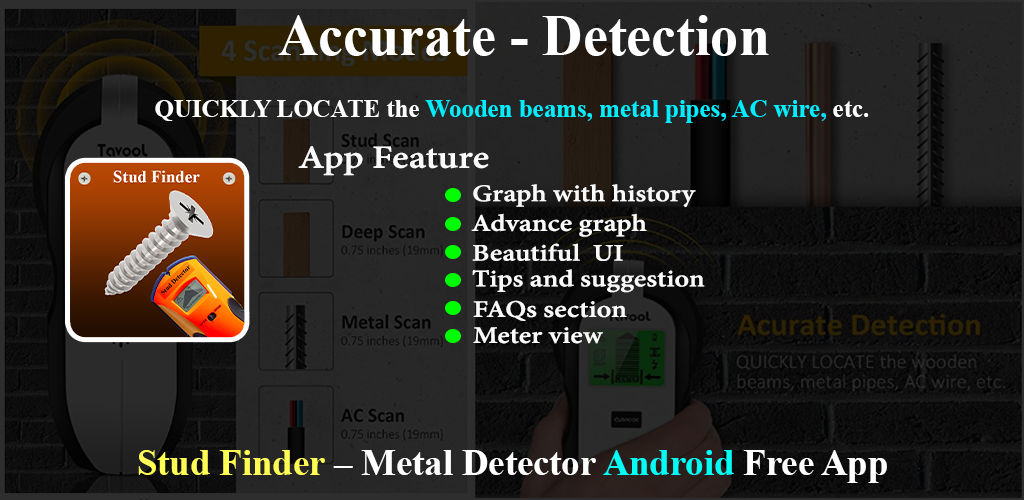
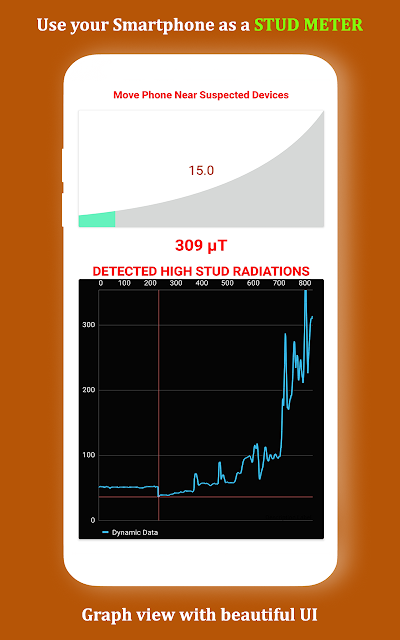
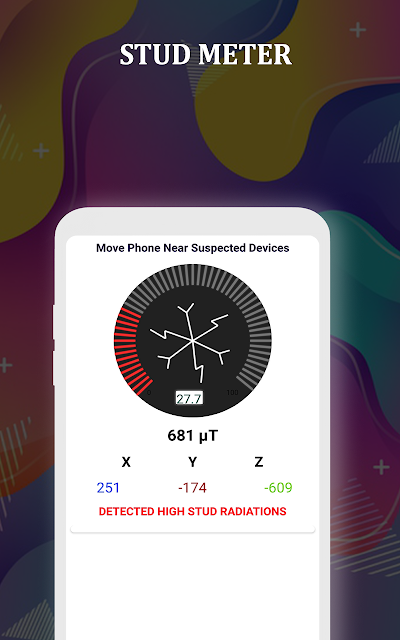
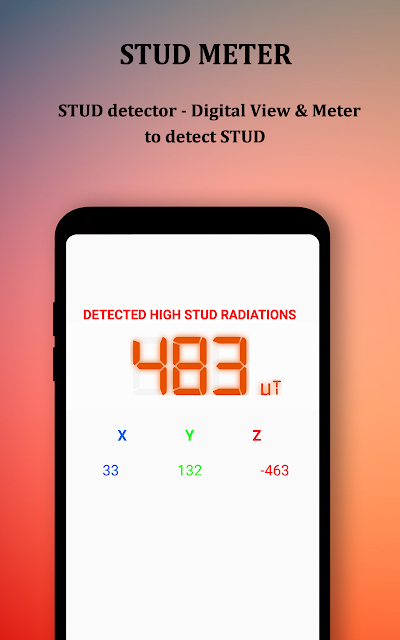

Analysis by Reviewed APKs
Stud Finder - Wall Scanner turns an Android phone’s built-in magnetic sensor into a simple way to look for nearby metal. I see it as a handy extra for someone hanging a picture, assembling furniture, or checking a wall before a small DIY job—not a replacement for a dedicated wall scanner. Its different reading views make it approachable, but results depend on the phone and the surface.
A quick check before drilling
When I’m about to hang a frame, the uncertain part is often what might be hidden behind the patch of wall I’ve chosen. This app offers a quick first check: I move the phone slowly over the surface and watch its magnetic readings for a change that could point to nearby ferrous metal. It is a practical use for a spare minute before a small home project, especially on drywall or wood.
I’d start by testing the phone near a known metal object, then scan the intended area at a steady pace. That gives me a feel for how the readings behave on this device before I interpret a change in the wall. The app describes a useful detection range of roughly 15 to 25 centimeters, but actual results depend on the handset, the material, and the object. I’d treat a reading as a clue, not a final answer.
A sensor, not a full scanner
Compared with a dedicated stud finder, this app has the appeal of being available on a phone I already carry. It reads magnetic-field changes rather than offering a broad, all-purpose view of everything inside a wall. That distinction matters: its described method is aimed at ferromagnetic materials such as iron or steel, so it can help locate some nails, screws, or metal objects, but it does not establish that every kind of stud or obstruction will be detected.
I wouldn’t use it as a detector for live wiring or rely on it to map pipes. Those capabilities are not part of the app’s described magnetic-sensor function. Nor is it meant for surveillance; its stated purpose is finding physical metallic objects. For a high-stakes drilling decision or an unfamiliar wall, I’d use a dedicated tool and verify the area rather than treating a phone reading as certainty.
Make each scan more useful
A little consistency makes this kind of tool easier to interpret. I’d move the phone slowly across the surface, keeping its path and distance as steady as I can, and pay attention to how the reading changes rather than fixating on one number. The app provides meter, graph, digital, and sensor-value views, so I can choose the display that makes a change easiest for me to notice.
I’d also keep other electronics away from the immediate scan area when possible, since the app specifically recommends avoiding electronic interference. Trying a known metal object first is another useful habit. If the signal is weak or absent, I’d consider the phone’s sensor and the wall material before concluding there is nothing behind the surface. Repeating a slow pass can help me see whether the same area produces a similar response.
More From Our News Desk

Zoom Meetings, Google Meet, or Teams: Which Is Easiest to Join?

How I Build a Free Streaming Lineup With Tubi

Why Crunchyroll Is the Default Anime App for So Many Fans

YouTube TV: A Practical Guide to Cutting Cable

Rummikub and the Small Comfort of Phone Games

TeamViewer Remote Control or AnyDesk for Helping Family?
Who may find it useful
I’d recommend Stud Finder - Wall Scanner to casual DIYers who want a convenient magnetic check before hanging a frame or working with wooden furniture. It is especially appealing if the phone already has a built-in magnetic sensor and the job is modest enough that a preliminary indication is useful. The different display modes give curious users a few ways to follow changes without needing to interpret only a single readout.
It may not suit anyone who needs dependable identification of every stud, pipe, or wire before a major renovation. The app’s performance depends on the device and the surface, and its magnetic approach is limited to detecting changes associated with magnetic or ferrous objects. If a phone lacks the required sensor, the app cannot do its intended job. I’d choose a dedicated wall-scanning tool when the consequences of a missed object are significant.
Stud Finder - Wall Scanner is an Android tools app from Rich Dev Apps. Google Play shows more than 100,000 installs and a 4.0-star rating from 776 ratings. It is free to install and contains ads; the provided app facts do not include in-app purchases. Its content rating is Everyone, and the version is listed as varying with device.
The app’s release date is September 5, 2020. The provided facts do not give a minimum Android version or a last-updated date, so I’m leaving those out. Since the version varies with device, the version shown for a particular phone may differ. These store details help set expectations, but the main practical question is whether the handset has the built-in magnetic sensor the app uses.
Reading the magnetic signal
First impressions and setup
When I first opened the app, the idea was easy to grasp: the phone’s magnetometer supplies readings, and a change in the magnetic field may indicate metal nearby. That is a more straightforward starting point than a tool that asks me to learn several kinds of scanning technology. The important first check is whether the phone actually has a built-in magnetic sensor, because the app relies on that hardware.
I’d begin with a short test near something metal before taking the phone to a wall. This gives me a reference for the handset’s response and a chance to get comfortable with the displayed values. The app describes several ways to view those readings, including a meter, graph, digital reading, and sensor values. I can switch to whichever presentation feels clearest rather than assuming one display will suit everyone.
The everyday scanning experience
For a routine scan, I’d move the phone slowly across a small section of wall or wood and look for a noticeable change in the readings. The graph view can make a spike easier to spot, while a digital or sensor-value view offers a more direct number to watch. The meter view gives another way to follow changes as I pass over a surface. The central task stays simple: move steadily and observe.
The app says it works best on drywall, wood, and some concrete, and that results are most useful at a distance of roughly 15 to 25 centimeters. I’d keep those limits in mind during a home project rather than expecting the same response from every wall. A change can suggest nearby magnetic material, but interpreting it still takes care. I’d make another pass over the same area before deciding what the reading means.
Several ways to read a signal
The four described display modes are the app’s most useful feature. A graph can show a rising or spiking reading across a pass; a meter gives a moving visual response; and the digital and sensor-value views show readings more directly. I like that this lets me pick a format based on the task and my comfort with numbers. None changes what the phone can sense, but they can make the same signal easier to follow.
The app is intended to help identify nails, screws, studs, and other metallic objects by detecting magnetic-field changes. It also describes use around wardrobes, beds, and wooden furniture, not only walls. That makes it potentially handy during furniture setup or when checking a wooden panel. The key is to understand the scope: the sensor responds to magnetic changes, so the result is not a complete picture of everything concealed inside a surface.
A sensible project routine
For hanging a shelf or picture, I’d first pick the spot and clear nearby electronic devices if I can. I’d test the phone on a known metal object, then make a slow pass over the target area and watch one of the displays for a repeatable change. If a spot stands out, I’d scan across it again from a slightly different direction and compare what I see rather than acting on one isolated reading.
I’d use the app as an early screening step, particularly for a small job on a familiar drywall or wooden surface. If the signal is unclear, or if the planned work could encounter a pipe or wire, I’d stop and use a suitable dedicated tool to check further. That cautious routine fits the app’s own advice to double-check results with professional tools when necessary, without asking a phone sensor to do more than it can.
Limits to keep in view
The biggest practical limitation is hardware compatibility: the app only works as intended on phones with a built-in magnetic sensor. The app notes that not every smartphone has one. A low or absent response could reflect the phone rather than the wall, so I wouldn’t assume that no reading means a surface is clear. The handset, wall thickness, material, and type of object can all affect what the sensor detects.
A magnetic sensor is also not a universal wall-inspection system. The described function is finding magnetic-field changes associated with ferromagnetic material, not identifying every possible object behind a surface. Ads are present, which is worth knowing if I prefer an uninterrupted tool. For important renovation work, or when I need to locate wiring or plumbing, I’d use equipment designed for that task and treat this app as a limited preliminary aid.
Stud Finder - Wall Scanner is a convenient, low-effort option for a quick magnetic check, provided the phone has the necessary sensor. Its multiple reading views make it easier to follow a signal, and the free price lowers the barrier to trying it. The trade-off is that results vary with the device and surface, and the app’s scope is narrower than a dedicated wall scanner.
I’d keep it in mind for casual hanging and furniture jobs, where a clue is useful and I can verify anything important. I would not rely on it alone before substantial drilling or use it to search for wiring and pipes. If that distinction matches your needs, it is a reasonable tool to try; if not, a purpose-built scanner is the better fit.
Stud Finder Frequently Asked Questions
What is Stud Finder - Wall Scanner used for?
Stud Finder - Wall Scanner uses an Android phone’s built-in magnetic sensor to show changes in the magnetic field. Those changes may help indicate nearby ferromagnetic objects such as nails, screws, or other metal. It includes meter, graph, digital, and sensor-value views. Its readings are a preliminary indication, not a complete scan of everything inside a wall.
Which phones can run Stud Finder - Wall Scanner?
The app is for Android phones and depends on a built-in magnetic sensor, which is not present in every smartphone. Its performance can also vary by device and by the surface being scanned. Check the Google Play listing for current device compatibility and requirements before installing it, especially if your phone’s sensor capabilities are unclear.
What Android version does Stud Finder - Wall Scanner require?
The minimum Android version can vary by device or listing information, so check the app’s Google Play store page for the requirement that applies to your phone. The app also needs a built-in magnetic sensor to perform its described scanning function. Having a compatible Android version alone does not ensure that the phone has the necessary sensor.
Does Stud Finder - Wall Scanner cost money?
The app is free to install and contains ads. The provided app facts do not indicate in-app purchases. Store details can change, so check the Google Play listing for current pricing and purchase information before installing. Ads are worth keeping in mind if you want to use it during a project where you prefer fewer interruptions.
Is Stud Finder - Wall Scanner suitable for serious renovation work?
I’d treat it as a casual first check rather than a dependable replacement for a dedicated scanner. Its magnetic sensor can help indicate some metal, but results depend on the phone, surface, and object. It is not described as a tool for locating live wires or pipes. For important work, use equipment designed for the job and verify readings.
Pros
- Free to install, with four ways to view magnetic sensor readings.
- Can provide a quick preliminary check around drywall, wood, and some concrete.
- Useful beyond walls, including checks around wooden furniture and wardrobes.
Cons
- Requires a phone with a built-in magnetic sensor, which some phones lack.
- Readings vary with the handset, surface thickness, and object being detected.
- Contains ads and is not a substitute for a dedicated wall scanner.
- Category
- Tools











