Speaker Cleaner · Water Eject
- 189
- 4.1
- Installs
- —
- Price
- Free

Screenshots
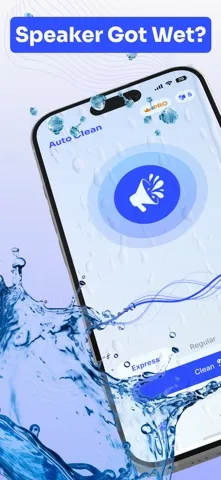
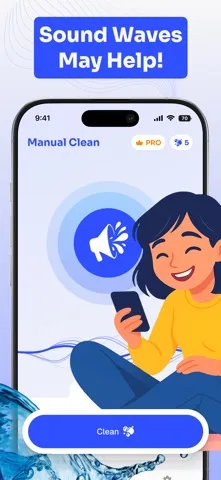
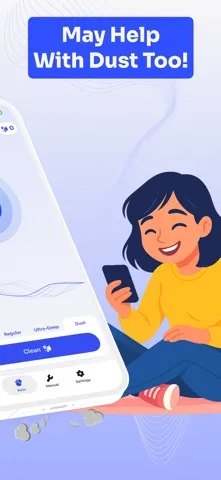
Analysis by Reviewed APKs
Speaker Cleaner · Water Eject is an iPhone utility for people who want to try clearing muffled speaker audio with sound frequencies, then check the left, right, or full-range output. I see it as a focused troubleshooting tool rather than a general audio app. Its automatic and manual modes give it some flexibility, though the results will depend on the device and what is affecting its sound.
A quick sound check
When I first opened Speaker Cleaner · Water Eject, I imagined reaching for it after noticing that a podcast sounded dull or a call came through less clearly than usual. The app’s central task is straightforward: play sound frequencies intended to help dislodge unwanted particles, then test the speaker output. That makes it an easy tool to try when the sound seems muffled, without turning the moment into a complicated repair project.
The app describes two ways to run a cleaning session. Automatic mode plays a pre-programmed sequence, while manual mode lets me choose frequencies and durations. I would start with the automatic option if I simply wanted to try the basic process. Afterward, the stereo and audio tests offer a practical way to listen to left, right, and full-range output and judge whether anything seems different.
A tool, not a repair shop
Compared with simply replaying a song or checking a video, Speaker Cleaner gives the sound a specific purpose: it uses frequencies as a cleaning attempt and includes output tests. The manual controls also distinguish it from a single-purpose sound test. I would consider it when audio seems muffled and I want to try a software-based step before deciding what else to do.
This is not a full diagnostic service or a substitute for physical repair. The description focuses on sound waves and speaker tests; it does not promise to identify every cause of poor audio. A speaker problem caused by damage or another hardware issue may not respond to a frequency session. I would treat the app as a small troubleshooting option, not as proof that a speaker is fixed.
Make sessions deliberate
A useful habit is to listen to a familiar clip before a cleaning attempt, then use the same clip afterward at a similar volume. That gives me a more consistent comparison than relying on memory. The app also recommends placing the device face down on a flat surface and setting volume to maximum. I would follow those directions only in a setting where loud playback is comfortable and appropriate.
I would keep the first session simple: use automatic mode, avoid changing several settings at once, and then check the left, right, and full-range tests. If I choose manual mode, changing one frequency or duration at a time makes it easier to understand what I have tried. This is a modest routine, but it helps keep an experiment from becoming a string of random taps and guesses.
More From Our News Desk

Zoom Meetings, Google Meet, or Teams: Which Is Easiest to Join?

How I Build a Free Streaming Lineup With Tubi

Why Crunchyroll Is the Default Anime App for So Many Fans

YouTube TV: A Practical Guide to Cutting Cable

Rummikub and the Small Comfort of Phone Games

TeamViewer Remote Control or AnyDesk for Helping Family?
Who may find it useful
I would recommend Speaker Cleaner · Water Eject to iPhone users who sometimes notice muffled speaker audio and want a focused, easy-to-try tool. The automatic mode suits someone who prefers a simple process, while manual frequency and duration controls may appeal to a more curious user. The stereo and full-range tests add a way to check playback as part of the same small troubleshooting routine.
It may be less satisfying for someone expecting a detailed hardware diagnosis, a broader audio player, or a certain improvement every time. The app’s approach is based on playing sound frequencies, so it cannot tell me what caused an audio problem. I would also think twice about using maximum-volume playback where it could bother people nearby. It makes most sense as an optional experiment, with realistic expectations.
Speaker Cleaner · Water Eject is a free iOS app from BELKALABS PTE. LTD. Its App Store rating is 4.1 out of 5 from 189 ratings. The listed content rating is 4+. It requires iOS 17.6 or later, so an older iPhone operating system may not meet the stated requirement.
The current version is 1.6.6. The app was released on August 18, 2025, and its last update is dated October 30, 2026. The supplied store facts describe it as free, with no price for in-app products provided. Install counts and advertising details are not included in these figures.
A focused attempt at clearer audio
A direct first impression
The app’s purpose is easy to grasp from its feature set: play a cleaning sequence, or adjust the sound yourself, then test the speakers. That narrow focus is useful when I do not want to sort through unrelated audio tools. I would first check the iOS requirement, since the app needs version 17.6 or later, and then decide whether a sound-based cleaning attempt fits the issue I am hearing.
The setup advice is also uncomplicated. Speaker Cleaner says to put the device face down on a flat surface and set its volume to maximum. I would choose a stable place and a suitable time before starting, rather than launching a loud session in a quiet shared room. Those instructions set expectations for how the app is meant to be used, even if they do not establish what the result will be.
The everyday experience
The central interaction is playback, not a lengthy sequence of menus or analysis. Automatic cleaning runs a pre-programmed series, which is the option I would reach for when I want to try the app without choosing settings. Manual mode makes the experience more hands-on by allowing frequency and duration choices. Either way, the main question is practical: does familiar audio seem any clearer afterward?
I would avoid judging the app from a vague impression alone. Listening to the same short piece of audio before and after gives me a more useful comparison, especially if I keep the volume similar. The built-in tests can then help check left, right, and full-range output. These steps make the app feel like a small routine rather than a tool that explains every possible speaker fault.
Modes and speaker tests
The frequency range described for cleaning runs from 0 Hz to 20 kHz. That is the app’s stated sound-generation range, not a promise that every frequency will solve a particular problem. Automatic mode handles a programmed sequence, while manual mode gives users control over frequency and duration. I appreciate that split because it offers a simple starting point without removing the option to experiment.
The stereo and audio tests are another useful part of the package. They cover left, right, and full-range output, letting me check more than one playback path. A test can help me notice an imbalance or confirm what I am hearing, but it should not be mistaken for a detailed diagnosis. The app keeps its toolkit centered on frequency playback and listening checks.
A sensible routine
For a practical session, I would begin by playing a familiar audio clip and noting whether the sound seems muffled or uneven. Then I would place the phone face down on a flat surface, as the app suggests, and run automatic cleaning at a volume that is appropriate for the setting. Once playback finishes, I would replay the same clip and use the stereo tests if I wanted to check each side.
If I wanted to explore manual mode, I would do so in a later session and change one setting at a time. That makes the process easier to follow and keeps me from attributing a change to several adjustments at once. I would stop if loud playback became uncomfortable or disruptive. The point is to make a measured attempt, not to keep repeating sessions without a clear reason.
Keep expectations grounded
Speaker Cleaner is limited by its focused approach. It plays frequencies intended to help remove dust, dirt, or moisture, but the app description does not establish that every muffled speaker can be restored this way. If sound remains poor after a session, I would not assume that more playback is the right answer. A hardware fault or another cause may need a different response.
The maximum-volume suggestion is worth considering in context. Loud sound may be unsuitable in a shared space, and the app’s instructions are not a reason to ignore personal comfort. There is also little reason to treat a test result as a full technical assessment. The app is best understood as a convenient sound-based attempt with simple listening checks, rather than a comprehensive repair or diagnostic tool.
Speaker Cleaner · Water Eject has a clear role: it offers automatic and manual frequency playback, plus speaker tests, for people who want to try addressing muffled audio. I like that the basic idea is easy to understand and that manual controls are available without being the only way to use it.
I would try it if I had a compatible iPhone and a specific reason to check speaker sound, while keeping expectations modest. It is not a substitute for diagnosing hardware problems, but it can provide a simple experiment and a way to compare playback. For broader audio needs, a general audio app will be a better fit.
Speaker Cleaner · Water Eject Frequently Asked Questions
What is Speaker Cleaner · Water Eject used for?
Speaker Cleaner · Water Eject plays sound frequencies intended to help clear unwanted particles or moisture from a device’s speakers. It includes an automatic cleaning mode, a manual mode with frequency and duration controls, and tests for left, right, and full-range audio. It is a focused sound-based tool, not a complete hardware diagnosis.
Which devices can run Speaker Cleaner · Water Eject?
The app is for iOS and is available through the Apple App Store. Its stated minimum requirement is iOS 17.6 or later, so check your device’s system version and the App Store details before downloading. It is not described in the supplied facts as an Android or desktop app.
What iOS version does Speaker Cleaner · Water Eject need?
Speaker Cleaner · Water Eject requires iOS 17.6 or later. If your iPhone runs an older version, check the App Store entry for current compatibility information before trying to install it, since device and software compatibility details may vary over time.
Does Speaker Cleaner · Water Eject cost money?
The supplied App Store facts describe Speaker Cleaner · Water Eject as free. They do not provide a price for in-app products, so check the App Store entry for the current purchase details. The listed rating is 4.1 out of 5 from 189 ratings.
Who is Speaker Cleaner · Water Eject suitable for?
It may suit iPhone users who notice muffled speaker audio and want to try frequency playback and basic stereo tests. It may not suit someone expecting a detailed hardware diagnosis or a certain result. The app suggests maximum volume, so consider the setting and your comfort before starting; for other audio problems, the App Store details and appropriate support may be worth checking.
Pros
- Automatic cleaning offers a straightforward starting point for a sound-based troubleshooting attempt.
- Manual mode allows users to adjust frequency and playback duration.
- Left, right, and full-range tests provide simple speaker listening checks.
- Its focused purpose is easy to understand without exploring unrelated audio features.
Cons
- Frequency playback cannot identify every cause of muffled speaker sound.
- The maximum-volume suggestion may be inconvenient in shared or quiet settings.
- It requires iOS 17.6 or later, limiting compatibility with older systems.
- Category
- Tools
- Version
- 1.6.6











