Song Finder : Music Identifier
- 5.73K
- 4.6
- Installs
- —
- Price
- Free

Screenshots

Analysis by Reviewed APKs
Song Finder : Music Identifier is for those moments when a song catches my ear and I want to know what it is, or when I need a quick way to explore popular tracks. It can identify music playing nearby, search by song or artist, and connect with Spotify or Apple Music. I like the mix of recognition and discovery, though the subscription requirement for all features is important to keep in mind.
When a Song Catches Your Ear
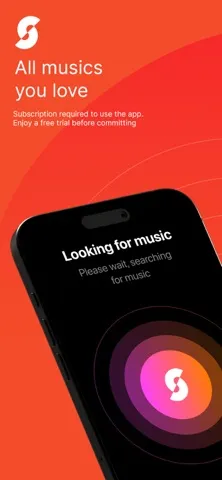
When I hear a song in a café or while a friend is playing music, I usually have just a few seconds to figure out what it is. Song Finder is built for that kind of quick question: I tap its song-finding button, let it identify music playing around me, and get the title, artist, and album. That is a more direct approach than trying to remember a lyric and search for it later.
Once I have a match, I can open the song in Spotify or Apple Music and add it to a playlist. That gives the discovery a useful next step instead of leaving me with a name to look up somewhere else. I would still want to use the app in a setting where the music is audible, but its central job is easy to understand: recognize a track, then help me find a way to listen to it.
Discovery, Not a Music Player
Song Finder sits between music identification and music browsing. A streaming app is where I go to listen to albums and manage my regular queue; this app is more useful when I want to identify something unfamiliar, check what is popular, or find tracks connected to an artist. Spotify and Apple Music also play a role here, since Song Finder can connect to either service for listening and playlist-related features.
I would not treat it as a replacement for a streaming subscription or as a full music library. Its appeal is the handoff from curiosity to a song or playlist, plus discovery tools such as country charts and recommendations. There is also a practical distinction between trying the app and using everything it offers: the description says access to all features and content requires a subscription, so it is not simply an unrestricted free alternative.
Make Discovery a Small Habit
A simple way to get more from Song Finder is to use it in the moment rather than relying on memory. If a track stands out during a commute or at home, I can try identifying it while it is playing, then open it in my connected music service. That small routine is more dependable than trying to reconstruct a melody or remember a line of lyrics hours later.
For a less reactive habit, I can browse the top charts for my country or look through suggested songs and an artist's top tracks. If I already use Spotify or Apple Music, connecting that service gives the discovery process a clearer destination: I can check a track, play it there, and add it to a playlist. Song stats are another reason to return, though the app says they require a connected service and an active subscription.
More From Our News Desk

Zoom Meetings, Google Meet, or Teams: Which Is Easiest to Join?

How I Build a Free Streaming Lineup With Tubi

Why Crunchyroll Is the Default Anime App for So Many Fans

YouTube TV: A Practical Guide to Cutting Cable

Rummikub and the Small Comfort of Phone Games

TeamViewer Remote Control or AnyDesk for Helping Family?
Who Will Enjoy Song Finder
I would recommend Song Finder to curious listeners who often ask, “What song is this?” and to people who like following a discovery with a quick look at charts, artists, or recommendations. It makes the most sense if Spotify or Apple Music is already part of your routine, since those services can connect to the app for listening and playlist-related tasks. People who enjoy checking song popularity and audio characteristics may also find the stats useful.
It may be a weaker fit if you only want a basic song identifier and do not want a subscription involved. The app describes all features and content as requiring an active subscription, including detailed stats and playlist integration, so I would review the purchase terms before making it part of my everyday setup. And if I mainly want to play music for hours, I would stay in a streaming app and use Song Finder as a companion for discovery.
Song Finder : Music Identifier is an iOS app from Cricket Sound Media, SOCIEDAD LIMITADA. It is rated 4.6 out of 5 on the App Store from 5,734 ratings, and its age rating is 4+. The app is free to download, while its description says an active subscription is needed to access all features and content.
The current version is 7.3.5. It was released on July 5, 2022, and was last updated on September 21, 2026. The stated minimum requirement is iOS 16.0. Subscription pricing and terms are presented before purchase, so I would check the App Store details for the current options.
A Closer Look at Song Discovery
A Straightforward First Step
When I first open an app made for identifying music, I want the main action to be obvious. Song Finder puts its song-identification function at the center of the experience: tap the button while music is playing nearby, then look for the title, artist, and album. That makes the idea approachable even if I have never used a music-recognition app before.
The other clear starting point is search. I can look for a favorite song by title or artist rather than waiting to hear it somewhere. I would begin by deciding whether I want to identify something in the room or browse for a known name, then connect Spotify or Apple Music if I want to use the listening and playlist features tied to those services.
Useful in the Moment
Day to day, the app's value depends on how often music prompts a question. I can imagine using it while cooking with the radio on, hearing a track at a gathering, or coming across a song I do not recognize. Instead of opening a browser and guessing at lyrics, I can try the identification feature and see whether it gives me a match.
A match is more useful when I can do something with it. Song Finder says I can open songs in Spotify or Apple Music and add them to a playlist. That makes the app feel like a bridge between hearing something interesting and saving it for later, rather than a separate listening destination that I would need to keep open.
Charts, Stats, and Suggestions
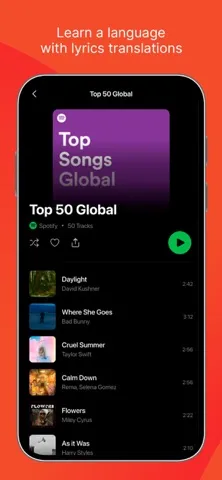
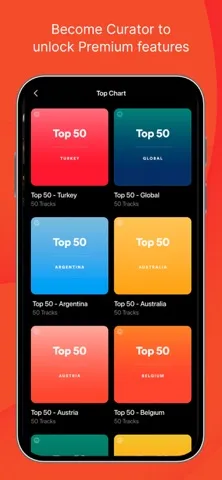
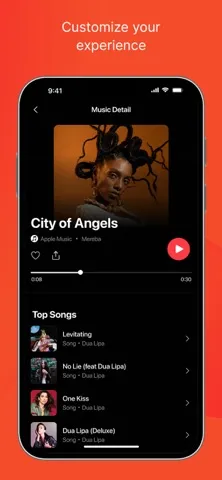
The discovery side goes beyond identifying a single track. Song Finder includes top charts for music popular in my country, along with recommended songs and suggested tracks. I can also look at an artist's top songs, which gives me a natural next step when one new-to-me track turns out to be a good find.
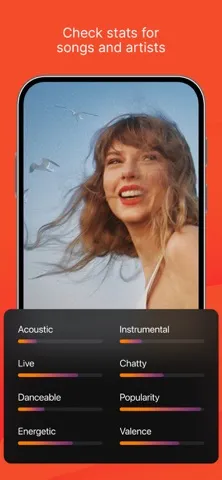
The more analytical feature is song stats for Spotify and Apple Music. The description says these can include audio characteristics and popularity for a song, as well as top tracks and follower numbers for artists and albums. It also says a connected Spotify or Apple Music account is needed for stats, and that detailed stats are among the features requiring an active subscription.
A Low-Effort Listening Routine
A practical routine would be to identify songs as I encounter them, then spend a few minutes later browsing charts or suggestions when I want something new. That keeps the app from becoming another place I have to check constantly. The recognition tool serves the immediate question, while charts and recommendations are there for a more deliberate discovery session.
If I use Spotify or Apple Music, I can follow a promising result into that service and add it to a playlist. I might keep a playlist for songs I hear away from home, or simply add tracks to an existing collection. The app's description supports playlist additions, but the integration and access to all features are subscription-related, so I would check the terms that apply to my account.
Keep the Subscription in View
The main limit is not the idea of identifying music; it is how much of the broader experience sits behind a subscription. Song Finder is free to download, but its description says all features and content require an active subscription. That includes detailed stats and playlist integration, so I would not assume the free download means every discovery tool is available without payment.
There is also a clear need for a compatible music service if I want the connected features. Song stats call for Spotify or Apple Music, and listening or playlist actions are described in connection with those services. I would treat Song Finder as a companion to a streaming app, not a substitute for one, and check the App Store's current subscription details before deciding whether its extras fit my routine.
Song Finder : Music Identifier has a useful, focused premise: identify a song, learn a little more about it, and carry the discovery into Spotify or Apple Music. I like that it pairs a quick recognition tool with charts, artist suggestions, and song information instead of stopping at a title.
I would try it if I regularly discover music in everyday settings and already use one of its supported streaming services. If I only need occasional identification or want every feature at no cost, I would look carefully at the subscription terms first. It is best viewed as a discovery companion, not a complete music player.
Song Finder Frequently Asked Questions
What is Song Finder : Music Identifier used for?
Song Finder : Music Identifier helps identify music playing nearby and search for songs by title or artist. It can show a track's title, artist, and album, and it also offers country charts, recommendations, and artist-related discovery. With Spotify or Apple Music connected, it can support listening and playlist actions. Detailed stats and access to all features require an active subscription, according to the app description.
Which devices support Song Finder : Music Identifier?
Song Finder : Music Identifier is an iOS app, and its stated minimum requirement is iOS 16.0. It is available through the Apple App Store. Spotify and Apple Music can connect to the app for some listening, playlist, and stats features, but those are separate music services. For compatibility with a particular device or the current service requirements, check the App Store details.
What iOS version does Song Finder require?
The stated minimum requirement for Song Finder : Music Identifier is iOS 16.0. That is the version to compare with the software on your iPhone or other compatible iOS device before installing. Requirements can change as apps are updated, so it is worth checking the App Store entry for the latest compatibility information.
Is Song Finder : Music Identifier free?
The app is free to download, but the description says access to all features and content requires an active subscription. It specifies that detailed song stats and playlist integration are subscription features. Subscription pricing and terms are shown before purchase and may vary, so check the current App Store information before subscribing.
Who should use Song Finder : Music Identifier?
It should suit listeners who often hear unfamiliar music and want to identify tracks or explore popular songs and artists. It is especially relevant if you use Spotify or Apple Music and want to carry discoveries into those services. It may not suit someone who only wants a basic identifier without a subscription, since the app says all features and content require one.
Pros
- Identifies nearby music and provides the song title, artist, and album.
- Combines song recognition with country charts and recommended music.
- Can connect discoveries with Spotify or Apple Music listening and playlists.
- Includes song and artist stats for connected music services.
Cons
- An active subscription is required to access all features and content.
- Spotify or Apple Music connection is needed for song stats.
- The app complements a streaming service rather than replacing one.
- Category
- Music & Audio
- Version
- 7.3.5











