Software Update - App Updates
- 1.75K
- 4.1
- Installs
- 100.00K
- Price
- Free
Screenshots
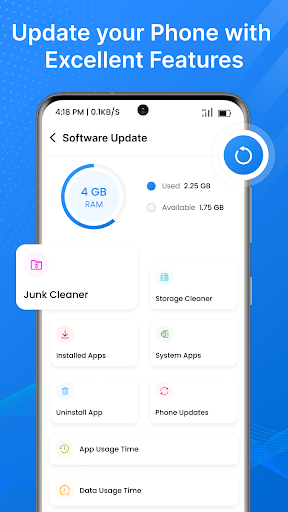
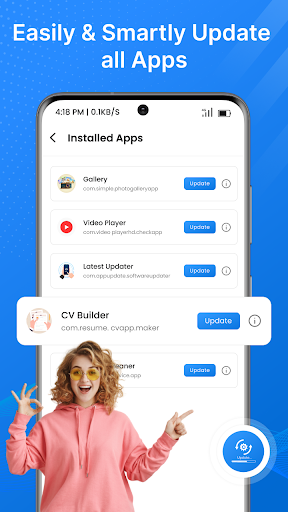
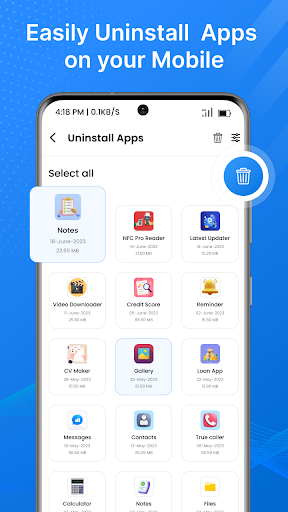
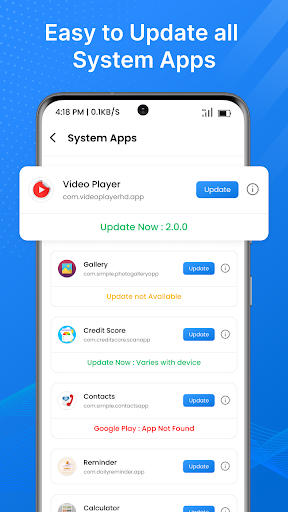
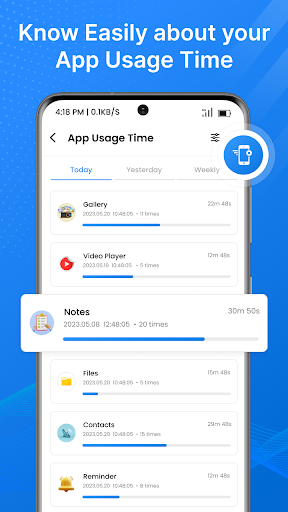
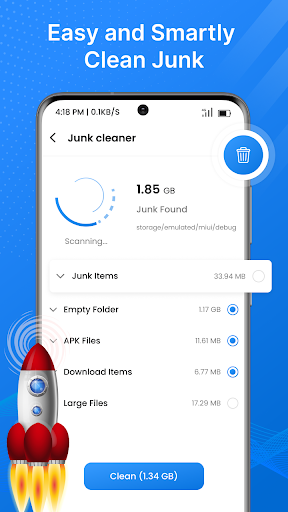
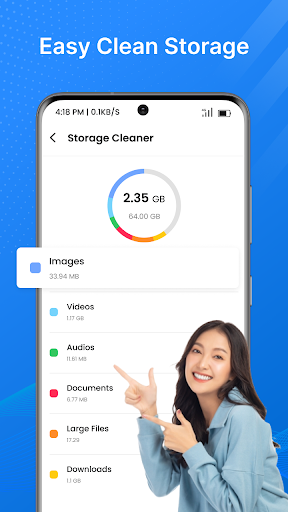
Analysis by Reviewed APKs
Software Update - App Updates is a utility for checking which apps on your phone have updates available and keeping track of update information. It suits people who tend to forget routine app maintenance or prefer one place to review it. My overall take is that it can make checking less scattered, especially when its update details and history are useful, but it is a helper for updates rather than a replacement for the phone’s app store.
A calmer update check
When I first thought about using Software Update - App Updates, I pictured the familiar moment when I open an app I use every day and notice it has changed since my last visit. Instead of checking apps one by one, the idea here is to scan installed apps, identify updates, and get notified when something is out of date. That makes it a practical companion for a quick maintenance check between other phone tasks.
I’d fold it into a weekly routine: open the app while waiting for coffee, review which apps have updates, and look at the available details before deciding what to do. The description says update information can include release notes, bug fixes, new features, and performance improvements. That context is useful when I’m curious whether an update is worth doing right away or whether I can leave it until later.
A helper, not a store
The obvious comparison is with the built-in app store, where many people already go to update or install apps. Software Update - App Updates takes a more focused approach: it is presented as a place to scan installed apps, see which ones are outdated, and follow update history. I see the appeal for someone who wants a dedicated overview, particularly if they do not naturally remember to visit the store’s update area.
It is not a general phone-cleaning tool, a system repair service, or a way to install new versions without the usual update process. The description focuses on finding updates and presenting information about them. It also mentions recommendations for new and trending apps, but that is separate from the central maintenance job. If you already check your app store regularly and are happy with that routine, the extra layer may not add much.
Small habits that help
I’d get the most from this app by treating its notifications as reminders to review, not as a command to update everything immediately. When a notification arrives, I can check the app name and whatever update details are available, then decide whether to act. That approach keeps routine upkeep manageable and leaves room to be selective about timing, especially when I’m in the middle of using a particular app.
The update history can also make a quick look-back worthwhile. If I have recently updated an app and want to remember when, the description says the log records dates, version numbers, and changes. I’d use that as a lightweight reference rather than a detailed troubleshooting record. A short weekly check, plus an occasional look at history, is likely to be more useful than opening the app repeatedly without a particular reason.
More From Our News Desk

Zoom Meetings, Google Meet, or Teams: Which Is Easiest to Join?

How I Build a Free Streaming Lineup With Tubi

Why Crunchyroll Is the Default Anime App for So Many Fans

YouTube TV: A Practical Guide to Cutting Cable

Rummikub and the Small Comfort of Phone Games

TeamViewer Remote Control or AnyDesk for Helping Family?
Who may find it useful
I’d recommend Software Update - App Updates to people who install several apps and want a nudge to review them. It may suit someone who likes seeing update details before acting, or who appreciates having a history of past updates to consult. The scanning and notification concept is straightforward: it turns an easy-to-forget chore into a small check-in, rather than asking you to remember every app individually.
It may be less compelling if you already keep up with updates through your usual app store routine, or if you want a tool that automatically handles every part of updating. The app’s description presents it as a way to detect updates and notify you, with details and history; it does not make it a broader device-management suite. People who dislike ads may also want to factor in that the app contains ads.
On Google Play, Software Update - App Updates is published by Opal App in the Tools category. It has over 100,000 installs and a 4.1-star rating from 1,754 ratings. The app is free to download, contains ads, and does not offer in-app purchases. Its content rating is Everyone, which gives a quick sense of the store’s stated audience classification.
The current version shown in the provided app facts is 14.0.0. It was released on June 19, 2023, and was last updated on April 23, 2024. A minimum Android version is not included among the available facts, so check the Google Play information on your device for compatibility details before installing.
Making App Updates Easier to Track
A focused first impression
When I first opened the idea of this app, its purpose was easy to understand: find installed apps that may need updating and gather their update information in one place. That focus is a good start for a utility. Instead of promising to speed up every part of a phone, it concentrates on the recurring, easily postponed job of checking app versions.
The first useful step is a scan, which the description says identifies outdated applications. From there, notifications can bring later checks to your attention. I like that the concept does not require me to remember a long list of apps. The practical value depends on whether I find the overview more convenient than checking updates through the routine I already use.
The everyday check
Day to day, the app’s main role is to help me notice when installed apps have updates available. Its description says it can automatically detect outdated apps and notify me. That does not mean I need to drop what I am doing every time an alert arrives; I can treat it as a prompt to review the situation when convenient.
The details attached to an update can make that review more informative. The app says it provides release notes and information about bug fixes, new features, and performance improvements. When I’m deciding whether to update a familiar app right away, knowing what has changed is more useful than seeing only a version number. How much detail is available will depend on the app update information.
History and discovery
The update history is one of the more practical additions to a basic checker. According to the description, it keeps dates, version numbers, and changes for past app updates. I can imagine checking it after a busy stretch when I want to recall whether I already updated a particular app, without relying on memory or trying to reconstruct the timing.
Personalized recommendations for new and trending apps are also part of the described feature set. That gives the utility a discovery element beyond maintenance, though I would treat it as an optional extra rather than the reason to install it. The most distinctive everyday job remains keeping an eye on updates to apps already on the phone.
A simple weekly routine
A routine that makes sense to me is to check the app once a week, perhaps when I’m already doing other small phone chores. I can review the apps it flags, read any available change information, and choose what to update at that time. This keeps update management from becoming a constant interruption while still giving me a regular chance to catch anything I missed.
I would also glance at the history after making updates, particularly if I want a record of when an app changed. If a notification arrives during a busy day, I can save the decision for that weekly check rather than treating it as urgent. The app’s stated purpose is organization and awareness, so a measured routine seems better suited than repeatedly refreshing it.
Keep expectations grounded
The key limitation is that an update checker is only useful if its extra overview fits your habits. Many people already have a familiar way to check for app updates, so adding another utility may feel redundant. The description explains detection, notifications, update details, history, and recommendations, but the central benefit is convenience rather than a fundamentally different way to use apps.
I would also keep the distinction between finding updates and handling them in mind. The description emphasizes identifying outdated apps and notifying users, while the regular app-update process remains the practical next step. This is not presented as a system repair tool or an all-purpose phone optimizer. Since it contains ads, the experience may also be less appealing to someone who prefers utilities without advertising.
Software Update - App Updates has a clear, modest purpose: help me notice app updates and review information about them without relying entirely on memory. I especially like the combination of notifications, update details, and a history log. Those features make it more useful as an organizer than a bare reminder, though the value depends on whether I want a separate place for this routine.
I’d suggest trying it if app maintenance often slips your mind or you like having update changes and past versions in view. If your existing store-based habit already works, you may not need another tool for the same job. Keep in mind that the app is free, contains ads, and is focused on app updates rather than broader phone management.
Software Update Frequently Asked Questions
What is Software Update - App Updates used for?
Software Update - App Updates is a utility for checking installed apps for available updates. Its description says it can identify outdated apps, send notifications, show update information such as release notes and improvements, and keep an update history with dates and version numbers. It also describes personalized recommendations for new and trending apps.
Which devices can run Software Update - App Updates?
The app is offered for Android through Google Play. The available app facts do not give a minimum Android version, so compatibility can vary by device and operating system. Check the Google Play information on your phone for the current requirements before installing.
What Android version does Software Update - App Updates require?
A minimum Android version is not provided in the app facts available here. Requirements can vary as the app changes and across devices, so check the Google Play details on your device to see whether your Android version is supported.
Does Software Update - App Updates cost money?
The app is free to download and its facts say it does not offer in-app purchases. It does contain ads. Store details can change, so it is sensible to check the Google Play information for the latest cost and advertising details before installing.
Is Software Update - App Updates suitable for casual users?
It may suit casual users who want reminders to review app updates or who like seeing update details and history in one place. It may be less useful if you already check updates regularly through your usual app store routine. The app is rated Everyone on Google Play and contains ads.
Pros
- Scans installed apps for updates and can notify you when something is outdated.
- Provides update information, including release notes, bug fixes, and new features.
- Keeps a history with dates and version numbers for past app updates.
- Free to download, with no in-app purchases.
Cons
- May feel redundant if you already check app updates through your usual store routine.
- Contains ads, which may bother people who prefer an ad-free utility.
- Does not replace the regular app-update process or serve as a broader phone-management tool.
- Category
- Tools
- Version
- 14.0.0











