SMS Backup & Restore
- 132.12K
- 3.9
- Installs
- 10.00M
- Price
- Free

Screenshots
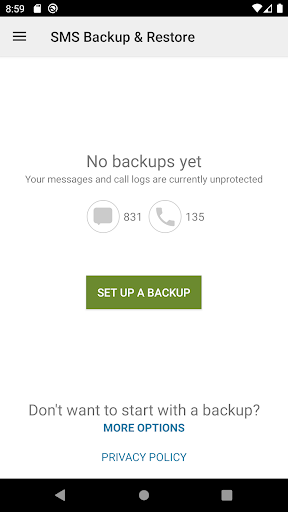
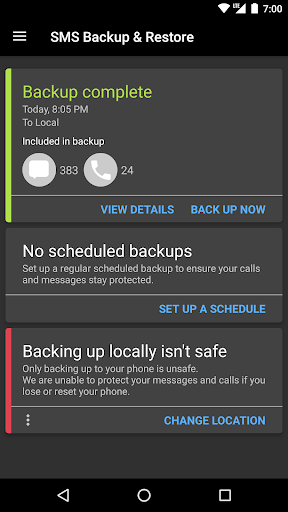
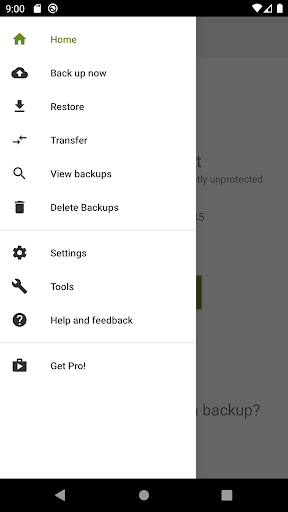
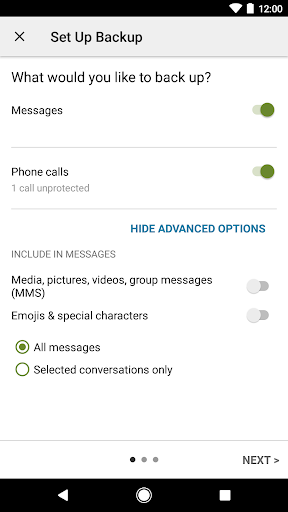
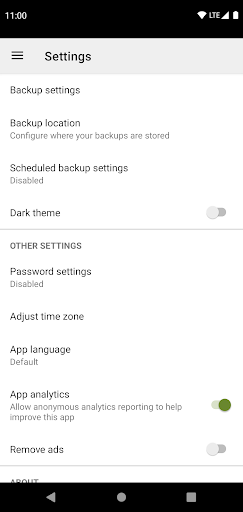
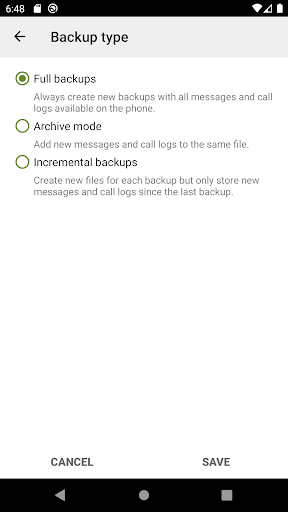
Analysis by Reviewed APKs
SMS Backup & Restore is a practical tool for making copies of text messages, picture messages and call logs, then moving those records back onto a phone when needed. I see it suiting people who are changing devices or simply want a separate backup routine for their conversations. Its job is narrow, but useful: it gives messages and call history a place beyond the phone’s usual inbox.
A Backup Before Moving Phones
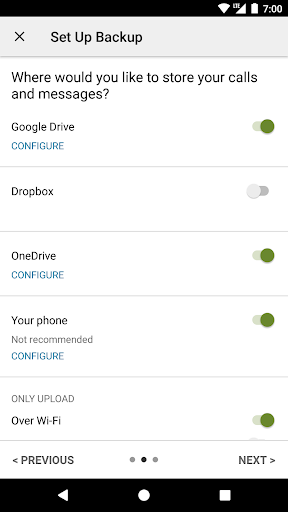
When I picture using SMS Backup & Restore, it’s the evening before setting up a replacement phone: I want my old conversations and call history available, but I don’t want to rely on memory or manually copy anything. The app can create a local backup of SMS, MMS and call logs, with options to send a copy to Google Drive, Dropbox or OneDrive. That makes it a useful step in a device-change checklist.
The app also lets you choose specific conversations to include or restore, rather than treating every message thread as an all-or-nothing bundle. I’d make a backup, check that it appears among the available files, and keep a copy somewhere outside the phone before wiping or replacing it. That last step matters: the app can restore from an existing backup, but it cannot bring back records that were never saved.
A Utility, Not a Messenger
SMS Backup & Restore is best understood as a maintenance tool for existing message records, not a replacement for the app you use to text. It creates XML backups, can search those backups, and can restore data from backups made with this app. If your main goal is sending messages, organizing live chats or recovering something that was never backed up, this is not the tool for that job.
Compared with simply leaving conversations on one phone, a backup gives you a separate copy and a route to transfer records to another device. The app supports a direct transfer between two phones over Wi-Fi Direct, as well as backup files stored locally or uploaded to cloud services. Those options make it more flexible than a one-time manual record, though they still depend on having made a backup first.
Small Habits That Help
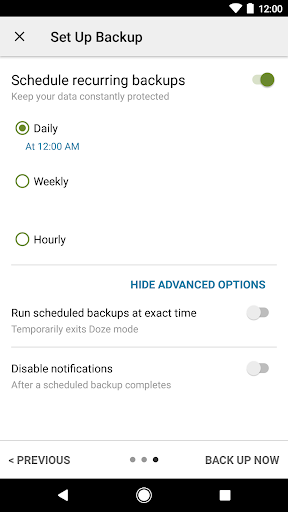
A scheduled backup is the easiest way to make this app part of a routine instead of something I remember only when a phone is already acting up. You can choose a recurring time, then let the app make copies automatically. I’d still check the backup list occasionally and make sure there is a copy outside the phone, particularly before a factory reset or a device change.
For a less frequent task, I’d use conversation selection to keep a backup focused, then search the saved copies when I need to locate something. The app can also email a backup file, and its XML files can be viewed on a computer with the linked online viewer. These are handy ways to inspect or keep a record, but I’d treat the backup as a file to manage carefully rather than a live, searchable messaging inbox.
More From Our News Desk

Zoom Meetings, Google Meet, or Teams: Which Is Easiest to Join?

How I Build a Free Streaming Lineup With Tubi

Why Crunchyroll Is the Default Anime App for So Many Fans

YouTube TV: A Practical Guide to Cutting Cable

Rummikub and the Small Comfort of Phone Games

TeamViewer Remote Control or AnyDesk for Helping Family?
Who Will Find It Useful
I’d recommend SMS Backup & Restore to Android users who want a straightforward way to preserve text and picture messages or call logs, especially before switching phones. It also makes sense for anyone who prefers a recurring backup rather than remembering to do it by hand. The choice of local storage, cloud upload and Wi-Fi Direct transfer gives it several practical paths without changing its basic purpose.
It may not suit someone expecting recovery of deleted messages without a saved copy, or someone looking for a general-purpose chat app. Restoring requires an existing backup made by this app, so planning ahead is essential. People who don’t want to grant access to messages or call information may also find its permissions a poor fit for their preferences. I’d use it for a specific backup job, not as a substitute for careful file management.
SMS Backup & Restore is a free Android tools app from SyncTech Pty Ltd. Google Play shows over 10 million installs and a 3.9-star rating from about 132,000 ratings. The app is rated Everyone. It contains ads, and the provided store details show no in-app purchases.
The current version in the supplied details is 10.30.007, with a last update date of October 23, 2026. The app description says it has been tested on Android 5.0 and higher. Its core job is backing up and restoring SMS, MMS and call logs, with backups created locally by default and options for cloud upload.
A Closer Look at Backup Routines
A Focused First Impression
When I first open an app with such a specific job, I want the purpose to be clear before I start granting access. SMS Backup & Restore is built around copying and restoring message and call records, so the first decision is really about what I want to preserve and where I want the copy to go. Its feature set stays close to that task rather than branching into unrelated communication tools.
The setup involves permissions that match the work: messages for SMS and MMS, call and contact information for call logs and names, and storage for creating backup files. Account access is relevant when using Google Drive or Gmail-related options, while location is requested during Wi-Fi Direct transfer because of an Android security requirement. I’d review those choices in the context of the backup method I plan to use.
The Day-to-Day Workflow
The everyday pattern is simple in principle: create a backup, decide whether to keep it on the phone or upload it, and restore from that saved file when there’s a reason to. Scheduled backups reduce the need to repeat the first step manually. If I’m moving only a portion of my message history, the option to select conversations for backup or restore helps keep the operation more deliberate.
What I’d keep in mind is that a local copy and a separate copy are not the same thing when the phone itself is lost or reset. The app offers uploads to Google Drive, Dropbox and OneDrive, as well as email, so there are ways to put a backup elsewhere. I’d check that the file is present in the intended destination instead of assuming that setting up a routine automatically solves every storage concern.
Useful Ways to Handle Backups
Search and backup browsing make the app more useful after the initial copy is made. You can view local and cloud backups, drill into their contents and search within the saved material. That is a different experience from browsing a live conversation in a messaging app, but it can help when the task is finding a particular record in an archive.
Another notable option is Fast Transfer between two phones over Wi-Fi Direct. That gives users a route to move a backup without making cloud storage the only path. The app can also email a backup file, and the XML format can be viewed on a computer through the online viewer described by the developer. Together, these options make the backup file more portable than a copy kept only in the app.
A Routine for Device Changes
For a phone upgrade, I’d set a recurring backup time well before the day I plan to switch. Then I’d make sure a recent backup is available, choose a cloud or email copy if I want it outside the phone, and use the app’s restore or transfer options on the new device. The process is most reassuring when the backup exists in more than one place before I begin changing anything.
If I were trying to preserve only a few important threads, I’d use conversation selection instead of copying everything by default. Afterward, I could search the backup or view it on a computer if I needed to inspect what was saved. The key habit is to verify the copy before relying on it. A backup routine is useful precisely because it happens before the urgent moment arrives.
Limits to Keep in View
The biggest limitation is also the easiest to miss: restoration depends on an existing backup, and the app restores only backups made by this app. It is not a recovery service for messages that were never copied. I’d treat it as protection against future loss, not as a way to reverse something that already happened without a saved file.
The app’s narrow focus and permission needs will not appeal to everyone. Backing up messages and call logs requires access to that information, and cloud options involve choosing a destination for the file. There are also ads, though the supplied details show no in-app purchases. Anyone who wants a broader messaging experience should keep using a dedicated messaging app for everyday conversations.
SMS Backup & Restore does one practical job: it copies SMS, MMS and call logs, then helps move those records from an existing backup. Scheduled runs, selective conversations and several storage or transfer options give it more flexibility than a single manual export. The important catch is simple: restoration works only when a compatible backup already exists.
I’d recommend it to Android users who want to plan ahead for a phone change or keep a separate copy of their message history. I wouldn’t choose it for live messaging or for recovering data that was never backed up. Used as a regular maintenance tool, it is a focused and useful option.
SMS Backup & Restore Frequently Asked Questions
What is SMS Backup & Restore used for?
SMS Backup & Restore creates backups of SMS and MMS messages and call logs, then restores or transfers records from backups already made with the app. It can save backups locally, with options to upload to Google Drive, Dropbox or OneDrive, email a file, or transfer between two phones over Wi-Fi Direct. It cannot recover records without an existing backup.
Which phones can run SMS Backup & Restore?
SMS Backup & Restore is an Android app. Its description says it has been tested on Android 5.0 and higher. For the minimum Android version that applies to a particular current device or release, check the Google Play store details, since requirements may vary.
Does SMS Backup & Restore cost money?
The app is free to install, and the supplied Google Play details show no in-app purchases. It does contain ads. Store information can change, so it is worth checking the current Google Play details before installing if you want to confirm the latest cost and purchase information.
Can SMS Backup & Restore recover deleted messages?
Only if there is an existing backup to restore from. The app restores backups made with SMS Backup & Restore; it does not recover messages or call logs that were never backed up. If you plan to reset or replace a phone, create and check a backup beforehand, and keep a copy outside the phone.
Who should use SMS Backup & Restore?
It suits Android users who want to preserve message history or call logs, especially when preparing to move to another phone. It may not suit people looking for a messaging app or a way to retrieve data without a backup. The app needs access to relevant phone information to perform its backup and restore functions.
Pros
- Backs up SMS, MMS and call logs in XML format.
- Offers scheduled backups and selective conversation choices.
- Supports local storage, cloud uploads and Wi-Fi Direct transfer.
- Lets users browse and search saved backups.
Cons
- Restoration requires an existing backup made with this app.
- Access to messages and call information is required for its core job.
- Contains ads, and a local backup alone may not survive phone loss.
- Category
- Tools
- Version
- 10.30.007











