Smoothie King
- 22.72K
- 4.9
- Installs
- 1.00M
- Price
- Free

Screenshots
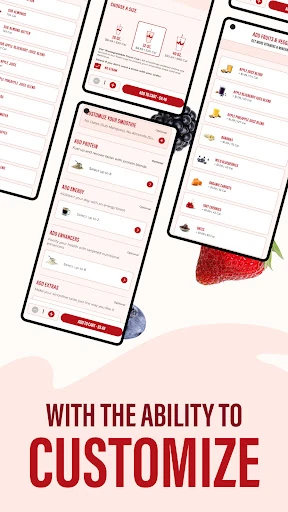
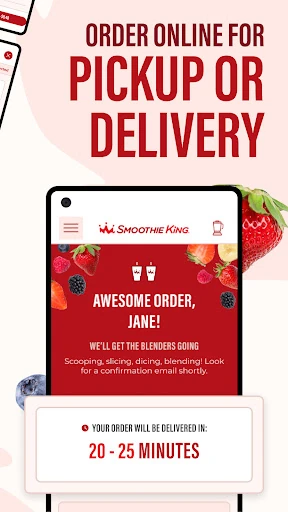
Analysis by Reviewed APKs
Smoothie King is a Food & Drink app for browsing blends and placing orders ahead, with delivery also available. It suits regular customers who want to find a familiar drink quickly, keep an eye on calories, or make use of member deals and rewards. After spending time with its ordering and browsing tools, I found it most useful as a practical companion to a Smoothie King visit, rather than a general nutrition or meal-planning app.
A Smoother Midday Stop
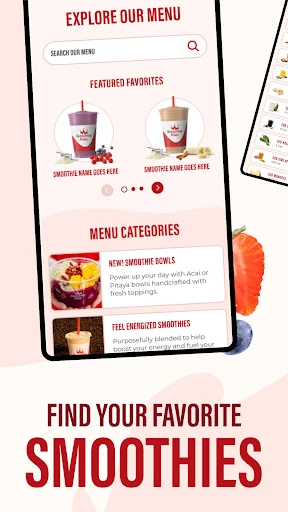
When I first opened Smoothie King, I pictured the familiar lunch-break decision: I have a few minutes, want something cold, and do not want to start from scratch at the counter. Searching by product name or ingredient makes it easier to narrow down the menu. Once I know what sounds good, ordering ahead gives the app a clear job: help me get from craving to order with less back-and-forth.
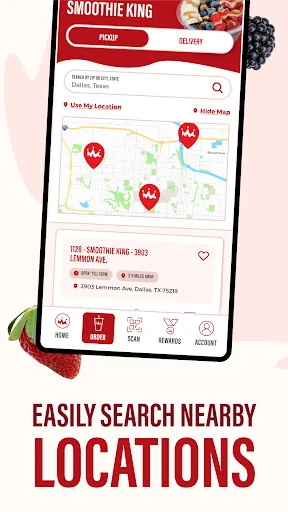
I also like that the app brings rewards and deals into the ordering process. In the cart, I can review available offers and choose one that fits my order, instead of trying to remember what promotion I saw earlier. Favorites can help when I have a regular pick, while favoriting a location makes sense if I tend to visit the same shop. The experience is geared toward repeat visits, not one-time browsing.
A Chain Companion, Not a Diet App
Compared with calling a store or deciding at the counter, the app is a more convenient way to look through Smoothie King’s menu and place an order. Delivery is also part of its ordering proposition. The calorie counter and ingredient search give me useful ways to browse, but the app remains tied to the chain’s own products, rewards, and locations. It is not a broad restaurant directory or an independent meal tracker.
That distinction matters if I am choosing between apps. A general nutrition tool is built around logging meals across many places; Smoothie King is built around shopping from one menu. I would not open it expecting detailed meal planning or a substitute for personalized dietary guidance. I would open it when I already have Smoothie King in mind and want to make the visit or order easier.
Small Habits That Help
A little setup can make repeat ordering less fussy. I would favorite a go-to location and save a usual drink, then use the ingredient search when I want to branch out. That gives me two paths: repeat a familiar order quickly or browse with a specific flavor or ingredient in mind. It is a simple workflow, but it suits an app designed around returning customers.
Before checking out, I would take a moment to look at the cart’s rewards and deals overview. That is a practical place to compare an offer with the order I am actually placing. The calorie counter can also be part of browsing when I want to compare options. These tools work best as quick checks during a purchase, rather than reasons to turn a smoothie order into an elaborate research session.
More From Our News Desk

Zoom Meetings, Google Meet, or Teams: Which Is Easiest to Join?

How I Build a Free Streaming Lineup With Tubi

Why Crunchyroll Is the Default Anime App for So Many Fans

YouTube TV: A Practical Guide to Cutting Cable

Rummikub and the Small Comfort of Phone Games

TeamViewer Remote Control or AnyDesk for Helping Family?
Who Will Get the Most From It
I would recommend Smoothie King to people who already visit the chain, especially anyone who likes to order ahead, use delivery, or return to the same drinks. The combination of favorites, location preferences, rewards, and member deals is aimed at making those repeat choices easier. Ingredient search and the calorie counter add practical browsing help for someone deciding between menu options.
It may be less useful if you rarely buy from Smoothie King or want one app to organize food from many restaurants. The chain-specific focus is the point, but it also sets a clear boundary. Someone looking for a general calorie log, custom meal planner, or broad restaurant discovery tool should look elsewhere. For an occasional customer, browsing the menu may still help, but the repeat-order conveniences matter less.
Smoothie King is published by Smoothie King Franchises, Inc. and is listed in Google Play’s Food & Drink category. It has over one million installs and a 4.9-star rating from 22,718 ratings. The app is free to download, with no in-app purchases or ads indicated in its store details.
Google Play gives the app an Everyone content rating. The listed version is 7.1.0; it was released on July 24, 2011, and last updated on September 28, 2026. The minimum Android version is not included in the available app details, so check Google Play for the requirement that applies to your device.
How Smoothie King Fits a Real Routine
A Direct First Impression
When I first opened the app, its purpose was easy to understand: browse Smoothie King options and move toward an order. The menu search gives me a useful starting point whether I know a product name or only have an ingredient in mind. That keeps the initial experience grounded in a real decision, rather than making me dig through unrelated content before I can find what I came for.
The setup feels most worthwhile if I expect to come back. Favoriting a location and saving a preferred order support quicker repeat visits, while the rewards and deals overview gives me a reason to check the cart before paying. I would not spend time configuring every available option on day one. A saved favorite and a preferred shop are enough to make the next order feel more personal.
Ordering From Day to Day
The day-to-day appeal is reducing small points of friction. If I have a few minutes before heading out, I can look up a drink, check the menu, and place an order ahead. If getting to a shop is less convenient, delivery is another option mentioned for the app. Those uses make it more than a static menu, while keeping the focus on buying from Smoothie King.
For a usual order, favorites should save me from repeating the same search and selection each time. For a less familiar choice, searching by ingredient lets me browse with a more specific idea than simply scrolling. I appreciate that these approaches serve different moods: one is about speed, the other about exploration. The app’s strongest everyday role is helping me choose and order without turning the process into a project.
Useful Menu and Rewards Tools
The calorie counter is one of the more useful menu features for a quick comparison. I can use it while deciding what to order, without treating it as a complete health record. Ingredient search offers a second way into the menu, which is handy when a particular flavor or component is what I am looking for. Both tools support browsing rather than replacing the menu itself.
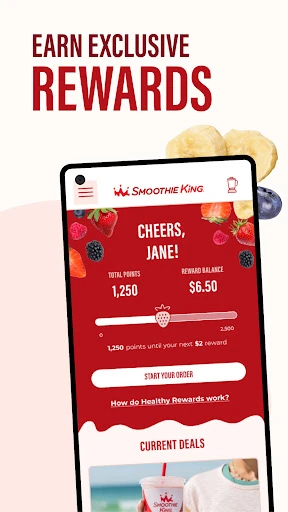
Rewards and deal information are also brought into the purchase flow. The app describes points earned with orders and rewards that can contribute toward dollars off future blends. It also highlights member-only deals. In the cart, I can review available offers and choose one that works for the order. That is more practical than keeping a promotion in mind and hoping I remember it at checkout.
The wallet feature brings payment options together, and the app also describes gift card history for Blender Bucks. Location favorites round out the conveniences for people who return to the same shop. These are not dramatic features, but they address the little details that can make a regular order feel easier to manage.
A Simple Ordering Routine
My practical routine would start before leaving home or work: search for the drink I want, or browse by ingredient if I am undecided. I would compare options with the calorie counter if that information is relevant to my choice, then add the item to an order. For a drink I get often, I would use a favorite rather than retracing the same steps every visit.
At checkout, I would look over the rewards and offers before finishing. That is the moment when a deal can be judged against the order in front of me. If I am visiting a familiar shop, the saved location is another small convenience. This routine keeps the app useful without requiring daily attention when I am not planning a Smoothie King order.
On a day when I want something different, I would reverse the routine: start with ingredients, explore the menu, then decide whether an offer fits. The app’s features make more sense as optional shortcuts than as a strict process. I can use only the parts that help with that particular order.
Keep the Scope in Mind
The biggest limitation is also the app’s defining focus: it is for Smoothie King. Its menu search, rewards, saved locations, and ordering conveniences are useful when I am choosing from that chain, but do not turn it into a general-purpose food app. If I only visit occasionally, several of the repeat-order tools may sit unused.
The calorie counter can help with a menu comparison, but I would not mistake it for a comprehensive nutrition tracker. Likewise, rewards and deals are useful extras, not the core reason to install the app if I do not plan to order. Anyone choosing based on a particular device requirement should check Google Play, since that requirement can depend on the current store information.
Smoothie King does a sensible job of making a chain-specific order easier. I especially like the mix of menu search, favorites, cart-level deal review, and rewards for people who come back regularly. The app’s value is clearest when I already know I want Smoothie King and would rather spend less time repeating the same ordering steps.
I would recommend it to regular customers who want ordering ahead, delivery, and a more convenient way to revisit favorite blends. If you want a broad food, nutrition, or restaurant-discovery app, this is too focused to fill that role. For the right routine, though, that focus is exactly what makes it handy.
Smoothie King Frequently Asked Questions
What is the Smoothie King app used for?
Smoothie King is used to browse the chain’s menu and place orders, including ordering ahead and delivery. It also offers ingredient and product search, a calorie counter, saved favorites and locations, rewards information, and deals. I see it as a way to make a Smoothie King purchase more convenient, rather than as a general food or nutrition app.
Which devices can run the Smoothie King app?
The app is available for Android through Google Play. Its minimum Android version can vary with the current store requirements and device, so check the Google Play entry before installing if compatibility is a concern. The information here does not establish availability on other platforms, so use the relevant store to check for a version for your device.
Does Smoothie King cost anything to download?
Smoothie King is free to download on Google Play. Its store details indicate that it contains no in-app purchases and no ads. The app includes rewards and deals connected with orders, but those features do not change its listed download price. Check Google Play for current terms or any changes that may apply to your account or location.
Can I earn rewards with Smoothie King?
The app describes earning points with orders, which can add up to dollars off future blends, and it provides an overview of rewards and deals in the cart. It also mentions member-only offers. The available details do not specify every reward term, so check the app or its Google Play information for current program conditions.
Is Smoothie King a good fit for occasional customers?
It can still be useful for an occasional customer who wants to browse the menu, search by ingredient, or place an order ahead. Its saved favorites, location preferences, and rewards are more valuable when you return regularly. If you do not expect to order from Smoothie King, the chain-specific features may not give you much reason to keep it installed.
Pros
- Search by product name or ingredient makes menu browsing more direct.
- Favorites and saved locations help streamline repeat orders.
- Cart overview brings available rewards and deals into checkout.
- Free download with no ads or in-app purchases listed.
Cons
- Its features are focused entirely on Smoothie King orders and locations.
- Several conveniences matter most to people who order repeatedly.
- The minimum Android requirement should be checked in Google Play.
- Category
- Food & Drink
- Version
- 7.1.0











