Domino's Pizza USA
- 2.39M
- 4.6
- Installs
- 10.00M
- Price
- Free

Screenshots
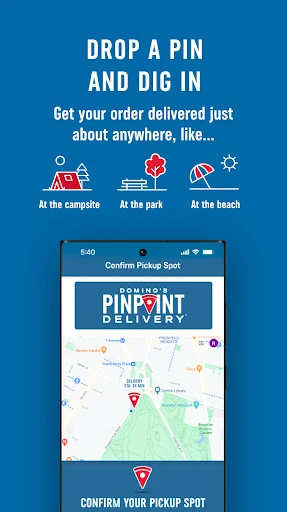
Analysis by Reviewed APKs
Domino's Pizza USA is for ordering pizza, sides, drinks and desserts from participating Domino's restaurants in the United States, then following the order with Domino's Tracker. I see it as a practical choice for people who already know what they want from Domino's and would rather order on a phone than call or decide at the counter. The ordering and tracking make sense together, though it is specifically for Domino's rather than a broad restaurant finder.
From dinner idea to order
When I picture using the app on a busy evening, the appeal is straightforward: open it, choose a familiar pizza or build one, add sides or drinks if needed, and select delivery or carryout. That keeps the basic job in one place instead of splitting menu choices, restaurant contact and order updates across different steps. For a household trying to settle dinner without a long discussion, being able to browse options and put together an order is useful.
The Tracker is the part that gives the app a role after checkout. Rather than placing an order and wondering what is happening, I can follow its progress through the app as updates arrive. That is a small convenience, but it suits the way people actually use a food-ordering app: a few minutes to choose, then occasional checks while doing something else. The experience is built around a Domino's order, not around discovering every restaurant nearby.
A focused restaurant companion
Compared with a general food-delivery app, Domino's Pizza USA is a narrower tool. It is for ordering from Domino's restaurants in the United States, excluding Puerto Rico, and it puts the brand's pizzas, specialty pizzas, sides, drinks and desserts at the center. That focus may be welcome when I already have a Domino's order in mind. It is less useful when I want to compare menus from several restaurants or browse a whole neighborhood.
It also is not a recipe app, a meal planner or a general-purpose delivery service. Its main strengths are choosing Domino's food, selecting delivery or carryout, finding deals and rewards, and tracking the order. If I am undecided about the restaurant itself, I would still need another way to compare options. If I have decided on Domino's, the dedicated app keeps the relevant choices and order progress together.
Make repeat orders easier
A useful habit is to decide on the broad order before opening the app: how many people are eating, whether the plan is delivery or carryout, and whether the meal needs sides or drinks. That gives the menu browsing a purpose and helps keep a quick dinner order from turning into an endless round of topping choices. The app supports both building a pizza and selecting a specialty pizza, so either a familiar combination or a more guided choice can fit.
I would also make checking Deals & Rewards part of the order routine, rather than treating it as an afterthought. The app describes rewards points that can be redeemed for more favorites, so people who order repeatedly may find it worthwhile to join Domino's Rewards and keep an eye on those options. After checkout, the natural next step is to use the Tracker for updates instead of repeatedly contacting the restaurant.
More From Our News Desk

Zoom Meetings, Google Meet, or Teams: Which Is Easiest to Join?

How I Build a Free Streaming Lineup With Tubi

Why Crunchyroll Is the Default Anime App for So Many Fans

YouTube TV: A Practical Guide to Cutting Cable

Rummikub and the Small Comfort of Phone Games

TeamViewer Remote Control or AnyDesk for Helping Family?
Who will find it useful
I would recommend Domino's Pizza USA to people who order from Domino's often, or who have a specific pizza night in mind and want to handle the order from their phone. It brings customization, specialty pizzas, other menu categories, delivery or carryout, deals, rewards and tracking into one restaurant-focused experience. The Tracker is especially handy for anyone who likes to know how an order is progressing without having to call the local restaurant for an update.
It may not suit someone who wants a single app for comparing many restaurants, or someone who rarely chooses Domino's and would rather browse a wider range of food. It is also limited geographically to Domino's restaurants in the United States, with Puerto Rico excluded from app ordering. For those users, the app's focused approach can feel restrictive rather than convenient. For a regular Domino's customer, that same focus is its point.
Domino's Pizza USA is a free Food & Drink app from Domino's Pizza LLC, available on Google Play. It has over 10 million installs and a 4.6-star rating from around 2.4 million ratings. The app is rated Everyone. Those figures give a quick sense of its reach and store feedback, while the practical fit still depends on whether you order from Domino's and can use a participating restaurant in your area.
The app is free to download, and the supplied Google Play facts report no in-app purchases and no ads. Its listed version is 13.11.3. It was released on February 21, 2012, and the stated last update date is October 29, 2026. The minimum Android version is not included in the supplied details, so check the Google Play page for device compatibility before installing.
A closer look at ordering and tracking
A straightforward first impression
When I first opened the app, the idea behind it was easy to understand: this is a place to build or choose a Domino's order, pick delivery or carryout, and keep up with what happens afterward. It does not ask me to think of it as a general food guide. That narrow purpose is a strength when I have already chosen Domino's and just want to get dinner sorted.
Getting started is most useful when I know roughly what I am ordering and where I want it from. The app can use precise location to identify nearby restaurants, which can help with carryout ordering. I can also use the app to call a local restaurant with a tap. Those options make location relevant to setup, but the core point remains choosing a menu item and placing an order.
The everyday order flow
The core experience is built around a familiar sequence: choose a pizza, either by customizing one or picking a specialty option, then add any sides, drinks or desserts. From there, I can choose delivery or carryout. That is a sensible structure for a quick meal decision because the app covers the main parts of a Domino's order without asking me to switch to a separate menu or tracking tool.
What makes the routine more useful is that the app continues to matter after checkout. Domino's Tracker provides updates on order progress, and the app can use notifications to surface updates and deals. In practice, I would check the tracker when I have a moment rather than watch it constantly. It gives the order a visible follow-through, while the actual usefulness of delivery or carryout depends on the restaurant serving the order.
Customization, deals and rewards
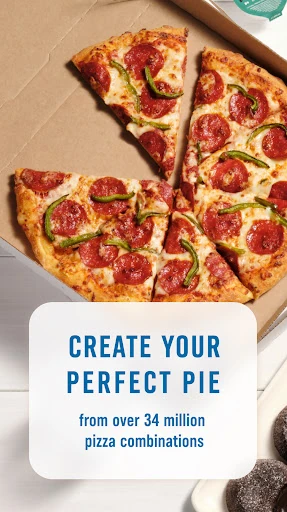
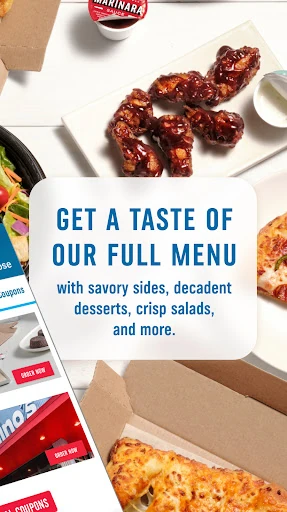
The menu choices cover more than a single pizza button. I can build a pizza or choose a specialty pizza, then add from sides, drinks and desserts. That makes the app work for both a simple personal order and a larger meal where the pizza is only part of it. The supported choices are focused on Domino's food rather than a broad collection of restaurants or unrelated grocery items.
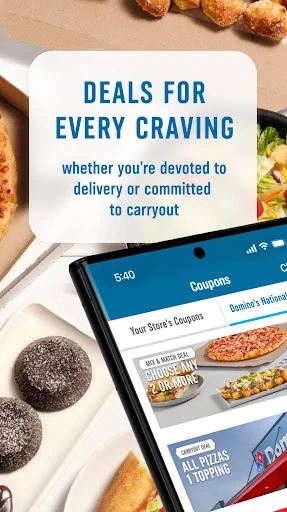
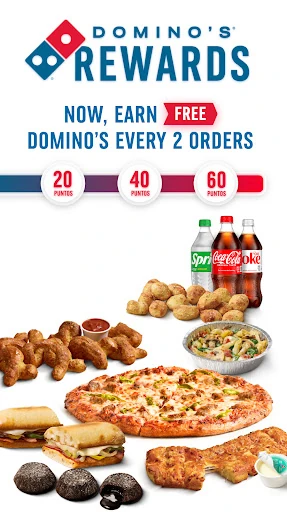
Deals and Domino's Rewards give repeat customers another reason to place orders through the app. The description says members earn points that can be redeemed for more favorites, alongside access to deals and rewards. I would treat that as a useful extra, not the reason to install the app if I hardly ever order Domino's. The central convenience remains building an order and tracking its progress in one place.
One small practical feature is the ability to call a local restaurant from within the app. That can be handy if I need to speak with the store rather than keep navigating elsewhere. Location can also help identify nearby restaurants for carryout. These are supporting conveniences, not replacements for the main ordering flow.
A calmer pizza-night routine
For a low-effort dinner routine, I would start by deciding whether I am picking up or having the order delivered. Then I would choose between a familiar build and a specialty pizza, add any sides or drinks, and review the available deals or rewards before ordering. That simple order of decisions keeps the app's many menu possibilities from getting in the way of the immediate task.
After placing the order, I would leave the app available for Tracker updates and check it when convenient. The description says the app can use vibration to alert users to changes in order status, and notifications can provide updates, coupons and deals. I would not need to keep the screen open to make the app useful; the value is having an easy place to return to while dinner is underway.
Keep the boundaries in mind
The biggest limitation is also the clearest one: the app is for ordering from Domino's, not for comparing multiple food brands. If I want to weigh several restaurants against one another, or discover a cuisine I have not chosen yet, I would need a broader service. This app makes most sense after the restaurant decision is already made.
Geography matters too. App ordering is for Domino's restaurants in the United States, excluding Puerto Rico. People outside that coverage should not expect the app to serve as a universal ordering route. The minimum Android requirement can vary by app version and device, so it is worth checking Google Play before installing if compatibility is a concern.
Finally, the app's usefulness depends on whether its ordering and tracking fit the local Domino's experience. Its listed features are practical, but they do not make it a meal-planning tool or a substitute for contacting a restaurant when a direct conversation is needed. I see it as a convenient channel for a familiar order, not an essential app for every eater.
Domino's Pizza USA does its best work when I already know I want Domino's. It combines pizza customization, specialty choices, sides and drinks with delivery or carryout, deals and rewards, and order tracking. That makes it a practical repeat-order companion rather than a broad food-discovery app.
I would recommend it to regular Domino's customers who like ordering and following progress from their phone. If I rarely eat Domino's or want to compare restaurants, I would look elsewhere. For a straightforward pizza night, though, its focused approach is useful and easy to understand.
Domino's Pizza USA Frequently Asked Questions
What is Domino's Pizza USA used for?
Domino's Pizza USA is used to order from Domino's restaurants in the United States, excluding Puerto Rico. You can build a pizza or choose a specialty pizza, add sides, drinks and desserts, choose delivery or carryout, and follow order progress with Domino's Tracker. The app also includes deals and Domino's Rewards.
Which devices can run Domino's Pizza USA?
Domino's Pizza USA is an Android app available through Google Play. The minimum Android version may vary with the app and device, so check its Google Play page for the current compatibility details before installing. The ordering service described in the app is for Domino's restaurants in the United States, not Puerto Rico.
Does Domino's Pizza USA cost anything?
The app is free to download. The supplied Google Play facts report no in-app purchases and no ads. Food orders themselves are placed with Domino's, so check the app for the current menu and order details when deciding what to buy; available options can depend on the restaurant.
Can Domino's Pizza USA track an order?
Yes. Domino's Pizza USA includes Domino's Tracker, which provides updates as an order progresses. The app description also mentions notifications for order updates, coupons and deals. Tracking is intended to accompany an order placed through the app, rather than provide general delivery tracking for orders from other restaurants.
Who should use Domino's Pizza USA?
It is best suited to people who already want Domino's and value ordering, choosing delivery or carryout, and tracking the order in one app. It may be less useful if you want to compare many restaurants or order outside the United States coverage described. Check Google Play for device requirements and the app for restaurant availability.
Pros
- Combines pizza customization, specialty pizzas and other menu categories in one ordering app.
- Offers delivery or carryout choices and order progress through Domino's Tracker.
- Includes Domino's deals and Rewards for customers who order repeatedly.
- Free to download, with no ads or in-app purchases reported in the supplied facts.
Cons
- Focused on Domino's rather than comparing menus from multiple restaurants.
- App ordering is limited to U.S. Domino's restaurants and excludes Puerto Rico.
- The minimum Android requirement should be checked in Google Play before installing.
- Category
- Food & Drink
- Version
- 13.11.3