Slim Chickens
- 12.89K
- 4.8
- Installs
- 500.00K
- Price
- Free

Screenshots
Analysis by Reviewed APKs
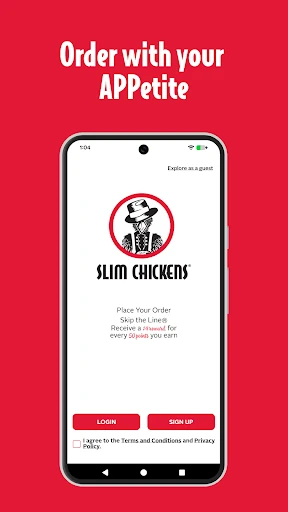
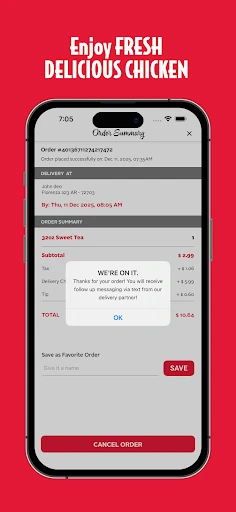
Slim Chickens is a restaurant app for placing orders, earning loyalty points, and finding a nearby Slim Chickens location. I see its appeal most clearly when I already know where I want to eat and would rather arrange pickup before arriving. The rewards and saved favorites add a useful reason to keep it installed, though it is focused on one restaurant brand rather than being a general food-ordering app.
A quicker lunch stop
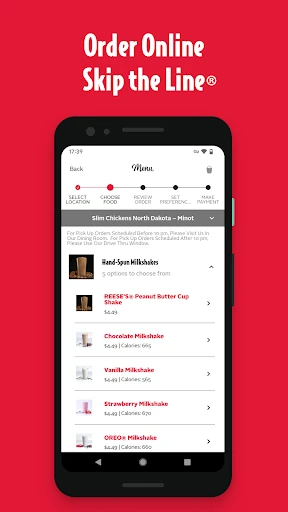
Imagine it is a busy lunch break and a Slim Chickens location is already part of your route. I would use the app to place an order before leaving, then head to the restaurant and look for the Online Order Pickup sign. That is the central everyday job here: get the order started on your phone and make a familiar stop feel more organized, rather than spending the visit deciding what to do.
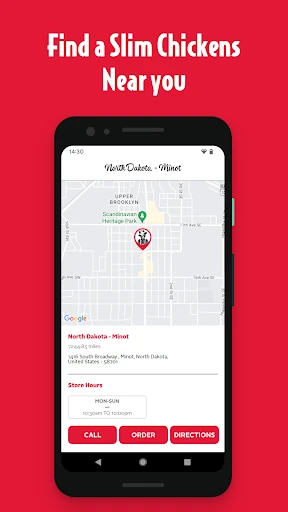
The surrounding details help with that simple plan. I can check which location is closest, save a preferred restaurant, look up its hours, and get directions. If I tend to order the same thing, saving favorite orders gives me a shortcut for a later visit. The app is most useful when those small bits of preparation remove friction from a meal I was already planning to pick up.
A focused restaurant companion
Compared with a broad restaurant-finding or delivery service, Slim Chickens is much narrower: it is centered on ordering from Slim Chickens, finding its locations, and getting value from its rewards program. That focus makes sense for regular customers. I would not treat it as a way to compare restaurants across town or browse a wide range of cuisines; its job is to support visits to this particular chain.
It also is not a substitute for deciding whether a location suits a special dietary need or whether a particular item is right for you. The supplied app details emphasize ordering, rewards, offers, saved favorites, and location information. If I am choosing a place to eat from scratch, I would use a broader discovery tool first. Once Slim Chickens is the plan, this app has a more specific role.
Small habits that help
A little setup can make repeat visits smoother. I would save the location I use most, check its hours before setting out, and keep a favorite order handy if I often choose the same meal. Those habits turn the app from something I open only at the counter into a practical part of planning a quick stop, without requiring a complicated routine.
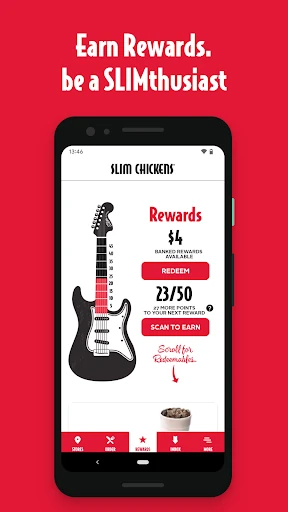
It is also worth remembering that points build from spending: the program awards one point per dollar, and 50 points bring a $4 reward. I would check the app for current special offers and insider news rather than assuming every visit has the same deal. Referrals and the birthday treat are additional extras, but the basic points system is the part I would keep in mind during ordinary visits.
More From Our News Desk

Zoom Meetings, Google Meet, or Teams: Which Is Easiest to Join?

How I Build a Free Streaming Lineup With Tubi

Why Crunchyroll Is the Default Anime App for So Many Fans

YouTube TV: A Practical Guide to Cutting Cable

Rummikub and the Small Comfort of Phone Games

TeamViewer Remote Control or AnyDesk for Helping Family?
Who will get the most from it
I would recommend Slim Chickens to people who already visit the chain, especially anyone who likes planning pickup ahead or tends to order familiar favorites. The saved orders and location tools are practical rather than flashy, and the rewards give regular customers a straightforward reason to use the app. It should also suit someone who wants restaurant hours and directions in the same place as ordering and offers.
It may be less useful if you rarely eat at Slim Chickens, want one app for many restaurants, or are mainly looking for restaurant discovery. The loyalty program depends on spending at the brand, so occasional visitors may have less reason to track points. I would also keep expectations focused: this is a convenient companion for Slim Chickens visits, not a broad dining guide or a general-purpose food service.
Slim Chickens is listed as a Food & Drink app from Slim Chickens App. On Google Play it has over 500,000 installs and a 4.8-star rating from about 12,900 ratings. The app is free to install, and the supplied store facts say it has no in-app purchases and contains no ads. Its content rating is Everyone.
The current listed version is 3.5, and the minimum Android requirement is Android 10. The app was released on October 16, 2017, and its most recent listed update was February 4, 2026. The latest update notes describe bug fixes and enhancements. Those details give a practical snapshot of the Android app without changing its main purpose: ordering, rewards, and help with finding a Slim Chickens location.
Making Familiar Stops Easier
A straightforward first step
When I first opened an app like this for a planned restaurant stop, the useful question was not how many screens it had, but whether it helped me get from intention to pickup. Slim Chickens keeps its stated purpose clear: order on the app, earn rewards, and find a restaurant. That makes it easy to understand who it is for before making it part of a routine.
The app also offers a special offer 12 hours after downloading and signing up. I would treat that as a reason to check in after setup, not as the whole point of installing it. The lasting value is more likely to come from using ordering, saved favorites, and location details on future visits.
Useful between visits
Day to day, the app has a few roles that fit naturally around a meal. I can use it to start an order, return to a favorite order, check store hours, or get directions to the location I have in mind. These are modest conveniences, but they address the moments when I am trying to keep a lunch break or an errand run moving.
The rewards feature gives repeat use a little continuity. One point is earned for every dollar spent, with a $4 reward available for every 50 points. I like that the rule is easy to remember. It is still a loyalty program tied to purchases at the chain, so I would see it as a bonus for visits I already make, not a reason by itself to change where I eat.
Rewards and location tools
The strongest set of features is the mix of order and visit support. The app promotes ordering ahead and directs customers to the Online Order Pickup sign, while location search, saved locations, hours, and directions help with the trip itself. I find that combination more useful than a rewards balance in isolation because it supports both planning the meal and getting to the restaurant.
There are a few smaller incentives around the core points system. Customers can receive a referral reward when a friend places a first qualifying order, and the app offers a birthday treat. It also provides insider news, special offers, and a way to share feedback. Together, these make the app more than a single-use ordering shortcut, while keeping its focus on the restaurant relationship.
A simple visit routine
For a routine weekday stop, I would start by checking the saved location and its hours, especially if I am going at an unusual time. If the restaurant fits my route, I can place an order in advance and head for the marked pickup area. That sequence is easy to remember and makes the app feel useful without turning a quick meal into a project.
After the visit, I would keep an eye on points and any offers that appear in the app. If I already know what I tend to order, saving it can make the next visit more direct. This is the kind of small, repeatable workflow that suits a restaurant loyalty app: use the tools when they save time, and let rewards accumulate as a byproduct.
Keep the scope in mind
The main limitation is also the app's defining choice: it serves one chain. That is convenient when Slim Chickens is already on the menu, but it offers little reason to open it when I am comparing unrelated restaurants or looking for a meal from somewhere else. Its location features are useful within that boundary rather than as a general map of dining options.
I would also avoid assuming that loyalty offers will matter equally to every customer. The points have a clear spend-based structure, but getting value from them requires visits and purchases. The app's listed details support ordering, rewards, locations, offers, and feedback; they do not make it a broad restaurant research tool. Knowing that scope makes it easier to judge whether it deserves a place on my phone.
Slim Chickens is a practical companion for customers who already know the chain and want a smoother way to arrange pickup, keep track of rewards, or find a nearby location. I like that the everyday tools are easy to understand, and the saved orders can help make repeat visits less fiddly.
I would recommend it to regular Slim Chickens customers, particularly those who will use both ordering and the points program. If you visit only occasionally or want one app for many restaurants, its narrow focus may not add much. For its intended audience, it covers the basics without asking for much effort.
Slim Chickens Frequently Asked Questions
What is the Slim Chickens app used for?
Slim Chickens is used to order from the restaurant, earn loyalty points, save favorite orders and locations, and find store hours or directions. It also provides special offers, insider news, referral rewards, a birthday treat, and a way to share feedback. Its features are centered on Slim Chickens rather than on restaurants generally.
Which phones can run the Slim Chickens app?
The supplied store information is for the Android app, which requires Android 10 or later. The listed version is 3.5. If you are checking compatibility for a particular phone or looking for availability on another platform, consult the relevant store listing, since availability and device requirements can vary.
Does the Slim Chickens app cost money?
The app is free to install. The supplied Google Play facts indicate that it has no in-app purchases and contains no ads. Store details can change, so it is worth checking the current Google Play listing for the latest information before installing.
How do Slim Chickens rewards work?
The app awards one point for every dollar spent, and 50 points earn a $4 reward. It also describes referral rewards for a friend's first qualifying order and a birthday treat. Offers and program details can change, so check the app or its Google Play listing for the current terms.
Is Slim Chickens useful if I visit rarely?
It can still help with finding a location, checking hours, or placing an order, but its rewards are most relevant to people who return to Slim Chickens. If you rarely visit or want a tool for comparing many restaurants, the app's brand-specific focus may not suit you as well as a broader service.
Pros
- Combines mobile ordering with pickup guidance and useful location details.
- Earn one point per dollar, with a clear $4 reward at 50 points.
- Saved favorite orders and locations can make repeat visits more convenient.
- Free to install, with no ads or in-app purchases in the supplied store facts.
Cons
- Its ordering and rewards features are focused on Slim Chickens alone.
- The loyalty program is less compelling for people who visit only occasionally.
- Customers looking for broad restaurant discovery will need another tool.
- Category
- Food & Drink
- Version
- 3.5











