SiriusXM: Music, Sports & News
- 1.10M
- 4.5
- Installs
- 10.00M
- Price
- Free

Screenshots
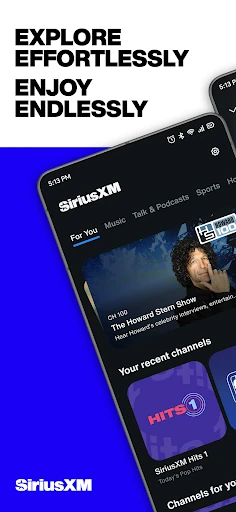
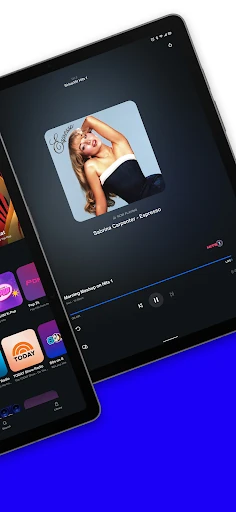
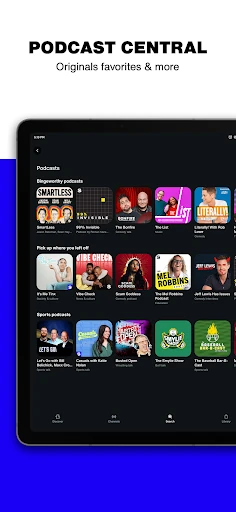
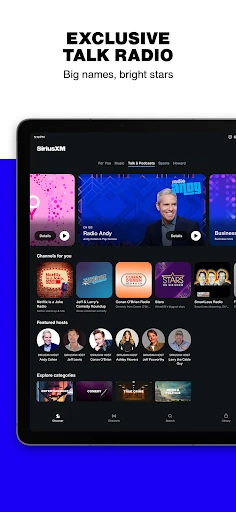
Analysis by Reviewed APKs
SiriusXM: Music, Sports & News brings live radio, music channels, sports coverage, news, podcasts, talk shows, and comedy into one listening app. I found it most useful when I wanted something to play without choosing every song myself, or when a game or show was on live. It suits people who like curated audio and broad programming, though subscriptions make the cost worth considering.
A Listening Companion
When I first opened SiriusXM, I thought about the moments when I want audio but do not want to build a queue: making dinner, driving across town, or tidying up after work. The app brings together music channels, live radio, sports, news, podcasts, comedy, and talk shows, so I could choose a general direction and let a channel carry the listening session. That makes it feel more like a radio destination than a single-purpose music player.
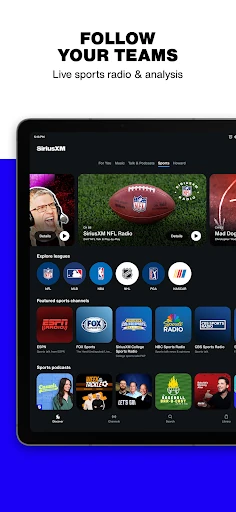
For a game-day routine, I could head to sports programming for live play-by-play or analysis, with live scores available in the app. On a quieter evening, I could switch to an artist station, a news broadcast, or a podcast instead. The appeal is having those different kinds of listening in one place. It is a practical fit for people who often turn on audio while doing something else, rather than sitting down to manage every track.
Radio, Not a Queue
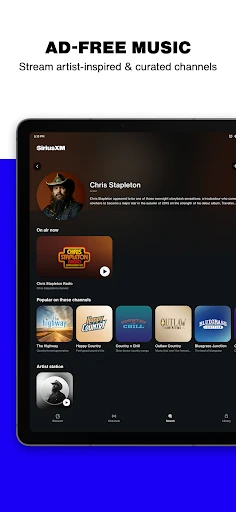
SiriusXM is easiest to understand alongside ordinary radio: it offers channels and live programming, but through an app that also includes podcasts, recommendations, and a library for saved content. Compared with choosing individual songs one by one, its curated stations make the decision simpler. Dedicated pages for teams, genres, bands, and channels also give listeners a way to browse by interest when they do want to be more deliberate.
That breadth does not make it the right tool for every listening habit. If I wanted to assemble a precise sequence of tracks, the channel-first approach would not be the same as building a personal playlist. Nor is this simply a sports-score app or a news reader; its main job is streaming audio, with scores and varied programming supporting that experience. Plan availability matters too, since content and features vary by subscription.
Small Ways to Settle In
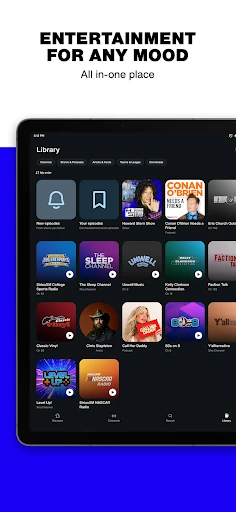
I would start by saving the stations, artists, or programs I return to in Your Library. That creates a useful shortcut for a commute or a quick listening break, instead of browsing the channel guide from scratch each time. Personalized recommendations can help broaden the selection, while dedicated pages for genres, teams, bands, and channels give me a few different routes into the catalog.
Another handy habit is enabling alerts for shows or game-day programs I do not want to miss. The recent update also adds a long-press or right-click menu on tiles, with options such as adding an item to the Library or setting notifications. For longer listening sessions, the app supports Android Auto, casting from a phone or tablet, and listening on compatible smart speakers or app-enabled devices.
More From Our News Desk

Zoom Meetings, Google Meet, or Teams: Which Is Easiest to Join?

How I Build a Free Streaming Lineup With Tubi

Why Crunchyroll Is the Default Anime App for So Many Fans

YouTube TV: A Practical Guide to Cutting Cable

Rummikub and the Small Comfort of Phone Games

TeamViewer Remote Control or AnyDesk for Helping Family?
Who Will Enjoy It
I would recommend SiriusXM to listeners who like having music, live sports, talk, news, and comedy within one audio service. It is especially appealing if you enjoy curated stations, follow teams or leagues, or want live programs and game coverage in the same app. The ability to save favorites and get alerts makes it easier to turn a broad catalog into a familiar routine.
It may be less suited to someone who only wants to select individual tracks and arrange them into a carefully controlled playlist, or who is looking for a free, standalone audio option. The app is free to download, but subscriptions and in-app purchases are part of the picture. I would also keep in mind that some programming includes explicit language and that what is available depends on the plan.
SiriusXM develops SiriusXM: Music, Sports & News, a Music & Audio app for Android. Google Play shows over 10 million installs and a 4.5-star rating from around 1.1 million ratings. The app is free to download, contains in-app purchases, and does not contain ads. In-app product prices range from $1.00 to $99.99 per item.
The app has a Teen content rating and requires Android 7.0 or later. The current version is 7.23.1, and Google Play gives its release date as December 21, 2010, with a last update on January 27, 2026. Subscription purchases automatically renew until canceled, and the rate and applicable tax are charged on a recurring monthly basis after any free trial.
How SiriusXM Fits Into My Day
A Broad First Impression
My first impression was of an app built around choice at the channel level. Music is only one part of the offering; sports, news, talk, podcasts, and comedy are also in the mix. That variety can be useful if my listening mood changes during the day, though it also means the catalog can feel broad before I have found the few stations I want to revisit.
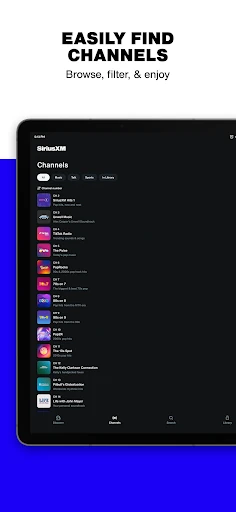
I would begin with the channel guide or one of the dedicated pages for a team, genre, band, or channel. Once something clicks, saving it to Your Library makes it easier to find again. The setup does not require me to plan a listening session in advance: I can browse, pick a program, and let the channel do the work.
The Everyday Listening Loop
In day-to-day use, the simplest pattern is to pick a channel for the task at hand and keep moving. A music station can fill the background while I work around the house; a news or talk station gives a different kind of company; sports programming is there when I want play-by-play or analysis. This variety is the app's practical strength, especially when I do not want to switch between separate audio services.
The experience is not only about live listening. Podcasts and other on-demand programming add options for a time when I want to choose what to hear rather than follow a live channel. I also like that the app can send alerts when shows or game-day programs go live. That can help make a favorite program part of a routine instead of something I have to remember to check.
Features With a Purpose
The most distinctive feature is the mix of curated artist stations and live programming across several interests. SiriusXM names stations connected to artists including The Beatles, Bruce Springsteen, Metallica, and U2, alongside sports coverage, news sources, talk shows, and comedy channels. The selection gives the app more character than a catalog limited to music, while keeping the same basic action—choose something and listen.
Discovery and organization tools help manage that range. Personalized recommendations offer another way to find audio, while Your Library keeps saved radio stations, artists, and content together. The channel guide is useful when I prefer browsing the broader lineup. Long-pressing or right-clicking a tile can bring up actions such as saving it or setting a notification, a small shortcut that makes browsing feel more direct.
For listening beyond the phone, SiriusXM supports Android Auto, casting from a phone or tablet to a TV, soundbar, or speaker, and use on smart speakers or other app-enabled devices. That flexibility is useful when a listening session moves from a car to a room at home. Data charges may apply, so streaming on a mobile connection is something to keep in mind.
A Routine That Works
A straightforward routine would be to save a handful of dependable favorites first: perhaps a music station for chores, a team or league page for sports, and a news or talk program for a different part of the day. From there, I could use alerts for the live shows that matter to me and rely on recommendations when I want to explore. That keeps the app's wide selection from becoming a repeated search.
For a commute, I would connect the listening routine to Android Auto and choose the station or program before setting off. At home, casting offers a way to continue listening through a supported speaker, soundbar, or TV. These are not complicated workflows, but they show where SiriusXM works best: as an audio service that can follow a listener between ordinary activities and devices.
Limits to Keep in Mind
The main limitation is that the app's content and features vary by plan. A free download does not mean that every station or program is included without a subscription, and the store lists a wide range of in-app purchase prices. Subscription terms say purchases renew monthly after any free trial unless canceled, so I would review the offer and renewal details before choosing a plan.
The broad catalog can also be more than some listeners need. If I only want a tightly arranged playlist or a single category of audio, the channel-led mix may feel less focused than a specialist app. Some programming includes explicit language, and streaming can use mobile data. Those are not deal-breakers for the right listener, but they are relevant to how and where I would use it.
SiriusXM works best as a flexible radio and audio hub: it combines curated music with live sports, news, talk, podcasts, and comedy, then adds saving, recommendations, alerts, and ways to listen across devices. I found the appeal less about controlling every track and more about quickly finding a channel that fits the moment.
I would try it if I wanted one place for varied programming and enjoyed live or curated listening. I would be more cautious if I needed a free service or precise playlist control. Before subscribing, I would compare the plan details with the content I actually expect to use.
SiriusXM Frequently Asked Questions
What is SiriusXM: Music, Sports & News used for?
SiriusXM is an audio app for listening to music channels, live radio, sports play-by-play and analysis, news, podcasts, talk shows, and comedy. You can browse channels and dedicated pages, save stations or other content in Your Library, and receive alerts for shows or game-day programs. The available content and features depend on the subscription plan.
Which devices can run SiriusXM: Music, Sports & News?
The app is available for Android and requires Android 7.0 or later. SiriusXM also describes listening through Android Auto, casting from a phone or tablet to a TV, soundbar, or speaker, and using smart speakers or other app-enabled devices. Availability of particular features and content can vary by plan and device.
What Android version does SiriusXM: Music, Sports & News require?
SiriusXM: Music, Sports & News requires Android 7.0 or later. It is a free download on Google Play, though listening access and features depend on the subscription plan. If you are checking compatibility for a particular phone or device, the Google Play store page is the best place to confirm current requirements.
Does SiriusXM: Music, Sports & News cost money?
The app is free to download and includes in-app purchases, with listed in-app product prices ranging from $1.00 to $99.99 per item. Subscription purchases automatically renew monthly after any free trial until canceled, and applicable taxes may apply. Plan rates and available content can change, so check the Google Play store page and offer details before subscribing.
Is SiriusXM: Music, Sports & News right for casual listeners?
It can suit casual listeners who want curated music or varied radio-style programming without choosing every track. It is also useful for people interested in live sports, news, podcasts, talk, or comedy. It may be less appealing if you want only precise playlist control or are looking for an entirely free listening service, since subscription plans affect access.
Pros
- Combines music, sports, news, podcasts, talk, and comedy in one audio app.
- Library saves favorite stations, artists, and content for easier return visits.
- Alerts can help you catch shows and game-day programs live.
- Supports Android Auto and casting to compatible devices.
Cons
- Content and features depend on the subscription plan.
- Subscription purchases renew monthly unless canceled.
- The broad, channel-led experience may not suit listeners who want precise playlists.
- Category
- Music & Audio
- Version
- 7.23.1











