Signal Private Messenger
- 2.94M
- 4.5
- Installs
- 100.00M
- Price
- Free

Screenshots



Analysis by Reviewed APKs
Signal Private Messenger is for people who want everyday chats, calls, and group conversations with privacy built into the service. I found it most appealing as a practical alternative to ordinary texting and mainstream chat apps, rather than a tool that asks you to change how you communicate. Its familiar mix of messages, media, calls, and groups makes the privacy focus feel usable, not like a separate chore.
A regular day in Signal
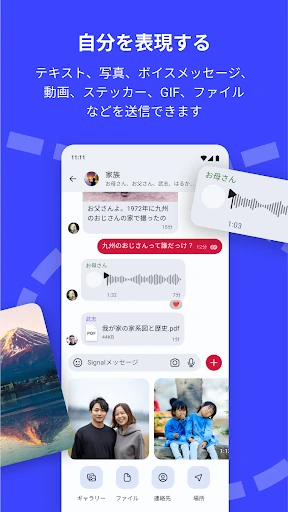
When I first opened Signal, I imagined using it for the kind of small exchanges that fill a normal day: asking a friend when to meet, sending a photo, or leaving a voice message while walking home. The app supports texts, voice messages, photos, videos, GIFs, and files, so a conversation can move between formats without needing a different service for each one.
For a weekend plan, I could picture making a group chat, sharing a couple of photos, and switching to a call when typing became awkward. Signal supports group chats of up to 1,000 people and group calls with up to 50. Those are generous ceilings, though most of my everyday use would be much smaller: a few friends coordinating dinner or family members sorting out a visit.
A private alternative, not a platform
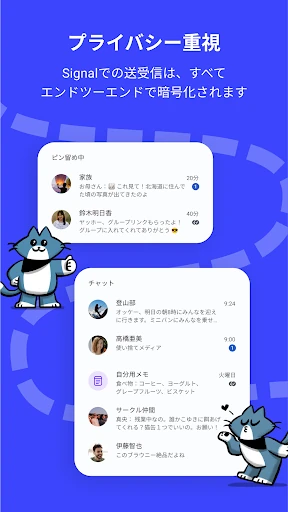
Signal’s clearest point of difference is its privacy-centered approach. The app says its messages and calls use end-to-end encryption through the open-source Signal Protocol. That gives it a distinct purpose among communication apps: it aims to make private conversations the default, while still covering familiar chat and calling basics. The service is also independent and nonprofit, and its description says it is supported by donations rather than advertisers or investors.
I would not treat Signal as a social network, a public forum, or a full collaboration suite. Its listed strengths are direct communication, group chats, calls, file sharing, and Stories that disappear after 24 hours. If what I wanted were public discovery or a broad feed of content, this would not be the right fit. It makes more sense when the people I want to reach are willing to use the same messenger.
Small habits that help
A useful habit is to move a conversation to Signal before there is a reason to rush. If friends or family are already in the app, using it for ordinary check-ins makes it easier to keep chats and calls together instead of remembering which service holds which conversation. Signal uses a phone’s data connection for messages and calls, rather than SMS or MMS, so it can avoid those messaging fees; mobile data or Wi-Fi still matters.
For groups, it helps to decide early who should be able to post and who should manage members. Signal’s group settings include admin permissions, which can make a large chat less chaotic. I’d also treat Stories as a deliberate audience choice: they disappear after 24 hours, and privacy settings let you control who can see them. A quick check of that audience is a sensible step before sharing.
Reads About Signal Private Messenger
More From Our News Desk

Zoom Meetings, Google Meet, or Teams: Which Is Easiest to Join?

How I Build a Free Streaming Lineup With Tubi

Why Crunchyroll Is the Default Anime App for So Many Fans

YouTube TV: A Practical Guide to Cutting Cable

Rummikub and the Small Comfort of Phone Games

TeamViewer Remote Control or AnyDesk for Helping Family?
Who will get the most from it
I’d recommend Signal to people who want a familiar messenger but place real importance on private communication. It covers the basics many people use every day—texts, calls, photos, videos, files, and group chats—without making the privacy focus feel like an advanced feature reserved for specialists. It also suits households and friend groups that are willing to agree on one shared app for their conversations.
It may be less appealing if the people someone needs to contact are committed to other services, since a messenger is only useful when a conversation’s participants can meet there. People looking for public communities, broad social discovery, or a work platform with a larger set of collaboration tools may want something else. Signal’s appeal is strongest when the goal is straightforward personal communication with privacy at its center.
Signal Private Messenger is developed by Signal Foundation. Google Play shows over 100 million installs and a 4.5-star rating from about 2.9 million ratings. The app is free to download, contains no ads, and has in-app purchases priced at $1.99 to $2.99 per item. Its content rating is Everyone.
The supplied app details give version 8.33.2, a release date of May 25, 2010, and an update date of October 27, 2026. A minimum Android version is not provided in the available facts, so I’d check the Google Play page for the requirement that applies to a particular device. The description says Signal is supported by donations.
How Signal Fits Into Everyday Messaging
A straightforward first impression
When I first opened Signal, the strongest impression was how ordinary its purpose felt: it is a messenger for talking to people, not a privacy dashboard that happens to include chat. That matters because security-minded tools can sometimes feel like they require a separate routine. Signal’s feature set is recognizable—messages, calls, groups, and media—so the privacy emphasis has a chance to fit into habits people already have.
I’d start by thinking about which conversations I actually want to move over and whether the other people in them are ready to use Signal too. That is a practical part of getting value from any messaging app: the service needs to work for both sides of a conversation. Once the relevant people are there, its basic mix of text, media, and calls gives a group several ways to stay in touch.
The everyday conversation
In day-to-day use, the range of message types is a useful strength. I can imagine sending a quick text, recording a voice message when my hands are busy, then sharing a photo or file in the same conversation. The app uses a phone’s data connection for these messages, avoiding SMS and MMS fees. That makes it a natural option for people who already have a data connection and want their everyday exchanges in one place.
Calls add another familiar route when typing is too slow or a conversation needs more nuance. Signal supports encrypted voice and video calls, including group calls of up to 50 people. That is plenty of room for many personal calls, though I would still choose the format based on the situation: a quick voice call for a check-in, or a group call when several people need to talk together.
Features with a privacy angle
The central feature is end-to-end encryption for messages and calls, using the open-source Signal Protocol, according to the app description. Signal says it cannot read messages or listen to calls. That promise is the reason to consider the app in the first place, and it applies to familiar communication rather than a narrow specialty. I appreciate that the privacy story is connected to ordinary actions such as chatting and calling.
Group controls are another practical detail. Chats can hold up to 1,000 people, and administrators can manage members and set who is allowed to post. For a small family thread, those controls may not matter much. In a larger group, they can help keep a conversation organized and make participation rules clearer.
Stories provide a more casual way to share image, text, and video updates. They disappear after 24 hours, and Signal offers privacy settings for choosing who can see them. I would use that feature selectively, with the audience in mind, rather than assuming every contact should see every update.
A routine for staying in touch
A simple routine might be to keep a few ongoing conversations in Signal, use a group chat for plans, and switch to voice or video when a longer exchange is easier aloud. For example, friends arranging a day out could share details in text, pass around photos, and call the group if plans change. Nothing about that workflow requires treating the app as a project; it is just a familiar conversation with several ways to communicate.
I’d make group settings part of the setup when a chat grows beyond a handful of people. Agreeing on who can post or manage members can reduce confusion later. If using Stories, I’d take a moment to choose who can view them before sharing. These are small choices, but they help align the app’s controls with the people and purpose of each conversation.
Limits to keep in mind
The most practical limitation is that Signal works best when the people I want to contact are also using it. A privacy-focused messenger cannot make a group move over by itself, so adopting it may mean asking friends or relatives to add another app. If important conversations remain elsewhere, I may still end up switching between services.
Signal’s description emphasizes messaging, calls, groups, and Stories; it does not position the app as a public social network or an all-purpose work platform. That is not a flaw if private communication is the goal, but it does set expectations. I would choose it for conversations with people I know, not for browsing public content or managing every kind of team activity.
The supplied facts do not specify a minimum Android version. Device owners should check the Google Play page for the requirement that applies to their phone. The app is free and ad-free, but the store details also include paid in-app items, so it is worth reviewing the current purchase information if that matters to your decision.
Signal Private Messenger makes a strong case for privacy without narrowing itself to one kind of conversation. Messages, media, group chats, voice calls, and video calls give it a useful everyday range, while its privacy focus sets it apart. The main trade-off is familiar: the people I want to talk with need to be willing to use it too.
I’d recommend giving Signal a try if private personal communication is a priority and your friends or family are open to joining. It is less suited to someone seeking public communities or a broad work platform. For everyday chats with a privacy-first approach, it is a practical option rather than a complicated one.
Signal Private Messenger Frequently Asked Questions
What is Signal Private Messenger used for?
Signal is used for private messaging and calls. It supports texts, voice messages, photos, videos, GIFs, files, voice and video calls, group chats, and Stories that disappear after 24 hours. Its description says messages and calls use end-to-end encryption through the Signal Protocol. It is aimed at personal communication, rather than public social networking.
Which devices can run Signal Private Messenger?
The facts provided for this review describe the Android app on Google Play. They do not give a minimum Android version, so the requirement for a particular phone may vary; check the Google Play page for current compatibility details. Signal’s description discusses using a phone’s data connection, but the supplied information does not specify other platforms or device requirements.
Does Signal Private Messenger cost money?
Signal is free to download and contains no ads. The supplied store facts also show in-app purchases priced from $1.99 to $2.99 per item. Signal’s description says the independent nonprofit is supported by donations rather than advertisers or investors. Purchase details can vary, so check the Google Play page for the current information before buying.
What Android version does Signal Private Messenger require?
The available app facts do not specify a minimum Android version. Requirements can vary as app and device support changes, so check Signal Private Messenger’s Google Play page for the version currently required by your phone. The supplied facts identify version 8.33.2 of the app, but that is the app version, not the Android requirement.
Who is Signal Private Messenger best suited to?
Signal is a good fit for people who want everyday chats and calls with privacy at the center, especially if their friends or family are willing to use it too. It may not suit someone looking for public communities or a broad work collaboration platform. Its practical value depends on having the people you want to contact available in the app.
Pros
- Combines encrypted messaging and calls with everyday media sharing.
- Supports large group chats and group calls of up to 50 people.
- Free to download and contains no ads.
- Stories disappear after 24 hours, with controls over who can view them.
Cons
- Useful conversations depend on the other people adopting Signal too.
- The app is focused on private communication, not public social discovery.
- A minimum Android version is not included in the supplied details.
- Category
- Communication
- Version
- 8.33.2











