SideQuest ( BETA )
- 2.43K
- 3.2
- Installs
- 500.00K
- Price
- Free

Screenshots
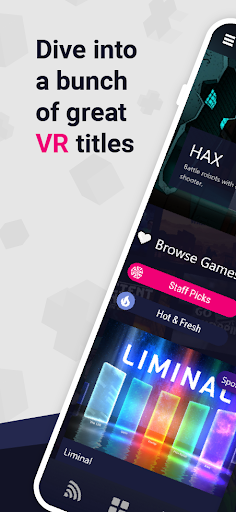
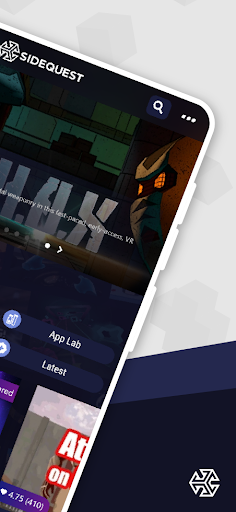
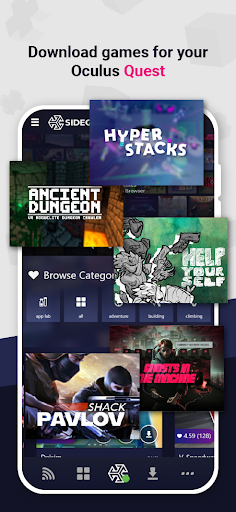
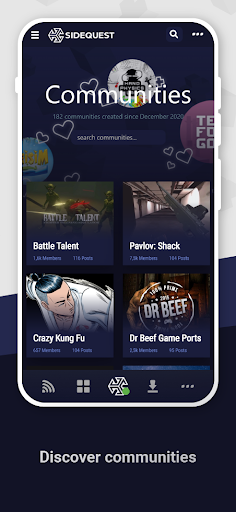
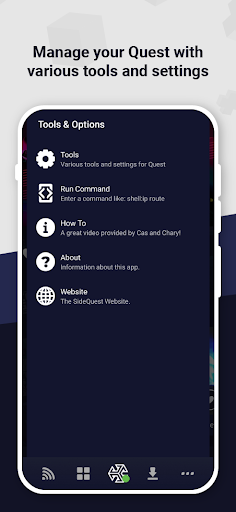

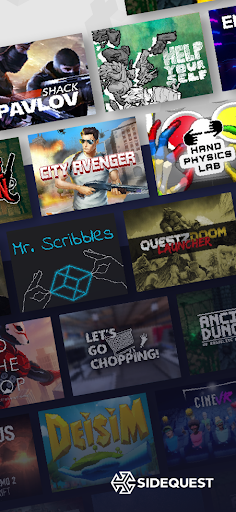
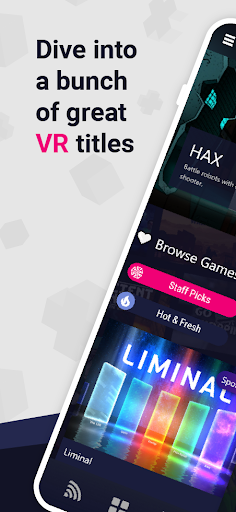
Analysis by Reviewed APKs
SideQuest ( BETA ) is an Android companion for finding additional content for standalone VR headsets, including Oculus Quest. I see it as a useful option for curious headset owners who want to look beyond the main store and are comfortable with a little setup. The app’s purpose is appealing, but getting connected can involve cables or a desktop, so it is not quite a tap-and-go discovery tool.
A little more VR to try
Picture finishing a familiar VR game and wanting something different for the weekend. SideQuest gives you a place to look for content intended for standalone headsets, including material that has not yet appeared in the Oculus Store. I would use it as a second stop when I am curious about what developers are experimenting with, rather than as the first place I go to find a mainstream release.
The first practical hurdle is connecting the phone and headset. The app’s description says you may need to enable Wireless ADB on the headset, which requires a USB connection first. Some phones can make that connection with OTG, but compatibility varies. When a phone cannot do it, the described alternative is using the SideQuest desktop app on a PC, Mac, or Linux computer to enable wireless access.
A companion, not a replacement
The obvious comparison is the headset’s main app store. SideQuest is meant to complement that route by providing access to additional VR content, not to replace the standard store for everything. That distinction matters: I would open the regular store for familiar, established releases and use SideQuest when I specifically want to explore beyond its selection. Its appeal is the extra avenue, not a promise that every title belongs there.
It is also not a general-purpose VR player or a desktop development suite. The Android app’s stated role is to help users access content for standalone VR headsets, while the desktop app is mentioned as a connection workaround. Developers may find the platform relevant as a place to validate content and build an audience, but the app description does not make it a complete toolkit for creating VR projects.
Make setup less of a chore
I would approach setup as a one-time task to handle when I have a few quiet minutes, rather than something to squeeze in just before a headset session. Check whether the phone can connect to the headset over USB with OTG, and have the desktop option in mind if it cannot. That small bit of preparation helps avoid turning a relaxed evening of VR into a hunt for the right cable or connection.
After the connection is working, I would treat SideQuest as a periodic discovery stop. Browse when you are ready to try something new, then keep the headset and phone connection steps in mind for the next time you want to access content. The description emphasizes expanding a standalone headset’s available content; it does not detail a particular browsing layout or collection-management workflow, so I would keep expectations focused on that core purpose.
More From Our News Desk

Zoom Meetings, Google Meet, or Teams: Which Is Easiest to Join?

How I Build a Free Streaming Lineup With Tubi

Why Crunchyroll Is the Default Anime App for So Many Fans

YouTube TV: A Practical Guide to Cutting Cable

Rummikub and the Small Comfort of Phone Games

TeamViewer Remote Control or AnyDesk for Helping Family?
Who may enjoy SideQuest
I would recommend SideQuest to standalone VR owners who like exploring outside a main store and do not mind some technical setup. It makes most sense for someone who is already comfortable connecting devices or willing to use a computer as part of the process. Developers interested in having a place to test VR content may also find the platform relevant, though the Android app should not be mistaken for a full creation environment.
It may be a poor fit if you want a completely effortless way to browse and install everything from your phone, or if you only want the familiar selection in the headset’s main store. The USB and wireless ADB steps can add friction, and OTG support varies by phone. I would also be cautious about expecting a polished, comprehensive catalog: the useful promise here is access to additional content, not a particular quantity or quality of titles.
SideQuest ( BETA ) is published by SideQuest Ltd and is a Tools app for Android. Google Play shows over 500,000 installs and a 3.2-star rating from about 2,430 ratings. The app is free, with no in-app purchases and no ads. Its content rating is Teen, a practical detail for families checking whether the app is appropriate for a younger user.
The current version shown is 2.3.2. SideQuest ( BETA ) was released on April 15, 2021, and its latest update is dated October 26, 2026. The available app details do not specify a minimum Android version, so check the Google Play entry for device compatibility before installing. The headset connection process described by the app may also depend on phone and USB OTG compatibility.
The real work is getting connected
First look and setup
When I first opened SideQuest, the most important thing to understand was its relationship to the headset: it is a way to reach more content for standalone VR, not a VR experience in its own right. That framing helps set expectations before you start. The app is aimed at people who have a headset ready and want to explore options beyond the content they already know.
Setup deserves more thought than a quick sign-in-and-browse routine. SideQuest explains that Wireless ADB may need to be enabled on the headset and that doing so requires USB at first. A phone with OTG support may be able to handle that connection, but the description explicitly notes that not all phones can. If yours cannot, the desktop app is offered as an alternate way to enable wireless access.
Day-to-day discovery
Once the connection question is sorted, the everyday role is straightforward: use SideQuest when you want to look beyond the main store for standalone headset content. I can imagine checking it after a regular VR session, when I have time to explore rather than when I am eager to launch a specific game. That makes it a companion to a headset routine, not necessarily the center of one.
The description does not spell out a detailed catalog interface or specific browsing filters, so I would not plan around features that are not described. What it does establish is a route to content that has not yet reached the Oculus Store and a way for developers to put work in front of users. The practical draw is that extra access, with the connection setup as the trade-off.
What stands out
The standout idea is giving standalone VR owners another place to discover content. SideQuest is described as a proving ground where developers can validate their work and begin building communities. For a user, that can mean encountering projects at an earlier stage than the familiar store selection, though it also means approaching the experience as exploration rather than assuming every option will suit your tastes.
I also appreciate that the description acknowledges the setup path instead of making the phone connection sound effortless. USB OTG support can differ between phones, and the desktop app provides another route for enabling wireless ADB. That is a useful distinction for anyone deciding whether the Android app alone will fit their setup. The app’s stated focus remains access to VR content, rather than a broad collection of headset controls.
A practical weekend routine
A sensible routine would start before the weekend: check that the headset and phone can complete the required connection, and use the desktop route if the phone cannot connect over USB. Once that groundwork is done, set aside a little time to browse SideQuest when you are in the mood to experiment. That sequence keeps troubleshooting separate from the moment you actually want to put on the headset.
I would keep the main store as my familiar starting point and make SideQuest the place I visit when I want something different. That division makes the extra setup easier to justify: you are not relying on it for every VR session, just using it to widen the range of content you can consider. For developers, the platform’s stated role as a place to validate content offers a related reason to pay attention.
Limits to keep in mind
The biggest limitation is the connection process. Enabling wireless ADB involves an initial USB step, and the phone route depends on OTG support. If that is not available, you need access to a PC, Mac, or Linux computer for the described desktop workaround. This is manageable for prepared users, but it is a meaningful extra step compared with browsing a store directly on a headset.
SideQuest is also focused on standalone VR content, so it is not a general recommendation for someone without a compatible headset or anyone seeking ordinary phone apps. The store rating is 3.2 stars from around 2,430 ratings, which suggests opinions are mixed, though a score alone cannot explain why. I would try it for the additional content route, while keeping my expectations realistic about setup and the range of experiences.
SideQuest ( BETA ) has a clear purpose: help standalone VR users reach content beyond the main store. I like that it also gives developers a place to test their work and find an audience. The catch is practical rather than mysterious: getting wireless access may take an initial USB connection or a desktop computer.
I would recommend it to curious headset owners who enjoy exploring and are willing to work through setup. If you want a friction-free app-store experience or do not have a standalone VR headset, it is unlikely to become part of your routine. For the right user, it is a useful extra doorway, not a replacement for the main store.
SideQuest Frequently Asked Questions
What is SideQuest ( BETA ) used for?
SideQuest ( BETA ) is an Android app for accessing additional content for standalone VR headsets, including content not yet available in the Oculus Store. It is also described as a proving ground where developers can validate VR content and start building communities. It is best understood as a companion to a headset, rather than a VR game or a general phone utility.
Which devices and platforms work with SideQuest ( BETA )?
SideQuest ( BETA ) is an Android app intended for use with standalone VR headsets. Its description says some phones can connect to a headset over USB using OTG, while others cannot. A desktop app for PC, Mac, or Linux can be used to enable wireless ADB instead. Check the store entry and your device setup for compatibility details.
What Android version does SideQuest ( BETA ) require?
The available app details do not give a minimum Android version. Requirements can vary as the app and devices change, so check the SideQuest ( BETA ) Google Play entry before installing. The headset connection can also depend on whether your phone supports USB OTG, or whether you can use the desktop app to enable wireless access.
Does SideQuest ( BETA ) cost money?
SideQuest ( BETA ) is free to install and use, with no in-app purchases or ads shown in its app details. The description says the platform is free for users and developers. Check the Google Play entry for current store information, since availability and other details can vary over time.
Is SideQuest ( BETA ) a good fit for beginners?
It can suit a VR beginner who is comfortable following connection steps and wants to explore additional headset content. The initial USB and Wireless ADB setup may be less appealing if you expect everything to work directly from a phone. If you prefer a simple, familiar store experience, the headset’s main store may be a better starting point.
Pros
- Offers a route to standalone VR content beyond the familiar headset store.
- Provides a platform described as a proving ground for VR developers.
- Free to use, with no in-app purchases or ads.
- Includes a desktop connection alternative when phone OTG support is unavailable.
Cons
- Initial wireless setup may require a USB connection to the headset.
- USB OTG support differs between phones, which can complicate setup.
- Its focus is narrow and depends on having a standalone VR headset.
- Category
- Tools
- Version
- 2.3.2











